
RemoteJobsFinder.co doesn’t offer a free trial. So if you’re curious about it, your only option is to pay first and figure things out later.
That’s exactly why this review exists.
I bought the paid RemoteJobsFinder.co plan to test how it actually works, what features you get, and whether it holds up against today’s AI-powered job search tools.
Let’s get started.
TL;DR
RemoteJobsFinder.co is a paid remote job discovery platform with a simple interface and a large volume of listings. It’s easy to use and surfaces legitimate roles, but it doesn’t offer much beyond basic browsing and light automation.

Who it’s best for:
- Job seekers who want a straightforward remote job discovery platform
- People who prefer simple tools with minimal setup
Automate Your Job Applications with AI 🚀
Try the leading AI Copilot for job seekers – autonomous, safe, fully personalized, and trusted by 100,000+ users to land interviews faster.
Check Out JobCopilot →Key features at a glance:
| Feature | What You Get |
| Job focus | Remote-first listings (platform claims ~70% remote roles) |
| Job discovery | Browse and filter a large pool of remote and remote-adjacent jobs |
| Industry categories | 25+ industries across common remote-friendly fields |
| Application method | External applications via the company ATS |
| Auto-apply | Limited, email-based, available for select listings only |
| Resume generation | AI-generated resume tailoring |
| Cover letter | AI-generated, template-based |
| Customer support | Responsive support (based on user reviews) |
| Free trial | Not available |
Pros
- Clean, easy-to-use interface
- Simple and uncluttered job discovery flow
- Legitimate job listings (based on user feedback)
- Frequent job alerts
- Responsive customer support
- Works well as a lightweight discovery tool
Cons
- No free trial or limited access mode
- Auto-apply works on a small fraction of listings
- Resume and cover letter output is clearly AI-written
- Limited features beyond job browsing
- Paid access doesn’t always outperform free job boards
- Marketing promises can feel ahead of actual functionality
Why You Can Trust This Review
This review is based on firsthand use. The good and the frustrating parts are both included. Here’s what that means in practical terms:
- Hands-On Testing: I paid for the RemoteJobsFinder.co subscription myself and tested the tool the same way a real job seeker would.
- Transparency: I’m not affiliated with RemoteJobsFinder.co, and this article isn’t sponsored. No one from the company reviewed or influenced what’s written here.
- Decision clarity: The pros and cons you’ll see are based on what worked in practice and what didn’t (with proofs such as screenshots, user reviews, etc.).
Note: No tool guarantees interviews or offers. This review focuses on usability and value, not promises of outcomes.
How RemoteJobsFinder.co Works
RemoteJobsFinder.co positions itself as a remote-first job search platform. According to the company, around 70% of the roles listed are remote, with the rest being hybrid or location-flexible.
Here’s how it works:
Step #1: Choose a Plan and Pay Upfront
There’s no free trial (no demo or limited access mode).
To use RemoteJobsFinder.co at all, you have to pick a paid plan and enter your card details first. That’s a bit of a bummer, especially if you just want to quickly check job quality or see whether the listings match your role and experience.

Step #02: Add Your Location (or Skip It)
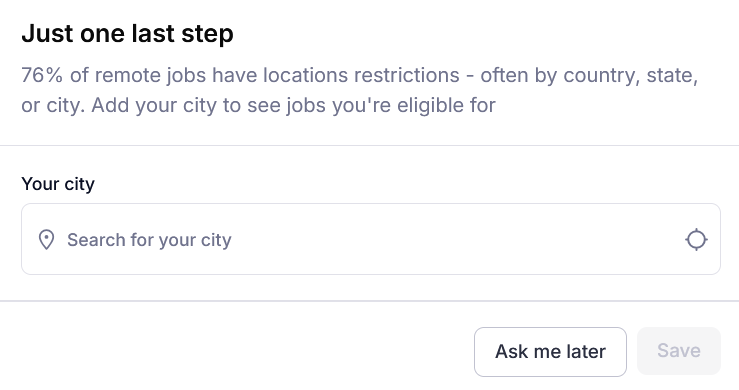
After payment, the platform asks for your city.
You can either enter your city right away or click “Ask me later” and move on.
Step #03: Browse Jobs Using Filters
Once you’re inside the dashboard, most of your interaction with RemoteJobsFinder.co happens through filters. You can select cities globally, which is helpful if you’re open to different regions or applying internationally.
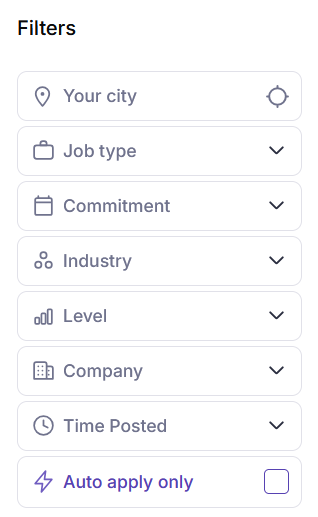
Here are some available filters in RemoteJobsFinder.co:
- Your city: Lets you select cities globally. Useful for location-restricted remote roles.
- Job type: Options include Remote, Hybrid, and Onsite. While the FAQs mention fully remote vs location-specific remote roles, that distinction isn’t explicitly visible here.
- Commitment: Filters roles by work arrangement, such as full-time, part-time, or contract.
- Industry: Offers more than 25 categories covering tech, marketing, design, sales, support, and other common remote-friendly fields.
- Level: Helps narrow results by seniority (for example, entry-level, mid-level, senior).
- Company: Allows filtering by specific employers.
- Time posted: Lets you prioritize newer job listings instead of scrolling through older posts.
- Auto apply only: A toggle that shows only roles supporting automated applications, when available.
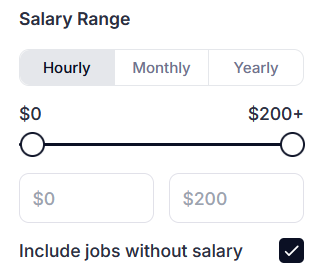
RemoteJobsFinder.co lets you filter roles by salary range. You can set this as hourly, monthly, or yearly.
The slider allows you to define a minimum and maximum range, and there’s also an option to include jobs without salary information.
Step #04: Open the Job and Apply
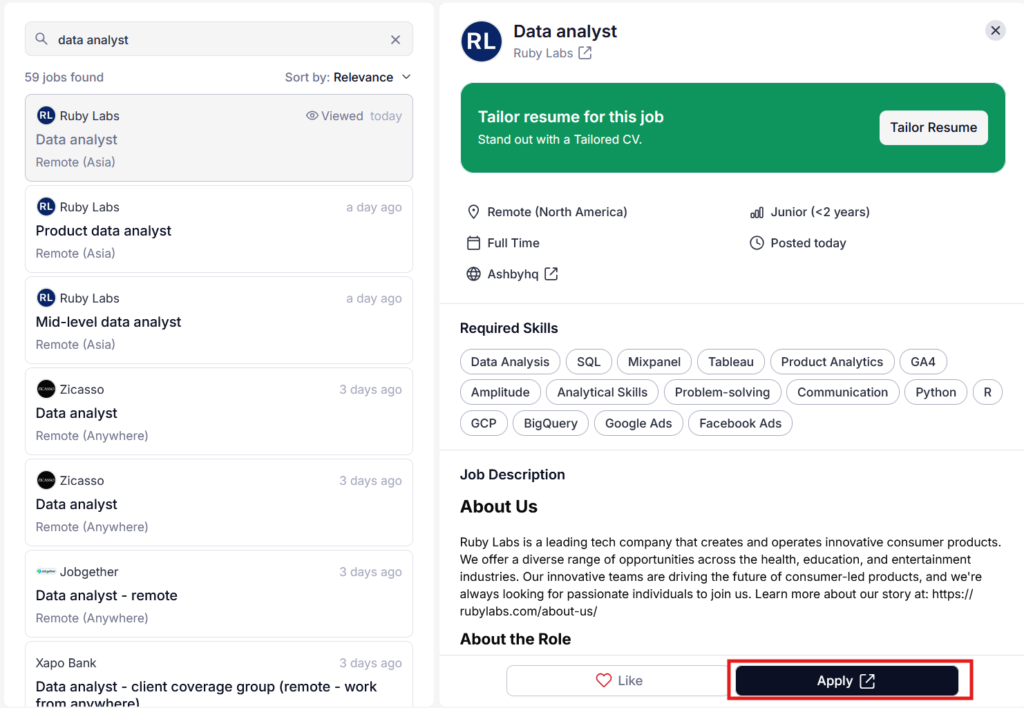
Clicking on any job opens a detailed view on the right-hand side.
At the bottom, you’ll see an Apply button. Clicking it sends you to the company’s external application page rather than applying inside RemoteJobsFinder.co.
Step #05: Resume Tailoring Prompt (Optional)
Before you’re sent to the external application page, RemoteJobsFinder.co shows a prompt offering to “tailor” your resume for the job.
You’re asked to either:
- Select an existing resume from the platform
- Upload a new resume
After confirming the resume tailoring step, the platform generates both a tailored resume and a cover letter for the selected role (you can copy or download the PDF).
The cover letter follows a standard template. It’s grammatically clean. But it also sounds like something a recruiter has already read dozens of times. It also follows a familiar AI pattern.
Step #06: Apply Manually or Use Auto-Apply
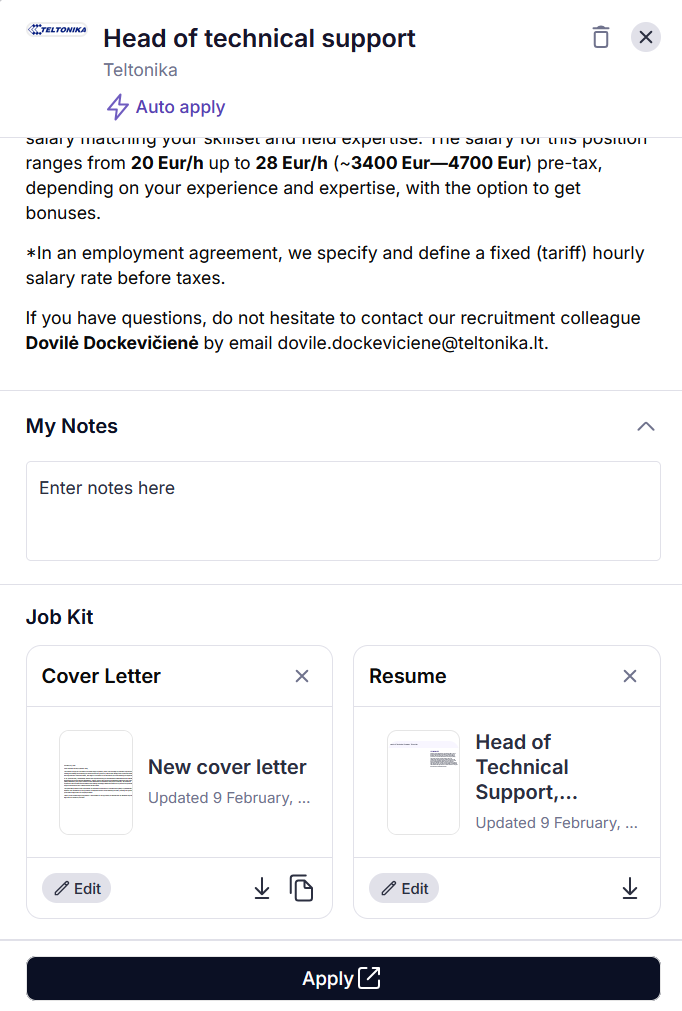
RemoteJobsFinder.co promotes an AI auto-apply feature that claims to apply to 50+ jobs per day on your behalf. In practice, it seems far more limited.
Auto-apply is not available for all jobs on the platform. At the time of writing this review:
- 316,064 total jobs were listed on RemoteJobsFinder.co
- 7,030 jobs were eligible for auto-apply
That’s a small fraction of the total listings.
Auto-apply only works for jobs that include a direct contact email. Also, you don’t get granular control over how each email is written.
Optional Step: Personalization
RemoteJobsFinder.co also includes an optional Personalization setup designed to refine job recommendations over time. These fields aren’t mandatory, but the more you complete, the more the platform tries to tailor results to your profile.
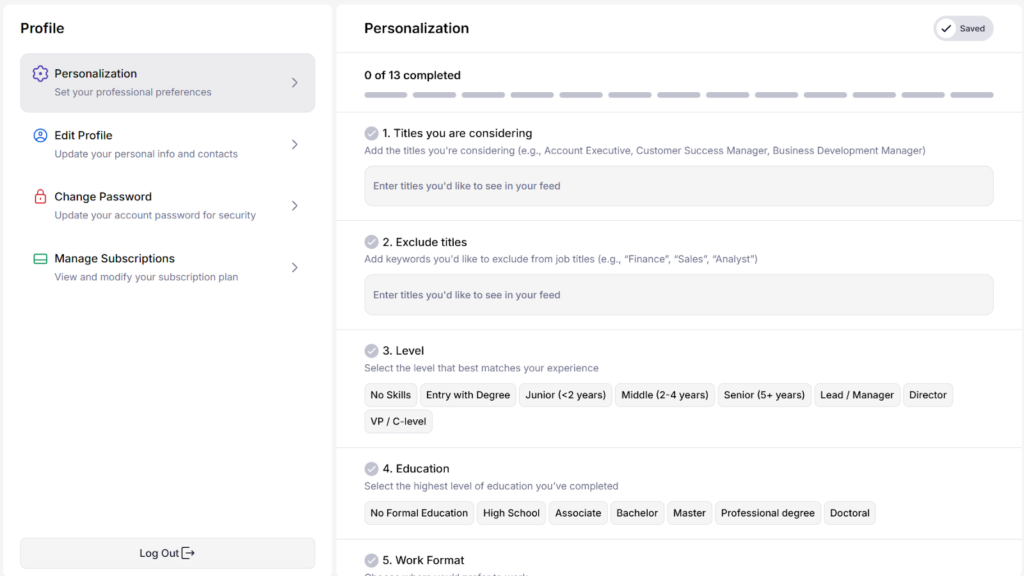
You’re shown a checklist of inputs:
- Job titles you’re considering
- Excluded job titles
- Experience level
- Education
- Work format
- Commitment type
- Your working location
- Core industries
- Excluded industries
- Professional-level languages
- Dream companies
- Preferred company size
- Salary range
RemoteJobsFinder.co Pricing
RemoteJobsFinder.co doesn’t have a free tier or trial, so pricing is one of the first decisions you make once you land on the site.
At the time of writing, pricing looks like this:
- 1-Month Plan: About $0.59 per day (roughly $17.70 per month)
- 3-Month Plan: About $0.39 per day (roughly $35 per quarter)
- 1-Year Plan: About $0.22 per day (roughly $80 per year)
All plans unlock the same core features:
- Job search and filters
- Alerts and saved jobs
- Auto-apply (where supported)
- Resume and cover letter tailoring
- Location and industry filtering
The only real difference is how long you’re paying upfront and how much that spread translates to per-day cost.
What It Means for Your Budget
RemoteJobsFinder.co is priced as an access-based subscription. The monthly plan carries the least risk but costs more per day, which makes sense if you just want to test job quality and relevance.
The lower daily cost on longer plans looks attractive, but it only pays off if you actively use the platform over that full period (which most people don’t).
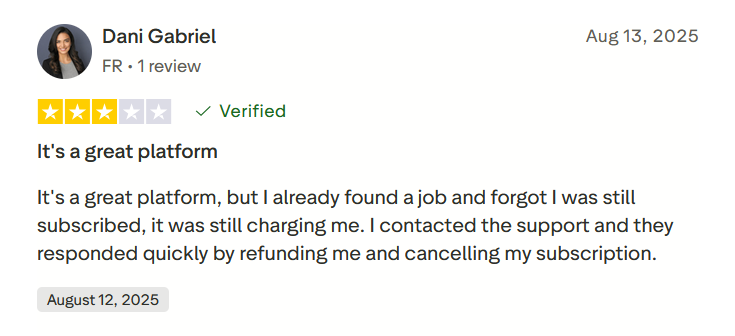
One user forgot an active subscription after finding a job, but reported that support handled refunds and cancellations quickly.
What Are Customers Saying About RemoteJobsFinder.co?
On Trustpilot, the platform currently sits at an overall rating of 3.6, which suggests users see value in it (with some reservations).
RemoteJobsFinder.co Pros: Where It Stands Out
Easy-to-Use Interface
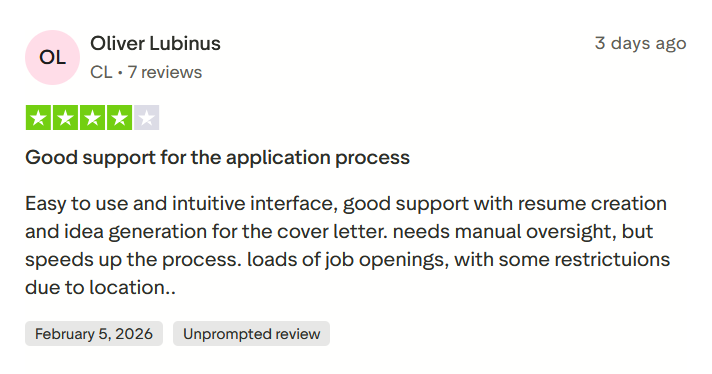
RemoteJobsFinder.co keeps the interface simple, and that’s one of its strongest points. There’s very little clutter once you’re inside (no complex dashboards or steep learning curve).
It won’t impress power users looking for advanced controls or features, but for straightforward job discovery, the interface does its job without getting in the way.
Responsive Customer Support
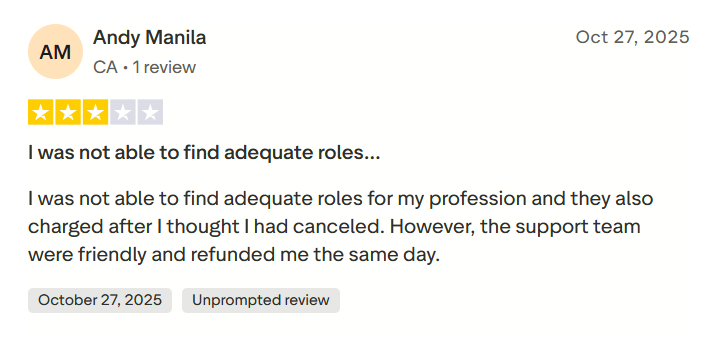
Several positive reviews mention that when users ran into issues, the support team replied quickly and followed up. In some cases, users report being offered extended access or additional membership time as a goodwill gesture while problems were being addressed.
This doesn’t mean the platform is issue-free. But it does suggest that when something breaks or doesn’t work as expected, users aren’t left on their own.
Legit Job Listings
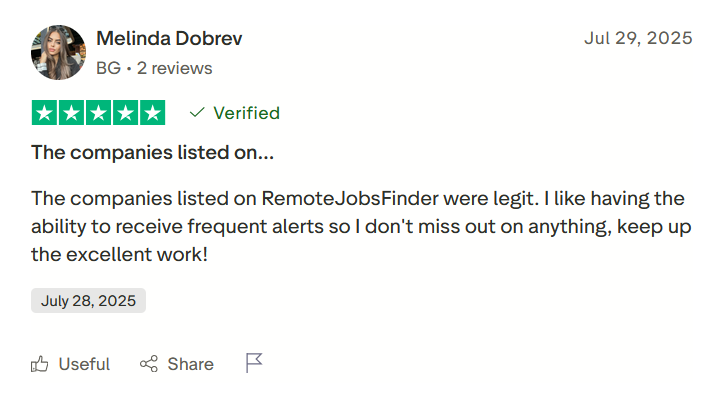
Several users mention that the companies listed on RemoteJobsFinder.co feel legitimate.
Users also like receiving frequent job alerts, which helps them stay on top of new postings without constantly checking the platform.
RemoteJobsFinder.co Cons: Where It Falls Short
Role Fit May Depend on Your Profession
Some users report struggling to find roles that truly match their profession or experience level. The platform has a large volume of listings, but volume doesn’t always translate to fit.
Hard to Justify the Paywall
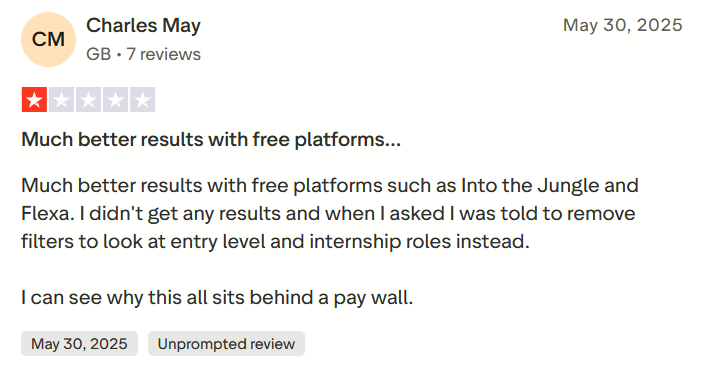
Some users report getting better results from free remote job boards, especially when searching for mid-level or senior roles. In a few cases, users were advised to loosen filters or look at entry-level and internship roles instead, which wasn’t aligned with their original intent.
When a tool sits behind a paywall, expectations are higher. If results feel similar to, or worse than, what free platforms offer, the subscription becomes harder to justify.
Auto-Apply Is Limited in Practice
The auto-apply feature is one of the platform’s biggest selling points, but in practice, it applies to only a small portion of listings. Most jobs still require manual applications, and auto-apply works only for roles with a visible contact email that you manually like first.
This makes the “50+ applications per day” claim feel optimistic rather than typical.
Marketing Promises Don’t Always Match Reality
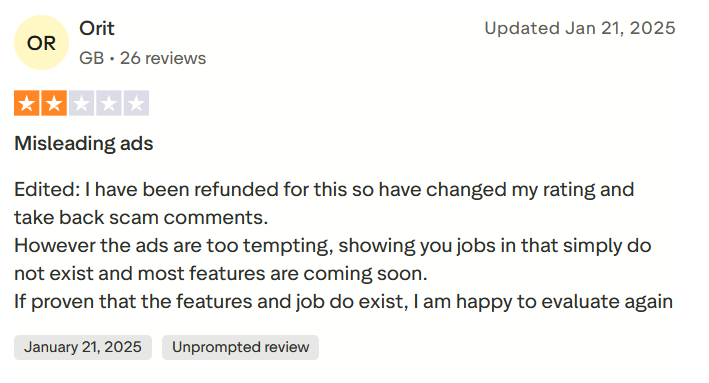
Users feel the platform’s ads set expectations too high. Reviews mention being drawn in by advertised jobs or features, only to find that certain roles weren’t available or that key features were marked as “coming soon.”
While refunds were reportedly issued in these cases, the gap between promotion and actual experience can still be frustrating.
Not Much Beyond Job Listings
RemoteJobsFinder.co doesn’t offer much beyond job discovery. Outside of basic filters, alerts, and light auto-apply support, there’s little that helps you apply smarter or stand out compared to free job boards.
When to Use RemoteJobsFinder.co and When to Switch
RemoteJobsFinder.co can be useful in specific scenarios, but it’s not a universal solution for every job search. Where it helps most is job discovery, not deep automation or guaranteed results.
Use RemoteJobsFinder.co when…
- You want a focused remote job discovery layer: If your main goal is to browse a large pool of remote and remote-adjacent roles in one place, RemoteJobsFinder.co does that well.
- You prefer a simple, low-friction interface: The platform is easy to use and doesn’t overwhelm you with complex workflows.
- You value curated listings over scraping everything yourself: Many users trust the legitimacy of the listings, which matters if you’ve been burned by spammy remote job boards before.
Consider switching or alternative approaches when…
- You expect full automation or “set and forget” applying: Auto-apply only works for a small subset of jobs and is email-based. If you’re looking for hands-off applications across ATS systems, this will fall short.
- You need strong AI-written applications that sound human: The resume and cover letter outputs are clearly AI-generated and generic. If standing out matters, you’ll still need to rewrite most of the content yourself.
- Your role is niche, senior, or highly specialized: Some users struggle to find relevant roles for their profession, even with filters. In those cases, free niche boards or direct company outreach may perform better.
- Budget is tight, and you’re comparing against free tools: Since there’s no free trial, you’re paying upfront just to test relevance. If cost sensitivity is high, free platforms may offer similar results without the risk.
JobCopilot: The Best RemoteJobsFinder.co Alternative
RemoteJobsFinder.co helps you browse opportunities, but most of the work still sits with you: filtering, deciding, applying, tracking, and following up. If you’re already working full-time or juggling multiple priorities, that’s dozens of hours you don’t have.
Applying to jobs shouldn’t become your second job.
That’s the gap JobCopilot fills.
Instead of just showing you openings, JobCopilot handles the repetitive, time-consuming parts of your search (automatically).
It doesn’t spray generic applications everywhere. You choose to let it auto-apply to roles that match your criteria, or have it auto-fill applications and save them for your review before submitting. Either way, you’re not starting from scratch on every application.
- Learns your writing style: Every edit improves future applications, reducing generic or robotic output over time.
- Built-in application tracker: Every saved or applied role is logged automatically, so nothing slips through the cracks.
- Multiple copilots: Run parallel searches with different resumes, criteria, and goals.
- More than just applications: Resume tools, interview practice, salary insights, and networking guidance are included, so the tool supports the full job search cycle.
- Direct access to hiring managers: JobCopilot helps you find and contact hiring managers and recruiters for roles you’ve applied to, including emails and LinkedIn profiles.
FAQs
Is RemoteJobsFinder.co legit or a scam?
RemoteJobsFinder.co appears to be a legitimate platform with real job listings. Multiple users report finding genuine roles, and refunds have been issued in some cases when issues occurred.
Does RemoteJobsFinder.co guarantee interviews or job offers?
No. Like any job board, it provides access to listings and tools, but it doesn’t guarantee responses, interviews, or offers.
Is the auto-apply feature safe to use?
Auto-apply is limited and email-based. It’s generally safe, but it doesn’t offer deep customization, so manual application review is still recommended.
Automate Your Job Applications with AI 🚀
Try the leading AI Copilot for job seekers – autonomous, safe, fully personalized, and trusted by 100,000+ users to land interviews faster.
Check Out JobCopilot →