
Most job seekers have tried some version of spray-and-pray at least once.
Apply everywhere (fast and in bulk)
The more applications you send, the higher your chances should be… at least in theory. Tools like BulkApply.ai are built around this exact concept. They promise to automate the process so you can submit dozens or even hundreds of applications without spending hours clicking through job boards.
But does more always mean better when it comes to job hunting? We will try to uncover that in this review.
In this guide, I will take a closer look at how Bulk Apply actually works, what it feels like to use, and whether applying in high volume helps or hurts your chances of getting hired.
TL;DR
BulkApply.ai is a Chrome-based auto-apply tool built around the high-volume job application model. You upload your resume once, define job titles and filters, connect supported portals like LinkedIn or Dice, and let the system submit applications on a schedule.
In theory, it saves time and increases exposure. In practice, results depend heavily on filters, portal stability, and how well your base resume aligns with target roles.
Who it’s best for:
- Job seekers who want to increase application volume quickly
- Users comfortable using Chrome extensions
- People testing a short-term automation strategy
Key features at a glance
| Feature | What It Does |
| Auto-Apply | Submits applications automatically via connected portals |
| ATS Match Score | Lets you set a minimum resume-to-job match threshold |
| Job Portal Integration | Connect LinkedIn, Dice, ZipRecruiter |
| Job Tracker | Tracks saved and applied roles |
| AI Auto-Answer | Generates responses to common application questions |
| 1-Day Free Trial | Full feature access before paying |
Automate Your Job Applications with AI 🚀
Try the leading AI Copilot for job seekers – autonomous, safe, fully personalized, and trusted by 100,000+ users to land interviews faster.
Check Out JobCopilot →Pros
- 1-day free trial with full access
- Simple onboarding process
- Built-in scheduling for automated runs
- Video tutorials for each setup step
Cons
- Chrome-only extension (no Firefox support)
- Limited public reviews and low ratings
- Discover Jobs returned zero results during testing
- Inconsistent portal connectivity reported by users
- Resume appears reused at scale without deep tailoring
- Automation does not guarantee interviews
Why You Can Trust This Review
Bulk Apply doesn’t have a large public track record yet, and with only a handful of user reviews available online, surface-level summaries don’t tell you much. So, in this analysis, I focus on how the tool actually behaves in practice.
Here’s what that means for you:
- Hands-on evaluation: The features, workflow, and overall experience were examined in detail to understand what actually happens when you try to automate job applications at scale.
- Real-world job search context: The tool is assessed from the perspective of an active job seeker dealing with ATS filters, recruiter expectations, and response rates.
- Balanced perspective: Both potential benefits and risks are included. Automation can save time, but it can also introduce trade-offs that many reviews ignore.
How BulkApply.ai Works for Job Hunting
It doesn’t have a long onboarding process, to be honest.
Here’s how the process typically starts.
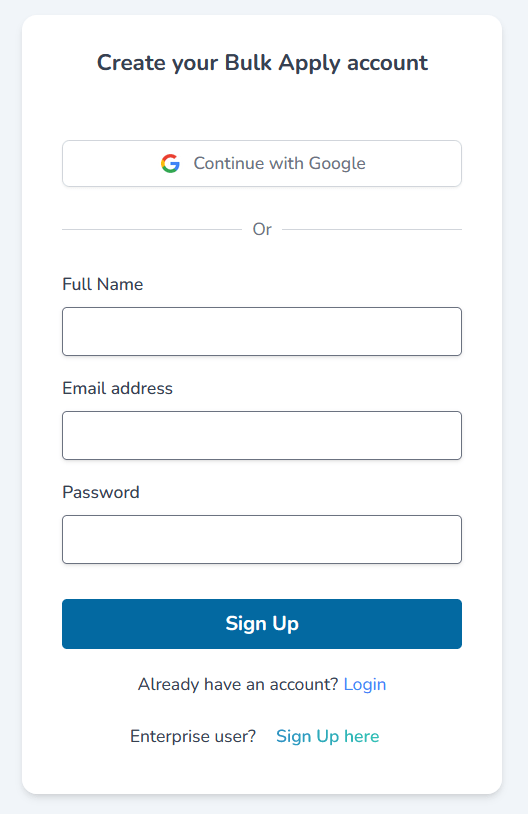
Step 1: Sign Up and Create Your Account
The first step is creating your BulkApply.ai account.
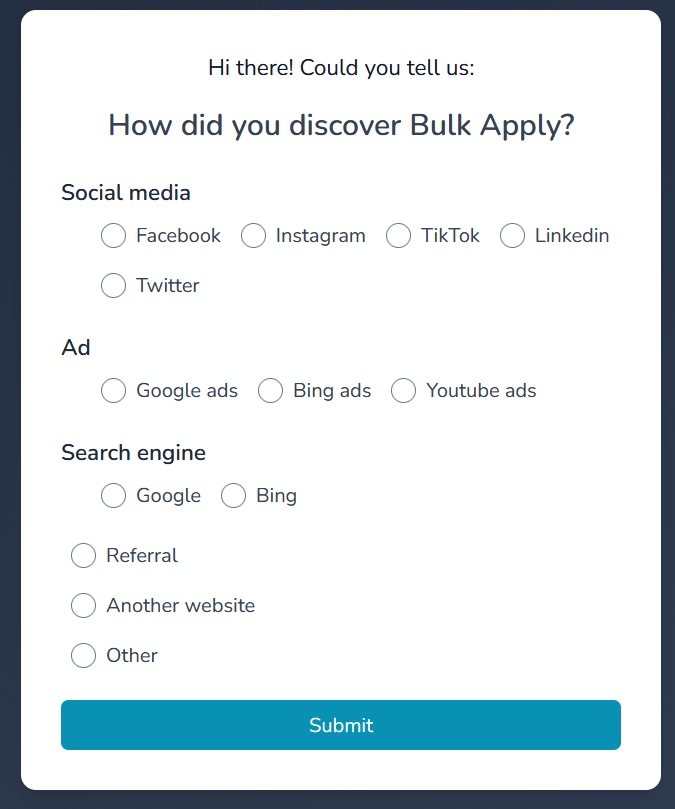
Step 2: Tell Them How You Found the Platform
You can choose whichever option applies to you and move forward.
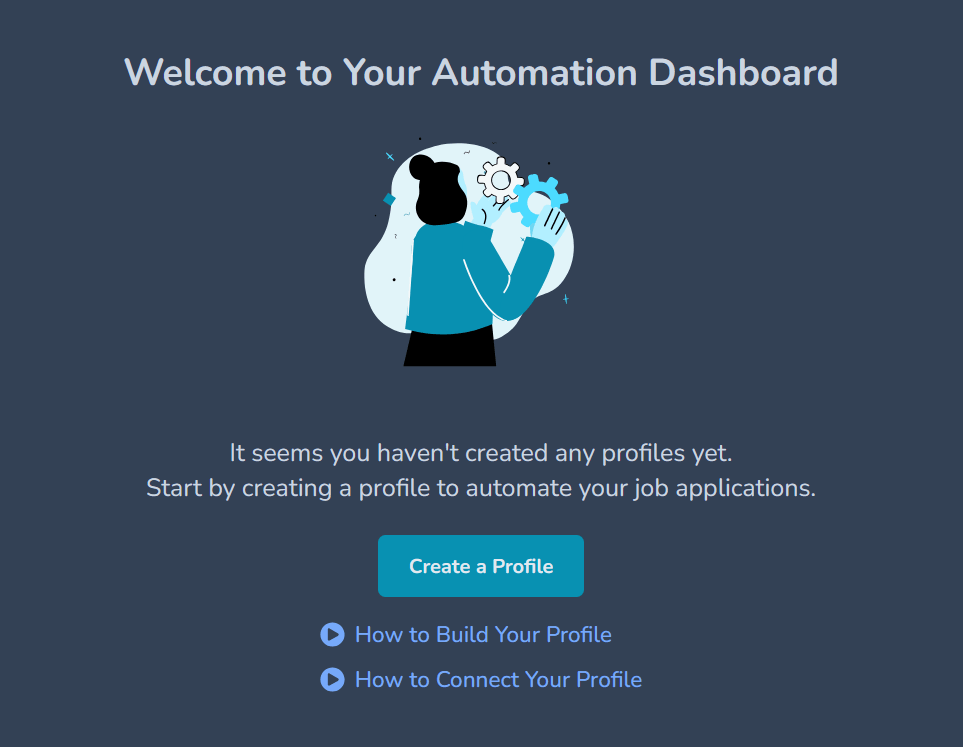
Step 3: Create Your Automation Profile
After onboarding, you land on the Automation Dashboard.
The system prompts you to create your first profile before any applications can be automated.
Step 4: Upload Your Resume
After selecting your file, you click Upload, and the system uses your resume as the foundation for all future applications.
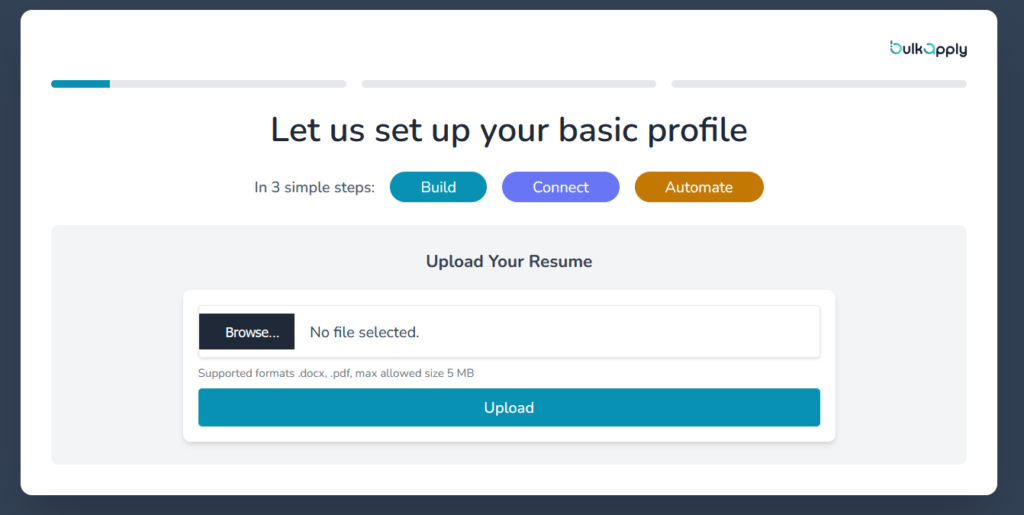
After uploading your resume, BulkApply.ai moves you into the Basic Details section under the “Build” phase.
Step 5: Confirm and Complete Your Basic Details
Here, the platform appears to parse your resume and auto-fill key information such as:
- Full name
- Email address
- Mobile number
- Work authorization status
You can edit any of these fields before moving forward.
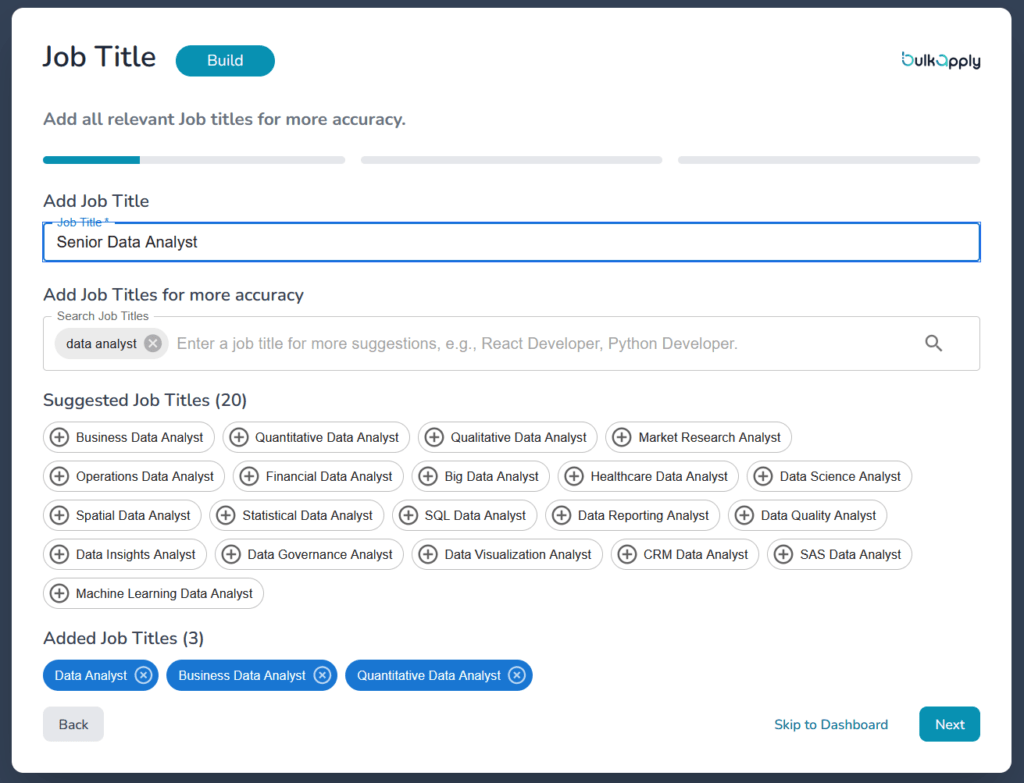
Step 6: Add Your Target Job Titles and Job Type
The platform now asks you to specify the job titles you’re targeting.
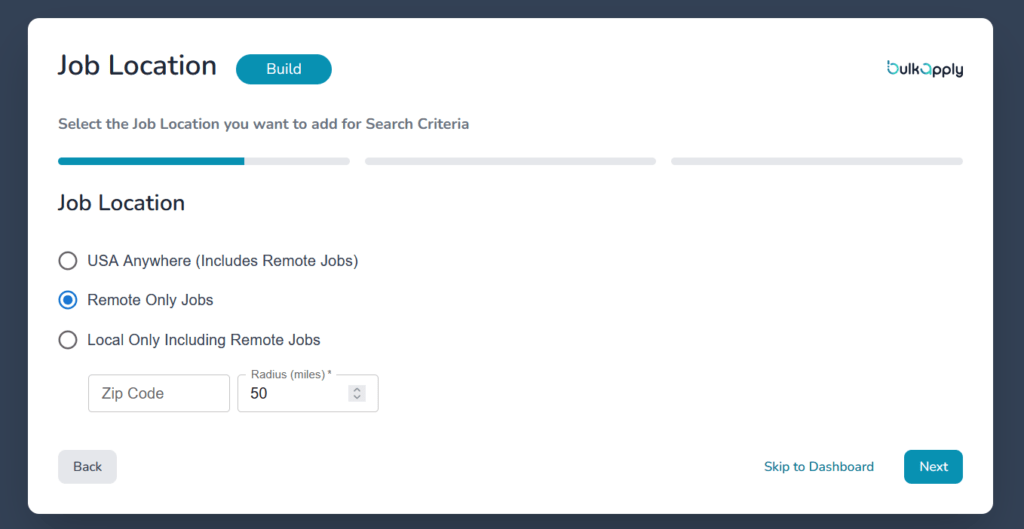
Step 7: Set Your Job Location Preferences
At this stage, BulkApply.ai asks where you want the bot to apply within the United States.
The options are clearly tailored to the U.S. market:
- USA Anywhere (Includes Remote Jobs)
- Remote Only Jobs (U.S.-based remote roles)
- Local Only Including Remote Jobs — where you enter a U.S. ZIP code and set a radius (for example, 50 miles)
Step 8: Set Your Minimum ATS Match Score
BulkApply.ai includes a feature that lets you set a minimum ATS match score before the bot applies to a job.
You’ll see a slider with a percentage threshold. For example, if it’s set to 50%, the system will only consider jobs that it believes match your resume at 50% or higher.
The effectiveness of this approach depends on how accurately the system calculates match scores. Since the scoring logic isn’t fully transparent, users will need to test different thresholds to see how it affects application volume and alignment.
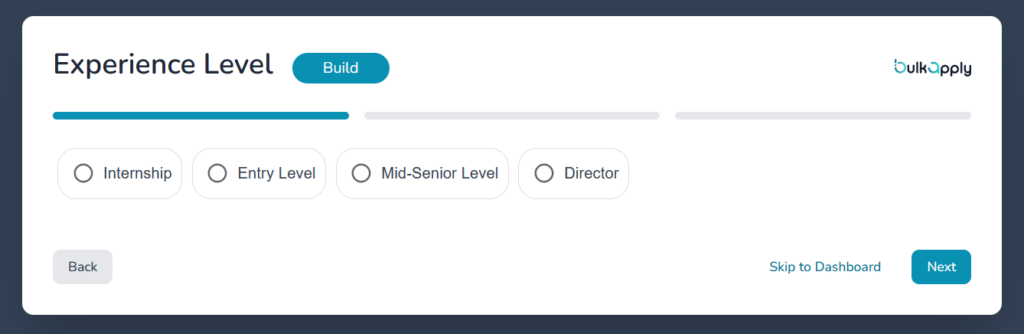
Step 9: Select Your Experience Level
Next, BulkApply.ai asks you to define your experience level.
The options shown are:
- Internship
- Entry Level
- Mid-Senior Level
- Director
Step 10: Install the Chrome Extension
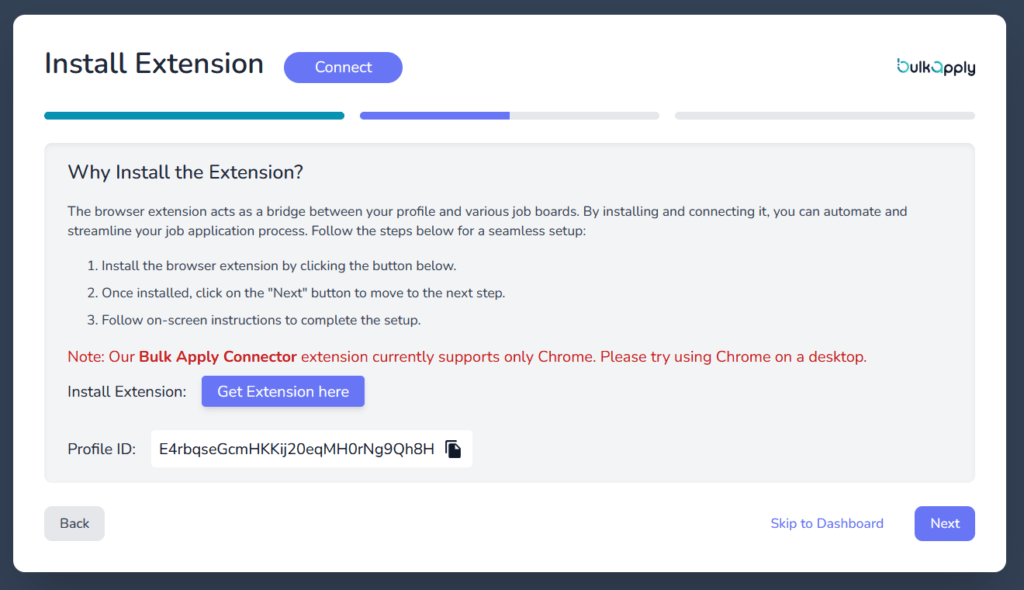
To automate applications, you need to install their browser extension, called the Bulk Apply Connector. It works only on Google Chrome. It does not support Firefox or other browsers.
The extension connects your profile to job boards and allows the system to submit applications through your browser.
Step 11: Connect Your Job Portals
After installing the extension, you’re prompted to connect to supported job boards.
The interface shows options like:
- Dice
- ZipRecruiter
This step essentially gives the extension access to interact with these job boards through your active session. Once connected, the automation system can start applying to roles pulled from your selected searches.
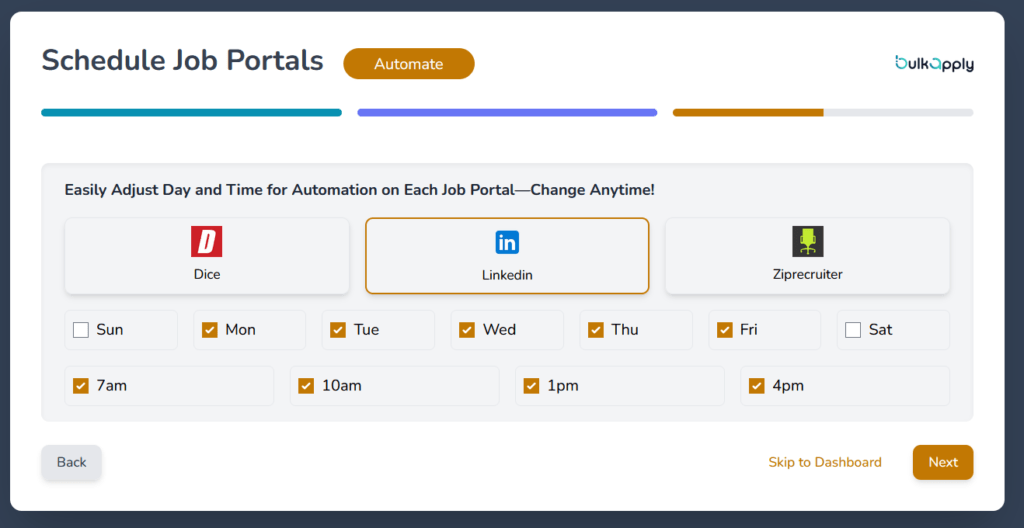
Step 12: Schedule When Applications Run
BulkApply.ai lets you choose:
- Which job portal to automate (Dice, LinkedIn, ZipRecruiter)
- Which days of the week
- What time slots (e.g., 7am, 10am, 1pm, 4pm)
You can select multiple days and multiple time blocks. The system will then run automation during those scheduled windows.
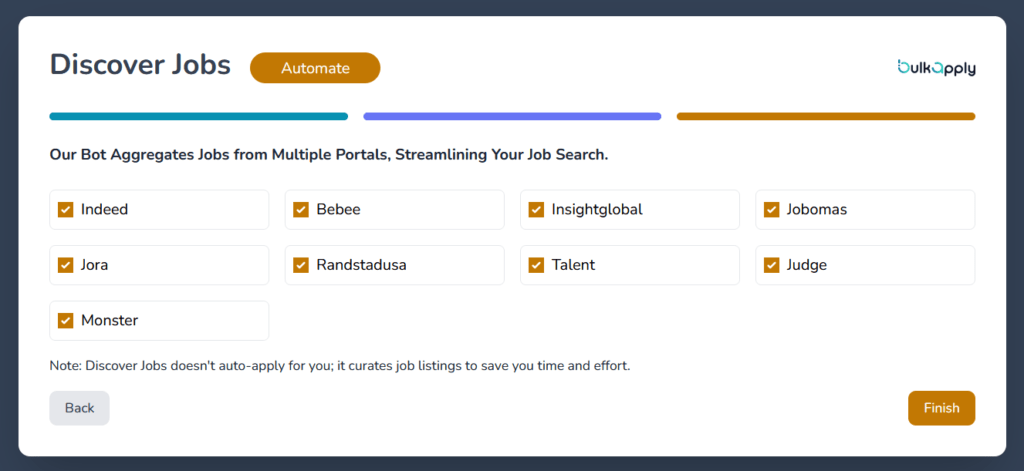
Step 13: Discover Jobs (Aggregation Mode)
BulkApply.ai also includes a Discover Jobs. Here, you can select multiple job sources.
What Happened When I Tried Discover Jobs
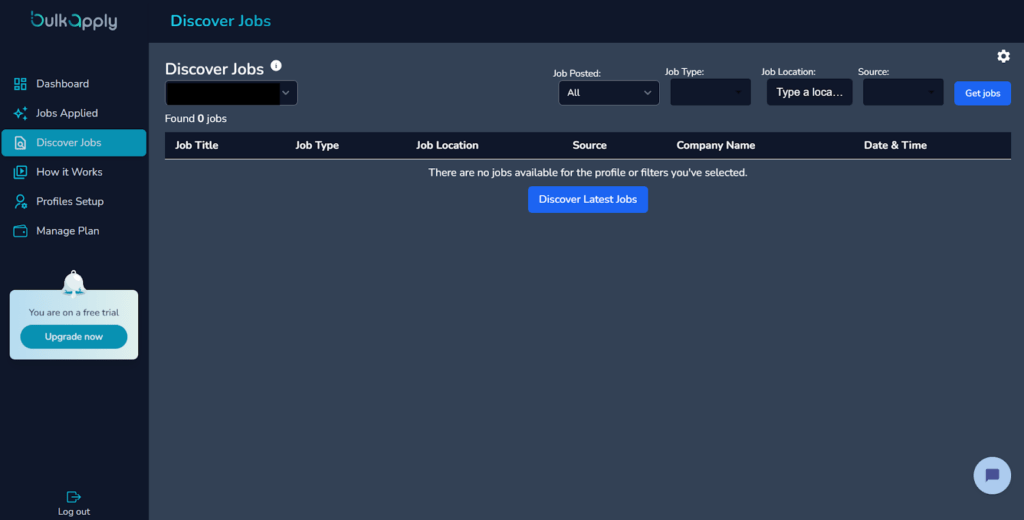
After completing the setup, I tested the Discover Jobs section.
I tried different common search terms like:
- Data Analyst
- Business Analyst
Despite changing keywords and adjusting filters, the dashboard continued to show:
“There are no jobs available for the profile or filters you’ve selected.”
It displayed “Found 0 jobs.”
This doesn’t necessarily mean the platform never returns results, but during testing, it did not surface listings for those fairly common roles.
That’s worth noting because data analyst and business analyst are high-volume categories across most U.S. job boards. If a discovery tool can’t retrieve results for broad, active keywords, that limits its usefulness as a job aggregation feature.
BulkApply.ai Pricing
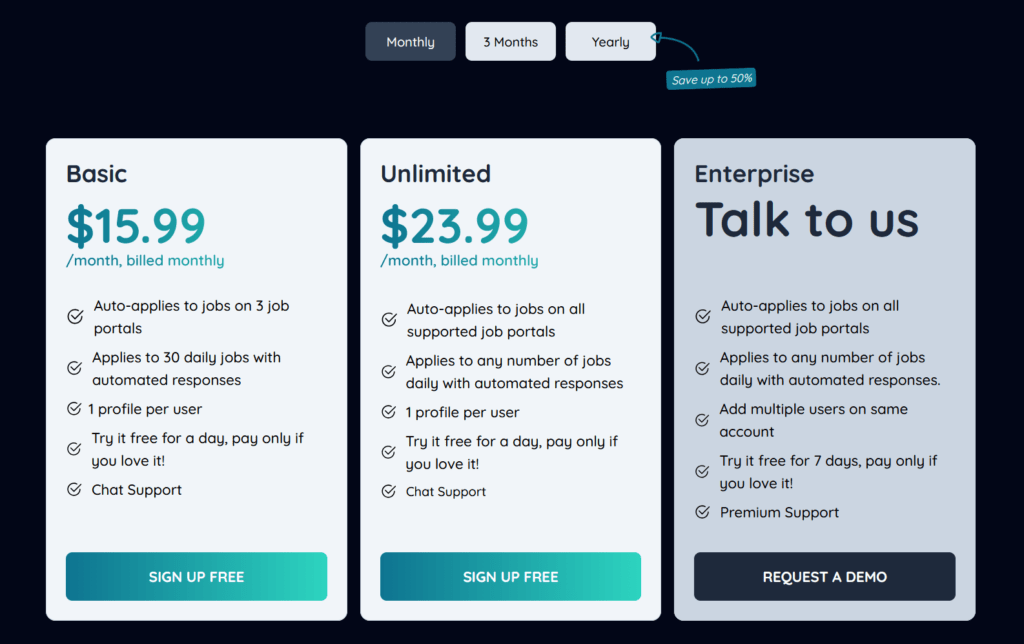
BulkApply.ai offers three main plans:
- Basic ($15.99/month): Auto-applies on 3 job portals, up to 30 applications per day, 1 profile, chat support, and a 1-day free trial.
- Unlimited ($23.99/month): Auto-applies on all supported portals with no daily application limit, 1 profile, chat support, and a 1-day free trial.
- Enterprise (Custom pricing): Designed for teams, includes unlimited applications, multiple users, premium support, and a 7-day free trial.
Longer billing cycles (3 months or yearly) are also available with discounted pricing.
What It Means for Your Budget
From a budget perspective, this sits in the same range as many job search tools.
If you’re unemployed or actively job hunting, $16–$24 per month may feel reasonable if it saves time and increases interview chances.
However, a few things to consider:
- The Basic plan caps you at 30 applications per day.
- The Unlimited plan removes limits, but at a higher cost.
- Automation does not guarantee responses — so ROI depends on results.
If you use it for 2–3 months during an active job search, you’re looking at roughly $32–$72 total.
Other Features Include
Beyond automation and discovery, BulkApply.ai also promotes several additional features:
Job Application Tracker
The platform includes an integrated tracker that lets users manage applied roles in one place. This is designed to help monitor follow-ups, deadlines, and overall application activity.
AI Auto-Answer to Application Questions
BulkApply.ai offers an automated response feature for common job application questions. The goal is to generate consistent answers quickly, reducing manual input during repetitive application forms.
Resume Score Tool
The platform also claims to offer a Resume Score based on layout, keyword usage, and relevance to targeted roles. However, I couldn’t find the feature when I tried to use it.
What Are Customers Saying About BulkApply.ai?
Public feedback on BulkApply.ai is still very limited. On Trustpilot, there are only three reviews at the time of writing, with an overall rating of 2.8 out of 5. That doesn’t give us much to go on — good or bad.
BulkApply.ai Pros: Where It Stands Out
1-Day Free Trial with Full Access
BulkApply.ai offers a 1-day free trial with full feature access on its individual plans.
That means you can:
- Set up your profile
- Connect job portals
- Install the extension
- Test the automation
…without paying upfront.
Very few job application automation tools offer a true full-access trial, even if it’s short. Most either limit features heavily or require payment before testing.
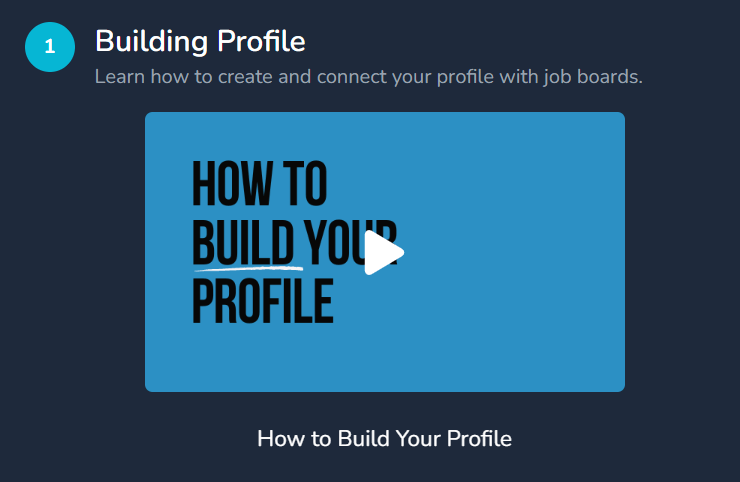
Step-by-Step Video Tutorials
One positive aspect of BulkApply.ai is that it includes video tutorials for each major step of the setup process.
There are walkthrough videos for:
- Building your profile
- Connecting job portals
- Understanding how automation works
The tutorials are basic, clear, and easy to follow.
BulkApply.ai Cons: Where It Falls Short
Inconsistent Job Matching
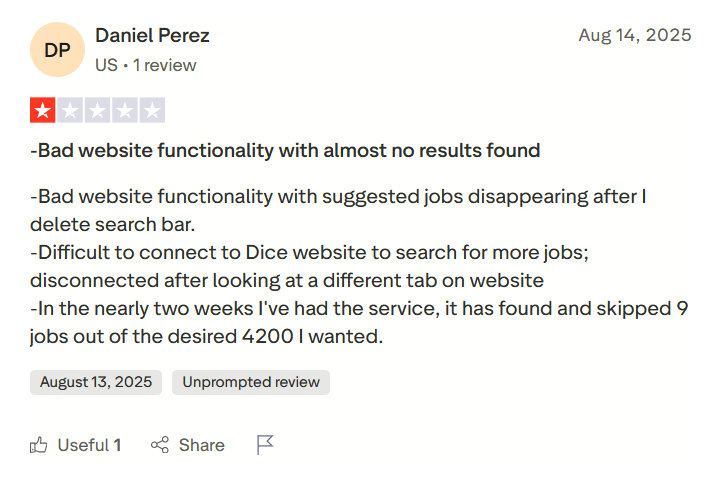
One review highlighted issues with website functionality and job discovery accuracy. According to the user, suggested jobs disappeared after modifying the search bar, and connecting to Dice was difficult, with the system disconnecting after switching tabs.
More importantly, the reviewer claimed that over nearly two weeks of using the service, the platform found and skipped only 9 jobs out of a desired 4,200.
During my own testing, I experienced similar issues on a smaller scale. The Discover section returned zero results for common roles even after adjusting keywords and filters.
Limited Functionality Across Job Boards
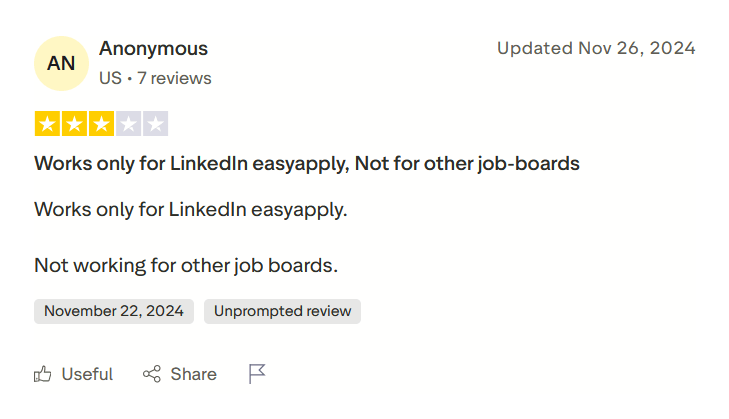
Another review stated that the tool worked only for LinkedIn Easy Apply and did not function properly on other job boards.
It suggests that automation performance may vary depending on the platform. While LinkedIn Easy Apply forms are relatively standardized, other job boards often have more complex or customized application flows.
Concerns Around Customer Support Responsiveness
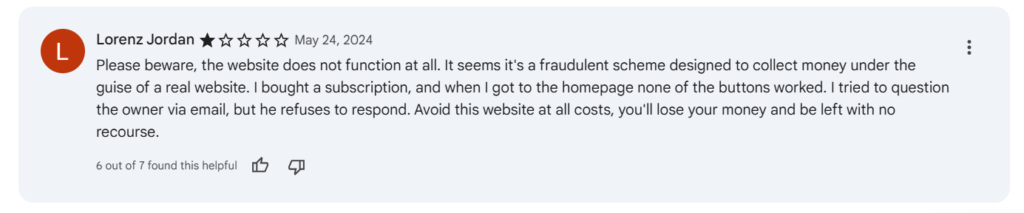
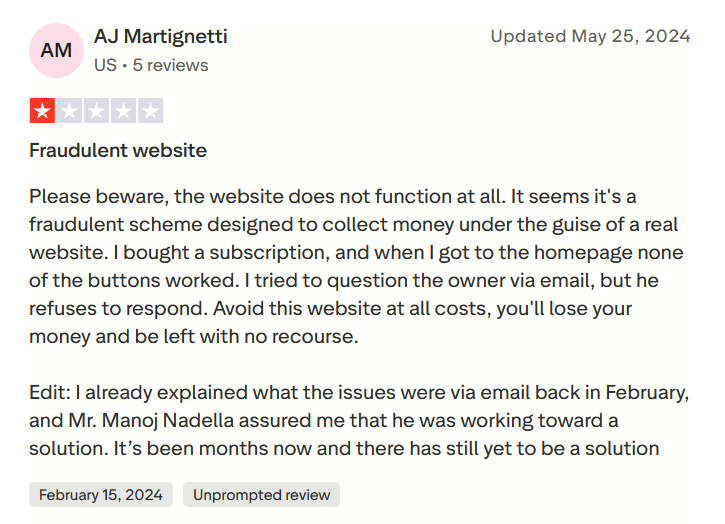
One reviewer stated that after encountering issues with the platform, they reached out via email but did not receive a satisfactory response. The review also mentioned that follow-ups over several months did not lead to a clear resolution.
When to Use BulkApply.ai and When to Switch
BulkApply.ai can make sense in certain situations. But it’s not a universal solution for every job seeker.
Use BulkApply.ai when…
- You want to increase application volume quickly: If your main strategy is “more shots on goal,” BulkApply.ai supports that approach. The automation, scheduling, and ATS threshold settings are built around scale.
- You’re targeting standardized roles: Roles like full-stack developer, customer service representative, or other structured positions on major portals may align better with automation logic (although job discovery is limited).
Consider switching or alternative approaches when…
- You need highly targeted, customized applications: Automation sends one base resume at scale. If your strategy relies on tailoring each application deeply, manual workflows may perform better.
- You experience inconsistent results: During testing, Discover Jobs returned zero results for common keywords like “Data Analyst” and “Business Analyst.” If job discovery or portal connections feel unreliable, you may want to pause.
- You rely on browsers other than Chrome: Since the system depends on a Chrome-only extension (with a low rating), it may not fit users who prefer other browsers.
- You value strong public trust signals: With limited reviews and mixed feedback, some users may prefer tools with a longer track record and broader user validation.
- Budget is tight, and ROI is uncertain: At $16–$24 per month, the cost isn’t extreme — but automation doesn’t guarantee interviews. If finances are tight, you may want to validate results during the trial period before committing.
JobCopilot: The Best BulkApply.ai Alternative for AI Job Hunting
BulkApply.ai leans into the “spray & pray” style of job hunting. That can work in some cases. But if your issue is getting relevant jobs, avoiding sketchy listings, and keeping control over what gets submitted in your name, that approach can backfire fast.
That’s where JobCopilot makes more sense.
JobCopilot is built to solve the earlier bottleneck: finding verified roles and submitting applications efficiently, without turning the process into blind spam.
Here’s why JobCopilot works better than BulkApply.ai for AI job hunting specifically:
- Verified jobs only (ATS listings & official career pages): JobCopilot applies to roles posted directly on company websites, which helps avoid duplicate or scam-heavy job board listings.
- More transparency and control: You can choose to save jobs instead of auto-applying, review/edit AI answers before submission, and keep full job details logged in the application tracker.
- Adjustable selectivity: You can tune how strict the matching should be so you’re not stuck in pure volume mode or overly narrow filtering.
- Works worldwide: It supports job searching across countries and industries, including niche roles, rather than being built mainly around U.S.-centric job portals.
- Built-in tracking that keeps things organized: Every saved or applied job is stored in a job tracker so you can manage follow-ups and progress without spreadsheets.
If you want AI assistance for applying, but you also want safer sourcing, better matching control, and a cleaner tracking system, JobCopilot is the stronger alternative to consider. Sign up today!
Automate Your Job Applications with AI 🚀
Try the leading AI Copilot for job seekers – autonomous, safe, fully personalized, and trusted by 100,000+ users to land interviews faster.
Check Out JobCopilot →FAQs
Can BulkApply.ai get my LinkedIn account restricted?
The platform automates applications through supported job portals, including LinkedIn. Automated activity always carries some level of risk if it violates a platform’s terms of service.
How many applications should I realistically expect?
On the Basic plan, you’re capped at up to 30 applications per day. The Unlimited plan removes that cap.