
When I started looking for honest reviews of RoboApply, I hit a wall pretty fast. That’s actually what pushed me to write this.
So I went through the onboarding myself, dug into every feature claim, cross-referenced their pricing page and FAQ, and tracked down what real users were saying across forums, the Chrome Web Store, and third-party comparison sites.
RoboApply is a genuinely interesting tool but iit also has real limitations, and a pricing structure that deserves some honest scrutiny before you commit.
Here’s everything I found.
TL;DR
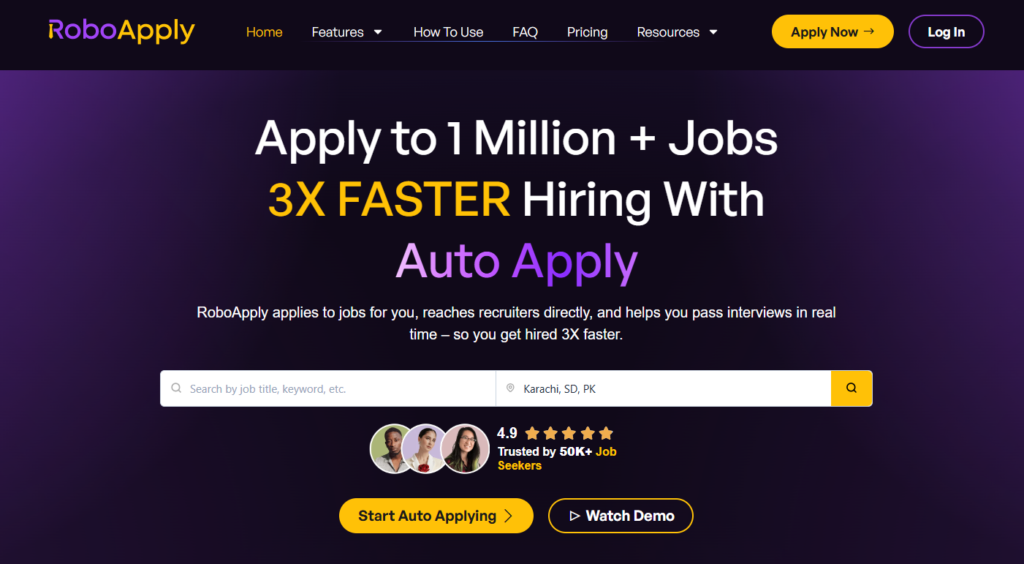
RoboApply is a high-volume AI job application tool that offers different job search tools like AI job applications, cover letters, resume scores, etc.
The 90-day interview guarantee removes some of the financial risk. But the pricing is steep, especially once you realize the free tier doesn’t really exist (it’s a $9 trial). And if you want serious volume, you’re looking at $129/month or more.
Who it’s best for:
- Job seekers who want per-application resume tailoring without doing it manually.
- Candidates applying across LinkedIn, Indeed, ZipRecruiter, Monster, Dice, and Simply Hired simultaneously.
- People who want live, real-time coaching during interviews.
- High-volume applicants who are comfortable with a more automated, less hands-on approach
Key features at a glance:
| Feature | RoboApply |
| Auto Apply | Yes, on LinkedIn, Indeed, ZipRecruiter, Monster, Dice, Simply Hired |
| Resume Tailoring | Per-application AI rewrite, matched to each job description |
| Resume Builder | Included across plans; 8+ templates |
| Cover Letter | AI-generated, tailored per job |
| Application Volume | 20/day (Basic), 100/day (Standard), 500/day (Premium) |
| Interview Copilot | Live real-time coaching during video calls (Standard & Premium) |
| Inbox Apply | Direct email outreach to verified hiring managers |
| Application Tracker | Built-in analytics dashboard |
| Free Plan | No. $9 three-day trial only |
| Money-Back Guarantee | 90-day interview guarantee on all paid monthly plans |
Automate Your Job Applications with AI 🚀
Try the leading AI Copilot for job seekers – autonomous, safe, fully personalized, and trusted by 100,000+ users to land interviews faster.
Check Out JobCopilot →Pros
- Per-application resume rewriting is a useful feature
- Broad job board coverage across six major platforms simultaneously
- Live Interview Copilot is a standout
- Inbox Apply lets you reach hiring managers directly
- 90-day money-back guarantee
Cons
- No real free plan
- Pricing jumps steeply: $47 → $129 → $389/month
- Chrome extension required for desktop Auto Apply; computer must stay on during sessions
- The platform is still relatively young, with a small but growing independent review base
- High daily application volume sounds great on paper, but depends heavily on how broad your preferences are
Why You Can Trust This Review
I’m writing this as someone who’s been through the job search grind, applying manually, copy-pasting the same answers across dozens of forms, refreshing my inbox waiting for callbacks that often never came.
To keep things grounded, here’s what I did:
- Verified pricing and features directly from RoboApply’s FAQ and pricing page, not from third-party summaries that may be out of date.
- Went through the onboarding myself (screenshots shared above) to understand the actual new-user experience.
- Reviewed publicly available user feedback from the third-party comparison articles, and community discussions.
- Evaluated each feature through a real job seeker’s lens. Does this save time, reduce stress, and actually improve my chances?
RoboApply Pricing
RoboApply doesn’t offer a free plan. What it offers instead is a $9 three-day trial that gives you access to most features, including 20 daily applications and 2,060 one-time credits, which is actually a reasonable way to test before committing.
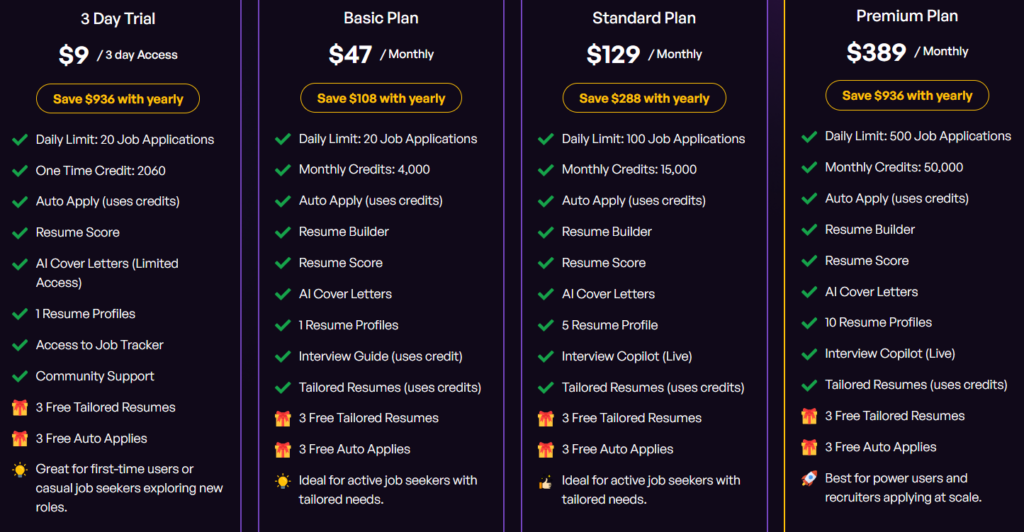
Here’s the full pricing breakdown:
| Plan | Price (Monthly) | Daily Applications | Monthly Credits | Key Features |
| 3-Day Trial | $9 (one-time) | 20/day | 2,060 (one-time) | Auto Apply, Resume Score, AI Cover Letters, Resume Builder, Job Board |
| Basic | $47/month | 20/day | 4,000 | Resume Builder, Resume Score, AI Cover Letters, Interview Guide, Tailored Resumes, 1 Resume Profile |
| Standard | $129/month | 100/day | 15,000 | All Basic features + 5 Resume Profiles + Live Interview Copilot |
| Premium | $389/month | 500/day | 50,000 | All Standard features + 10 Resume Profiles, built for high-volume applying |
| Pay As You Go | $0.01/credit | Depends on credits | No expiry | Flexible, works across all features |
Annual billing is available. The Basic plan saves $108/year, Standard saves $288/year, and Premium saves $936/year.
RoboApply also has an Enterprise plan that is built for recruiters, staffing agencies, and hiring teams that need to run job outreach at scale.
The Lifetime Deal
RoboApply also offers a lifetime deal if you’re in an extended job search or expect to be job hunting again at any point in the future.
- Basic Lifetime – $69 (one-time payment): 20 auto-applications per day, 20 tailored resumes per month, 2 Interview Copilot sessions per month, and unlimited access to the Resume Builder, Cover Letter Generator, Resume Score, and Interview Guide. Refundable within 24 hours, with a 60-day money-back guarantee.
- Professional Lifetime – $129 (one-time payment): Steps up to 50 auto-applications per day, 50 tailored resumes per month, and 5 Interview Copilot sessions per month. Everything else from Basic is included.
For most job seekers who aren’t doing extreme volume, the $69 Basic Lifetime deal is a no-brainer compared to paying $47/month indefinitely. Even two months of the Basic monthly plan would cost more.
The catch is that Inbox Apply is credit-based even on lifetime plans, so direct hiring manager outreach isn’t unlimited. RoboApply also notes this offer won’t be available forever. The lifetime deal page explicitly flags it as a limited-time promotion.
Consultation + Job Accelerator
At $499 (intro offer, regularly $999), this is less of a software plan and more of a done-for-you service. RoboApply’s team handles tailored resumes, direct applications, LinkedIn optimization, and interview coaching on your behalf.
Key takeaways for your budget
The $9 trial is the right place to start. But go in knowing it gives you 2,060 one-time credits that get consumed fast. Every application, every tailored resume, every cover letter, every resume score uses credits. If you’re testing the platform properly, those credits will be gone within days.
The Basic plan at $47/month sounds reasonable until you do the math on credits. You get 4,000 per month, and a single tailored application (resume rewrite, cover letter, ATS check) can easily consume several credits per action. If you’re applying to 20 jobs a day and actually using the tailoring features on each one, you may hit your credit ceiling well before the month is up.
At that point you’re either buying Pay As You Go credits on top of your subscription or scaling back the features that make RoboApply worth paying for in the first place.
On the lifetime deal, one-time payments look like a steal on paper, and the math does work out in your favor if your job search stretches beyond two or three months. But lifetime deals in SaaS are rarely sustainable long-term, and this space in particular has seen tools quietly sunset or restrict features after selling lifetime access.
RoboApply is still a young platform. Go in with realistic expectations rather than assuming “lifetime” means what it says forever.
RoboApply Onboarding Process
Here’s the step-by-step flow I went through during onboarding:
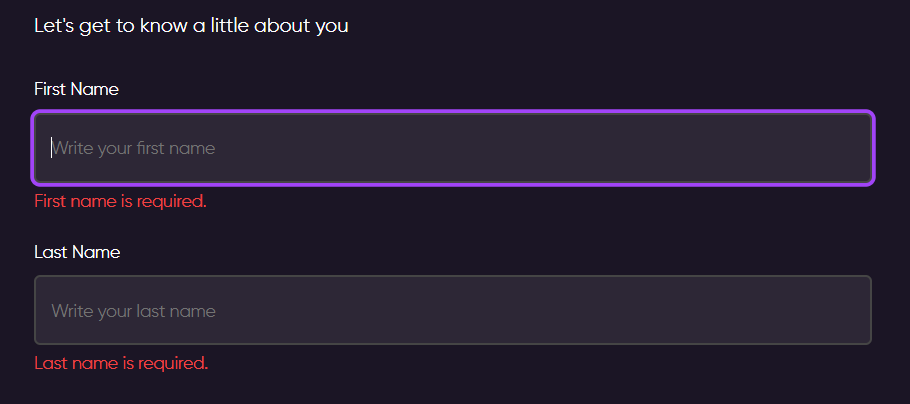
Step 1: Basic Profile Setup
The first screen (shown in my screenshots) asked for my first and last name. It then moved into a progress-bar-based onboarding split into two sections: “A little bit about you” and “How we can help you.”
Step 2: Job Search Status
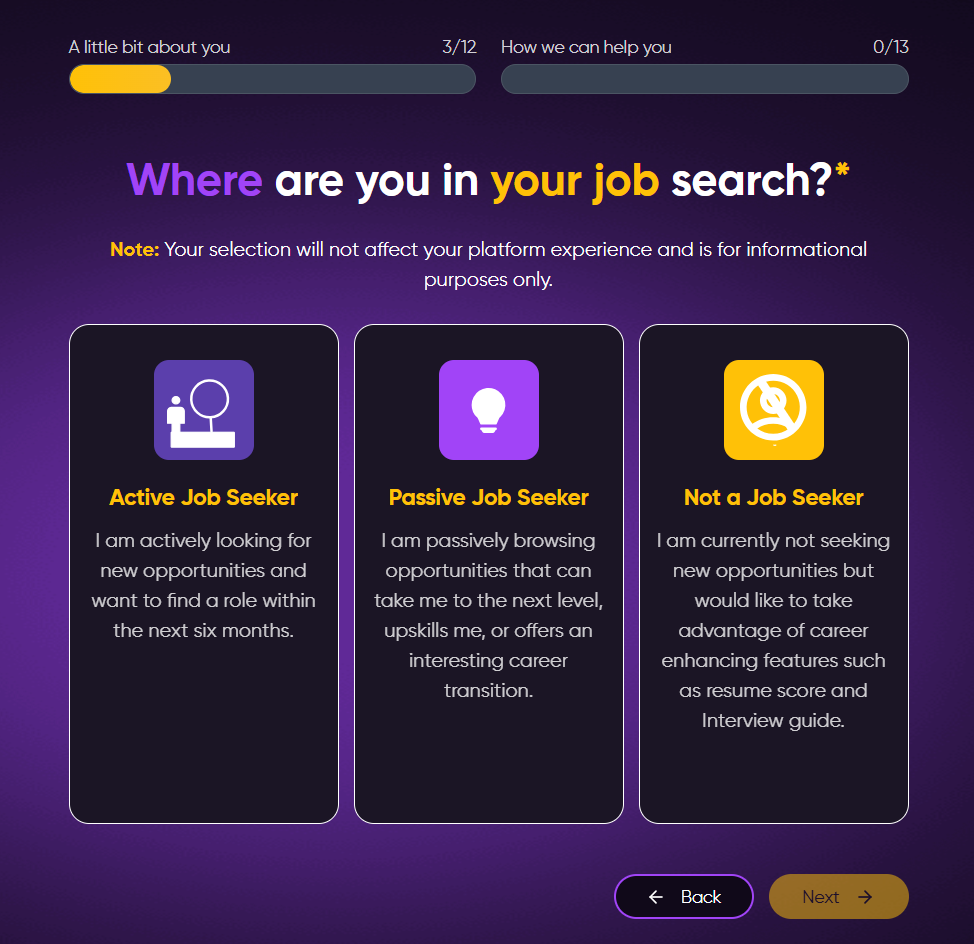
RoboApply asks where you are in your job search, Active Job Seeker, Passive Job Seeker, or Not a Job Seeker.
Step 3: Desired Job Title
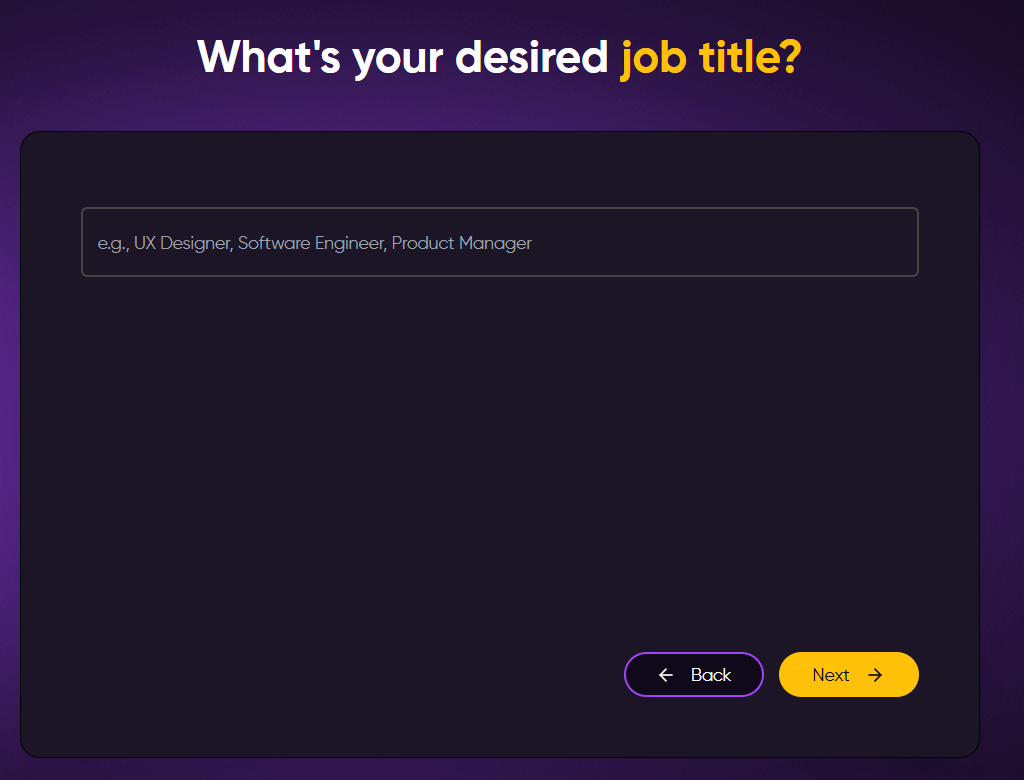
Just a text field asking for your job title — examples like UX Designer, Software Engineer, Product Manager are shown as placeholders. Clean and open-ended.
Step 4: Salary, Location, and Education
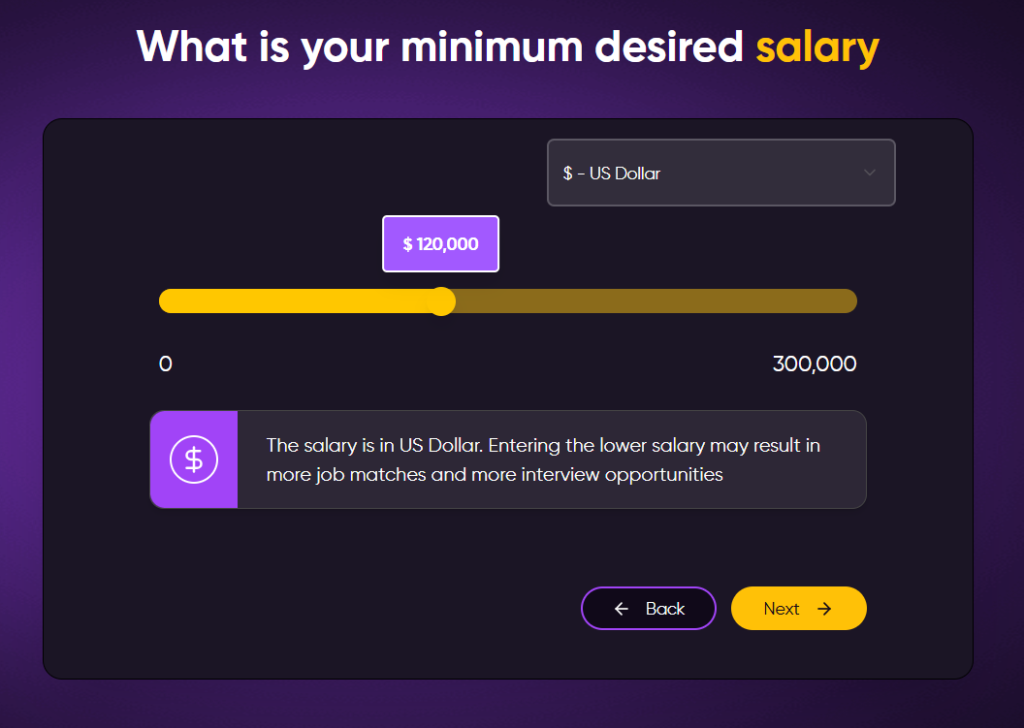
The next few screens collected your minimum desired salary (with a slider going up to $300,000, defaulting to $120,000), your location and phone number, your highest level of education, and your years of experience in your desired role.
Step 5: Job Search Goal and Pace
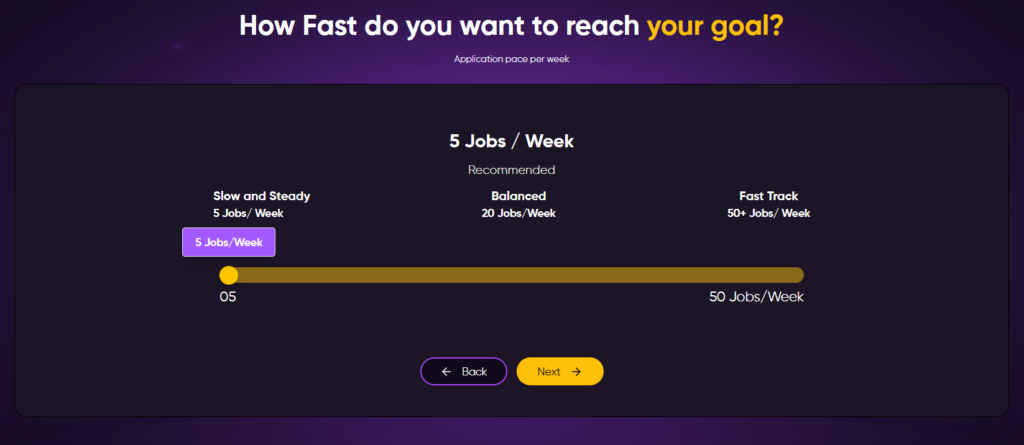
RoboApply asks what your goal is (Land a job fast, Explore new roles, or Level up your career) and then how many applications you want per week, on a slider from 5 to 50 jobs/week. The “Slow and Steady” recommendation is 5 jobs/week, “Balanced” is 20, and “Fast Track” is 50+.
Step 6: Referral Code and Rating Prompt
Here’s where I raised an eyebrow. Before I’d actually used anything, RoboApply showed me a “Give Us a Rating” screen (pre-loaded with a 5.0 star rating) and then asked for a referral code.
Asking for a rating and referral at the tail end of onboarding, before the user has seen any results, felt more like a growth hack than a genuine request. Minor issue, but worth noting.
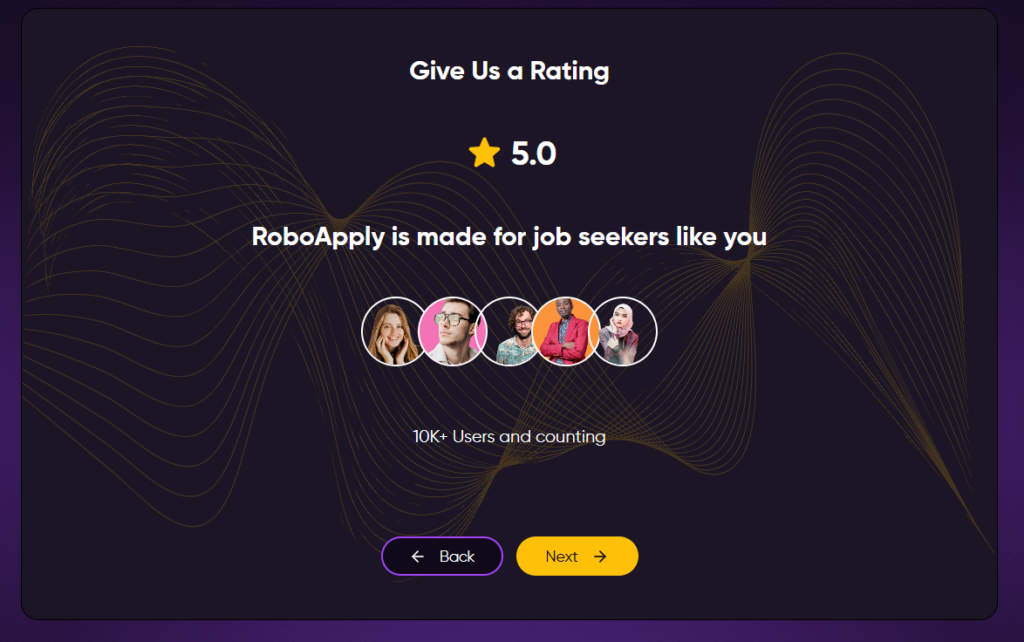
[Screenshots: Rating screen and referral code screen]
What Are Customers Saying About RoboApply?
RoboApply is still a relatively young platform (launched mid-2025), so the independent review pool is smaller than more established competitors. There is no Trustpilot profile as well.
RoboApply Pros: Where It Stands Out
Live Interview Copilot
On Standard and Premium plans, RoboApply’s Interview Copilot provides real-time AI suggestions during actual video interviews, visible only on your screen. It’s designed to help with nerves, improve delivery, and keep you on track during the actual conversation.
Inbox Apply
RoboApply finds the contact, writes a personalized outreach message, sends it, and tracks the follow-up timing. For competitive roles where the job board queue is enormous, this is a smart sidestep.
90-Day Interview Guarantee
If you’re on any paid monthly plan and don’t land an interview within 90 days, you get your money back. That’s a meaningful commitment for a tool in this price range, and it removes a lot of the hesitation around paying upfront.
RoboApply Cons: Where It Falls Short
The Price Ceiling is Real
The Basic plan at $47/month gives you 20 applications per day but you’re missing the Live Interview Copilot and you’re limited to one resume profile. To unlock what makes RoboApply genuinely powerful (higher volume, multiple resume profiles, live coaching), you’re at $129/month. That’s a meaningful monthly cost, especially if you’re currently unemployed.
Your Computer Has to Stay On
For desktop Auto Apply to run, your computer needs to stay awake. The Chrome extension operates in the background, but it’s not a cloud-based process that keeps going while your laptop is shut.
This is a known limitation, and while RoboApply says mobile users will eventually have a background apply feature, it’s not fully there yet. If you’re a night-shift worker or someone who wants to wake up to applications already done, this can be a friction point.
Still Building Its Reputation
RoboApply is still a relatively young platform with a thin independent review base. Most of what you’ll find online is either from its own website or early adopters.
That’s not a dealbreaker, but it means there’s less third-party data to validate the claims around application quality or actual interview rates. The 90-day guarantee helps offset this risk, but it’s worth going in with eyes open.
No True Free Tier
Every other major player in this space offers at least something for free, a resume builder, a limited number of applications, basic job matching. RoboApply’s starting point is $9, which is low but still a paywall. If you want to poke around before committing, you can’t.
When to Use RoboApply and When to Switch
Choose RoboApply if:
- You want resume tailoring built into every application automatically.
- You’re applying across multiple major job boards and don’t want to manage them separately.
- You want real-time interview coaching.
- You want a 90-day safety net in case results don’t come.
But what if you want more control over where you apply?
RoboApply is built for volume and tailoring. What it’s less built for is letting you vet each opportunity before the application goes out, or finding roles that aren’t on LinkedIn or the major job boards at all, like positions posted directly on company career pages.
JobCopilot: The Best RoboApply Alternative
If RoboApply’s volume-first approach feels like it might send you to places you didn’t intend, JobCopilot takes the opposite philosophy, and it’s the better tool for intentional, targeted job searching.
- Verified Jobs Only, No Job Board Noise: JobCopilot applies exclusively to jobs on official company career pages and ATS, not job boards. That means no scam listings, no duplicates, no expired posts recycled by aggregators. Every application goes to a real, authenticated position directly at the source.
- Review Mode Before Anything Goes Out: JobCopilot lets you see and edit AI-generated application answers before submission.
- Machine Learning That Adapts to You: Every time you edit an answer in JobCopilot, the system learns from it. Every time you apply to or discard a job, the copilot adjusts what it recommends next.
- A Full Career Toolkit Alongside Applications: JobCopilot bundles an AI mock interviewer, salary negotiation coach, career change advisor, career personality test, and more.
- Worldwide Company Coverage: JobCopilot searches 500,000+ company career pages in any country. RoboApply is strong on job boards but less built for direct career-page sourcing at that scale.
Considering all of this, JobCopilot makes more sense if you:
- Care about applying only to verified, real job postings rather than everything that surfaces on job boards.
- Want to review and personalize each application answer before it goes out.
- Are looking for roles that aren’t widely advertised such as niche positions, smaller companies, roles posted quietly on career pages with little competition.
- Want an AI that genuinely learns your voice and preferences rather than starting from scratch each time.
Automate Your Job Applications with AI 🚀
Try the leading AI Copilot for job seekers – autonomous, safe, fully personalized, and trusted by 100,000+ users to land interviews faster.
Check Out JobCopilot →FAQs
Can I use RoboApply on my phone?
The core platform is browser-based and accessible on mobile. However, the Chrome extension, which powers the Auto Apply feature, is currently desktop-only. For the full experience, you’ll need a desktop or laptop running Chrome. Mobile users can access the dashboard, resume tools, and tracker, but can’t run Auto Apply from their phone yet.
How does the 90-day money-back guarantee actually work?
If you don’t land a single interview within 90 days on any paid monthly plan, you’re entitled to a full refund. RoboApply doesn’t publicly detail the claims process beyond that, so it’s worth reaching out to their support before subscribing if the guarantee is a deciding factor for you.
What happens if I run out of credits mid-month?
Your automation stops until you either top up with Pay As You Go credits at $0.01 per credit, or wait for your monthly allocation to refresh. There’s no automatic safety net. So if you’re on a lower-tier plan and using the tailoring features heavily, it’s worth keeping an eye on your credit balance rather than assuming the month’s quota will last.