
Most platforms make you sign up, poke around, and decide later. Global Work AI skips that part entirely.
There’s no free trial or preview mode. No “try before you buy.” If you want in, you pay first.
So before you hand over your card details, here’s what’s actually waiting on the other side. I purchased access myself, ran it through its paces, and broke down everything.
TL;DR
Global Work AI is a remote-first work discovery platform that goes beyond traditional job boards. Beyond full-time employment listings, it surfaces freelance projects and client opportunities.
The interface is clean, and the listing volume is reportedly high. But how much value you extract depends heavily on your workflow and expectations.
Who it’s best for:
- Remote job seekers who want a centralized discovery tool
- Freelancers and consultants looking for project-based work
- Professionals who want AI-assisted application materials without a heavy setup
Key features at a glance
| Feature | Details |
| Work focus | Remote-first roles, freelance projects, and client work |
| Listing volume | Large pool across jobs and project opportunities |
| Industries covered | 25+ categories across remote-friendly fields |
| Application method | Redirects to company ATS or contact email |
| Auto-apply | Available for select listings via email outreach |
| Resume assistance | AI-powered tailoring per role |
| Cover letter | AI-generated, template-based |
| Support | Responsive, based on user reports |
| Free trial | None |
Automate Your Job Applications with AI 🚀
Try the leading AI Copilot for job seekers – autonomous, safe, fully personalized, and trusted by 100,000+ users to land interviews faster.
Check Out JobCopilot →Pros
- Covers both employment and freelance/project work
- Straightforward dashboard with minimal learning curve
- Solid filtering options, including salary range, commitment type, and seniority
- Listings appear legitimate based on user feedback and testing
- Regular job alerts keep your pipeline active (coming soon)
- Customer support is responsive when issues arise
Cons
- No free trial or preview access — you pay before seeing anything
- Auto-apply is limited to a small slice of total listings
- AI-generated resumes and cover letters carry a recognizable template feel
- Core functionality doesn’t dramatically outperform free alternatives for basic browsing
Why You Can Trust This Review
This isn’t a press release dressed up as an opinion. Here’s the basis for what you’re reading:
- Focus on practical value: Help job seekers understand whether the tool saves time or adds complexity to the application process.
- Compared with other tools: I’ve reviewed multiple AI job search and auto-apply tools, so I’m judging this platform against what’s standard in the market.
- Evidence-backed observations: Specific claims about features, limitations, and listing counts come from direct use, not assumptions.
One important note: No job discovery tool guarantees interviews or employment. This review covers usability and value (not outcomes).
How Global Work AI Works

Global Work AI positions itself as more than a job board. The platform aggregates remote roles but also includes freelance project listings and client-facing opportunities, which is the primary distinction in its branding compared to standard remote job platforms.
Here’s a walkthrough of the actual experience:
Step 1: Choose a Plan (Upfront Payment Required)
There’s no way to browse listings, preview job quality, or test filters before paying. Plan selection and payment come first, with no demo or trial buffer.
If you’re the type who likes to evaluate tools before committing, this will be an immediate friction point.
Step 2: Set Your Location
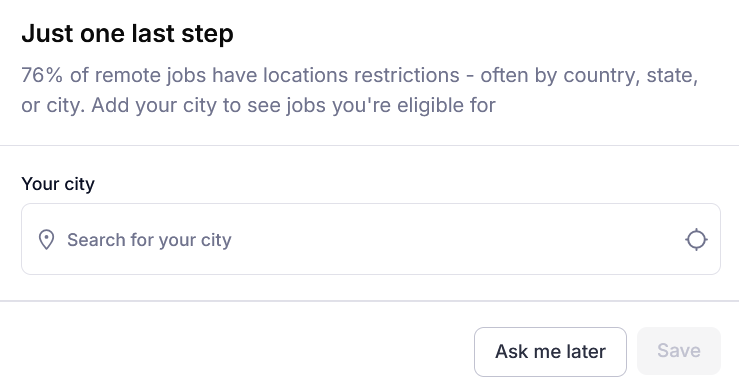
Post-payment, you’re asked to enter your city. It’s not mandatory (you can skip it and set it later), but providing a location helps the platform surface more relevant listings.
Step 3: Filter and Browse the Job Feed
The bulk of your time on Global Work AI happens inside the job feed. Filtering is the main navigation tool, and the options are reasonably comprehensive:
- Location: Global city selection (useful for internationally distributed remote roles)
- Work type: Remote, Hybrid, or Onsite
- Commitment: Full-time, part-time, or contract
- Industry: 25+ categories spanning tech, marketing, design, operations, support, and more
- Seniority level: Entry through senior
- Company: Filter by specific employers
- Date posted: Prioritize fresh listings over stale ones
- Auto-apply eligible: Toggle to show only listings compatible with automated outreach
- Salary range: Set as hourly, monthly, or annual — includes an option to surface roles without listed compensation
Step 4: View Job Details and Apply
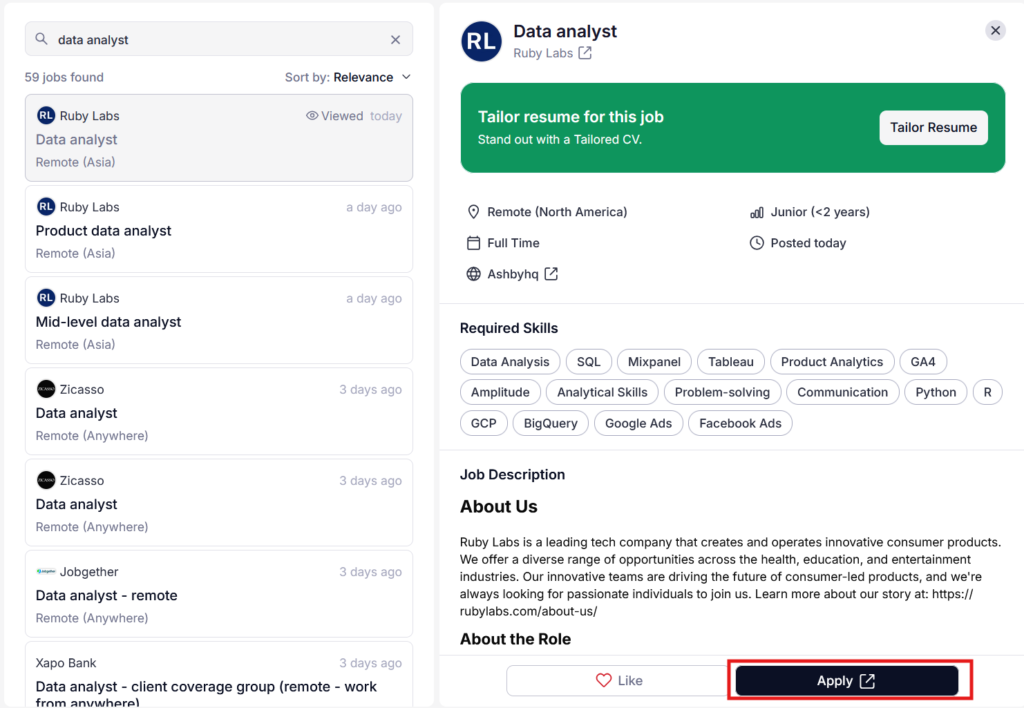
Clicking a listing opens a detailed panel. The Apply button redirects you to the company’s application page or ATS. Applications aren’t submitted directly through Global Work AI.
Step 5: Resume Tailoring
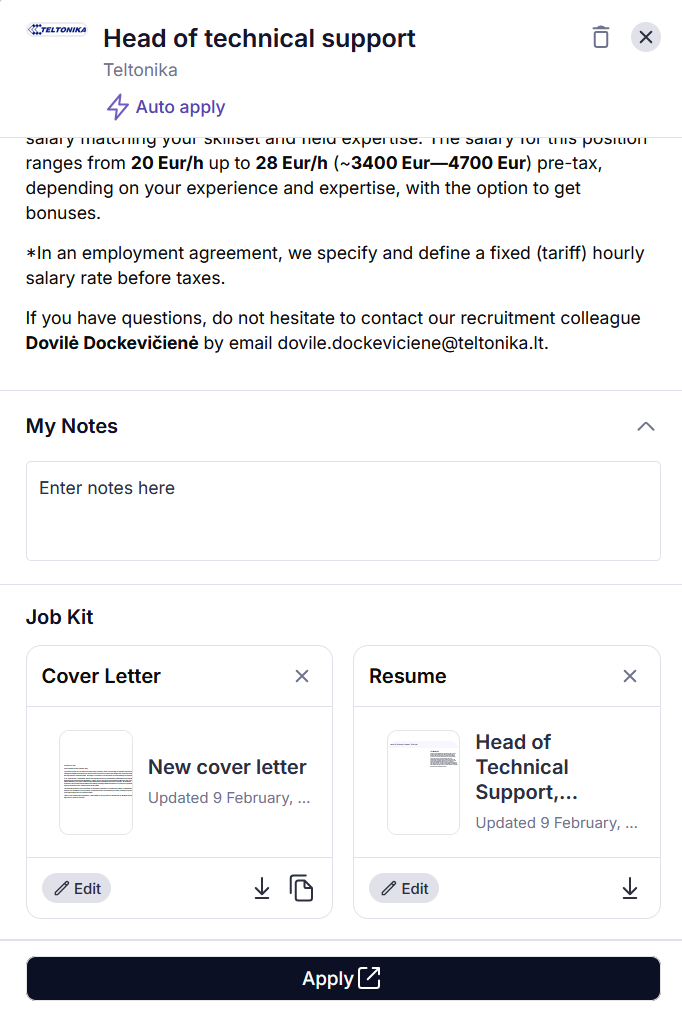
Before you’re redirected externally, the platform offers to tailor your resume for that specific listing.
You can upload a resume or select one already stored on the platform. Global Work AI then generates a tailored version along with a cover letter, both downloadable as PDFs.
The cover letter output is grammatically correct and structurally sound. It’s also distinctly AI in voice — the kind of letter that reads like a polished first draft in need of a human pass before sending.
Step 6: Manual Apply or Auto-Apply
The platform advertises automated application functionality, claiming the ability to submit applications on your behalf to multiple listings per day. In reality, eligibility is narrow.
Auto-apply only works on listings that include a direct contact email, which accounts for a small percentage of total listings. You also have limited control over how those outreach emails are written or personalized.
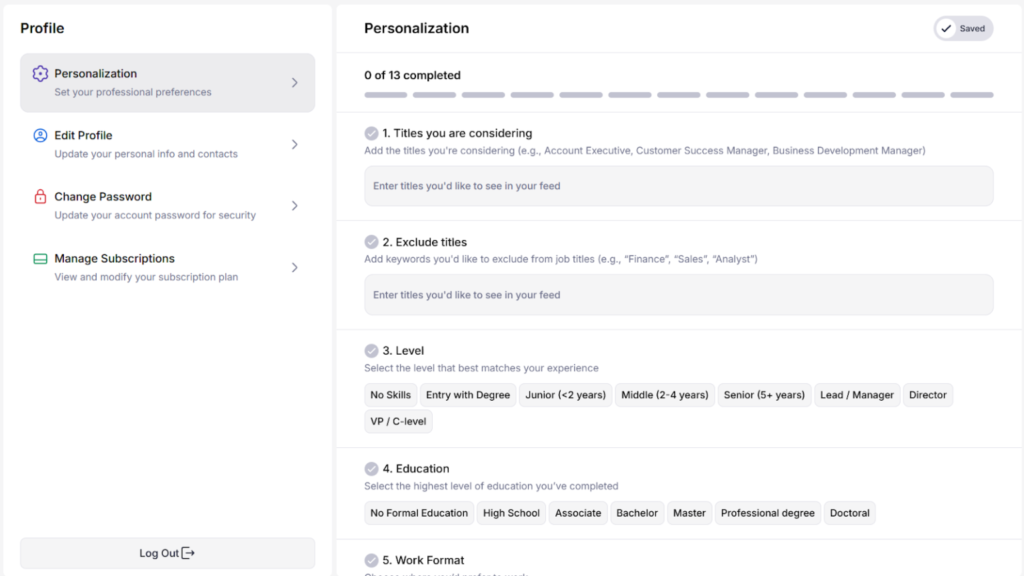
Personalization Setup (Optional)
Global Work AI includes a preference setup that’s designed to sharpen recommendations over time. It’s not required, but completing it improves the relevance of what surfaces in your feed.
Inputs include:
- Target and excluded job titles
- Experience level and education
- Work format and commitment preference
- Location and language requirements
- Target industries (and industries to exclude)
- Dream companies and preferred company size
- Salary expectations
Global Work Pricing
No free tier, no trial period, no “see what’s inside before you commit.” Pricing is the first real decision you make on the platform.
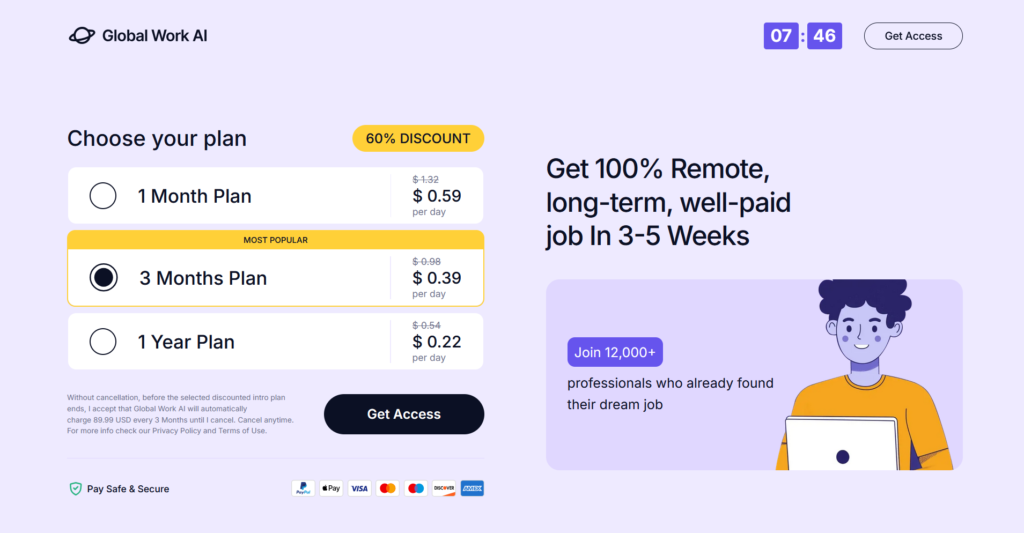
Three plans are currently available, all advertised at a 60% discount:
| Plan | Daily Rate | Approx. Total |
| 1 Month | $0.59/day | ~$17.70/month |
| 3 Months (Most Popular) | $0.39/day | ~$35/quarter |
| 1 Year | $0.22/day | ~$80/year |
Every plan includes the same feature set: job search, filters, alerts, auto-apply (where eligible), resume tailoring, and cover letter generation.
The Fine Print Worth Reading
The pricing page carries a small but important disclaimer: once your discounted intro period ends, Global Work AI automatically charges $89.99 every three months ($39.99 monthly) until you cancel.
That’s a meaningful jump from the introductory rates — especially if you signed up for the monthly or annual plan and forgot to cancel. Set a reminder before your intro period ends.
What This Means for Your Budget
The 1-month plan carries the most flexibility. It’s the most expensive per day, but it’s the lowest-risk way to evaluate whether the listings actually match your field and experience level before committing to anything longer.
The 3-month and 1-year plans only make financial sense if you’re actively job hunting throughout the entire period. Realistically, most people land something (or abandon the platform) well before a year is up.
At an under $18/month entry point, the dollar risk is relatively low. The higher cost is time, specifically, time spent on a platform that may or may not outperform free alternatives for your particular niche.
Global Work: What Works and What Doesn’t
Based on firsthand use and public user feedback, the experience varies depending on your location, industry, and expectations. It’s also worth noting that Global Work AI’s Trustpilot profile currently shows a warning and an unavailable rating (something to keep in mind as you weigh your options).
Here’s an honest look at both sides of the experience:
Global Work Pros: Where It Stands Out
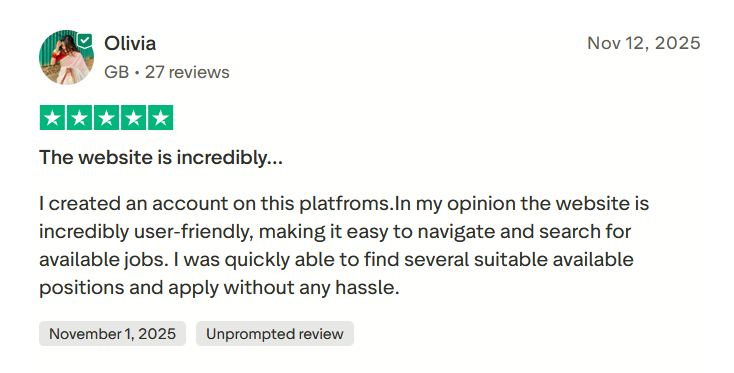
Easy to navigate
Olivia called the platform incredibly user-friendly. She was able to browse available positions, find suitable roles, and apply.
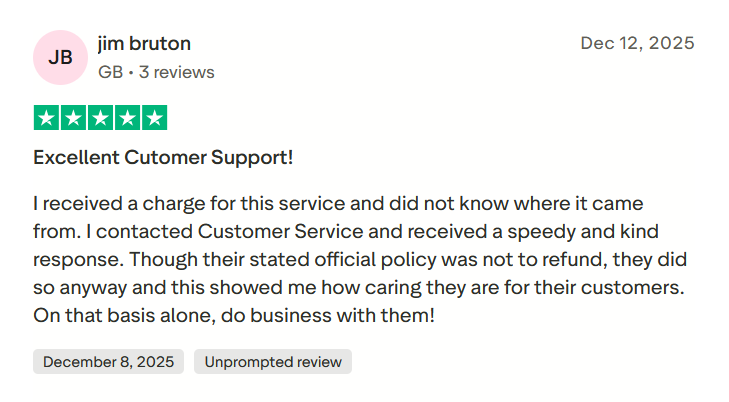
Customer support that actually shows up
A user received an unexpected charge and had no idea where it came from. He reached out to support and got a fast, courteous response, and despite the platform’s official no-refund policy, they refunded him anyway.
It refunds when things go wrong
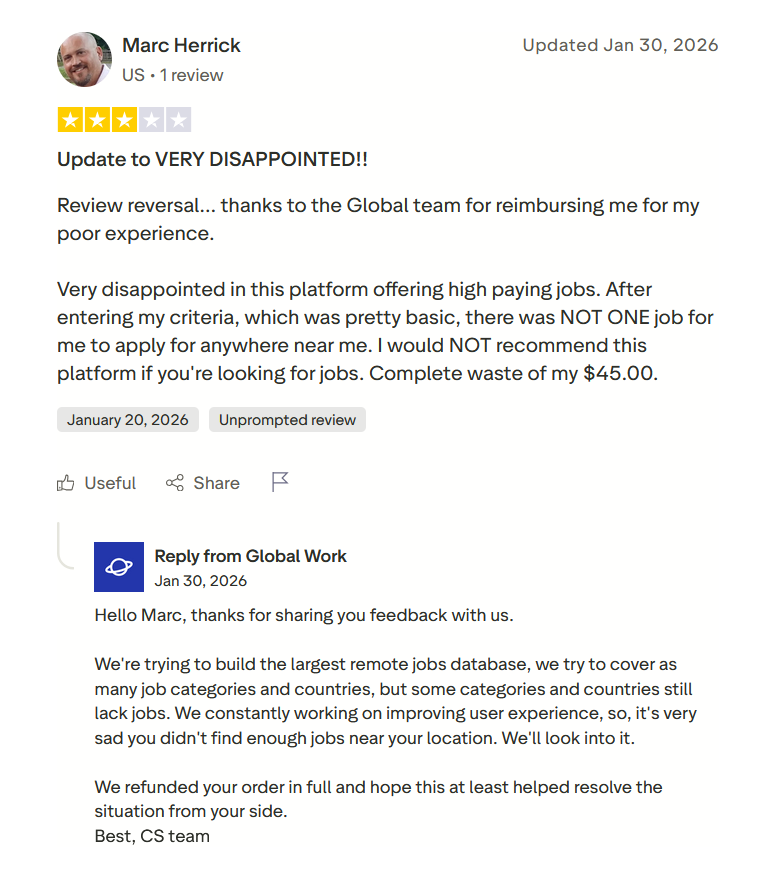
A Trustpilot reviewer named Marc Herrick paid $45, found zero relevant listings near his location, and left a frustrated 3-star review. Global Work AI’s support team responded, acknowledged the coverage gap, and issued a full refund.
Marc updated his review to reflect the resolution.
Global Work AI Cons: Where It Falls Short
Auto-renewal catches users off guard
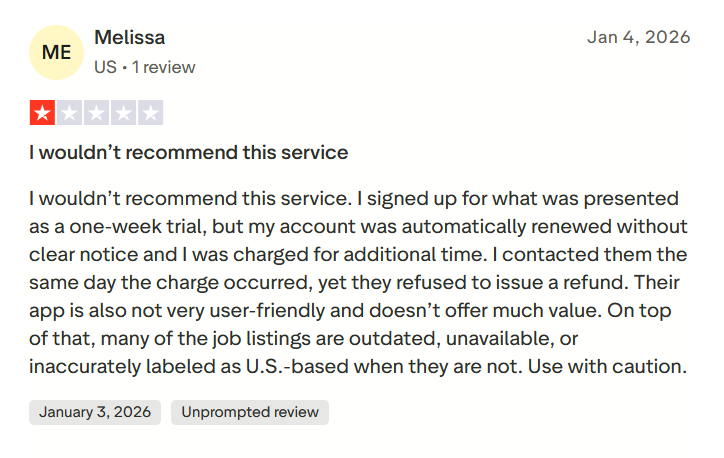
Multiple users have reported being charged unexpectedly after their initial period ended, without clear advance notice. In at least one case, a refund request made the same day the charge occurred was denied.
The auto-renewal terms are technically in the fine print, but the experience suggests they aren’t communicated prominently enough during signup.
Job listings can be outdated or mislabeled
Some users have flagged that a portion of listings are no longer active, unavailable, or tagged as U.S.-based when the actual role is not.
Search and personalization don’t always stick
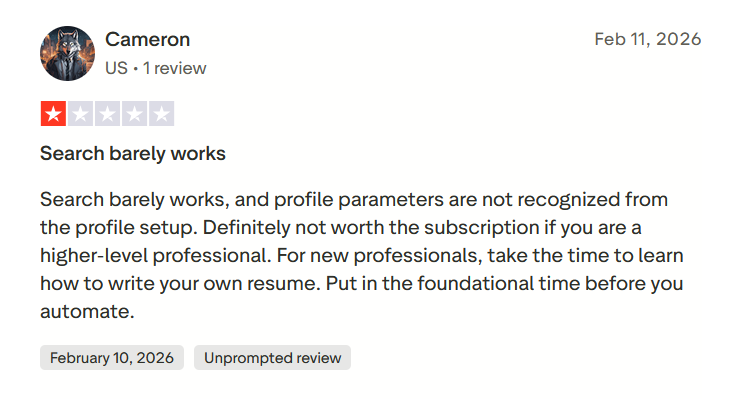
Profile preferences set during onboarding don’t always carry through to actual search results. Users (particularly those further along in their careers) have found the search functionality unreliable and the personalization layer largely cosmetic. The platform appears better suited to early-career job seekers than senior professionals.
Pressure around reviews
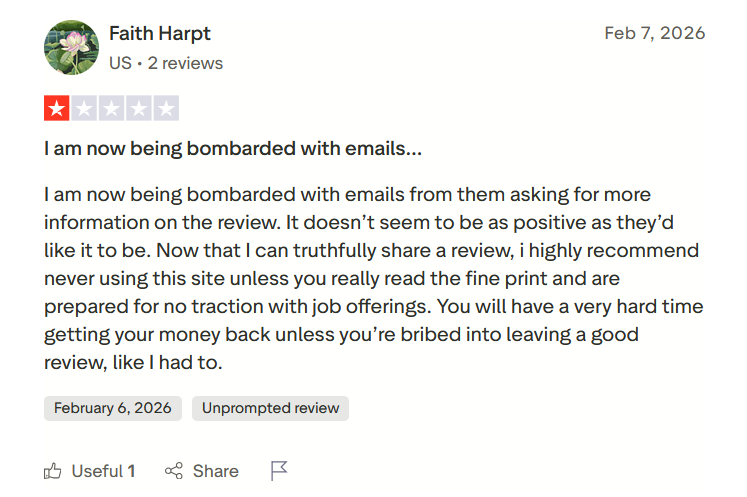
One user reported receiving repeated emails from the platform after a negative review, suggesting that refund assistance was tied to leaving more favorable feedback. If accurate, that pattern would help explain the Trustpilot warning mentioned earlier.
When to Use Global Work AI, and When to Look Elsewhere
Global Work AI works well in specific situations. Outside of those, you may find yourself hitting its limits fairly quickly.
Global Work AI makes sense when…
- You want one place for remote jobs and freelance work: The platform brings together remote employment and project-based opportunities, which is genuinely useful if you’re keeping both options open.
- You’re early in your search and want a broad starting point: The large listing volume and simple interface make it easy to get oriented without a steep learning curve.
- You want lightweight AI assistance: Resume tailoring and cover letter generation are available as a starting draft, even if you’ll want to personalize from there.
Consider other platforms when…
- You’re a senior or specialized professional: Multiple users have flagged that the platform struggles to surface relevant roles at higher seniority levels. Niche boards or direct outreach may yield better results.
- You need reliable search and personalization: Profile preferences don’t always translate into better results, and search functionality has been inconsistent enough to frustrate users who rely on it heavily.
- You’re cautious about recurring billing: The auto-renewal structure has caught users off guard. If subscription management isn’t something you want to actively track, the billing setup here warrants extra attention.
- Free tools are already working for you: Without a trial period, you’re paying upfront to test relevance. If free job boards already surface adequate listings for your field, the added cost may not be justified.
JobCopilot: A Stronger Alternative for Serious Job Seekers
Global Work AI puts opportunities in front of you. What it can’t do is make those opportunities count.
Finding a job is also a quality problem. A generic cover letter sent to fifty roles will consistently underperform a tailored, well-researched application sent to ten. Most job seekers know this, but also don’t have the time to do it properly for every role they find.
That’s the gap JobCopilot addresses. It helps you show up better at each stage of the process, and gives you direct access to hiring managers so your application doesn’t disappear into an ATS black hole.
- True auto-apply: JobCopilot searches and submits applications on your behalf daily across 500,000+ company career pages. You can review or edit AI-generated answers before anything goes out.
- Personalized AI Copilot: Unlike Global Work AI, JobCopilot learns from every correction you make. It also reads signals like which jobs you keep or discard to sharpen future matches, so the more you use it, the more accurate your applications become.
- Built-in application tracker: Every saved or applied role is logged automatically, so nothing slips through.
- Multiple copilots: Run parallel searches with different resumes, criteria, and goals.
- Full-cycle support: Resume tools, interview practice, salary insights, and networking guidance are all included.
- Direct access to hiring managers: Find and contact recruiters for roles you’ve applied to, including emails and LinkedIn profiles.
Automate Your Job Applications with AI 🚀
Try the leading AI Copilot for job seekers – autonomous, safe, fully personalized, and trusted by 100,000+ users to land interviews faster.
Check Out JobCopilot →Frequently Asked Questions
Is Global Work AI legit or a scam?
Global Work AI is a real platform with genuine job listings. Users have found relevant roles, and the support team has issued refunds in documented cases. That said, concerns around listing accuracy, auto-renewal clarity, and the current Trustpilot warning are worth factoring into your decision.
Does Global Work AI guarantee interviews or job offers?
No. It provides access to listings and application tools — outcomes depend entirely on your profile, the roles you apply to, and how you present yourself. No job discovery platform can guarantee responses or offers.
Is the auto-apply feature reliable?
Auto-apply is limited to listings that include a direct contact email, which is a small fraction of total listings. It’s functional within that scope, but it’s not the broad, hands-off automation that marketing sometimes implies. Manual review of applications is still recommended.