
Teal has long been a go-to name in the resume-building space. Trusted by over 4 million job seekers, it built its reputation on helping people craft ATS-friendly, job-tailored resumes.
But Teal has evolved into a platform that offers a full suite of career tools, including an autofill job applications feature—the one I wanted to put to the test.
Let’s get started.
TL;DR
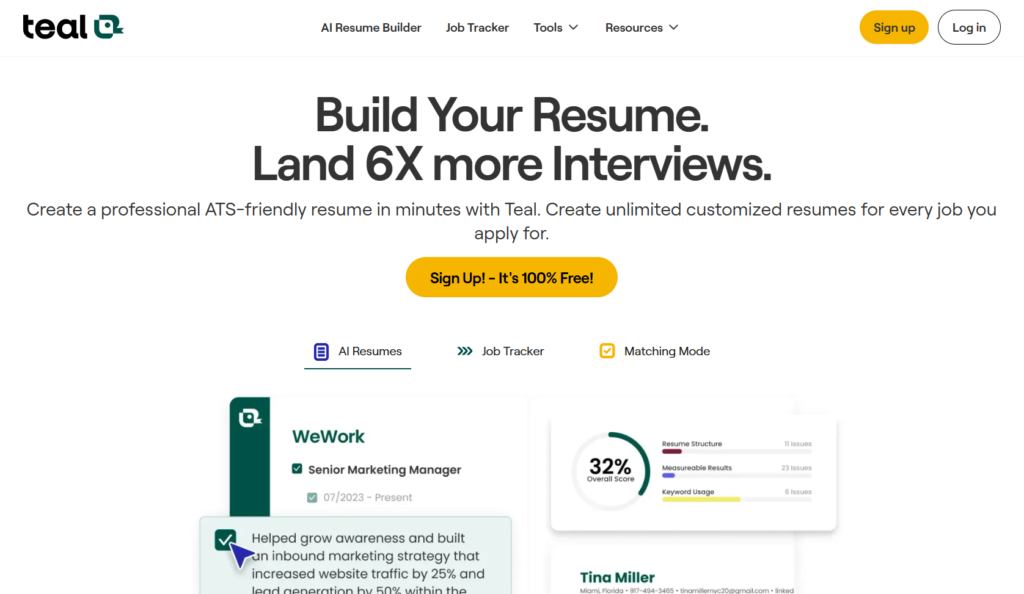
Teal is a well-established resume builder that has expanded into a broader job search platform. Its autofill feature uses AI to populate application form fields and draft responses to open-ended questions.
The AI-generated responses are a useful starting point, but they don’t adapt to your writing style over time, which means the editing work doesn’t really decrease the more you use it.
Before we go further, let’s clear something up: Teal’s autofill is not the same as auto-apply. It won’t carpet-bomb your resume across hundreds of listings while you sleep. Instead, it uses AI to analyze job descriptions and your career history to create tailored responses for application questions (with you always having the option to review and modify your answers before hitting submit).
Who it’s best for:
- Teal+ subscribers already paying for resume and keyword tools
- Job seekers who want to reduce manual data entry without losing control of their applications
- Organized, hands-on applicants who review every submission before it goes out
- Early-stage job seekers looking for one platform to manage their entire search
Key Features at a Glance
| Feature | Available On |
| AI Resume Builder | Free + Paid |
| Job Application Tracker | Free + Paid |
| Autofill Job Applications | Paid only |
| Resume Keyword Matching | Limited (Free) / Unlimited (Paid) |
| Cover Letter Generator | Free (credit-limited) |
| AI Interview Practice | Paid only |
| Chrome Extension | Free + Paid |
| LinkedIn Tools | Free + Paid |
Automate Your Job Applications with AI 🚀
Try the leading AI Copilot for job seekers – autonomous, safe, fully personalized, and trusted by 100,000+ users to land interviews faster.
Check Out JobCopilot →Pros
- Cuts down significantly on repetitive form filling
- Generates draft answers to open-ended application questions
- No extra setup if your Teal resume is already built
Cons
- Autofill paywalled at $13 per week with no free trial
- AI doesn’t improve based on your edits
- Chrome-only, no support for other browsers
- AI answers can feel generic without meaningful editing
- Too new to have substantial independent user reviews
Why You Can Trust This Review
I tested the autofill feature myself, across real job applications, to give you an honest look at what it does well and where it falls short.
I’ve spent considerable time in the job search trenches, enough to know what “helpful” actually looks like versus what just looks helpful on a demo. I came into this test as someone familiar with Teal’s core resume-building tools, which gave me useful context for evaluating how well the autofill feature integrates into the broader platform experience.
Teal Features
Teal started as a resume builder, but it’s grown into a full-blown job search platform. Today, it offers several tools that cover nearly every stage of the job hunt:
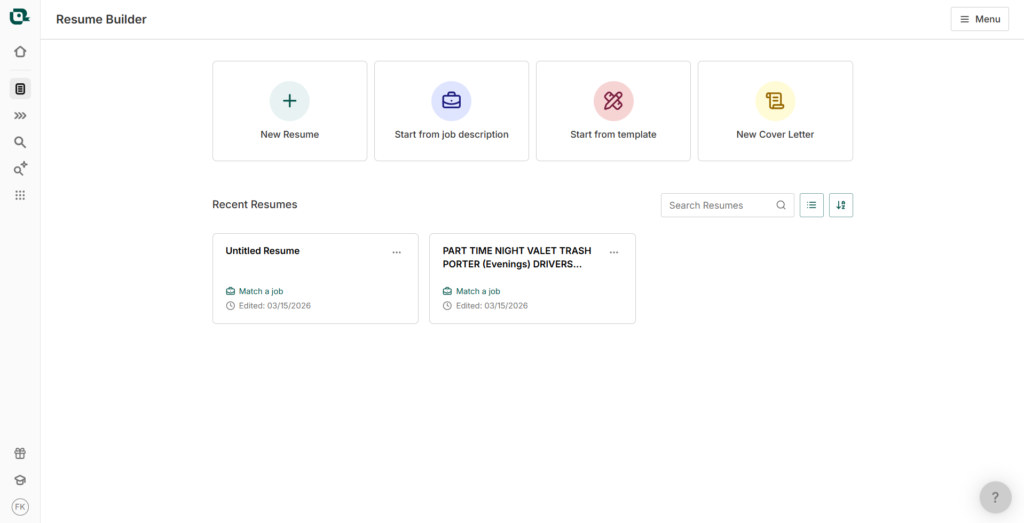
AI Resume Builder
It is Teal’s flagship tool, which walks you through building a resume from scratch. AI can step in to help you write summaries, bullet points, and headlines that are tailored to the roles you’re targeting.
Resume Checker & Reviewer
They are two complementary tools that analyze your resume for weaknesses, gaps, and formatting issues. The feature gives you an overall score and actionable feedback so you know exactly what to fix before you hit send.
Resume Job Description Match
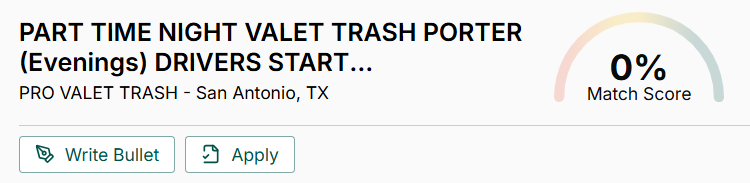
Paste in a job description, and Teal will compare it against your resume, giving you an instant match score along with suggestions on how to close the gap.
Keyword Scanner & Job Description Keyword Finder
These tools dig into job descriptions to surface the language that actually matters to hiring managers and ATS systems, so you can weave the right terms into your resume naturally.
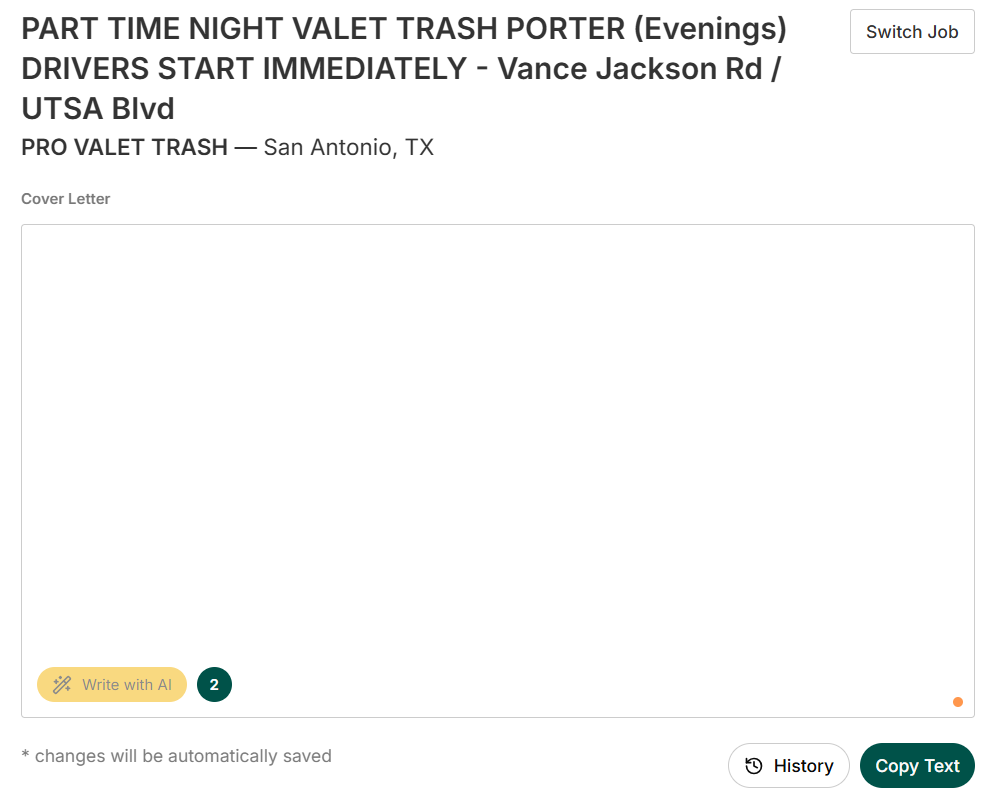
Cover Letter Generator & Checker
Generate a personalized cover letter in seconds based on your background and the role you’re applying for, then run it through the checker to make sure it’s as strong as it can be.
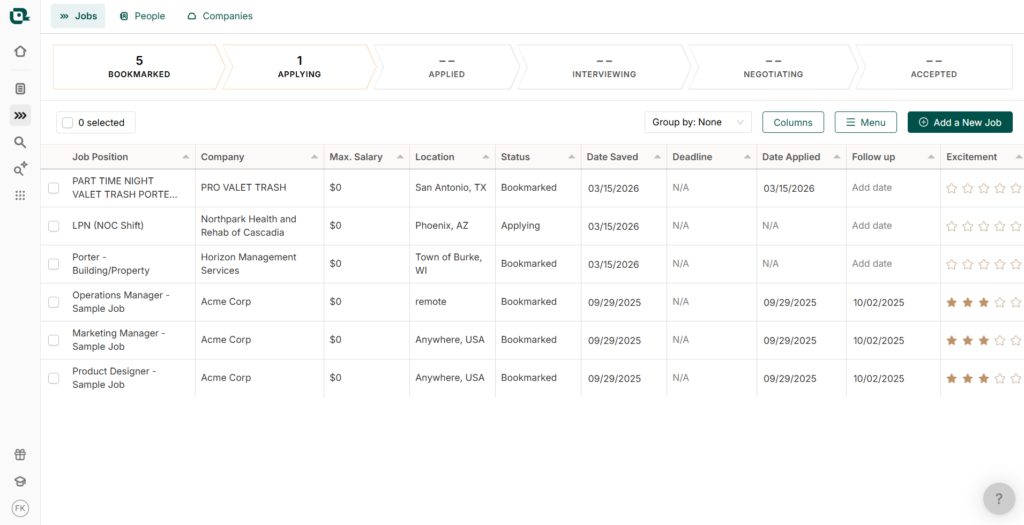
Job Application Tracker & CRM
A centralized hub for managing every application, contact, and company you’re pursuing, so your job search stays organized instead of scattered across browser tabs and sticky notes.
Autofill Job Applications
Teal’s newest notable feature — and the focus of this review. It automatically populates application form fields with personalized, AI-generated answers based on your career history, saving you from re-entering the same information repeatedly.
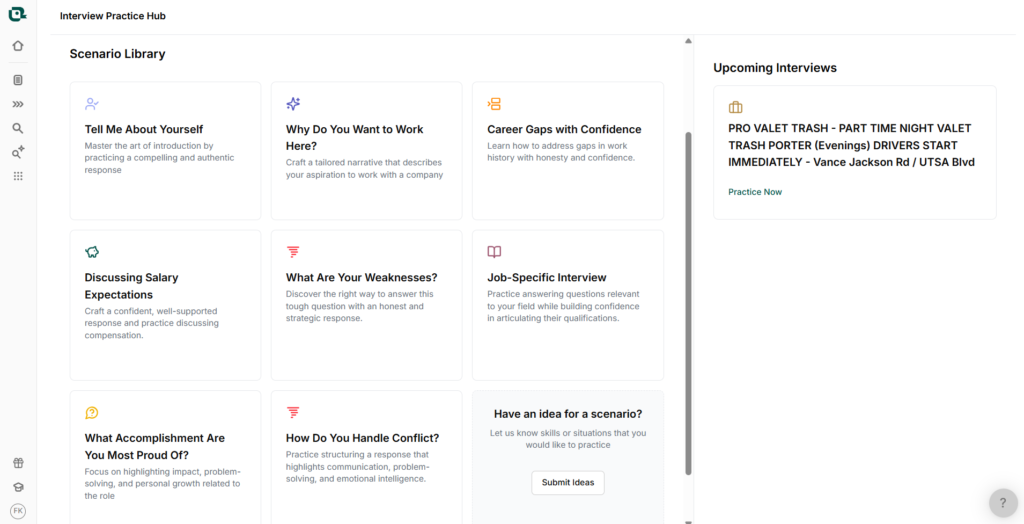
AI Interview Practice
Simulated interview sessions tailored to specific job opportunities, designed to help you walk in more prepared and less caught off guard.
LinkedIn Tools
It also offers a collection of generators and reviewers, covering your headline, summary, and full profile, to help your LinkedIn presence match the quality of your resume.
Career Quizzes & Assessments
A lighter side of the platform, including a Career Personality Test, Career Change Quiz, Tech Career Quiz, and a Stay vs. Quit assessment for those at a crossroads in their current role.
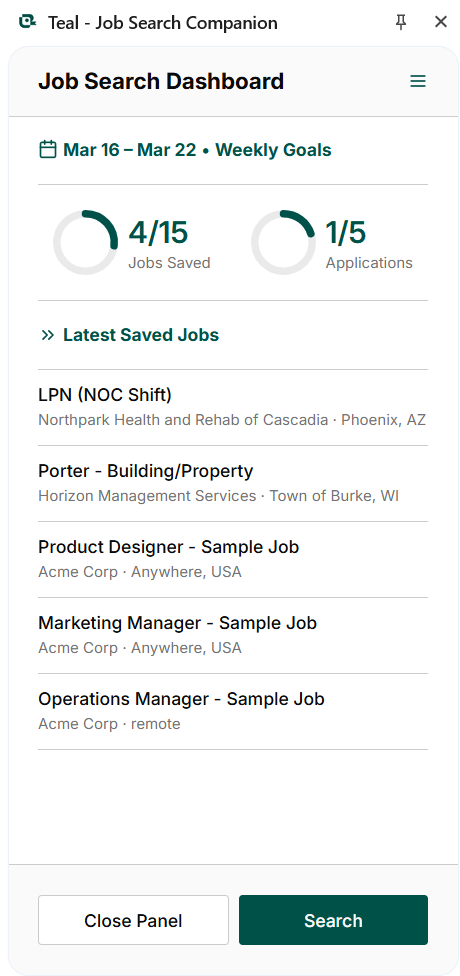
Chrome Extension & Job Board
The browser extension connects with 40+ job boards, letting you save listings directly into your tracker. Teal also has its own job board with daily-updated listings baked right into the platform.
Teal’s Autofilling Job Applications Feature
Teal pulls information from your Teal resume and uses it to populate application form fields across job boards automatically. Standard stuff like work history, education, and skills gets filled in without you having to retype it every time.
On paper, the autofill feature sounds like a straightforward time-saver.
To Teal’s credit, the feature isn’t designed to work without you. Every response is reviewable and editable before submission, so it positions itself as a drafting assistant rather than an autopilot.
The value you get will likely depend on how much time you’re willing to put into reviewing and refining those drafts, which raises the fair question: how much time are you actually saving?
Where it gets more interesting (and where it’s worth applying some skepticism) is with the AI-generated responses to open-ended questions. Teal’s AI analyzes the job description alongside your career history to produce tailored answers to questions like “Why are you a good fit?”
The word “tailored” is doing a lot of work here, though. AI-generated answers to open-ended questions tend to follow predictable patterns, and whether they actually read as personalized or just competent-but-generic is something worth testing closely.
JobCopilot raises the bar by building AI that actively learns from your edits, adapting to your tone and writing style over time. Teal doesn’t appear to offer that kind of adaptive learning, which puts a ceiling on how “tailored” its responses can really get.
How It Works
The setup is simple enough:
- Install the Chrome Extension: Available for free on the Google Chrome Web Store.
- Import your details: Sync your professional background from your Teal resume or LinkedIn profile.
- Apply on job boards: The extension detects application fields and fills them in automatically.
- Review before submitting: You’re always the last line of defense before anything goes out.
Teal Pricing
Teal runs on a two-tier model:
- a free plan
- a paid plan called Teal+, priced at $13 per week.
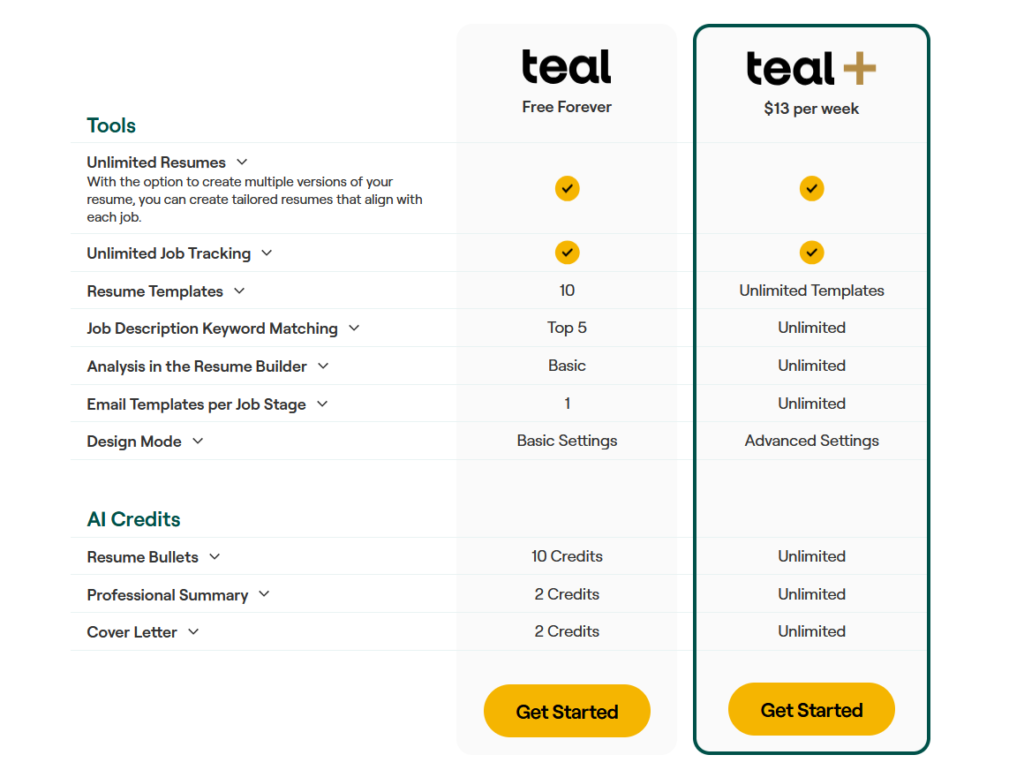
In the free plan, you get unlimited resumes, unlimited job tracking, 10 resume templates, and basic access to the resume builder. The catch is that AI features are credit-limited. You get 10 credits for resume bullets, and just 2 each for professional summaries and cover letters.
Teal+ removes those ceilings entirely. Unlimited AI credits, unlimited keyword matching, unlimited email templates, advanced design mode, and access to all premium resume templates.
What This Means for Your Budget
$13 a week sounds reasonable until you do the math; that’s roughly $52 a month, which is on the higher end for a job search tool. If your job search spans a few months, costs can add up quickly.
The free plan can take you a fair distance, but the AI credit limits are restrictive enough that power users will hit a wall fast. If you’re applying to jobs seriously, the free tier will frustrate you into upgrading sooner than you might expect. For casual or early-stage job seekers, it’s a reasonable starting point.
Teal’s Autofill: What Works and What Doesn’t
There aren’t many user reviews specifically about the autofill feature online. Teal has an overall rating of 4.3 on Trustpilot, but the bulk of that feedback comes from resume builder users (not from people testing it as a full job search automation tool). So take the following with that context in mind.
Teal Autofill Pros: Where It Stands Out
Eliminates repetitive data entry
Standard fields like work history, education, contact details, and skills get populated without you retyping them for the hundredth time. For anyone applying at volume, this alone saves a meaningful
You stay in control
Every autofilled response is reviewable before submission. It’s not firing off applications on your behalf. You’re always the final checkpoint, which reduces the risk of a poorly worded answer slipping through.
Works across major job boards
The Chrome extension integrates with a wide range of job boards, so you’re not limited to just one or two platforms to make it useful.
Pulls directly from your existing resume
There’s no separate setup or data entry to get started. If your Teal resume is already built out, the autofill has everything it needs to hit the ground running.
Teal Autofill Cons: Where It Falls Short
No adaptive learning
Unlike some competitors like JobCopilot, Teal’s AI doesn’t learn from your edits over time. Every application starts from the same baseline. It doesn’t pick up on your writing style, preferred tone, or the tweaks you consistently make.
That means you’re doing roughly the same amount of editing on application number fifty as you were on application number one.
Chrome-only
The autofill relies entirely on the Chrome extension, which immediately locks out Firefox, Safari, and Edge users.
Limited independent reviews
Because the feature is relatively new, there’s very little real-world feedback beyond Teal’s own testimonials. That makes it genuinely hard to evaluate how it performs across different industries, job levels, and application types.
Not available for free
Unlike some of Teal’s other tools, the autofill feature isn’t available on the free plan at all, so before you even get to test whether it works for you, you’re already looking at a $13 per week commitment.
If autofill is the primary reason you’re upgrading, you’re paying a premium price for a single feature. Teal+ makes more sense as a value proposition if you’re actively using the resume builder, keyword matching, and other AI tools in tandem. But if autofill is your main draw, the math doesn’t really add up.
When to Use Teal and When to Switch
Teal is primarily a resume builder that has expanded into job search territory, so it works best when you’re treating it as a broader career tool rather than a dedicated autofill solution.
That said, the paid-only autofill feature and its current limitations mean it won’t make sense for everyone, especially those upgrading specifically for the automation.
Use Teal when…
- You’re primarily looking for a strong resume builder with autofill as a bonus: The platform’s core strength is still resume building, and the autofill adds convenience on top of that.
- You’re already a Teal+ subscriber for other features: If you’re paying for the resume and keyword tools anyway, autofill is a reasonable add-on to get more out of your subscription.
- You prefer reviewing every application before it goes out: The feature is designed for hands-on users, not set-and-forget automation.
Consider switching when…
- Autofill is your main reason for upgrading: Paying $13 per week for a single feature with notable limitations isn’t great value, especially during an already costly job search.
- You want AI that learns your writing style over time: Teal’s responses don’t adapt based on your edits, which becomes a friction point the more you apply.
- You’re applying at high volume and need faster, smarter automation: The level of manual review the tool still requires can offset the time it saves.
- You’re not on Chrome: The extension dependency is a hard blocker with no alternative.
JobCopilot: The Best Teal Alternative for AI Job Hunting
If you find Teal’s autofill feature too limited for your needs, JobCopilot is worth a serious look — and for active job seekers, it’s a notably stronger option.
The core difference is intent. Teal is built around resume creation with autofill as a supporting feature. JobCopilot is built from the ground up for automation. Once set up, it actively searches and applies to jobs on your behalf daily (across 500,000+ company career pages) without you having to initiate each application manually.
A few standout features that give it an edge:
- Personalized AI Copilot: Unlike Teal, JobCopilot learns from every correction you make. It captures your preferences and how you want to answer application questions over time. It also reads signals like which jobs you keep or discard to sharpen future matches, so the more you use it, the more accurate your applications become.
- True auto-apply: Your copilot finds newly posted jobs daily and submits applications on your behalf, meaning you’re never too late to apply to a fresh listing. You can also review applications or edit AI-generated answers before applications go out.
- Hiring manager contacts: JobCopilot lets you follow up directly with hiring managers after applying, a feature Teal doesn’t offer at all.
- AI Mock Interviews & Career Advisors: Beyond applications, it bundles interview practice and career guidance on a single platform.
If your bottleneck is volume and speed rather than resume polish, JobCopilot is the more purpose-built tool for the job. Sign up for JobCopilot today!
Automate Your Job Applications with AI 🚀
Try the leading AI Copilot for job seekers – autonomous, safe, fully personalized, and trusted by 100,000+ users to land interviews faster.
Check Out JobCopilot →Frequently Asked Questions
Can I export my resume from Teal?
Yes, Teal allows you to download your resume as a PDF.
Does Teal work on mobile?
Teal’s web platform is accessible on mobile browsers, but the autofill feature relies on the Chrome extension, which is desktop-only. If you’re primarily job hunting from your phone, the autofill functionality won’t be available to you.
Does Teal integrate with LinkedIn?
Yes, you can import your LinkedIn profile directly into Teal’s resume builder to populate your work history and skills without starting from scratch.
Does Teal offer a free trial of Teal+?
Teal doesn’t appear to offer a traditional free trial of its paid plan.