
I tested Zippia because it recently stepped into the AI job application space, which is becoming crowded with tools promising to make job hunting easier.
Traditionally, Zippia has been known as a career research and job discovery platform. It combines job listings with career data like salary insights, skills analysis, and company information to help people understand different roles before applying.
Zippia claims there are 2.5+ million different jobs listed on the platform every month.
So I decided to take a closer look.
This review breaks down how Zippia actually works, what its AI job application features do, and where it feels genuinely useful versus where it still feels like a traditional job board
TL;DR
Zippia started as a career research and job discovery platform, and only recently expanded into the AI job application space. It combines job listings with salary insights, career data, and an AI resume builder to help people understand roles before applying.
The platform is strongest when used as a resume and career exploration tool. The AI resume builder works well, and the large dataset around jobs, skills, and salaries can be useful if you’re researching career paths.
However, the AI job application system still feels early. In my testing, it didn’t surface any jobs; the job tracker is basic, and pricing around automation features isn’t very clear.
Who it’s best for:
- Job seekers who want AI help writing or tailoring resumes
- People researching career paths, salaries, and skills required for roles
- Anyone wanting to test AI resume tools before paying for automation tools
Key Features at a Glance
| Feature | What It Does |
| Job search engine | Aggregates millions of job listings from across the web |
| Career data insights | Provides salary data, career paths, and skill requirements |
| AI resume builder | Generates resume summaries, skills, and experience sections |
| Resume tailoring | Adjusts resumes to match specific job descriptions |
| AI job applications | Attempts to discover and apply to jobs automatically |
| Job preference filters | Allows detailed filters for roles, schedules, and requirements |
| Application tracker | Tracks job applications in a simple dashboard |
| Profile-based matching | Matches job listings to your resume and preferences |
Automate Your Job Applications with AI 🚀
Try the leading AI Copilot for job seekers – autonomous, safe, fully personalized, and trusted by 100,000+ users to land interviews faster.
Check Out JobCopilot →Pros
- The AI resume builder is fast and easy to use
- Established career platform since 2015
- Large job dataset with 1M+ jobs added monthly
- Strong career research tools (salary, skills, career paths)
- Detailed job filters and application preferences
Cons
- AI job applications didn’t surface jobs during testing
- Pricing structure and feature limits aren’t very clear
- Job tracker interface is basic and not very intuitive
- Limited user reviews discussing the AI features
- Free plan allows only 3 tailored resume attempts
Why You Can Trust This Review
Many reviews simply repeat what a tool’s landing page claims. That’s not the goal here.
This review is based on hands-on exploration of Zippia and comparison with other AI job search tools, looking at how it actually fits into a real job-hunting workflow.
Here’s what this review is based on:
- Direct testing of Zippia’s platform to understand how its job discovery and AI application features work in practice.
- Comparison with other AI job search tools to see where Zippia stands in terms of automation, job coverage, and usability.
- Independent evaluation from a job seeker’s perspective, focusing on what actually saves time during the application process.
Anyone who has applied to jobs online knows how repetitive and frustrating the process can be. The goal here isn’t to hype the tool, but to show honestly where it helps and where it doesn’t.
Zippia AI Job Platform: Onboarding Experience
Getting started with Zippia’s AI job application system takes longer than most job tools.
Some of these steps make sense if the system is going to submit applications on your behalf. Others feel like standard HR questions that could probably appear later during actual applications.
Here’s what the onboarding process looks like:
Step 1: Account Setup and Email Access
You start by creating an account. Zippia encourages signing in with Google and asks for read-only access to your Gmail.
Step 2: Compliance and Eligibility Questions
Next comes a series of standard hiring compliance questions often seen in U.S. job applications. These include:
- Consent for background checks
- Consent for drug testing
- Whether you’ve been involuntarily terminated from a job
- Veteran status
- Disability disclosure
- Gender and race demographics
- Visa sponsorship requirements
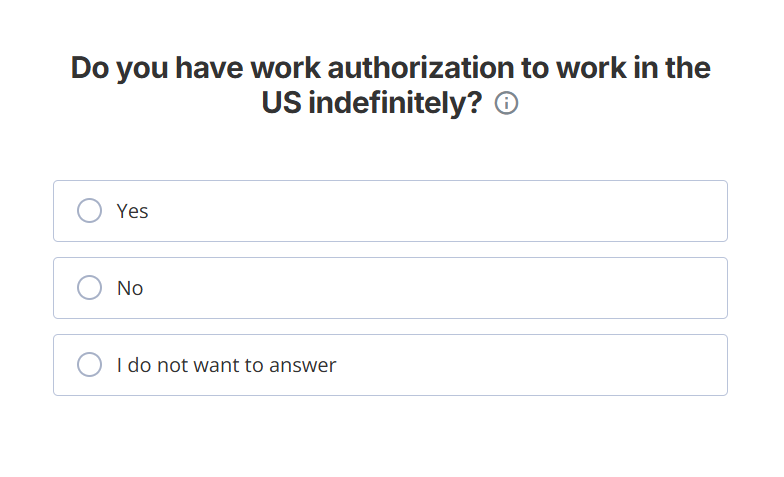
- Work authorization in the U.S.
Step 3: Job Preferences and Search Filters
After the compliance questions, Zippia moves into job targeting details.
You’re asked to specify:
- Location and commuting distance
- Preferred work arrangement (remote, onsite, hybrid)
- Keywords or industries of interest
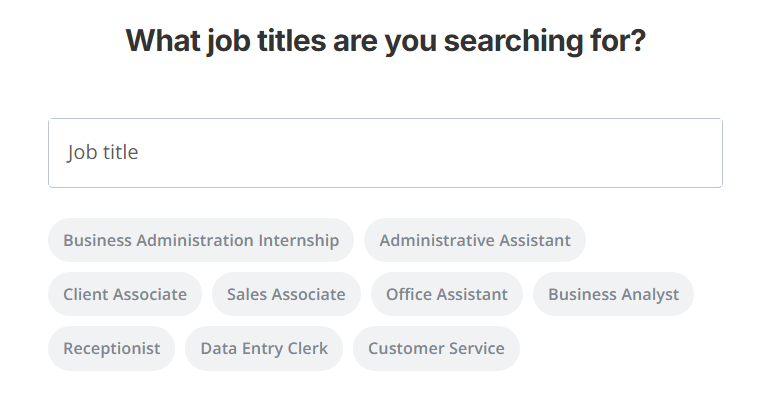
- Job titles you’re targeting
- Companies you want to avoid
This part is actually useful because it helps the platform narrow down its job recommendations and auto-apply targets.
Step 4: Resume and Profile Information
Next, the system collects your core application details.
You can either:
- Upload an existing resume (PDF, DOC, DOCX)
- Or create one inside the platform
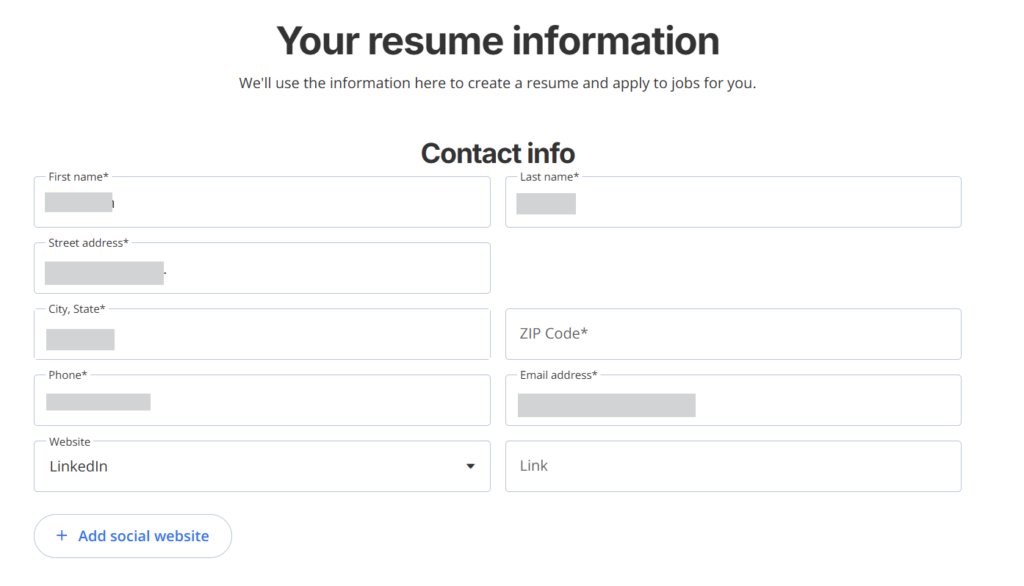
You’ll also provide typical contact information such as:
- Name and address
- Phone number
- LinkedIn or other profile links
Step 5: Salary Expectations
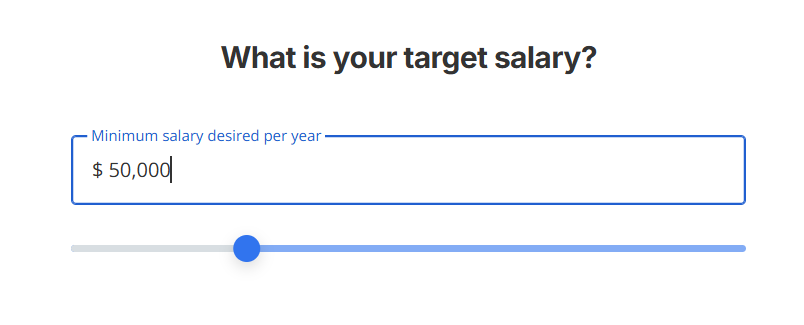
The platform asks for your minimum desired salary, which helps filter out roles that don’t match your expectations.
Zippia Pricing
Zippia follows a freemium model. You can create an account, explore jobs, and test some AI features without paying, but the most useful tools sit behind a paid plan.
Here’s how the pricing structure looks in simple terms:
Free Tier
The free version gives you basic access to the platform and a limited taste of the AI features.
With the free plan, you can:
- Browse job listings and career data
- Create a profile and upload your resume
- Generate up to 3 tailored resumes using the AI resume builder
Once you hit that limit, you’ll need to upgrade to continue generating more AI-tailored resumes.
Zippia+ Premium Plan
The main paid plan is Zippia+, which unlocks additional AI features.
According to the platform’s pricing page, Zippia+ includes:
- Unlimited AI resume generation
- AI-powered tailored resumes
- Expert AI resume review
- Advanced job matching
- Ability to cancel anytime
Zippia often promotes an introductory offer of $2.95, after which the subscription renews at $25.95 per month.
Weekly Premium Option
In some places on the platform, Zippia also shows a $ 9.95-per-week premium option that appears to provide access to similar features.
One thing that’s not fully transparent is the limit on automated job applications.
Zippia doesn’t clearly publish how many AI applications the system can send. However, some users on Reddit have mentioned limits around 7 automated applications in the free tier, though this isn’t officially documented.
Zippia also advertises a discount of around 30% on monthly and three-month plans, usually applied to the $9.99 pricing tier.
What This Means for Your Budget
Zippia is relatively inexpensive compared with many AI job search tools, but the pricing structure is not very transparent.
The free plan lets you explore the platform and generate a few AI resumes, which is enough to see how the system works. However, if you want to rely on Zippia for ongoing resume tailoring or AI-assisted applications, you’ll likely end up needing the Zippia+ subscription.
Before upgrading, it’s worth confirming exactly how many automated applications and AI features are included, since the platform doesn’t clearly outline those limits upfront.
Zippia AI Job Applications: What Works and What Doesn’t
Zippia Pros: Where It Stands Out
The AI resume builder is quick and easy to use
The resume tool can generate sections such as your work experience summary and skills based on the information you provide, speeding up the creation of a usable resume.
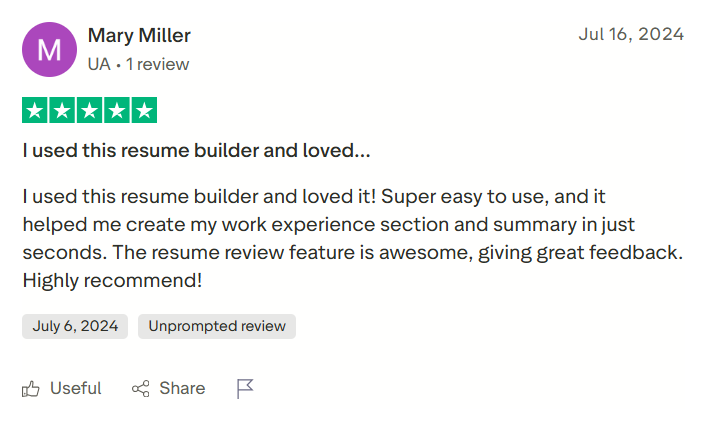
For example, one reviewer mentioned that the platform helped them generate their experience section and summary in seconds, and that the resume review feature provided useful suggestions.
Another practical advantage is that Zippia allows resume tailoring, meaning you can adjust your resume to match different job descriptions. However, the free plan only allows three tailored resume attempts.
Established career platform with large job data
Zippia has been around since 2015, originally focusing on career research, salary insights, and job discovery rather than automation. Over time, it built a large dataset around job roles, career paths, and company information.
According to the platform:
- 1+ million jobs are added every month
- 5.8+ million job seekers have used Zippia.com for job and career information
That said, it’s worth noting that Zippia is relatively new in the AI job application space. Compared with tools built specifically for automated job applications, its AI features still feel like a newer layer added onto an existing career platform.
Plenty of filters and application preferences
Another thing Zippia does well is the number of job preferences you can configure.
Inside the application settings, you can control several details that affect the types of roles the system shows or applies to. For example, you can:
- Exclude specific companies from your search
- Set your available working hours and shifts (mornings, afternoons, evenings, etc.)
- Indicate whether you’re willing to work on holidays
- Define weekly working hour limits
- Answer job-specific eligibility questions (for example, physical requirements)
Zippia Cons: Where It Falls Short
Job application tracking feels basic
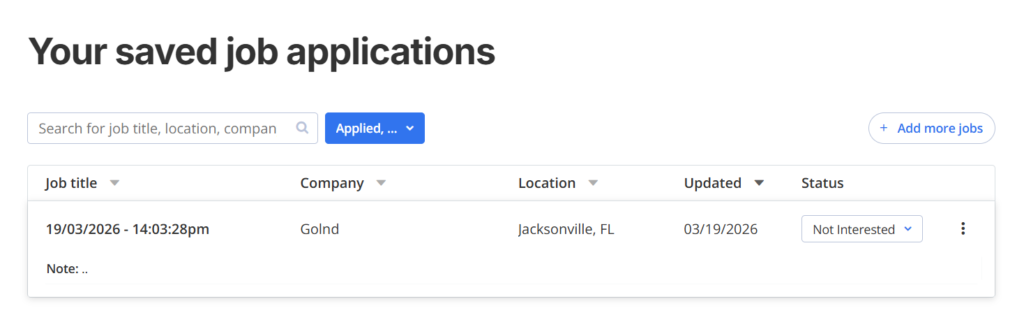
Zippia includes a job application tracker, but the experience feels fairly basic compared to many modern job search tools.
The tracker shows a list of applications with details like:
- Job title
- Company
- Location
- Status updates
- Last update time
If you use Zippia’s AI job application feature, the system will automatically update applications inside the dashboard, which is convenient. You can also manually add or update applications yourself.
The problem is that the interface isn’t very intuitive.
Instead of a visual pipeline or Kanban-style board (which many job search tools now use), everything appears as a simple table.
AI job applications didn’t find any jobs (in my test)
The biggest promise of Zippia’s AI system is that it can automatically discover and apply for jobs based on your profile and preferences.
However, during my testing, the AI job application feature didn’t surface any opportunities.
Even after completing the onboarding process and setting job preferences, the dashboard displayed a message stating that no new jobs were available, suggesting checking back later.
This doesn’t necessarily mean the feature never works. Job availability likely depends on factors such as:
- Location
- Job titles selected
- Experience level
- Current listings in Zippia’s database
Still, for a tool that promotes AI-powered job discovery and applications, seeing zero jobs recommended after setup was disappointing.
The pricing structure isn’t very clear
Another issue is that Zippia’s pricing can be a bit confusing.
Different parts of the platform show different pricing formats
It’s not always immediately clear what features belong to which plan, especially when it comes to AI job applications and resume tools.
For a platform offering automation features, users typically want to know things like:
- How many AI job applications are included
- Whether there are daily or monthly limits
- What exactly changes between plans
Those details aren’t always explained up front, which can make it harder to evaluate the real value before subscribing.
Limited user feedback online
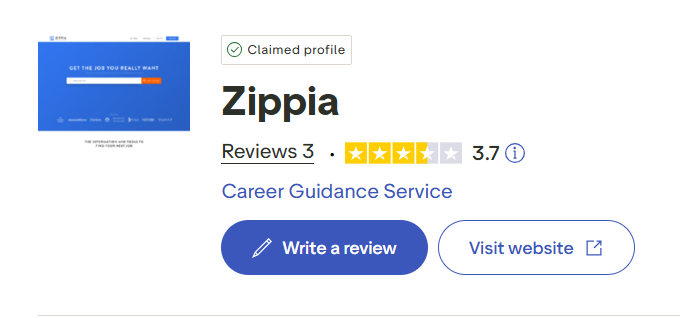
There are some reviews available, but on platforms like Trustpilot, there aren’t many users discussing their experience with Zippia, especially around the newer AI job application features.
This doesn’t automatically mean the tool is bad. It simply suggests that the AI automation side of the platform may still be relatively new or less widely used compared with other tools in the job search space.
When to Use Zippia and When to Switch
Zippia started as a career research and job discovery platform, and its newer AI job application features sit on top of that foundation. Because of this, it tends to work better as a career exploration and resume tool than as a fully automated job-application system.
If you approach it with that expectation, it can be useful. If you’re expecting heavy automation, you may run into limitations.
Use Zippia when…
- You want quick help generating or improving a resume: The AI resume builder is one of the smoother parts of the platform and can quickly generate summaries, experience sections, and tailored versions of your resume (up to three resumes in the free plan).
- You’re researching careers alongside job searching: Zippia has been around since 2015 and built a large dataset around roles, salaries, and career paths, which makes it useful for exploring industries or understanding job requirements.
- You want a lightweight way to discover jobs without heavy automation: The platform aggregates a large number of listings and lets you filter them with detailed preferences.
- You’re testing AI resume tools without committing to a full automation platform: The free tier allows a few tailored resume attempts, which is enough to see how the system works before upgrading.
Consider switching when…
- Automated job applications are your main goal: Zippia’s AI job application system still feels relatively new and may not consistently surface or send applications depending on your profile and filters.
- You want a more intuitive job-tracking workflow: The application tracker is functional but basic, and lacks the visual pipeline or Kanban-style boards that make it easier to manage large volumes of applications.
- You prefer tools with larger user communities and extensive feedback: There aren’t many detailed user discussions online about Zippia’s AI job application features yet, which can make it harder to judge real-world performance.
JobCopilot: The Best Zippia Alternative for AI Job Applications
Zippia focuses heavily on career research and resume tools, with AI job applications added more recently. JobCopilot, on the other hand, is built specifically around AI-powered job hunting and application automation.
That difference shows up in how the system works and the features it offers:
AI Copilot That Learns From Your Job Search
Unlike Zippia, JobCopilot functions as a personalized AI assistant that improves the more you use it.
The system learns from your behavior, including:
- Corrections you make to generated answers
- Jobs you save or discard
- Roles and industries you repeatedly apply to
Over time, this feedback helps the AI refine job matches and improve how applications are generated, making future applications more aligned with your preferences.
Automated Job Discovery and Applications
JobCopilot continuously scans job listings and identifies opportunities that match your profile.
Once configured, the platform can:
- Search for relevant job openings automatically
- Generate personalized applications
- Submit applications across supported platforms
Instead of manually repeating the same steps for every listing, the system handles much of the job discovery and submission process in the background.
Hiring Manager Outreach
Another interesting feature is hiring manager contact discovery.
Many job applications disappear into applicant tracking systems (ATS), where candidates never hear back. JobCopilot attempts to address this by helping surface publicly available contact details of hiring managers or decision-makers associated with the company.
This opens up a second channel beyond the traditional application.
Interview Preparation and Career Guidance Tools
Beyond the application stage, JobCopilot includes several tools designed to help with later parts of the hiring process.
Examples include:
- AI mock interview practice
- Salary and offer negotiation guidance
- Career advisor tools for students or career changers
- Career personality and fit assessments
Sign up today and take a look around to see if it works for your job search.
Automate Your Job Applications with AI 🚀
Try the leading AI Copilot for job seekers – autonomous, safe, fully personalized, and trusted by 100,000+ users to land interviews faster.
Check Out JobCopilot →Frequently Asked Questions
Does Zippia help optimize resumes for ATS systems?
Zippia’s AI resume tools can generate summaries, skills sections, and tailored resumes for specific roles. While this may help improve resume structure and keyword alignment, the platform does not guarantee that a resume will pass every applicant tracking system.
Is Zippia available globally?
Zippia primarily focuses on U.S.-based jobs and career data, including compliance questions and hiring requirements specific to the U.S. job market. Job seekers outside the United States may find fewer relevant listings.
Does Zippia apply to jobs automatically?
Zippia has introduced AI-assisted job application features, but automation appears limited compared with tools built specifically for auto-apply workflows.