
If you’ve been using JobCopilot for at least 3 days, you’ve unlocked two powerful search methods:
- Search by Favorites
- Search by Applied Jobs
These features help JobCopilot learn what kinds of jobs you actually want — so it can recommend more relevant opportunities.
Table of Contents
A. Search by Favorites
1. Save jobs you like to a Favorites folder
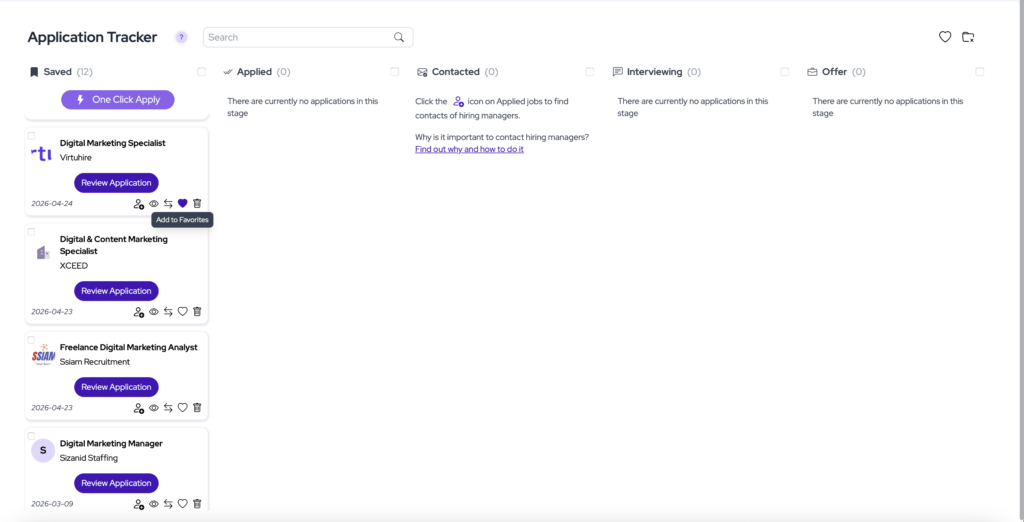
When you come across a job that looks like a good fit, click the heart icon in your Application Tracker to save it to a Favorites folder.
2. Change your Copilot search method
Edit your Copilot settings and set the search method to Search by Favorites. Then select the Favorite folder you want to use.
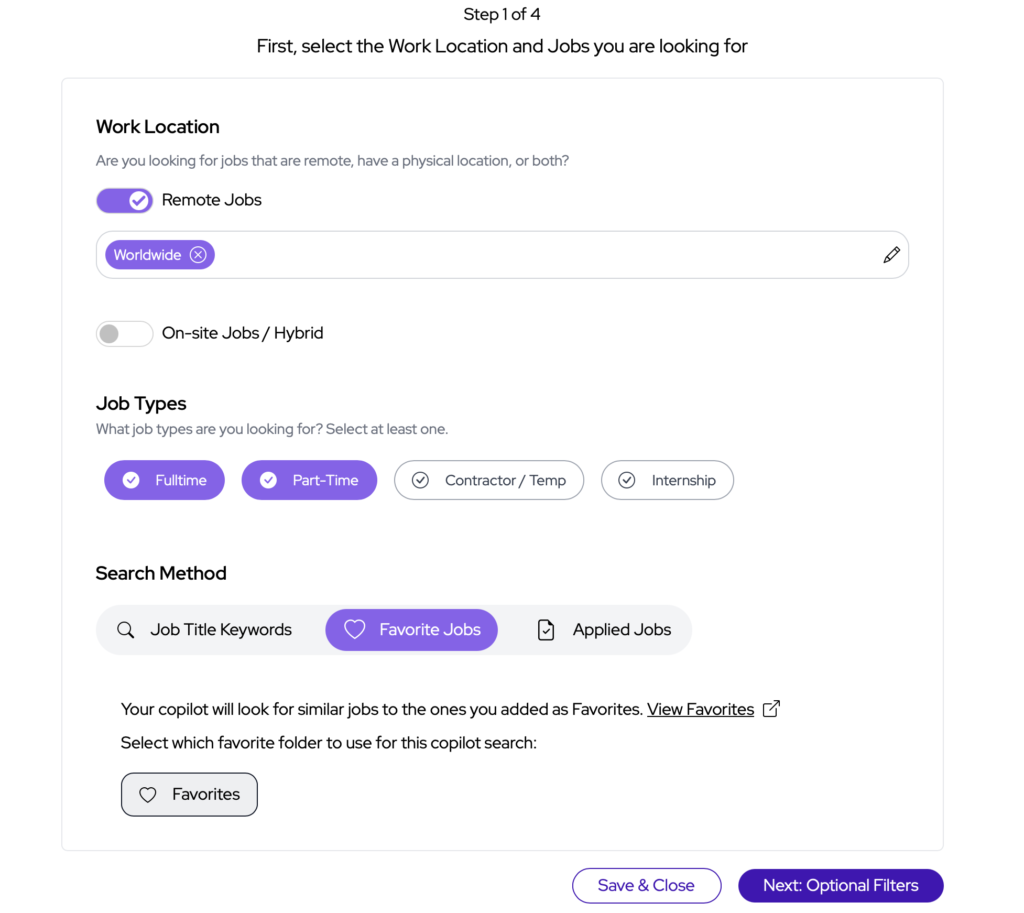
JobCopilot will analyze the jobs inside that folder and look for similar opportunities — helping you get more relevant recommendations.
3. Best practices
To get the best results:
- Add around 6–10 jobs per Favorite folder
- Keep jobs within the same folder similar to each other
- Create separate folders for different job searches
For example:
- Create one folder for Full Stack Developer jobs
- Create another folder for Engineering Team Lead jobs
Avoid mixing very different job types in the same folder, as this will reduce recommendation quality.
4. Adjust the Similarity Score
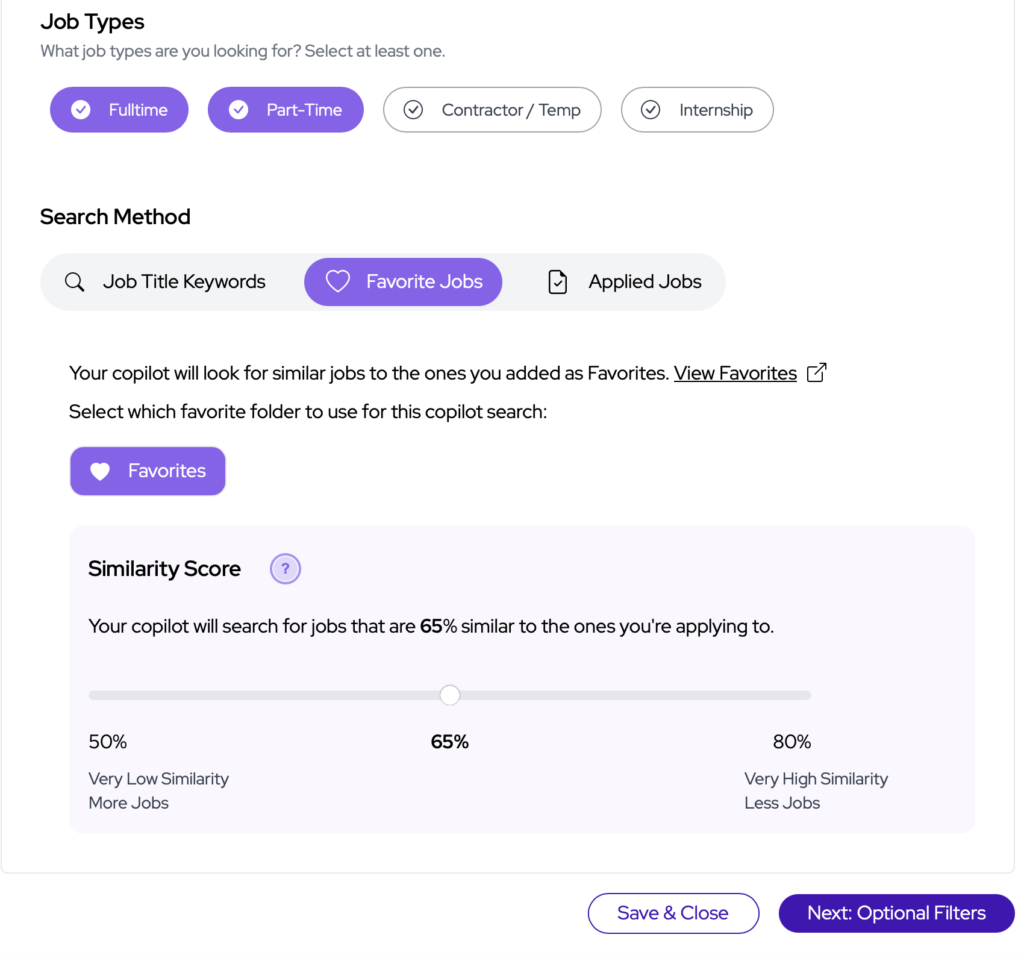
You can control how closely JobCopilot matches new jobs to your Favorites using the Similarity Score setting.
- Higher similarity score → More relevant jobs, but fewer results
- Lower similarity score → More results, but broader matches
B. Search by Applied Jobs
1. Use your applied jobs to improve recommendations
After applying to jobs, you can switch your Copilot search method to Search by Applied Jobs.
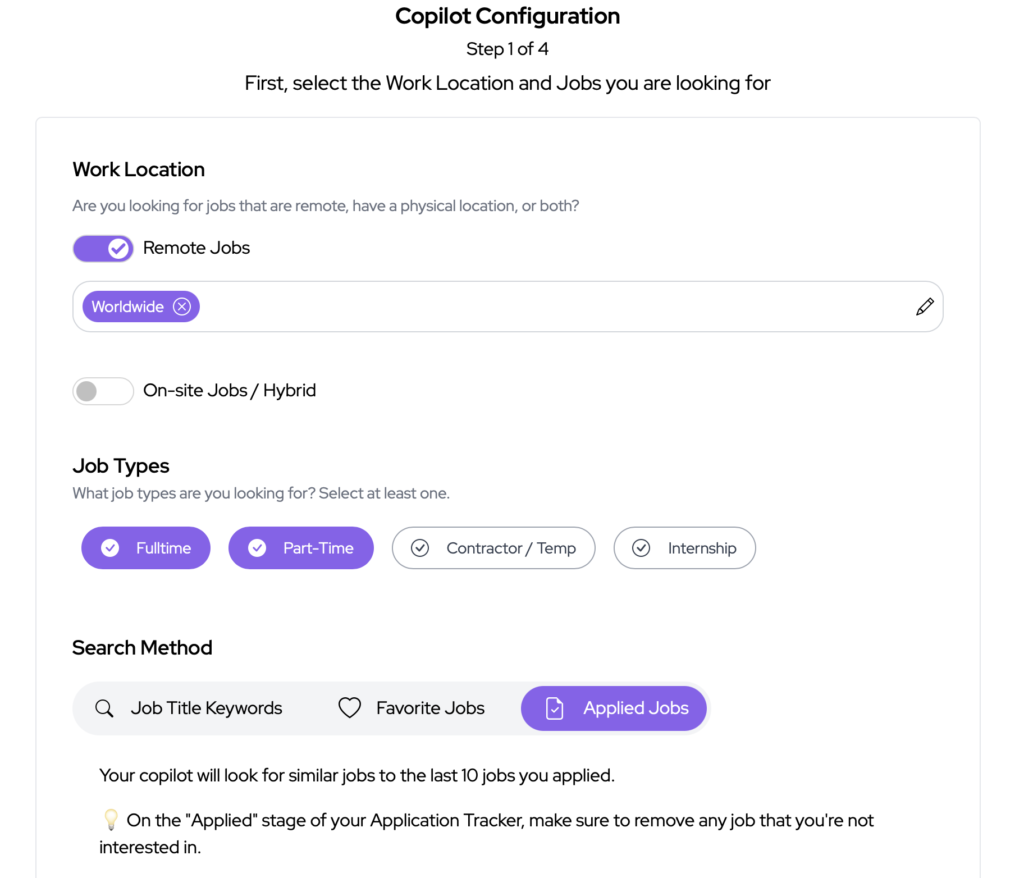
Your Copilot will automatically look for roles similar to the last 10 jobs you applied to.
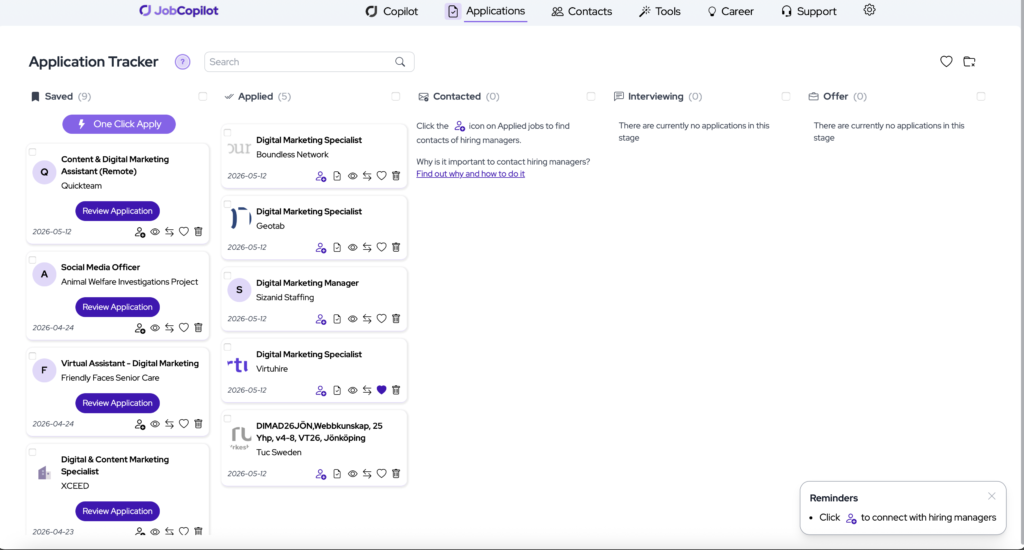
2. Keep your Applied Jobs list clean
To improve recommendation quality, you must remove any jobs from your Application Tracker that you aren’t interested in.
Otherwise, JobCopilot will recommend similar jobs to the ones you don’t want.
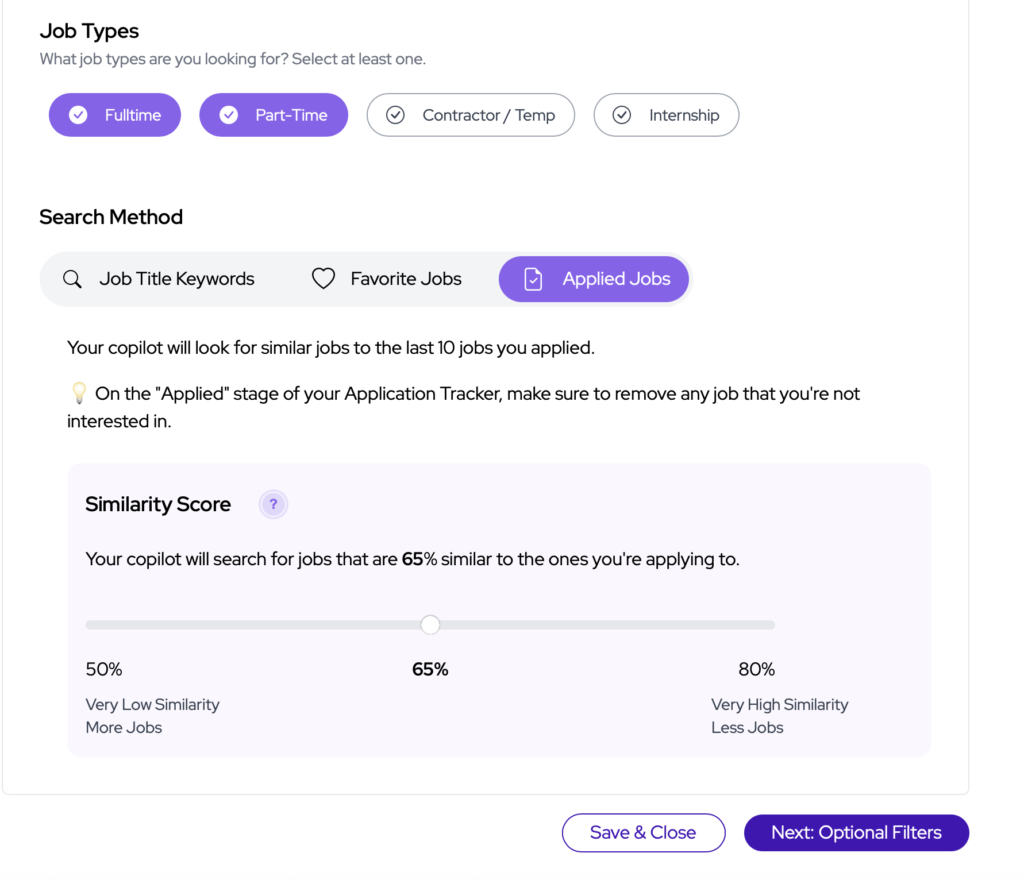
3. Adjust the Similarity Score
Just like with Favorites, you can control how strict the matching should be.
- Higher similarity score → More relevant jobs, but fewer results
- Lower similarity score → More results, but broader matches
Final Tip
Using Search by Favorite Jobs is the easiest way to consistently get good job matches – we recommend using this search method and adjusting the Similarity Score according to what works for you.
Experiment with the Similarity Score for each method and adjust based on what works for your search.