
ApplyBlast claims to find new job openings for you and automatically submit applications on your behalf. The platform also makes a promise that companies supposedly can’t tell that AI was used to generate your applications.
But tools that promise “automatic job applications” often sound better than they work in practice.
So I decided to take a closer look.
In this review, I’ll walk through how ApplyBlast actually works, what the onboarding process looks like, how the auto-apply feature functions, and whether the tool is worth paying for.
TL;DR
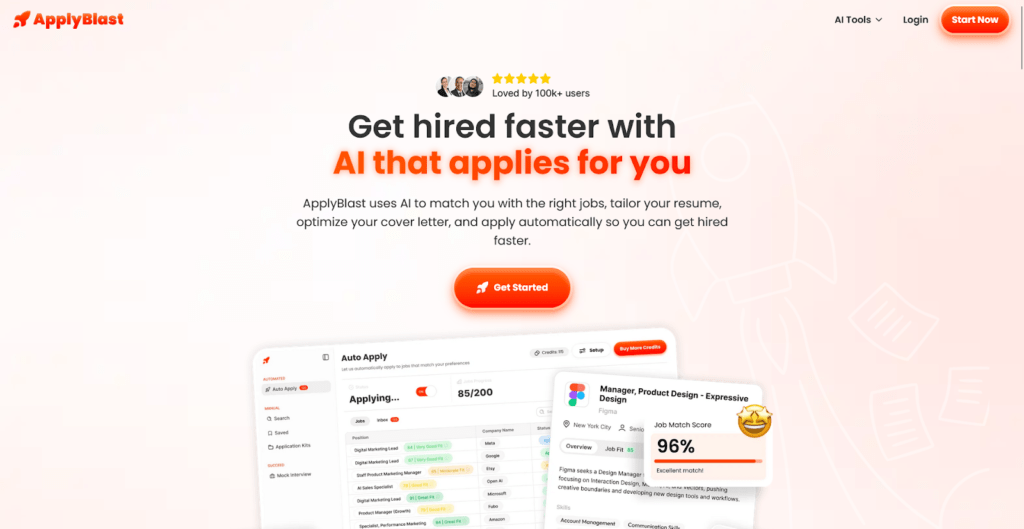
ApplyBlast is an AI job automation tool that finds job openings and applies to them on your behalf. The platform focuses on high-volume applications, which can help job seekers submit hundreds of applications without doing the manual work.
However, the onboarding process is long, pricing is only revealed late in the setup, and the subscription cost can be relatively high compared to similar tools.
Who it’s best for:
- Job seekers who want to apply to a large number of roles quickly
- People comfortable using automation to handle repetitive job applications
- Candidates targeting U.S.-based roles
- Users willing to pay for convenience and time savings
Key features at a glance
| Feature | What it does |
| Auto Apply | Automatically finds relevant jobs and submits applications on your behalf. |
| AI Job Matching | Matches roles based on your preferences, skills, and experience. |
| Resume Optimizer | Improves your resume by highlighting the skills recruiters look for. |
| Cover Letter Optimizer | Generates personalized cover letters tailored to each job posting. |
| Interview Prep | Provides AI-powered mock interviews to help you prepare for real interviews. |
| Large Job Database | Access to a database of 1M+ job listings across multiple industries. |
| Automated Job Search | Continuously scans the web to discover new job opportunities. |
Automate Your Job Applications with AI 🚀
Try the leading AI Copilot for job seekers – autonomous, safe, fully personalized, and trusted by 100,000+ users to land interviews faster.
Check Out JobCopilot →Pros
- Automates the repetitive job application process
- Allows high-volume job applications
- Simple interface once onboarding is completed
Cons
- No free plan or free trial
- Pricing is only revealed after onboarding
- Monthly subscription is relatively expensive
- Onboarding process is long and asks many questions
- Mixed public reviews (around 2.8 on Trustpilot)
Why You Can Trust This Review
I went through ApplyBlast’s onboarding myself and explored how the platform actually works, rather than judging it solely by marketing claims. I’ve also tested and reviewed several AI job search automation tools before this, so I have a clear sense of what features are standard and what often sound better in marketing than they work in practice.
Here’s what that means for this review:
- I personally went through ApplyBlast’s onboarding and pricing flow
- I’ve tested multiple AI job search tools, so I can compare features realistically
- I included screenshots of real user feedback from platforms like Trustpilot and Reddit, where available
ApplyBlast Onboarding Process
Getting started with ApplyBlast looks simple at first, but the onboarding process is much longer than most job tools. Instead of quickly uploading a resume and exploring job matches, ApplyBlast walks you through a large number of questions before you ever reach the dashboard.
Another thing worth noting is that pricing isn’t shown upfront. There’s no visible pricing page before onboarding begins, so you only discover that the tool is paid after going through most of the setup.
According to the platform, the process looks like this:
- Answer onboarding questions
- Set up preferences
- The system searches for relevant jobs
- You approve or auto-apply to opportunities
- The platform customizes your resume and cover letter
- You start receiving interview opportunities
Here’s how the onboarding process works step by step:
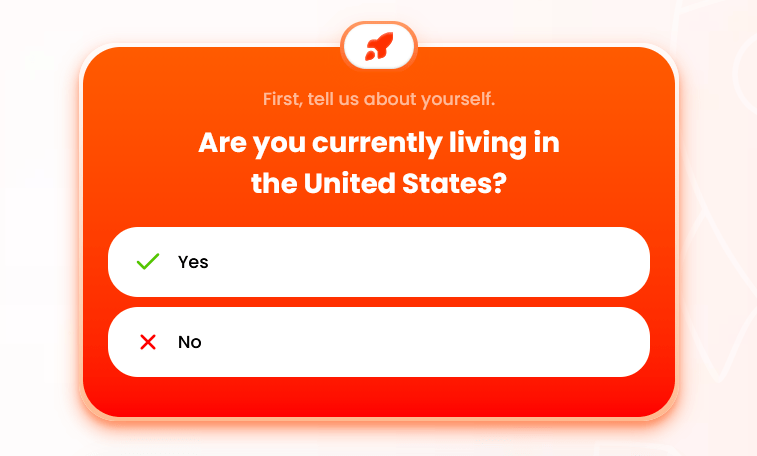
Step #01: Confirm Whether You’re Living in the United States
The onboarding begins with a basic location check. ApplyBlast first asks whether you are currently living in the United States.
This question likely helps the platform determine which jobs to surface and which legal requirements might apply to you during the application process.
Step #02: Confirm Your Work Authorization
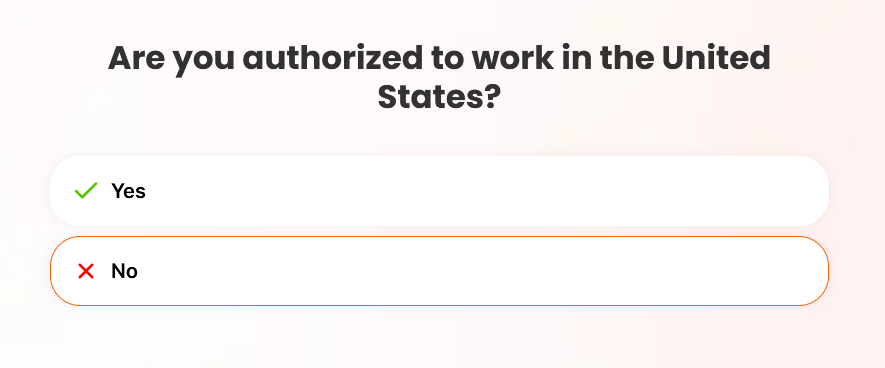
Next, the platform asks whether you are authorized to work in the United States.
It seems the platform is built solely for US jobs (not for global ones). There is no information regarding that on the site.
Step #03: Answer Eligibility and Compliance Questions
ApplyBlast then moves into a series of eligibility and demographic questions.
These questions include things like:
- Whether you have an active U.S. security clearance
- Whether you are a protected veteran
- Whether you have a disability or a chronic condition
- How you identify
Most of these questions offer a “prefer not to say” option, which is helpful.
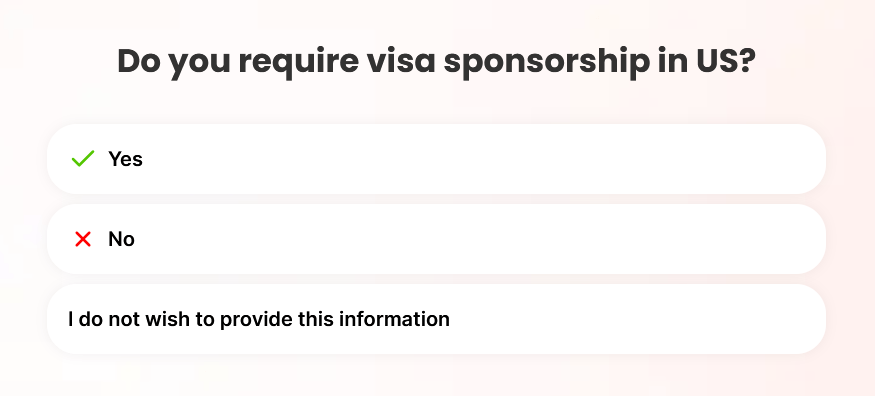
Step #04: Provide Additional Job Eligibility Information
The questionnaire continues with more eligibility-related prompts.
Here, the platform asks whether you:
- Have a current driver’s license
- Require visa sponsorship in the United States
Step #05: Set Your Availability and Work Preferences
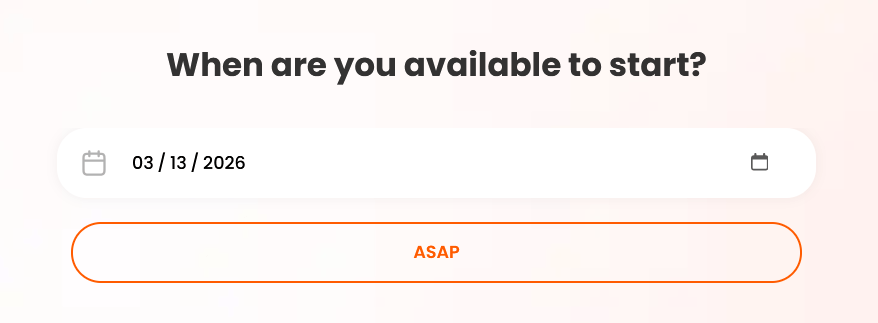
After the compliance questions, the onboarding shifts toward job search preferences.
Here you select things like:
- When you are available to start
- Whether you want full-time, part-time, or contract work
Step #06: Choose the Industries You’re Interested In
Next, ApplyBlast asks which industries you want to work in.
Options include fields such as:
- Software
- Artificial Intelligence
- Cybersecurity
- Information Technology
- Telecommunications
- Gaming
- Hardware
- Banking and insurance
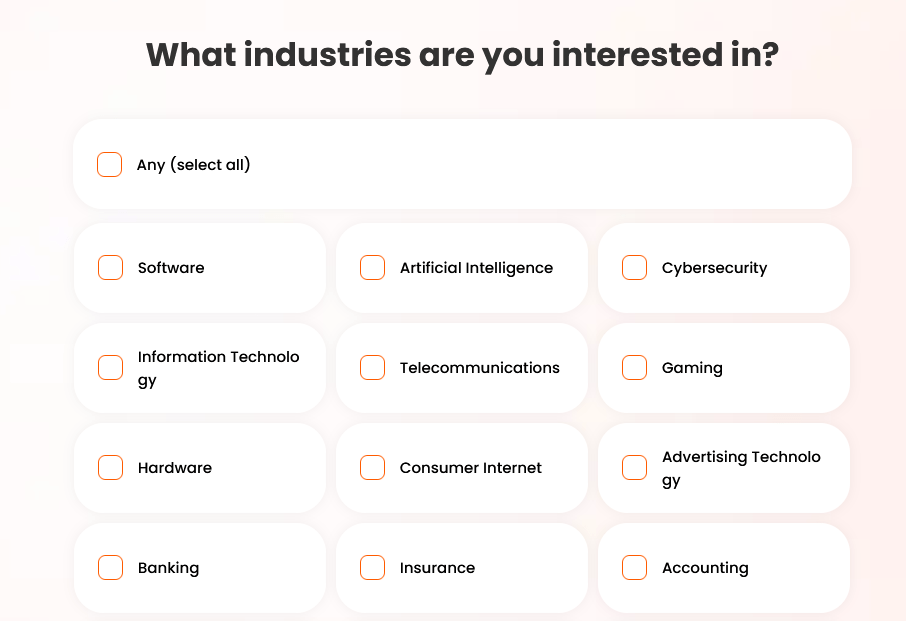
This step helps the platform tailor job matches more precisely.
Step #07: Enter Your Desired Job Titles
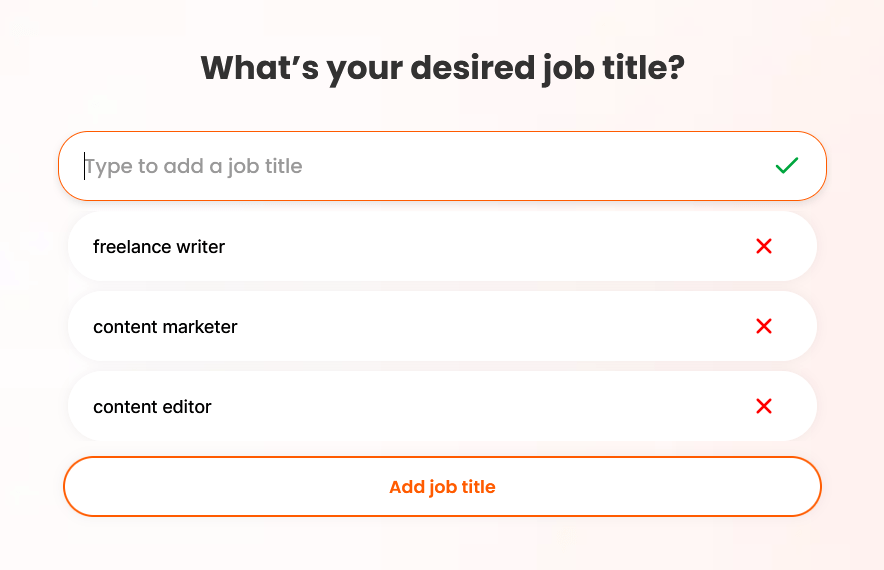
The onboarding then asks you to specify the types of roles you’re targeting.
You can add multiple titles so the system can match you with a broader range of roles.
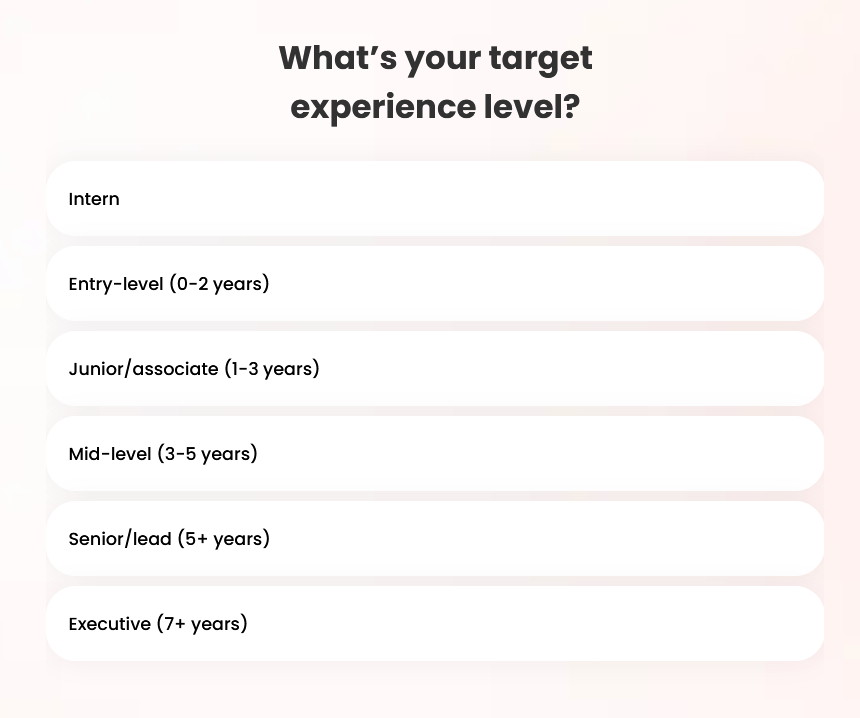
Step #08: Select Your Experience Level
Next, you choose your target experience level.
Options range from:
- Intern
- Entry-level (0–2 years)
- Junior/associate (1–3 years)
- Mid-level (3–5 years)
- Senior/lead (5+ years)
- Executive (7+ years)
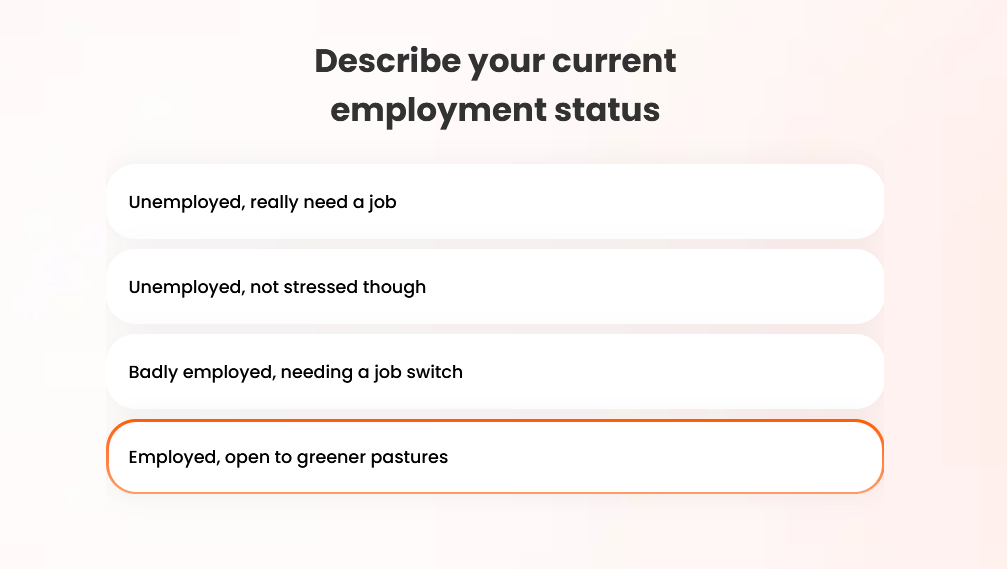
Step #09: Describe Your Current Employment Status
The platform then asks about your current situation.
Options include:
- Unemployed, really need a job
- Unemployed, not stressed though
- Badly employed, needing a job switch
- Employed, open to greener pastures
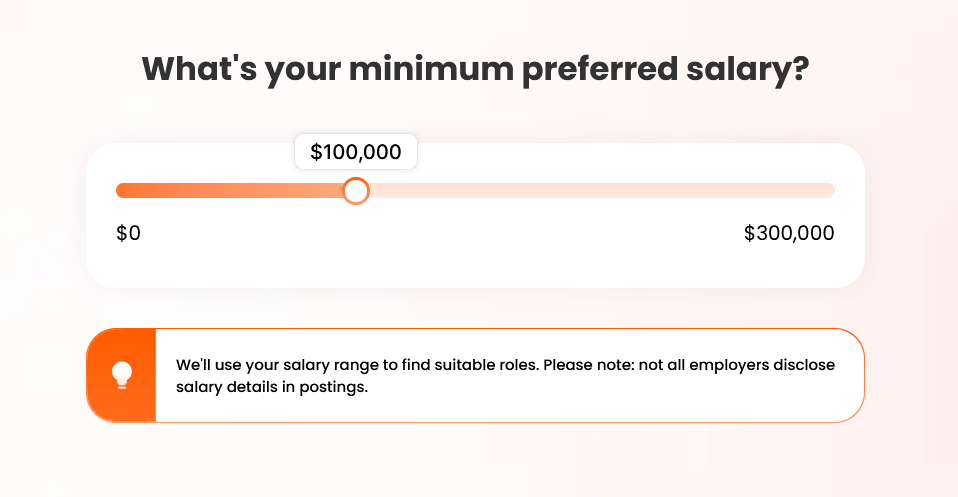
Step #10: Set Your Minimum Preferred Salary
Next, you choose your salary expectations using a slider.
The slider allows you to set a minimum salary range that the platform will use when filtering job opportunities.
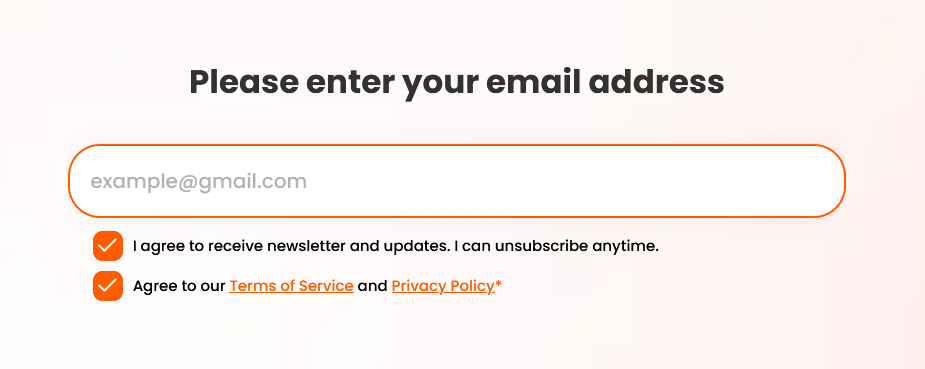
Step #12: Enter Your Email and See the Pricing
Near the end of onboarding, ApplyBlast asks for your email address and consent to terms and privacy policies.
Only after this step does the platform reveal the subscription plans.
ApplyBlast Pricing
Unlike many AI job search tools, ApplyBlast does not offer a free plan or free trial. You only see the pricing after completing most of the onboarding process, which means you need to invest time answering questions before discovering that the platform requires a subscription.
ApplyBlast currently offers three paid plans.
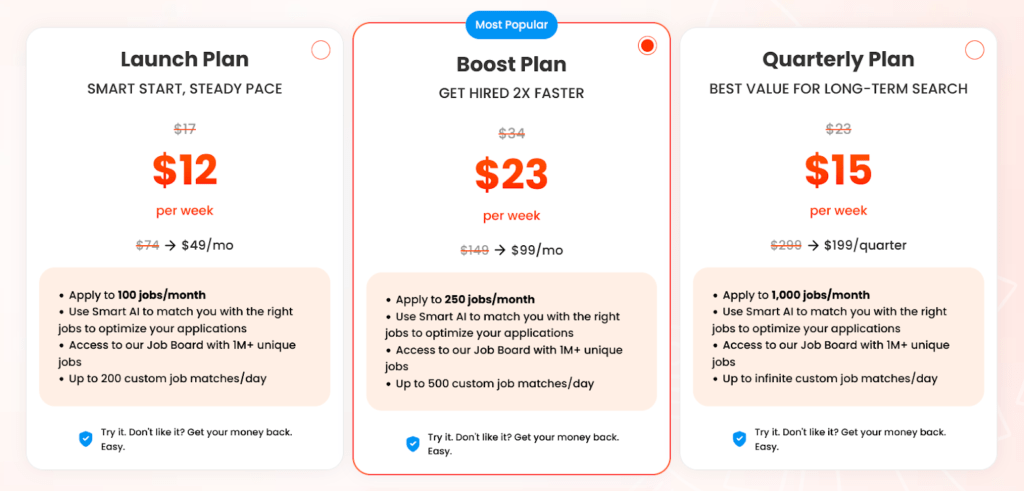
Launch Plan
The Launch Plan costs $12 per week, which comes out to about $49 per month.
This plan includes:
- Apply to 100 jobs per month
- AI job matching based on your preferences
- Access to the ApplyBlast job board with 1M+ job listings
- Up to 200 custom job matches per day
Boost Plan
The Boost Plan costs $23 per week, or about $99 per month.
This plan includes:
- Apply to 250 jobs per month
- AI matching to identify relevant roles
- Access to the 1M+ job database
- Up to 500 custom job matches per day
Quarterly Plan
The Quarterly Plan costs $199 every three months, which averages to about $15 per week.
This plan includes:
- Apply to 1,000 jobs per month
- Access to the 1M+ job database
- Unlimited custom job matches per day
What This Means for Your Budget
The pricing structure is fairly aggressive compared to many AI job search tools.
For example, several competing platforms offer automation features for $20–$50 per month, and some even provide limited free tiers.
If the automation works well and saves dozens of hours of manual applications, the price could be justified for some users.
But the lack of a free trial or free tier makes it harder to test whether the system actually delivers value before committing.
ApplyBlast: What Works and What Doesn’t
At the time of writing, ApplyBlast holds an average rating of around 2.8 on Trustpilot, which suggests that user experiences vary quite a bit. Some users report success with the platform, while others mention issues related to pricing, expectations, or how the automation works in practice.
Here’s a closer look at what works well and where the tool still falls short.
ApplyBlastPros: Where It Stands Out
Some users actually land jobs through the platform
One positive signal is that a few users report getting real results from the automation.
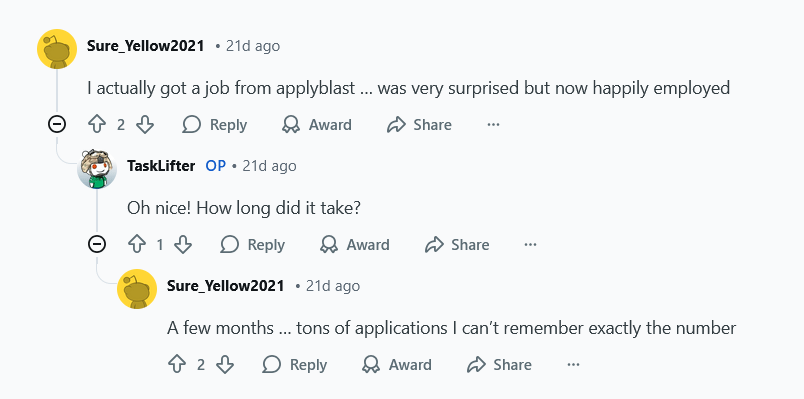
For example, in one Reddit discussion, a user mentioned that they eventually landed a job after using ApplyBlast, even though the process required submitting a large number of applications over several months.
When asked how long it took, the user responded that it took a few months and a large number of applications.
Access to “1M+ jobs.”
ApplyBlast promotes access to 1M+ unique jobs.
However, this doesn’t mean you will personally see one million relevant roles.
Like most AI job-matching platforms, the system filters opportunities based on your:
- Location
- Work authorization
- Experience level
- Desired job titles
- Selected industries
- Salary expectations
The platform then shows jobs that fit those parameters. ApplyBlast’s AI scans listings across the internet and submits applications based on those preferences.
So while the database may be large, the number of actually relevant jobs can be much smaller depending on your profile.
ApplyBlastCons: Where It Falls Short
Pricing transparency
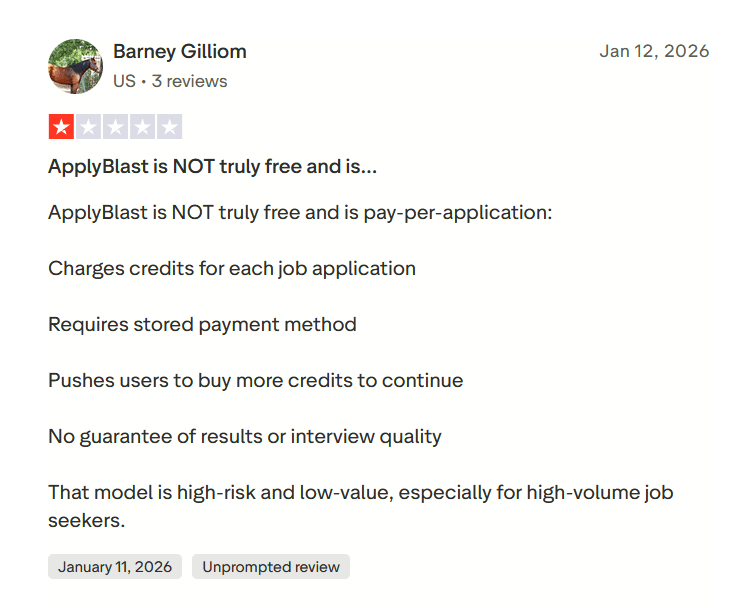
In one Trustpilot review, a user claims the platform is not truly free and instead operates on a credit-based system for applications.
The reviewer described this model as high-risk for job seekers, particularly for those applying to a large number of roles.
To be fair, automated job application platforms often charge for usage because they are running scraping tools, automation infrastructure, and AI customization in the background. But if pricing isn’t explained clearly early in the process, it can create trust issues for users.
Customer support concerns
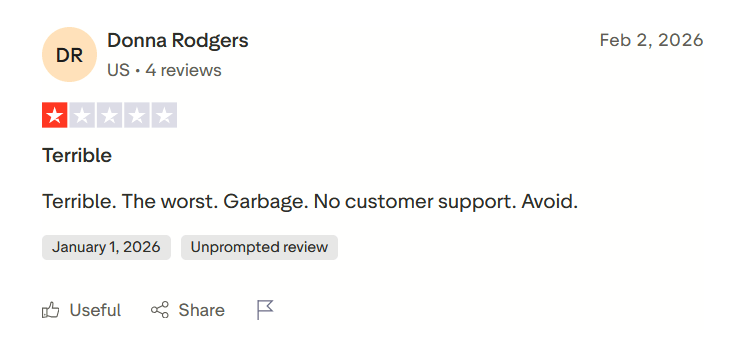
While individual negative reviews are common for almost any product, what stands out here is something else. None of the Trustpilot reviews appears to have received replies from the ApplyBlast team.
That can raise a few questions for potential users
Job matching accuracy can be inconsistent
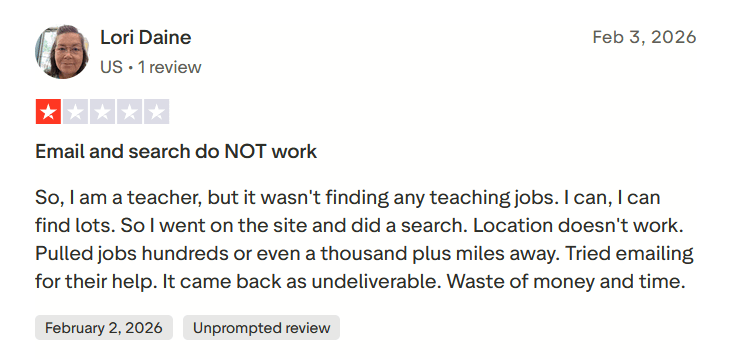
Another issue some users mention is that the job matching system does not always surface relevant opportunities.
In one Trustpilot review, a user explained that the platform struggled to find jobs related to their profession. According to the review, the system failed to surface teaching roles even though the user specifically searched for them.
When to Use ApplyBlast and When to Switch
The platform focuses heavily on automating job applications at scale, so it can be useful if your strategy is to apply broadly and quickly.
At the same time, the pricing and mixed user feedback mean it won’t be the right fit for everyone.
Use ApplyBlast when…
- You want to apply to a large number of jobs quickly. The automation can remove the repetitive work of filling out applications manually.
- You’re comfortable paying a premium for job search automation. At roughly $49–$99 per month for most users, the tool is essentially a productivity subscription.
- You’re in a highly competitive job market. In some industries, landing interviews requires sending dozens or even hundreds of applications.
- You already know your target roles and industries. The AI matching works best when your preferences are clearly defined.
Consider switching when…
- You want a free plan or trial before committing. ApplyBlast requires payment before you can fully evaluate the platform.
You prefer quality over volume in job applications. Some job seekers would rather send fewer, highly tailored applications. - You’re on a tight budget during your job search. The monthly cost can add up quickly if your search takes several months.
- You want stronger customer support visibility. Public reviews currently show mixed experiences.
- You need very precise job matching. Automation tools sometimes surface roles that are not perfectly aligned with your profile.
JobCopilot: The Best ApplyBlast Alternative for AI Job Hunting
If you like the idea of automating your job search but find ApplyBlast expensive or limiting, JobCopilot is one of the strongest alternatives available right now.
Like ApplyBlast, JobCopilot focuses on automating job applications. But instead of only blasting out applications, it builds a more complete AI-powered job search workflow around discovery, matching, and application optimization.
Here’s the main difference in philosophy:
- ApplyBlast focuses mainly on sending large volumes of applications.
- JobCopilot focuses on finding better matches and optimizing each application automatically.
Where JobCopilot goes beyond ApplyBlast
Smarter Job Discovery
One of the biggest differences is how jobs are discovered.
ApplyBlast relies on a large job database and automated submissions. JobCopilot, on the other hand, scans over 500,000 company career pages worldwide to find fresh openings.
That means users often see jobs before they appear on major job boards.
Instead of just pulling listings from aggregators, the system continuously monitors company career sites and surfaces new roles automatically.
More Control Over Automation
ApplyBlast mainly focuses on bulk applications. JobCopilot allows users to choose how much automation they want.
You can:
- Let the platform auto-apply to suitable jobs
- Approve applications manually
- Set filters for the types of jobs you want
This gives users more control over their job search, rather than blindly sending hundreds of applications.
A More Complete Job Search Toolkit
Overall, JobCopilot acts more like a full AI job search assistant, not just an application automation tool.
The platform includes:
- Automated job discovery
- AI job application automation
- Resume builder and optimization
- Cover letter generation
- AI interview practice
- Career insights and recommendations
That makes it closer to a complete AI job search system rather than just a tool that submits applications in bulk.
Automate Your Job Applications with AI 🚀
Try the leading AI Copilot for job seekers – autonomous, safe, fully personalized, and trusted by 100,000+ users to land interviews faster.
Check Out JobCopilot →Frequently Asked Questions
Can employers tell if I used ApplyBlast?
ApplyBlast claims employers cannot detect AI-generated applications. In most cases, recruiters only see the submitted resume and answers, not the tool used to generate them. However, poorly tailored applications may still look generic to recruiters.
Does ApplyBlast guarantee interviews?
No. The tool only automates the application process. Whether you receive interviews depends on your experience, resume quality, and the competitiveness of the job market.
Does ApplyBlast work outside the United States?
The onboarding process heavily focuses on U.S. work eligibility and visa questions. Because of this, the platform appears to be mainly designed for job seekers targeting the U.S. job market.