
Applying to jobs at scale is tedious, especially when every employer wants a personalized application and answers that don’t sound copy-pasted. How is it possible to repeat the same process across dozens of listings?
You could try pasting job descriptions into ChatGPT, but the output still reads like AI wrote it. Add in the constant tab-switching between your browser, a document, and a chat window, and the process feels more chaotic than efficient.
So the job search for a better tool continues, and that’s how SpeedyApply kept coming up. It’s been getting attention as a Chrome extension that autofills job applications directly in your browser.
In this review, I’ll break down how SpeedyApply works, how smoothly the autofill actually performs, where it saves real time, and where it still falls short, so you can decide whether it fits your job search workflow.
TL;DR
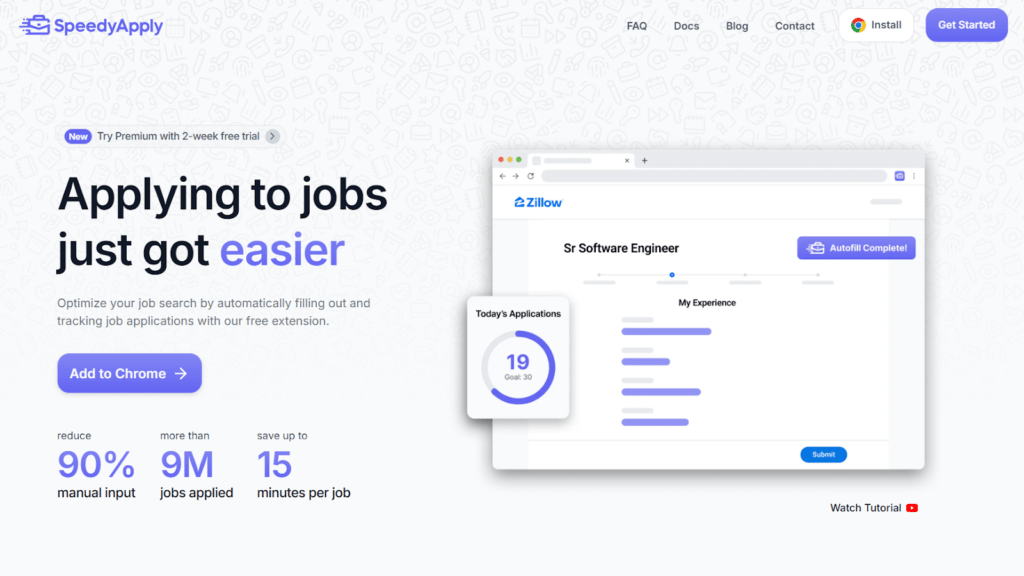
SpeedyApply is essentially a browser extension that removes the repetitive “copy-paste” part of job applications. Instead of retyping your name, experience, links, and screening answers across dozens of forms, it fills those fields automatically using the profile you created.
In practice, this means you spend less time doing Ctrl-C / Ctrl-V work and more time reviewing applications before submitting them.
That said, SpeedyApply is mainly an autofill assistant, not a full job search platform. It speeds up manual applications but doesn’t discover jobs or automatically apply for you.
Who it’s best for:
- Job seekers applying to many roles manually each week
- People tired of retyping the same resume information across forms
- Users who want faster applications but still review everything before submitting
- Job hunters who want a lightweight application tracker without spreadsheets
Key features at a glance
| Feature | What It Does |
| Browser Autofill | Automatically fills job application forms using your saved profile |
| Saved Responses | Stores answers for common application questions |
| Smart Response Context | Adds personal context for AI-generated responses |
| Multiple Profiles (Premium) | Create up to four profiles for different roles |
| Profile Scoring (Premium) | Scores how well your profile matches a job |
| Application Analytics | Tracks daily and monthly application activity |
| Resume + Profile Database | Stores your resume, links, skills, and experience |
Automate Your Job Applications with AI 🚀
Try the leading AI Copilot for job seekers – autonomous, safe, fully personalized, and trusted by 100,000+ users to land interviews faster.
Check Out JobCopilot →Pros
- Saves time on repetitive application forms
- Simple Chrome/Firefox extension that works directly in the browser
- Built-in basic application analytics and tracking
- Multiple profiles help tailor applications for different roles
- Profile scoring gives quick feedback on role fit
Cons
- Doesn’t discover jobs or automate job searching
- Autofill may not work on some job sites
- Struggles with some custom or complex application fields
- Some features still feel experimental or evolving
- Requires manual review and submission for each application
Why You Can Trust This Review
I installed SpeedyApply, set up my profile, and used it across real job applications to see how it actually behaves day-to-day.
Here’s what that means for you:
- Aware of alternatives: I’ve used other autofill and auto-apply tools, so the comparison is grounded in how SpeedyApply actually feels in practice, not just what else is out there.
- Balanced take: This covers both where SpeedyApply saves genuine time and where it still creates friction, including fields it misses or gets wrong.
- No sponsorship: This is an independent review. SpeedyApply didn’t pay for coverage or have any input on the outcome.
How SpeedyApply Works for Autofilling Applications
Below is a step-by-step look at how the autofill process works once the tool is installed.
Step 1: Open SpeedyApply and Start the Setup
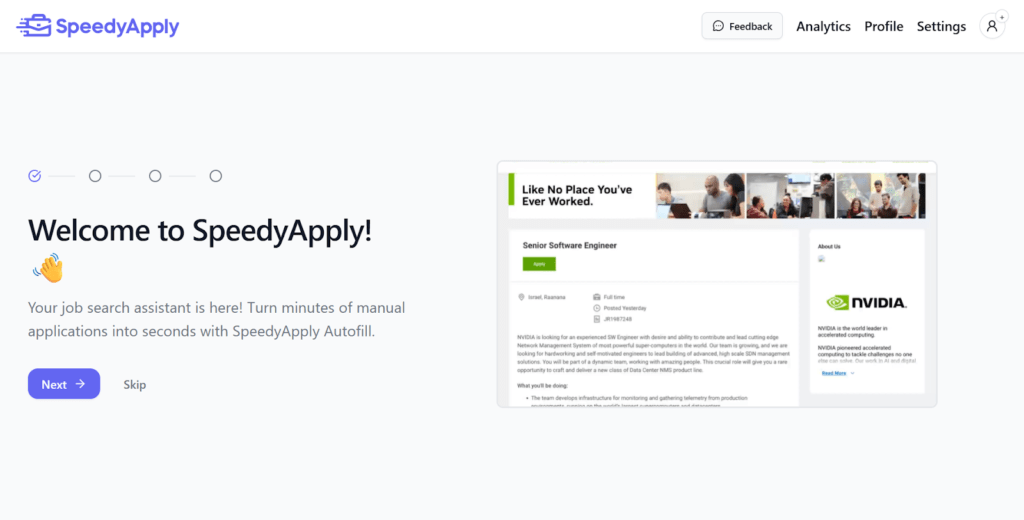
After installing the extension, you’ll first see a welcome screen inside the SpeedyApply dashboard.
Step 2: Create Your Job Profile
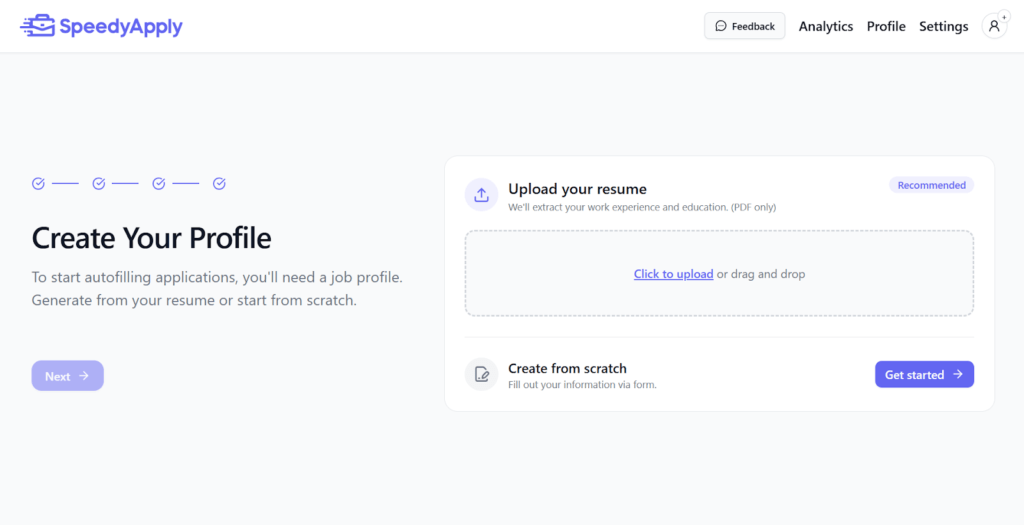
Next, SpeedyApply asks you to create a job profile. This profile stores the information the tool will use to automatically fill out application forms later.
You have two options here.
The easiest option is to upload your resume (PDF). SpeedyApply will scan the document and extract key details, including your work experience, education, and basic profile information.
If you prefer more control, you can also create the profile manually by filling out a form with your details.
Step 3: Fill in or Review Your Personal Information
After uploading your resume, SpeedyApply takes you to the Personal Information section of your profile.
This page contains the core details that will later be used to automatically fill out application forms. It includes fields such as your legal name, preferred name, and languages, as well as proficiency levels.
In theory, SpeedyApply should extract this information from the resume you uploaded. However, in my test, the tool did not automatically populate these fields, so I had to enter the details manually.
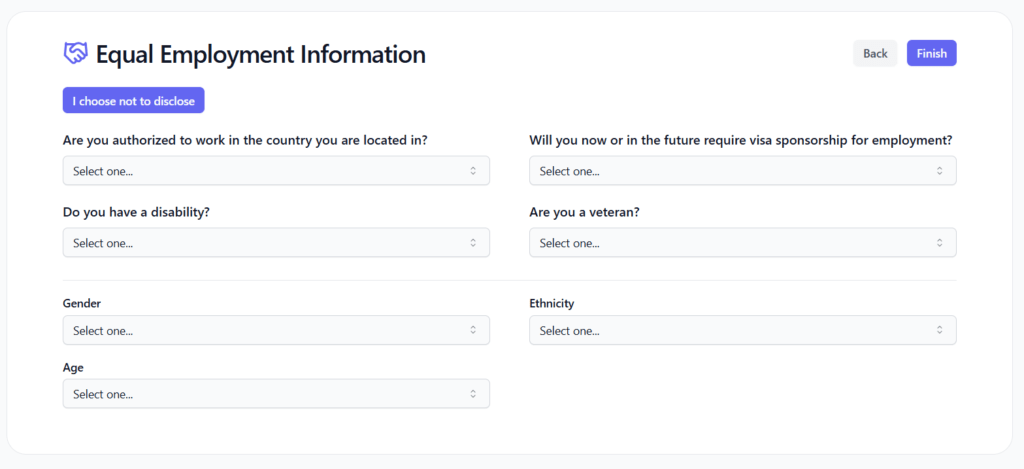
Step 4: Add Your Resume, Websites, and Skills
Below that, you can add links to professional profiles such as LinkedIn, GitHub, X (Twitter), or a personal portfolio website.
The final part of this step is skills. You can add up to 25 skills that describe your abilities. These may appear in applications that ask for skill tags or competency lists.
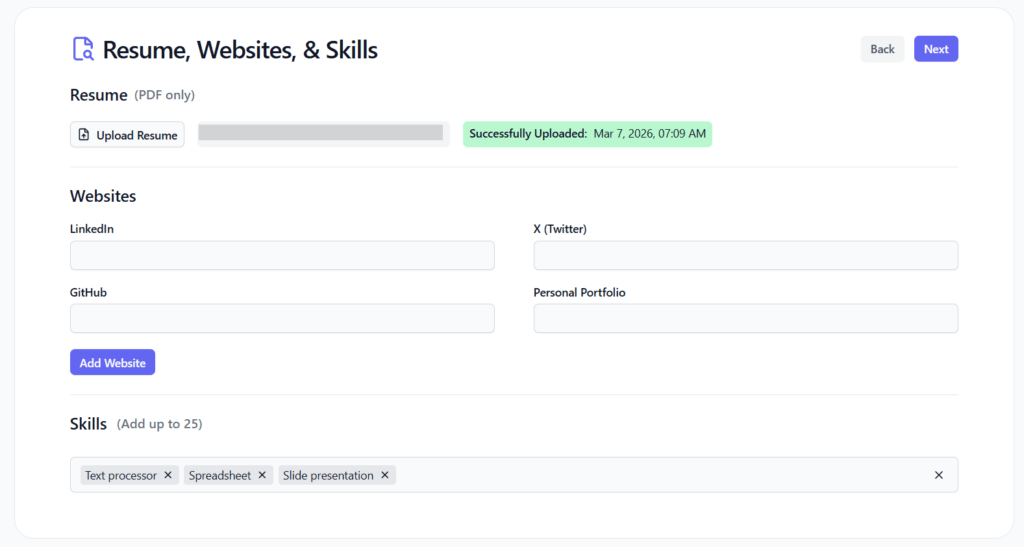
Step 5: Add Your Work History
Here, you can add details for each role, including your job title, company name, location, start date, and a short description of your responsibilities. There is also an option to mark whether you currently work at that company.
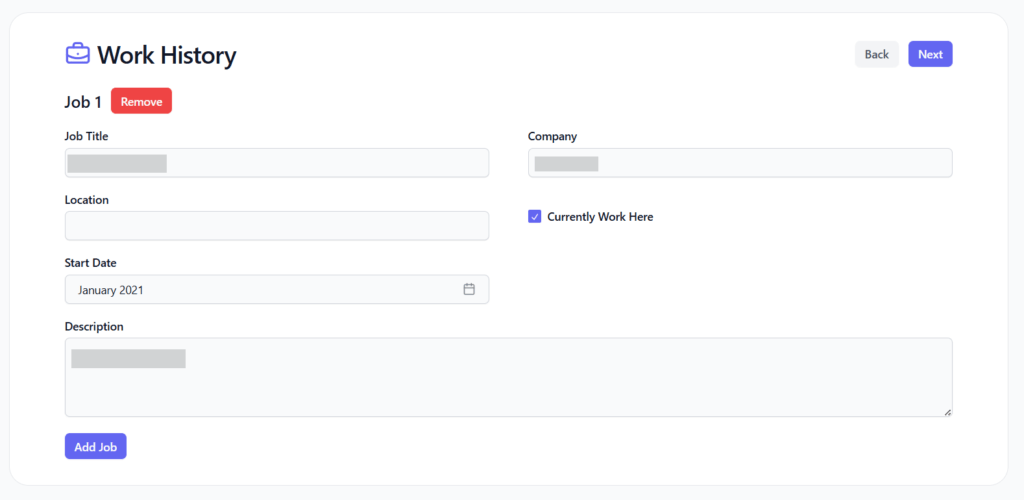
Step 6: Enter Your Education History
Here, you can add details such as your school or university name, degree, field of study (major), GPA, and start and end dates. If you have multiple educational qualifications, you can include them as separate entries.
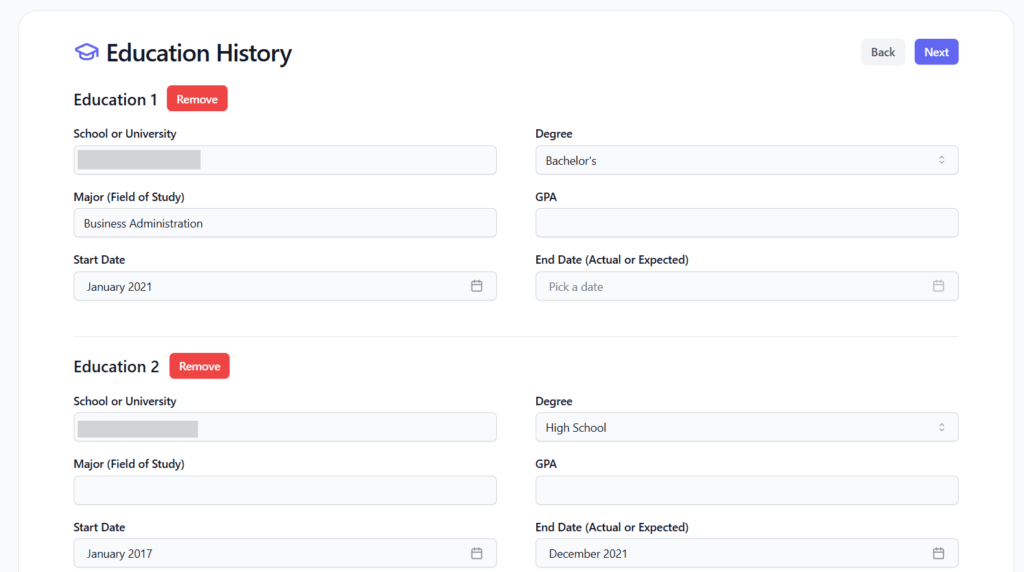
Step 7: Complete Equal Employment Information
The form may ask about things such as work authorization, visa sponsorship requirements, disability status, veteran status, gender, ethnicity, and age.
Step 8: Autofill Job Applications Automatically
Once your profile is fully set up, SpeedyApply activates when you open a job application page.
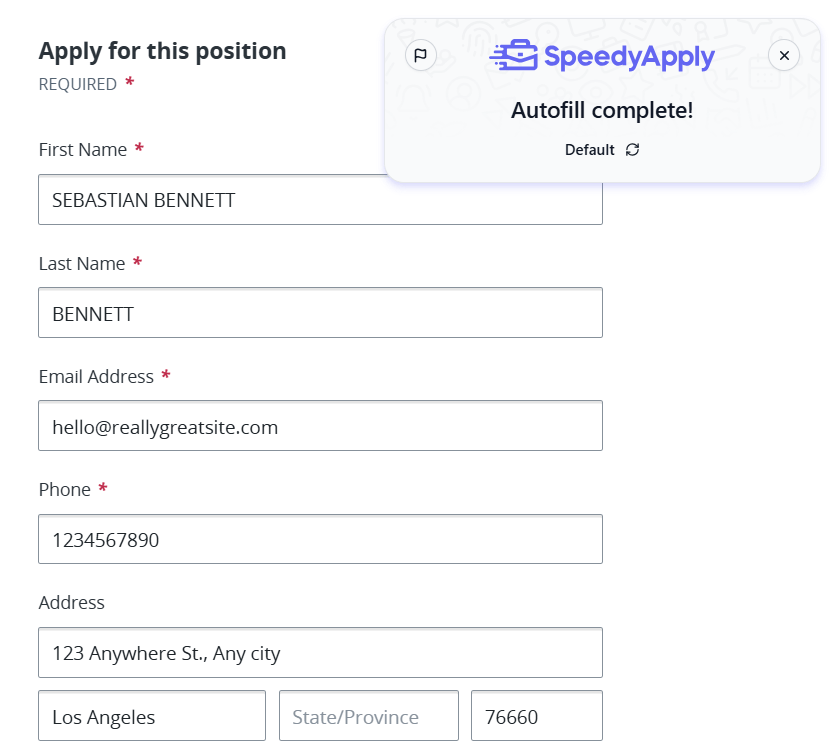
When the tool detects a compatible application form, it automatically fills in fields using the information stored in your profile. This usually includes details like your first name, last name, email address, phone number, and address.
After filling the form, SpeedyApply shows a small notification indicating that “Autofill complete.” At this point, you can quickly review the entries, make any necessary adjustments, and submit the application.
SpeedyApply Pricing
SpeedyApply keeps its pricing simple with a single Premium plan available in different billing cycles. The free version offers basic profile creation and autofill, while the paid plan unlocks advanced features to help you apply faster and improve application quality.
Here are the available premium pricing options:
- $7 per week
- $14 per month
- $29.25 every 3 months
All three plans provide access to the same premium features. The only difference is the frequency of your billing.
Premium unlocks several additional capabilities beyond simple form autofill. These include:
- Multiple profiles
- AI-generated responses to application questions
- Profile scoring that evaluates how well your profile matches a specific job posting.
What This Means for Your Budget
SpeedyApply’s pricing is relatively affordable compared to many AI job tools that charge $20–$50 per month. The main value comes from saving time on repetitive application forms and generating responses to common questions.
For job seekers applying to dozens of roles each week, the cost can be justified since even small time savings across many applications quickly add up.
However, there is a trade-off. SpeedyApply mainly helps once you’re already on an application page. It doesn’t automatically find jobs or submit applications on your behalf.
This creates a small conflict for some users. If your goal is fully automated job hunting, tools that search and apply to jobs automatically may offer more value, even if they cost more.
SpeedyApply: What Works and What Doesn’t
SpeedyApply currently holds 4.5 stars on the Chrome Web Store and 3.8 stars on Firefox as of March 2026.
Most of these ratings appear to come from free users, since the extension can be installed without purchasing the Premium plan.
SpeedyApply Pros: Where It Stands Out
Saves significant time on most applications
Several users highlight how much time SpeedyApply can save during a job search. One reviewer described it as an “amazing tool” that saves an absurd amount of time.
The same feedback noted that it may not work on some highly customized or outdated application systems, which is fairly common for browser autofill tools.

Smart response context
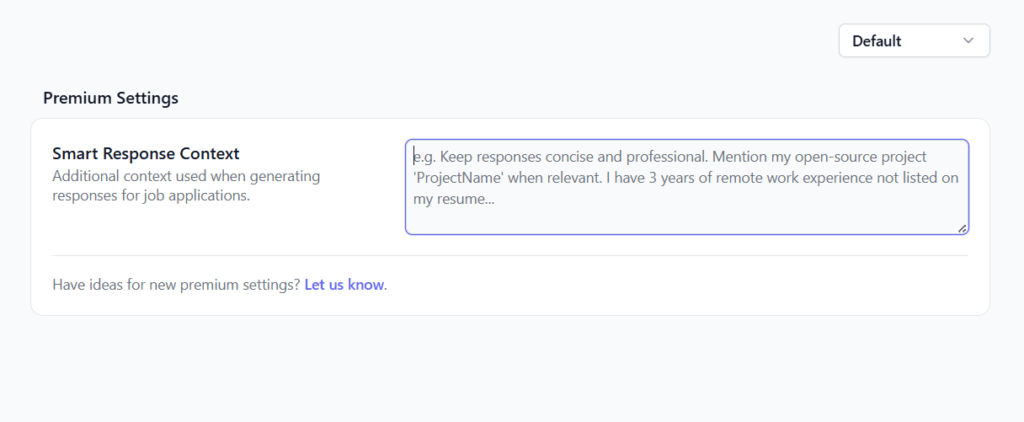
SpeedyApply also includes a Smart Response Context setting designed to improve how the tool generates answers to application questions.
This feature lets you add extra background information about yourself that may not appear directly in your resume. For example, you can specify things like preferred writing tone, highlight specific projects, mention remote work experience, or add other details you want the AI to reference when generating responses.
Built-in application analytics
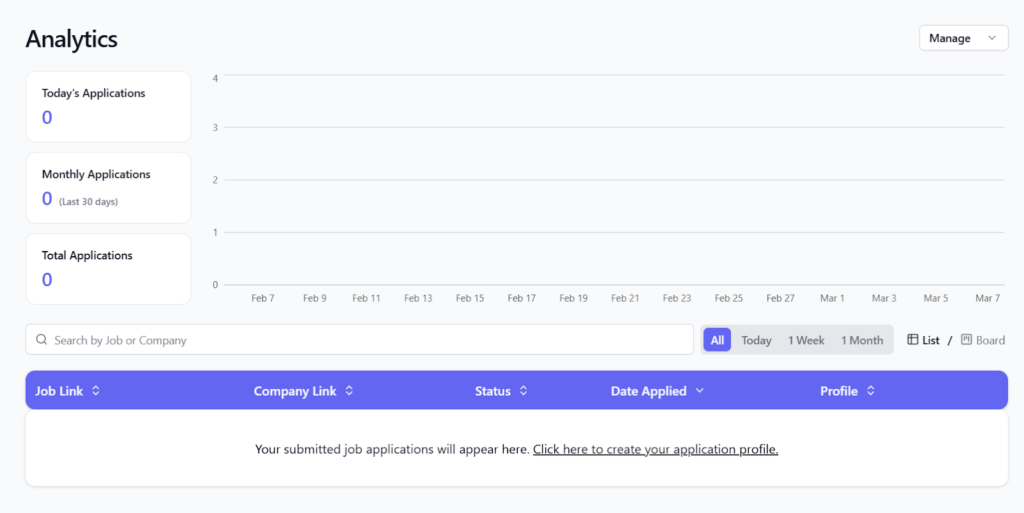
SpeedyApply also includes a simple analytics dashboard that helps track your job search activity.
The dashboard shows metrics such as:
- Today’s applications
- Applications submitted in the last 30 days
- Total applications
Below the summary metrics, the tool maintains a structured list of all applications, including the job link, company link, application status, date applied, and the profile used.
This essentially turns the tool into a lightweight job-tracking tool. Instead of maintaining a separate spreadsheet or using another tracking tool, you can monitor your application activity directly inside SpeedyApply.
Saved responses for common application questions
One of the most innovative features I came across in SpeedyApply is saved responses.
Many job applications ask similar questions, such as:
- “Why do you want to work here?”
- “Describe your experience with this skill.”
- “Tell us about a project you worked on.”
Instead of writing a new answer every time, you can create saved responses linked to specific keywords. When SpeedyApply detects those keywords in an application question, it automatically suggests or inserts the response you previously created.
You can also control how many of the keywords must appear in the question before the response is triggered.
SpeedyApply Cons: Where It Falls Short
Occasional bugs and beta-level issues
Some user feedback highlights occasional technical issues with the extension.
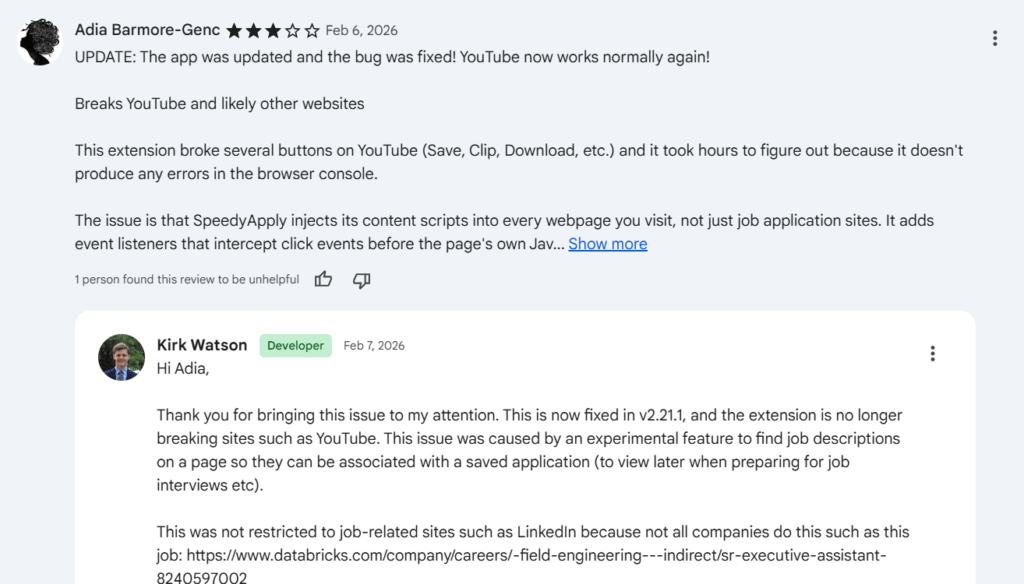
One Chrome Web Store review mentioned that the extension temporarily broke certain buttons on YouTube, such as Save, Clip, and Download. According to the reviewer, the issue happened because the extension injected scripts into multiple webpages rather than only job application sites.
The developer later responded that the problem was caused by an experimental feature designed to detect job descriptions on webpages and associate them with saved applications.
Not compatible with every job site yet
Some users report mixed results depending on the application platform being used.
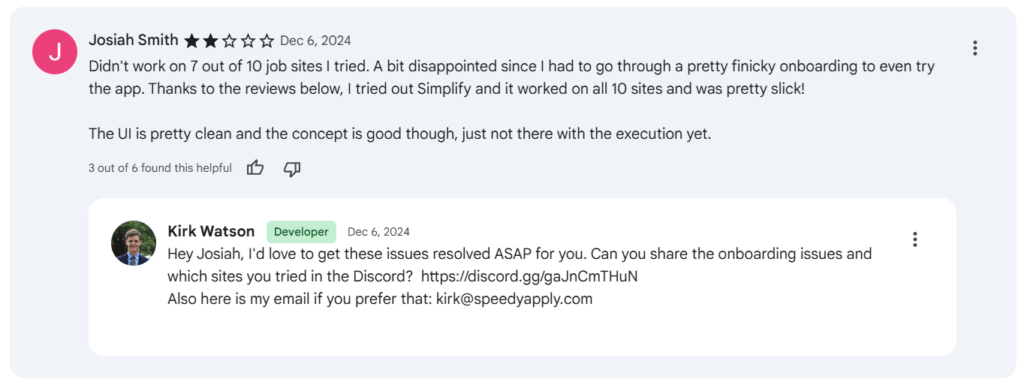
One reviewer noted that the extension did not work on several of the job sites they tested, though they still found the overall concept and interface solid.
Autofill works best for basic fields
Another limitation mentioned in user feedback is that SpeedyApply currently works best with standard form fields.
One Firefox reviewer noted that the extension successfully filled basic fields such as name, address, and phone number, but struggled to recognize more complex or custom form fields.

When to Use SpeedyApply and When to Switch
SpeedyApply fits a specific part of the job search workflow. It’s strongest when you already have jobs to apply to and want to remove repetitive form-filling. However, it isn’t designed to handle the entire job-search process, from discovery to application.
Use SpeedyApply when…
- You apply to many roles manually: If you’re filling similar forms across LinkedIn, Workday, or other ATS portals, SpeedyApply can eliminate much of the repetitive typing.
- You want faster applications without full automation: You still review and submit each application yourself. This keeps you in control while speeding up the process.
- You want help answering common application questions: Features like saved responses and generated answers can reduce the time spent rewriting similar responses across different applications.
- You want a simple way to track applications: The built-in analytics dashboard helps keep track of how many jobs you’ve applied to without relying on a separate spreadsheet.
Consider switching or alternative approaches when…
- You want jobs discovered automatically: SpeedyApply doesn’t find or recommend jobs. If you want AI to surface opportunities for you, a job discovery platform may be more useful.
- You want full auto-apply automation: Some tools automatically apply to jobs in bulk. SpeedyApply focuses on speeding up manual applications instead of replacing the process.
- You rely on niche job boards or custom career sites: Autofill may not work consistently across every platform, especially on heavily customized company application systems.
- You want a complete job search platform: SpeedyApply is primarily an application assistant, not a full job search ecosystem with discovery, outreach, and advanced analytics.
JobCopilot: The Best SpeedyApply Alternative for AI Job Applications
If you like the idea of faster applications but want more help throughout the entire job search process, JobCopilot is one of the strongest alternatives to SpeedyApply.
SpeedyApply mainly focuses on autofilling application forms once you’re already on a job page. JobCopilot, on the other hand, is designed as a full job application automation platform that supports multiple parts of the job search workflow.
This includes discovering jobs, helping with applications, and improving follow-up after you apply.
Where JobCopilot goes beyond SpeedyApply
It can automate job discovery, not just applications
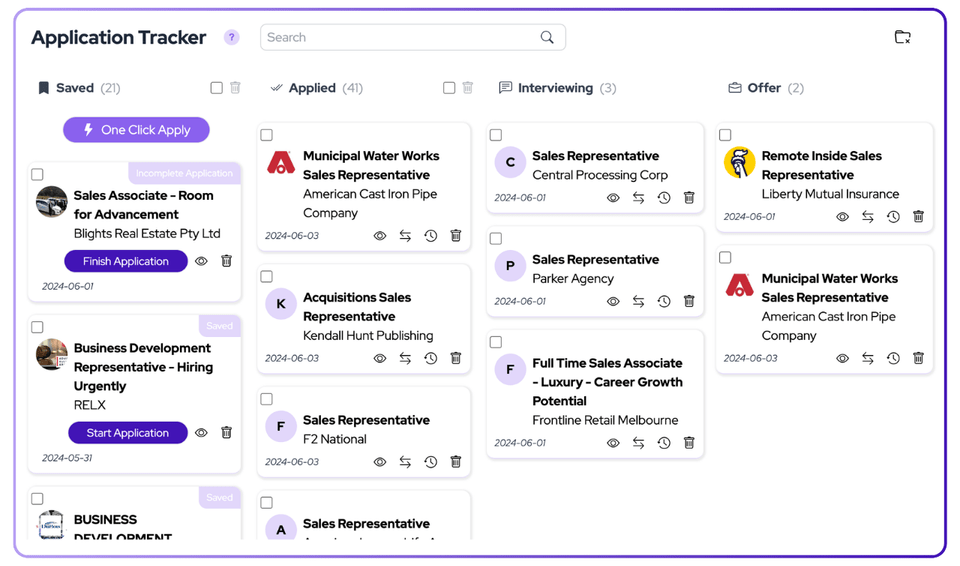
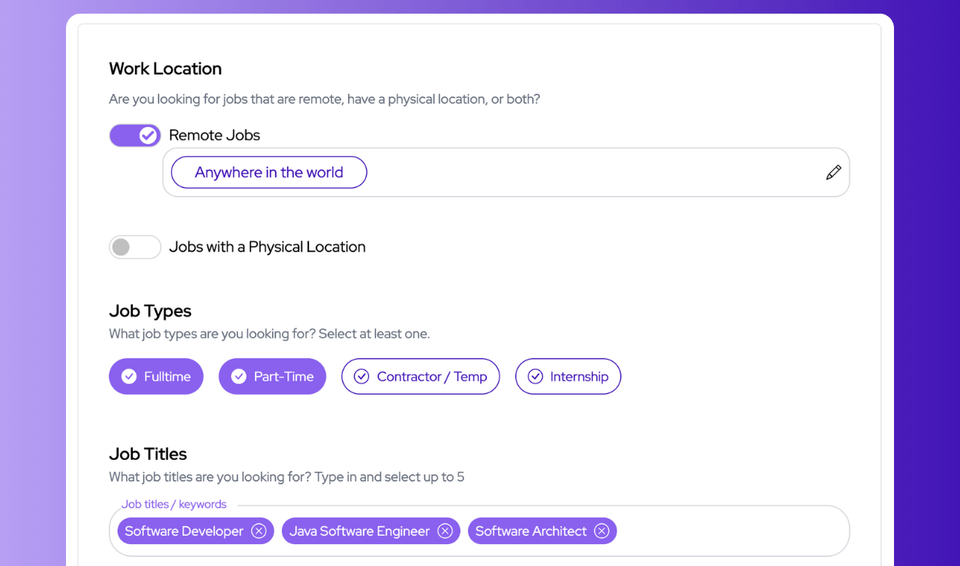
SpeedyApply helps when you’re already applying to a role. JobCopilot can also scan the web for new jobs based on your preferences, such as job titles, keywords, seniority, location, and remote filters.
It pulls jobs directly from company career pages
Instead of relying only on job boards, JobCopilot also collects listings from official company career pages and ATS systems, which can surface opportunities that aren’t always visible on large job boards.
It keeps application answers consistent across sites
Like SpeedyApply, JobCopilot can autofill forms. However, it also stores answers to screening questions and reuses them across applications. Over time, it adapts to your writing style so responses stay consistent.
You control how much automation you want
Some users prefer reviewing every application manually, while others want more automation. JobCopilot supports both approaches. You can run it in review-first mode or allow more automated applying if you want to scale your applications.
It helps with follow-ups after applying
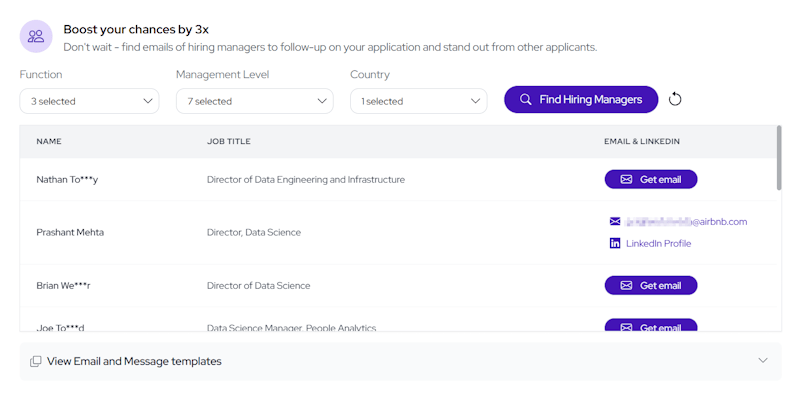
JobCopilot can also find hiring manager contact details, such as email or LinkedIn profiles, allowing you to follow up on applications instead of waiting silently after submitting.
Automate Your Job Applications with AI 🚀
Try the leading AI Copilot for job seekers – autonomous, safe, fully personalized, and trusted by 100,000+ users to land interviews faster.
Check Out JobCopilot →Frequently Asked Questions
Is SpeedyApply free to use?
Yes. SpeedyApply offers a free version that allows you to create a profile and use basic autofill features. However, advanced capabilities like multiple profiles, profile scoring, and AI-generated responses require a Premium subscription.
Does SpeedyApply automatically apply to jobs?
No. SpeedyApply does not submit applications automatically. It only autofills the form fields. You still review the application and click submit yourself.
Which job sites does SpeedyApply work on?
SpeedyApply works on common job portals and ATS systems such as LinkedIn and company career pages. However, some custom or complex application forms may not be fully compatible.