
A wave of AI tools has rushed in, promising to fix the job-search grind. BetterApply is one of the newer ones making noise, especially among job seekers who want a more automated application process. It caught my attention, so I decided to take a proper look.
The tool offers AI-powered job matching, instant resume tailoring, and a one-click auto-apply feature — basically, everything you’d want in a job search co-pilot.
Sounds great on paper. But “AI-powered” is a phrase that gets thrown around a lot these days, so the real question is: does it actually deliver?
Let’s get into it.
TL;DR
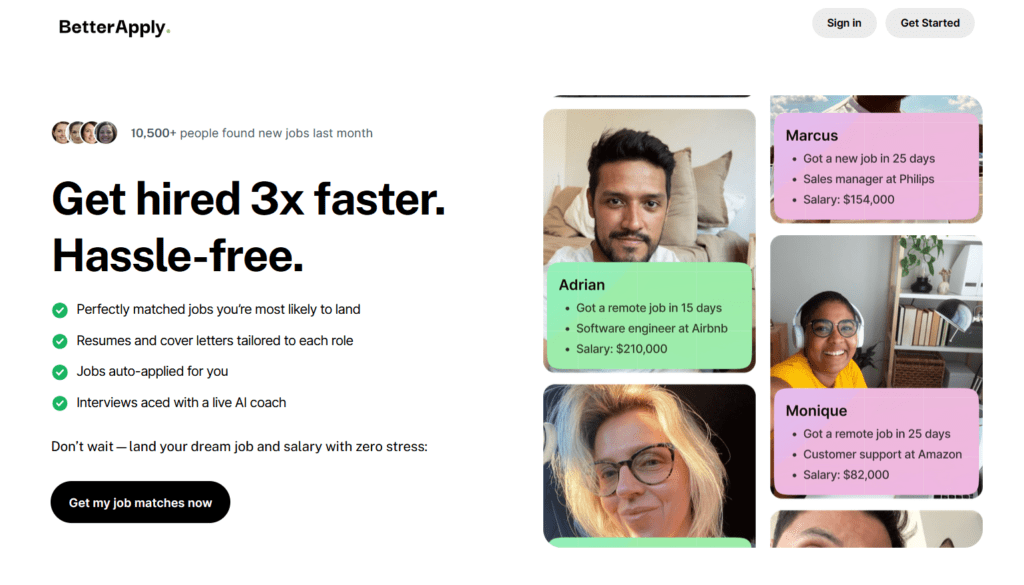
BetterApply is an AI-powered job search tool that focuses on job matching, resume tailoring, and application assistance.
The tool also offers features like AI resume optimization, mock interview practice, and application tracking, which can help organize parts of the job search process.
Pricing can become confusing because the base subscription is paired with several additional paid upgrades.
Who it’s best for:
- Job seekers who prefer AI-generated job matches
- Professionals who want help tailoring resumes
- Users who like having application tracking and messaging in one dashboard
- People preparing for interviews who want built-in AI interview practice tools
- Job seekers who prefer a structured, guided application workflow
Key features at a glance
| Feature | What it does |
| AI job matching | Matches job openings based on your resume, skills, and preferences |
| Resume tailoring | Suggests skills and keywords from job descriptions to improve relevance |
| Auto-apply tracker | Shows which applications are in progress or completed |
| Built-in messaging inbox | Central place to receive responses from recruiters |
| AI interview practice | Simulates interview questions and provides feedback |
| Job preference questionnaire | Collects detailed career preferences to improve matches |
Automate Your Job Applications with AI 🚀
Try the leading AI Copilot for job seekers – autonomous, safe, fully personalized, and trusted by 100,000+ users to land interviews faster.
Check Out JobCopilot →Pros
- Helpful resume and cover letter optimization tools
- Built-in messaging inbox for employer responses
- Application tracking dashboard to monitor job submissions
- AI interview practice for preparing responses
- Structured workflow for organizing the job search
Cons
- Long onboarding questionnaire before accessing the dashboard
- Job matches can sometimes be misaligned with user preferences
- Multiple upsells during onboarding increase the overall cost
- No direct cancellation option inside the dashboard
- Limited transparency around how custom application answers are generated
Why You Can Trust This Review
I didn’t just skim the landing page and call it a day. This review is based on hands-on time with the platform, looking at what it actually does versus what it claims.
- Real testing: I went through the sign-up, job matching, and resume tailoring features firsthand
- Current information: This review reflects the platform as it stands in 2025
- No hype: If something underwhelmed me, I’ll say so plainly.
How BetterApply Works for Job Hunting
Getting started with BetterApply is fairly straightforward, but the onboarding process is more detailed than most job tools. Instead of quickly uploading a resume and starting applications, BetterApply asks for a lot of profile information up front.
Here’s how the process works step by step.
Step #01: Create Your Account
First, you sign up using your email and create a BetterApply account. After logging in, the platform takes you directly into the onboarding process rather than the main dashboard.
Step #02: Choose Whether to Upgrade to Pro
Right after onboarding, BetterApply presents an upgrade screen for its Pro plan. The platform promotes it as a one-time payment option that unlocks additional job-search features.
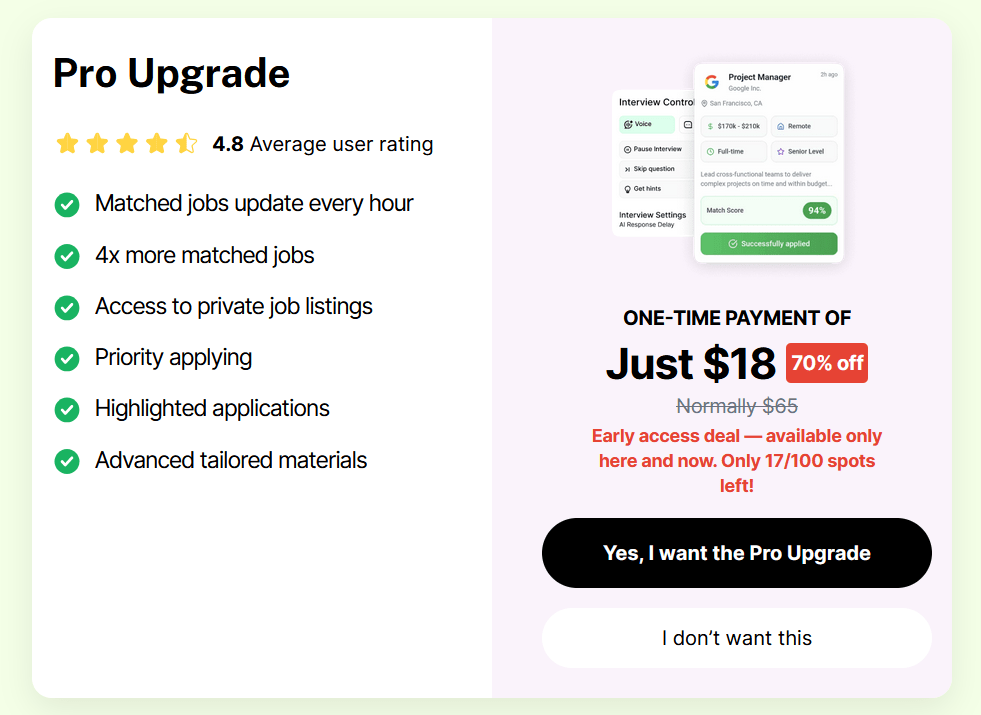
The offer I saw was $18 (70% off the regular $65 price) as an early-access deal.
According to the page, the Pro upgrade includes:
- Job matches updated every hour
- Up to 4× more matched jobs
- Access to private job listings
- Priority applying
- Highlighted applications
- Advanced tailored application materials
What surprised me here is that I didn’t expect to see an additional paid upgrade at this stage. When I purchased the monthly plan, there was no mention of a separate Pro upgrade on the pricing page or during checkout. I don’t know if any job seekers would want to be upsold at this stage.
Step #03: Complete the Onboarding Questionnaire
After selecting employment preferences, BetterApply continues with a long onboarding questionnaire. This part took much longer than expected because the platform asks for a wide range of details before you even reach the main dashboard.
The questions cover things like:
- Your soft skills and personal attributes (for example, collaboration or critical thinking)
- Your professional skills
- Whether you mentor other employees
- The types of roles you’re looking for
- Your total years of experience
- Your seniority level
- Your education level
- Whether you are currently employed
- The size of the company you prefer to work for
- How much time you can spend on job applications each day
- Your availability to start a new role
- The job benefits that matter most to you
- Your minimum salary expectations
- Your preferred work arrangement (remote, hybrid, on-site, etc.)
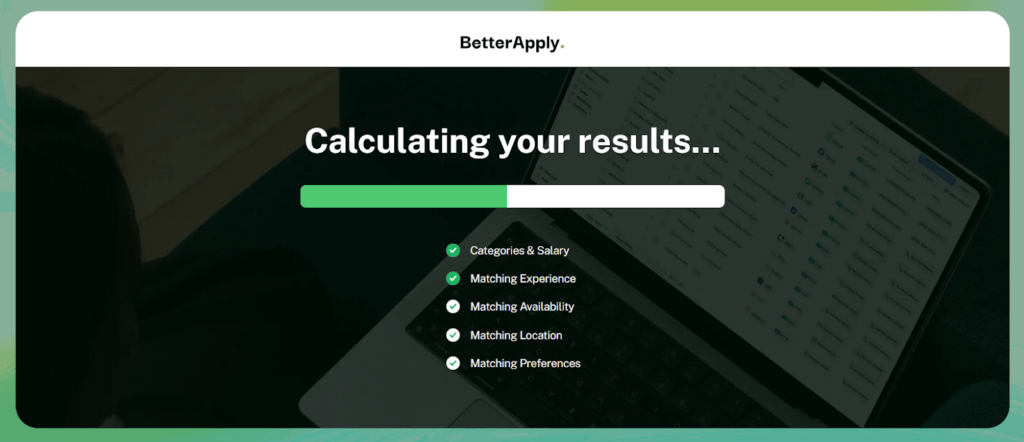
While these questions are meant to improve job matching, the process feels quite long and repetitive. By this point, you’ve already answered a large number of prompts, and the actual profile setup hasn’t even started yet.
Step # 04: Complete the Profile Setup
After the long questionnaire, BetterApply finally moves to the actual profile setup stage. At this point, you can either upload your resume or enter all the information manually.
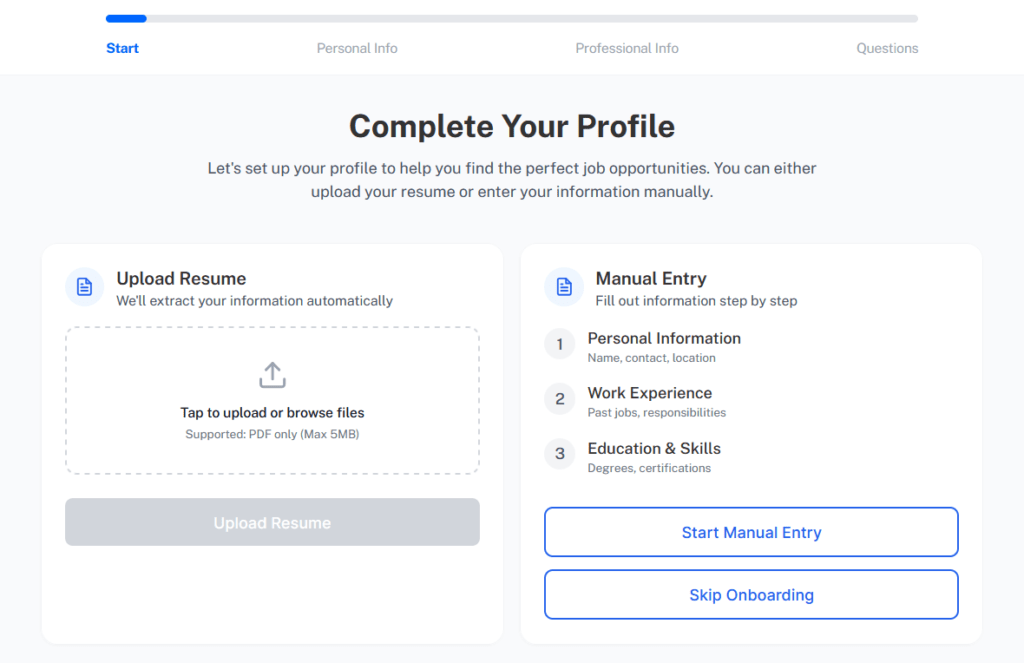
The platform gives two options:
- Upload Resume: BetterApply extracts your details automatically
- Manual Entry: Fill out personal information, work experience, education, and skills step by step
I chose the resume upload option, which is the faster route. In my case, the platform pulled most of the information correctly from the resume, so I didn’t have to spend much time editing or filling in missing fields.
Step # 05: Explore Your Job Matches
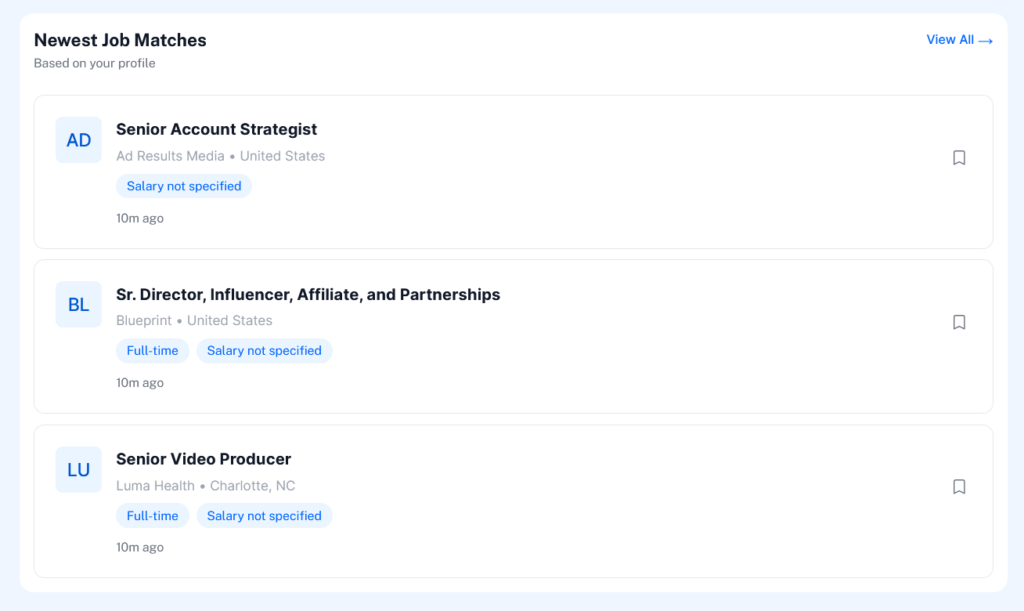
Once the resume is processed, BetterApply takes you to the main dashboard, where it starts showing job matches based on your profile.
The dashboard lists recent openings along with basic details such as:
- Job title
- Company name
- Location
- Job type (for example, full-time)
- Posting time
You can open each listing to review the opportunity and decide whether you want to apply.
Step # 06: Tailor Your Resume and Cover Letter for Each Job
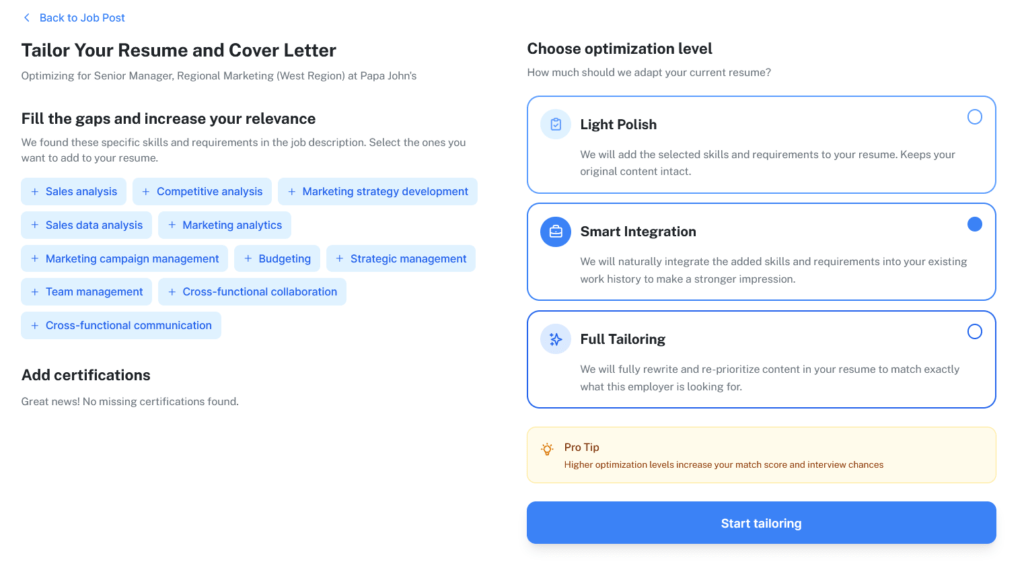
When you open a job listing, BetterApply offers a feature that lets you tailor your resume and cover letter to the job description.
The platform analyzes the job posting and highlights skills and requirements that are missing from your resume.
You can choose how aggressively the system modifies your resume using three optimization levels:
- Light Polish: Adds relevant skills while keeping your resume mostly unchanged
- Smart Integration: Blends the new skills into your existing experience
- Full Tailoring: Rewrites sections of the resume to better match the job description
This feature is meant to increase your match score and improve interview chances by aligning your resume more closely with what the employer is looking for.
Step # 07: Practice Interviews with the AI Interviewer
BetterApply also includes an AI interview practice tool that simulates a job interview.
When you start the session, the system acts as an interviewer and asks questions related to the role you’re preparing for. In my test, the AI interviewer introduced itself and asked a typical opening question about my understanding of the role and how my experience aligns with it.
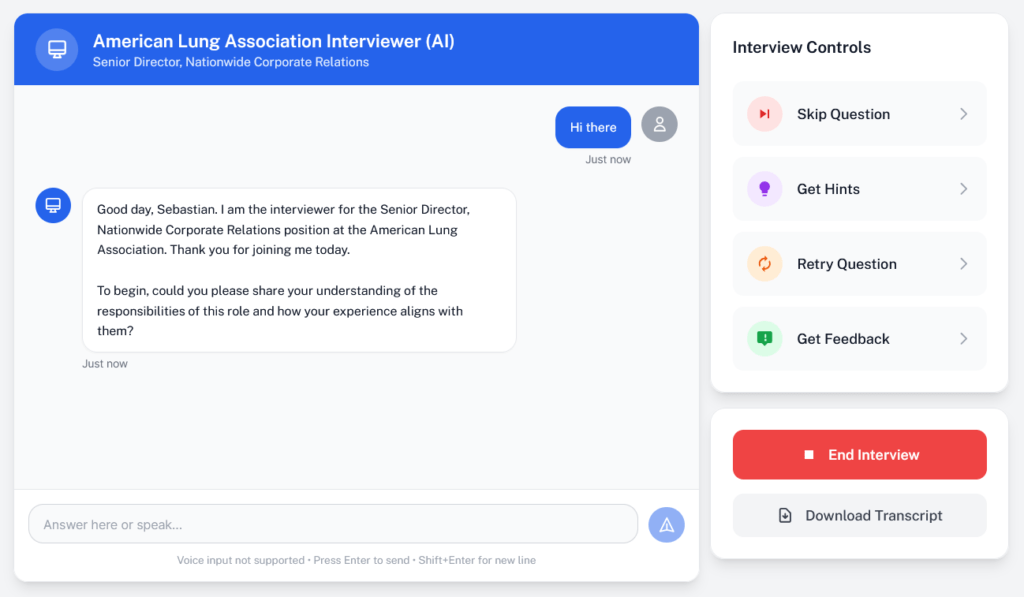
The interface works like a chat-based interview where you type your responses. A side panel includes controls such as:
- Skip the question to move ahead
- Get hints to help structure your answer
- Retry the question if you want to improve your response
- Get feedback on how your answer performed
You can also download the full interview transcript once the session ends.
However, one thing I noticed during testing is that the AI interviewer felt quite slow. Responses took longer to appear than those from other AI tools like ChatGPT or Claude, which usually generate answers almost instantly.
BetterApply Pricing
BetterApply offers a subscription model with discounted introductory pricing. During my test, the platform showed three plan options with a 60% discount applied to the first billing period.
Here is how the plans are structured:
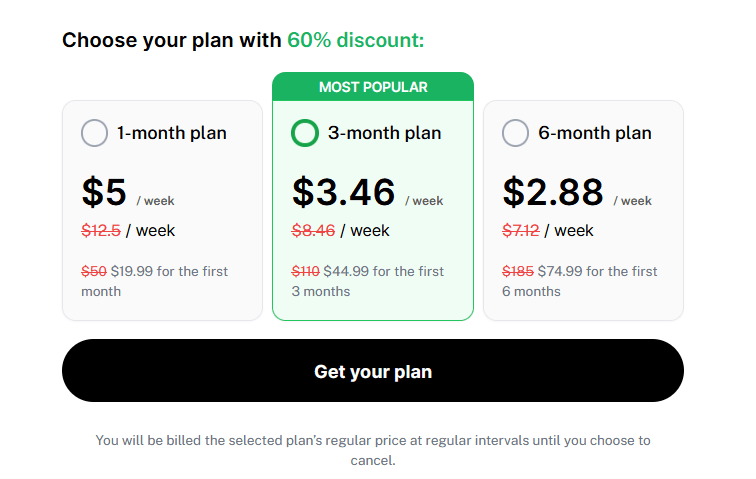
1-Month Plan
- $5 per week
- About $19.99 for the first month (discounted)
- Regular price listed as $50/month
3-Month Plan (Most Popular)
- $3.46 per week
- About $44.99 for the first 3 months
- Regular price listed as $110
6-Month Plan
- $2.88 per week
- About $74.99 for the first 6 months
- Regular price listed as $185
The platform notes that billing continues at the regular price unless you cancel the subscription.
At first glance, the pricing looks relatively affordable because the weekly number is small. But the discount applies only to the introductory period, and the renewal price is significantly higher.
Additional Paid Upgrades
Beyond the subscription itself, BetterApply also promotes several separate paid upgrades during the onboarding process.
Priority Matching
BetterApply offers a Priority Matching upgrade for a one-time payment of $9 (discounted from $40).
According to the platform, this unlocks:
- Instant job matches instead of waiting 12–24 hours
- 4× more scans for new listings
- Earlier access to new job postings
- A higher chance of getting interviews by applying faster
The idea is that the system checks job listings more frequently and surfaces openings sooner.
AI Interview Coach
Another optional upgrade is the AI Interview Coach, offered for a one-time payment of $14 (discounted from $50).
This feature includes:
- Unlimited mock interviews
- AI-generated interview answers and hints
- Real-time feedback on responses
- Role-specific interview simulations
- Chat or voice-based interview practice
It’s essentially an add-on designed to help users prepare for interviews after applying.
Pro Upgrade
The platform also promotes a Pro Upgrade for $18 (discounted from $65).
This unlocks additional features such as:
- Job matches updated every hour
- Access to private job listings
- Priority applying
- Highlighted applications
- Advanced resume tailoring materials
What This Means for Your Budget
When you look at the pricing structure more closely, the total cost can add up quickly.
Even though the headline pricing shows low weekly numbers, those rates apply only to the first billing period. After that, the price increases to the regular subscription rate.
On top of that, the platform pushes several additional paid upgrades.
If someone accepts these offers during onboarding, the total cost becomes much higher than the base subscription.
Considering that the discounted subscription price applies only to the first month or introductory period, the overall cost feels quite high for a job search tool, especially when many similar AI tools offer comparable features.
BetterApply: What Works and What Doesn’t
At the time of writing, BetterApply has a 3.1 rating on Trustpilot, which is relatively low compared to many other AI job search tools. Most competing tools in this space tend to sit closer to the 4.0–4.5 range, so the mixed rating suggests user experiences vary quite a bit.
BetterApply Pros: Where It Stands Out
Helpful for resume and cover letter writing
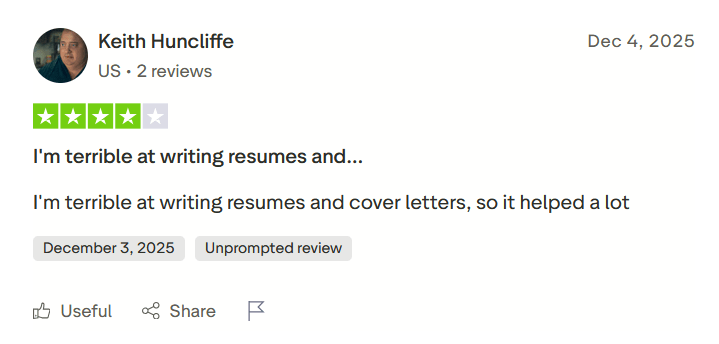
One thing some users appreciate is the resume and cover letter assistance.
For example, one Trustpilot reviewer mentioned that the tool helped them overcome a common challenge: writing application materials from scratch.
Built-In messaging inbox
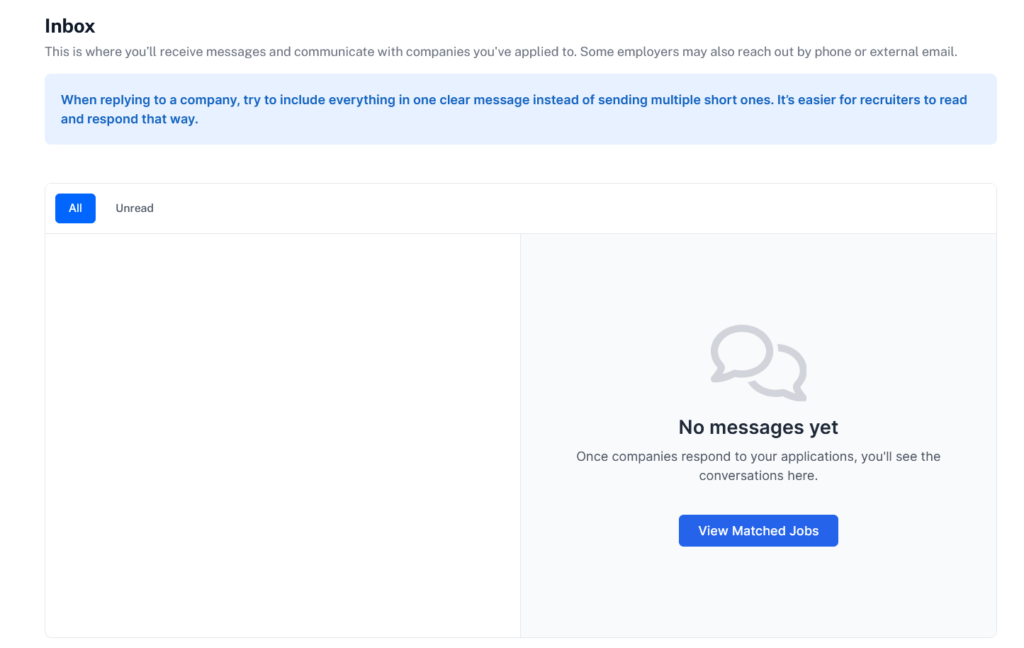
BetterApply also includes a built-in inbox where you can receive messages from employers after applying to jobs.
Instead of checking multiple email threads, the platform creates a central place to track conversations with recruiters and hiring teams. If an employer responds to your application, the message will appear directly inside your BetterApply dashboard.
Built-in application tracking dashboard
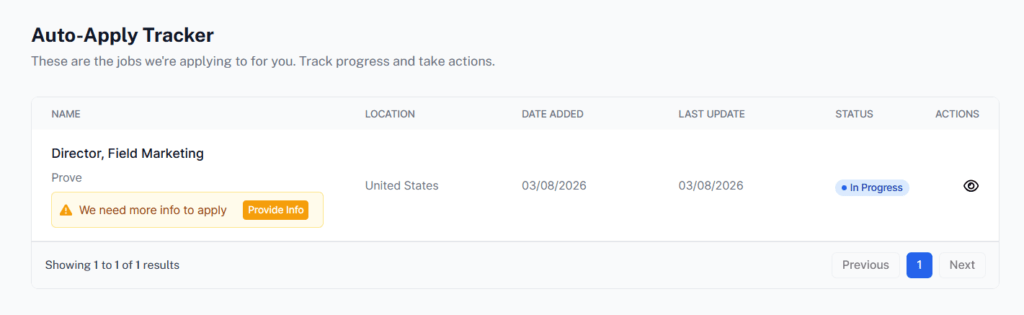
BetterApply also includes an Auto-Apply Tracker that lets you monitor the jobs the platform is applying to on your behalf.
You can also see whether an application is in progress, completed, or requires additional information.
BetterApply Cons: Where It Falls Short
Limited job discovery and search
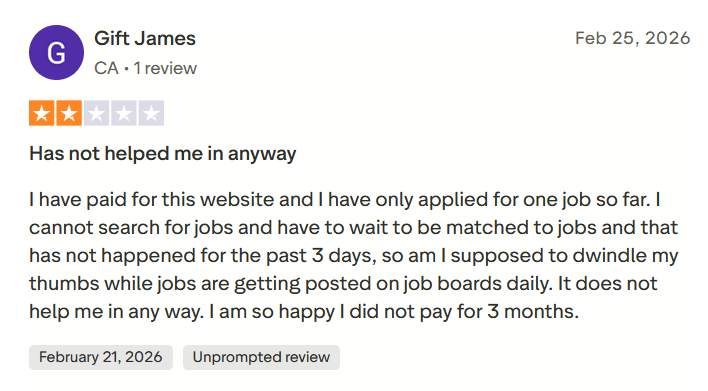
One common frustration among users is the lack of direct job-search functionality.
For example, one Trustpilot reviewer shared that after paying for the service, they were only able to apply to one job and then had to wait for the system to match them with more roles.
Instead of letting users freely browse and apply to listings, the platform largely depends on its matching system to surface opportunities.
Job matches can be misaligned
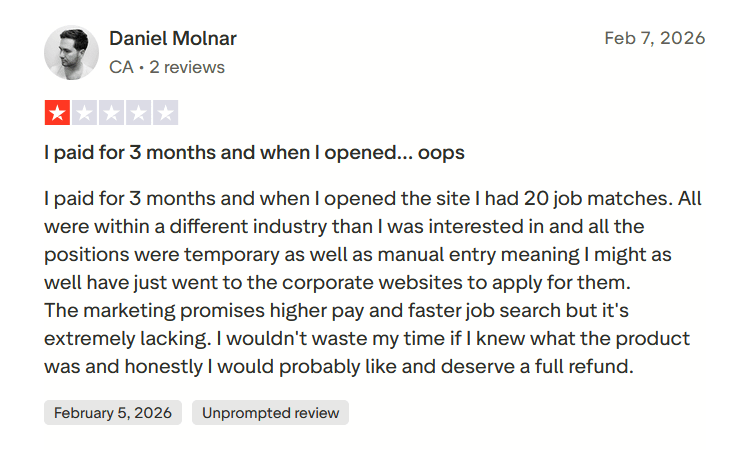
Another issue some users report is that the job matches aren’t always relevant to their background or preferences.
For example, one reviewer mentioned that after paying for a multi-month plan, the platform generated several job matches, but most of them were in completely different industries and did not align with their career goals.
No direct option to cancel the subscription
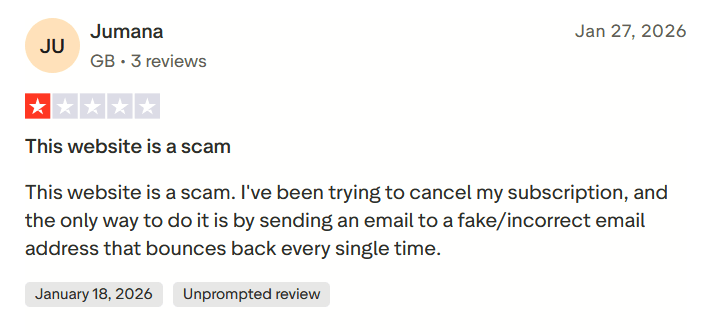
There is no built-in cancellation option inside the dashboard.
One reviewer on Trustpilot struggled to cancel their subscription and claimed the support email bounced back.
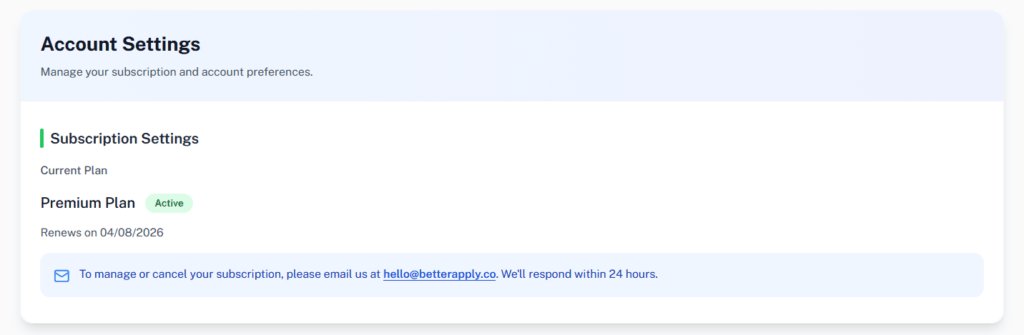
In my case, the dashboard also did not provide a direct cancellation button. Instead, the account settings page instructs users to email the support team to manage or cancel the subscription.
So if you want to cancel, you cannot do it instantly from your account. You have to send an email and wait for a response, which adds friction to a process that most SaaS tools handle with a simple one-click cancellation option.
Custom application answers
Another area where the platform feels unclear is how it handles custom application questions.
Many job applications include employer-specific questions such as “Why do you want to work here?” or “Describe your relevant experience.” However, there isn’t much information available about how BetterApply generates these responses or how customizable they are.
When to Use BetterApply and When to Switch
Like many AI job tools, BetterApply works well for certain situations but may not fit every job search workflow. Based on how the platform works, here’s when it makes sense to use it and when you may want to consider other options.
Use BetterApply when…
- You want a structured job-matching system: If you prefer a system that suggests roles based on your resume and preferences rather than manually searching job boards, the platform can help streamline that process.
- You need help optimizing resumes for specific roles: The resume tailoring feature can add relevant skills and keywords from job descriptions.
- You want simple automation without complex setup: Once your profile is created and your resume is uploaded, the platform begins generating job matches automatically.
- You want built-in interview preparation tools: The AI interview coach can simulate interview questions and provide feedback, which may be helpful for users preparing for upcoming interviews.
Consider switching when…
- You want more control over job discovery: BetterApply relies heavily on its internal matching system. If you prefer browsing jobs directly across multiple platforms or applying to roles immediately, this approach can feel restrictive.
- You expect high-quality AI answers for applications: There isn’t much transparency about how the tool generates answers for custom application questions. Job seekers who want fully personalized responses may prefer tools that provide clearer control over this process.
- You prefer transparent pricing without multiple upsells: The platform includes several additional paid upgrades, such as priority matching, interview coaching, and pro upgrades. For users looking for a straightforward pricing model, these add-ons can increase the overall cost.
- You want easier subscription management: Since cancellation currently requires emailing support rather than a direct in-dashboard option, some users may find billing management less convenient than in other SaaS tools.
JobCopilot: The Best BetterApply Alternative for AI Job Hunting
If you like the idea of AI-assisted job matching but want more control and automation across the entire job search process, JobCopilot is one of the strongest alternatives to BetterApply.
BetterApply focuses mainly on matching you with jobs and helping optimize your resume once opportunities appear in its system. JobCopilot, on the other hand, is designed as a full job application automation platform that helps across multiple stages of the job hunt.
Where JobCopilot goes beyond BetterApply
It keeps application answers consistent across sites
Like BetterApply, JobCopilot can help with application forms. However, it also stores answers to common screening questions and reuses them across different applications.
Over time, the system adapts to your responses so answers remain consistent with your experience and writing style, reducing repetitive work.
You control the level of automation
Some job seekers prefer reviewing every application before submitting, while others want to scale their applications quickly.
JobCopilot supports both workflows. You can review and approve applications manually, or allow more automation depending on how actively you want the system to act on your behalf.
It supports follow-ups after applications
Submitting an application is often only the first step. JobCopilot can help identify hiring manager contact details, such as email addresses or LinkedIn profiles, allowing you to follow up after applying.
Instead of waiting passively for responses, this makes it easier to take additional steps that can increase interview chances.
It autofills applications anywhere
JobCopilot also provides a Chrome extension that can autofill job application forms across almost any website. Instead of manually copying and pasting details like name, experience, education, and screening answers, the extension fills them automatically based on the profile you created.
Once installed, you simply open a job application page on sites like company career pages, ATS systems, or job boards, and the extension can populate the fields instantly.
Automate Your Job Applications with AI 🚀
Try the leading AI Copilot for job seekers – autonomous, safe, fully personalized, and trusted by 100,000+ users to land interviews faster.
Check Out JobCopilot →Frequently Asked Questions
How often does BetterApply update job matches?
According to the platform’s messaging, job matches can update multiple times per day depending on your profile settings and available listings. The system scans for new opportunities and surfaces roles that match your preferences.
Is BetterApply suitable for entry-level job seekers?
It can work for entry-level roles, but the platform generally makes more sense for professionals with defined experience and skills since the pricing is a bit on the higher end.
Does BetterApply offer a free trial?
No. BetterApply does not offer a free trial.