
Most AI job tools focus on sending as many applications as possible with minimal effort.
JobWizard AI takes a different path.
Instead of auto-applying in bulk, JobWizard works as a Chrome extension that autofills job applications for you. It pulls data from your LinkedIn profile, resume, or the details you’ve already saved and fills out the forms.
I tested JobWizard myself to see how it actually feels during a real job search. In this review, I’ll break down how smoothly it works, where it saves time, where it falls short, and whether this “assisted apply” approach is better than full automation tools.
TL;DR
JobWizard AI is a Chrome extension that fills out job applications for you using your saved profile data. It doesn’t search or apply to jobs automatically. Instead, it removes repetitive typing while you still review and submit each application yourself.
JobWizard only helps once you’re already on an application page. It doesn’t discover jobs, recommend roles, or manage outreach. It’s best seen as an application assistant rather than a full AI job hunting tool.
Who it’s best for:
- Job seekers applying manually across many similar forms
- People who want autofill speed without auto-apply risk
- Users mainly applying on LinkedIn, Workday, or common ATS sites
Key features at a glance
| Feature | What It Does |
| Chrome Autofill | Detects application fields on job pages and fills them using your saved profile |
| Resume & LinkedIn Import | Pulls experience, education, and contact details from your resume or LinkedIn |
| Autofill Status Panel | Shows which fields are filled vs still needing input before submission |
| Job Keyword Highlights | Extracts role keywords and match signals while you browse listings |
| Supporting Links Storage | Stores resume, portfolio, LinkedIn, and inserts them into forms |
| Built-in Job Tracker | Logs viewed, autofilled, and applied roles inside the extension |
| Manual Review Control | You verify and submit each application after autofill |
Automate Your Job Applications with AI 🚀
Try the leading AI Copilot for job seekers – autonomous, safe, fully personalized, and trusted by 100,000+ users to land interviews faster.
Check Out JobCopilot →Pros
- Saves significant time on repetitive applications
- Very easy setup and onboarding flow
- Clear autofill status and review control
- Helpful role keyword view during browsing
Cons
- No job search or role recommendations
- Doesn’t work on every site or form yet
- Some features evolving or removed over time
- Future pricing unclear (currently free)
Why You Can Trust This Review
I installed JobWizard, connected my profile data, and used it across real job applications to see how it behaves in everyday conditions.
Here’s what that means for you:
- Real job search setting: The testing includes different application portals and form styles, the same mix most job seekers deal with.
- Aware of alternatives: I’ve also used bulk auto-apply tools, so the comparison focuses on how JobWizard’s assisted-apply approach feels in practice versus full automation.
- Balanced take: It covers both the time savings and the friction points, including fields that don’t map cleanly or still require manual input.
How JobWizard AI Works for Job Hunting
JobWizard AI runs as a Chrome extension that autofills job applications using the information you’ve already saved. Once installed, it sits in your browser and activates whenever you open a supported job application page.
Below is how the typical flow looks in practice.
Step 1: Install the Chrome Extension
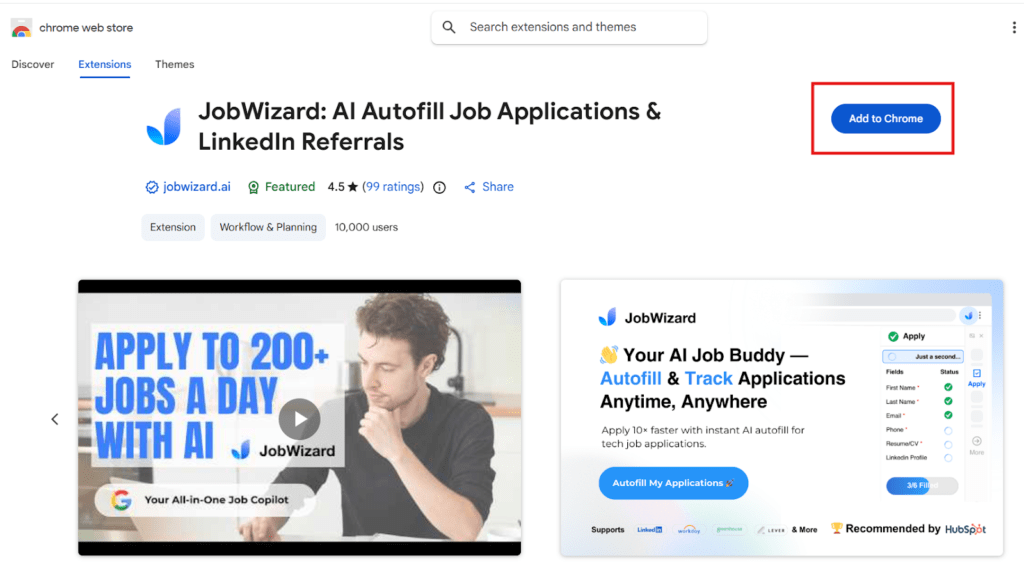
JobWizard works as a browser add-on, so the first step is installing it from the Chrome Web Store.
Click Add to Chrome, confirm the permissions, and the JobWizard icon will appear in your extensions bar.
Step 2: Create Your JobWizard Account
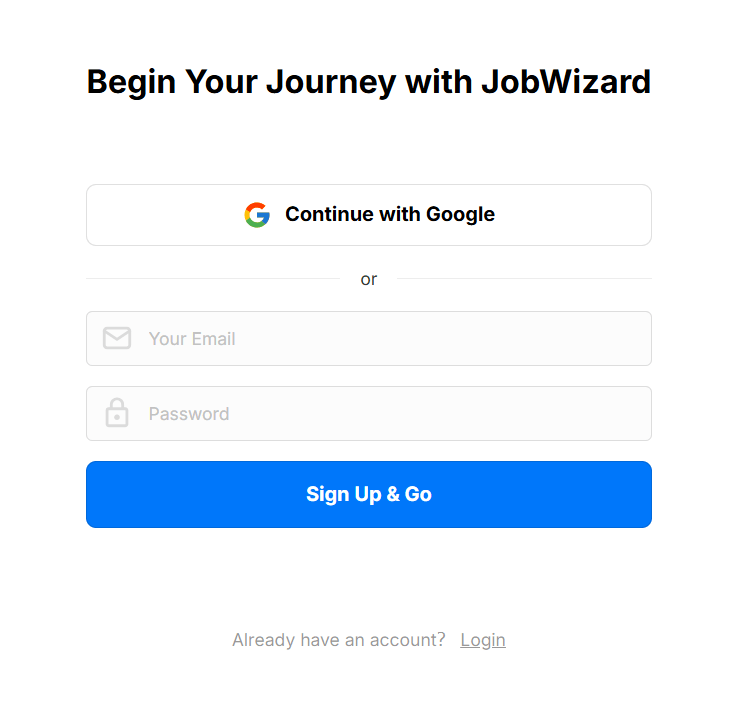
After installing the extension, you’re prompted to create an account. You can sign up with Google or use email and password.
Step 3: Import Your Profile Information
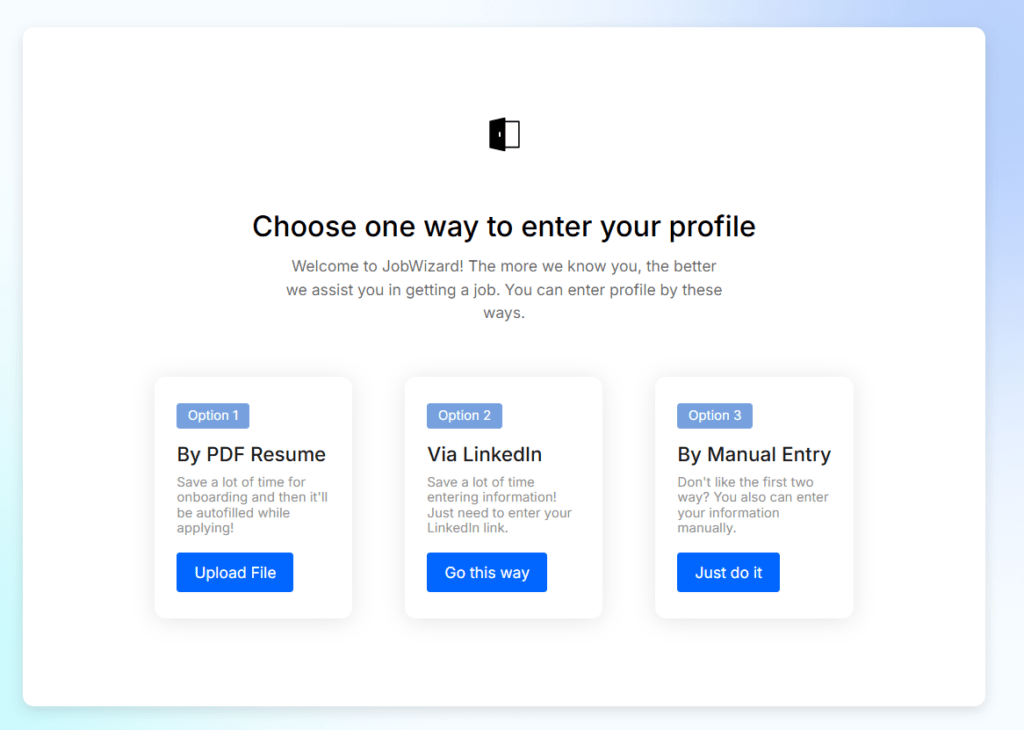
Next, you add the information JobWizard will use for autofill. You can upload your resume, pull details from LinkedIn, or enter everything manually.
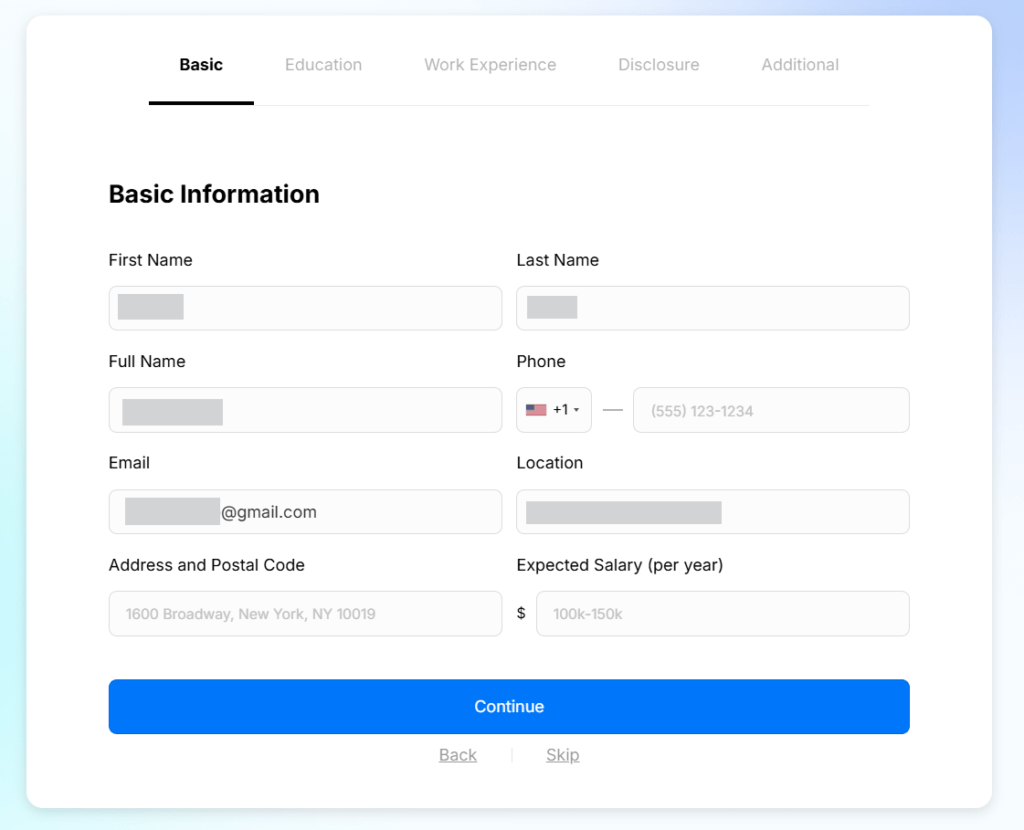
Step 4: Complete and Confirm Your Basic Details
After importing, JobWizard shows the parsed profile fields so you can review and fill in any missing details. This includes contact info, location, and optional fields like expected salary.
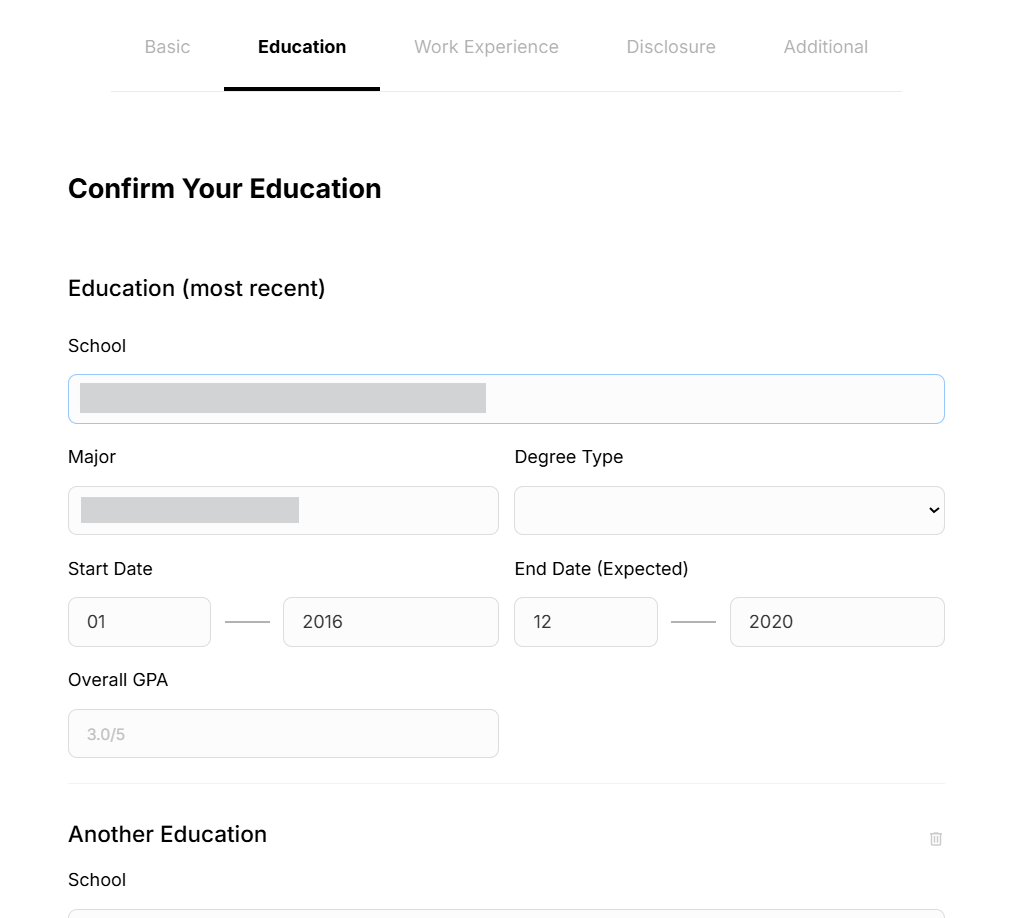
Step 5: Review and Confirm Your Education Details
JobWizard then walks you through your education history. It pre-fills what it can from your resume or LinkedIn, and you confirm or adjust items like school, degree, dates, and GPA.
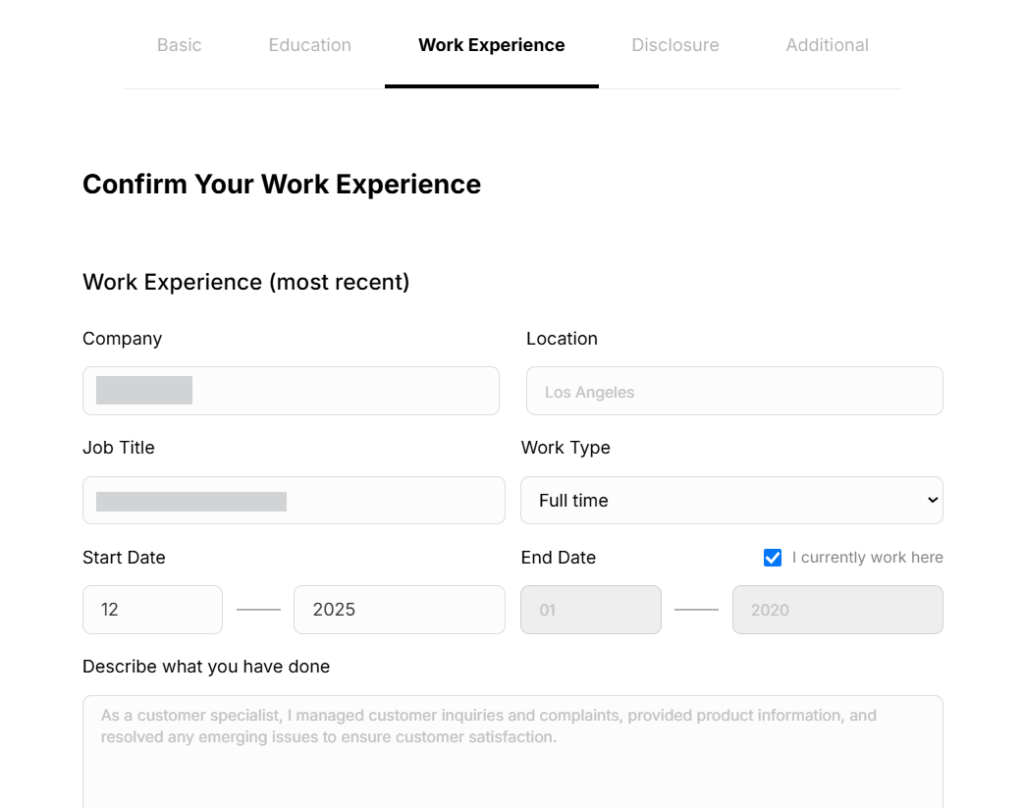
Step 6: Review and Confirm Your Work Experience
Next, JobWizard shows your work history. It pre-fills roles, companies, dates, and descriptions from your imported profile. You can edit or add details before confirming.
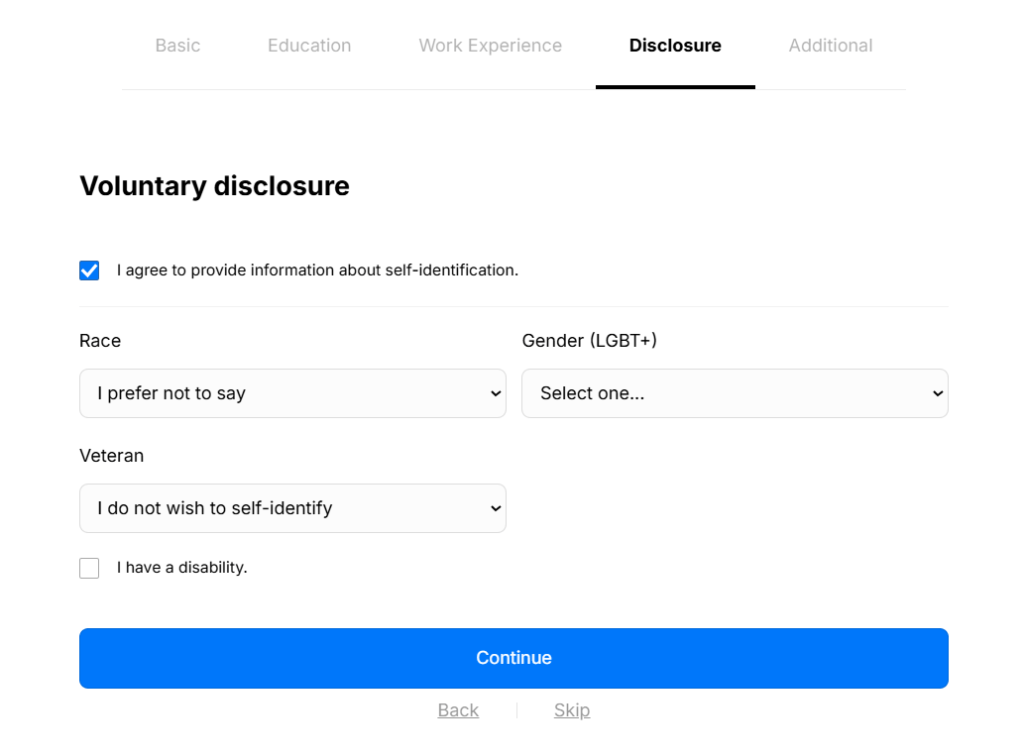
Step 7: Set Your Disclosure Preferences
JobWizard also lets you predefine voluntary disclosure fields commonly found in applications, such as race, gender, veteran status, or disability.
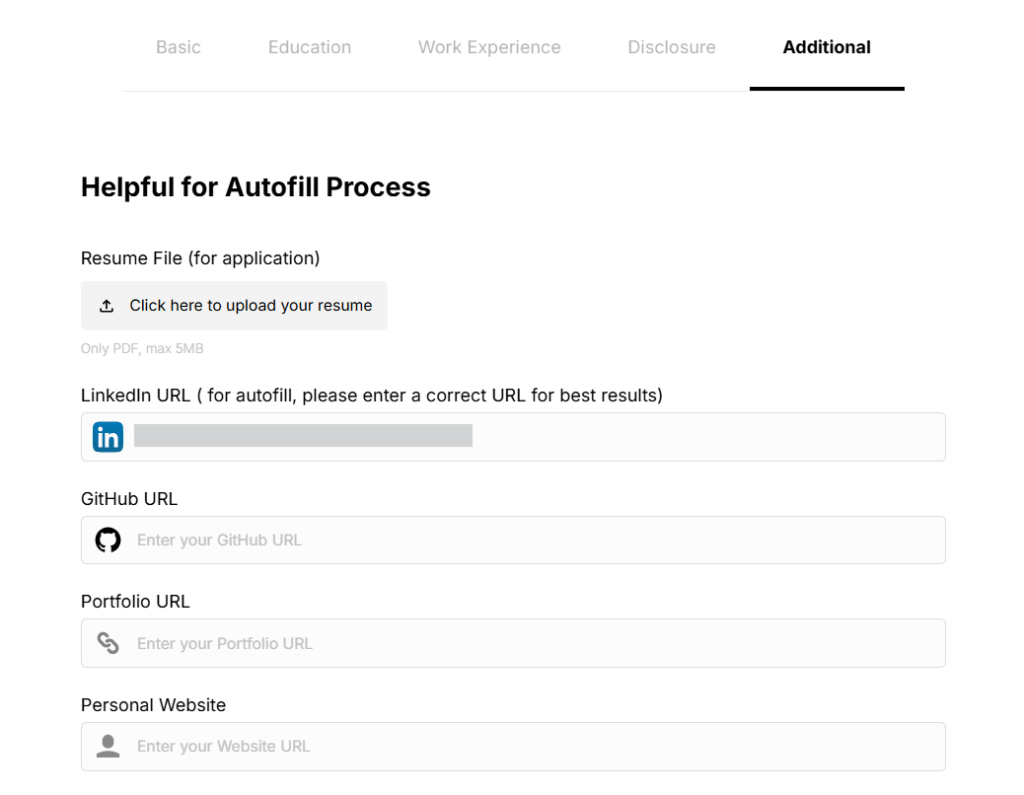
Step 8: Add Supporting Links and Documents
Finally, you can add supporting items often requested in applications, such as your resume file, LinkedIn URL, GitHub, portfolio, or personal site.
Step 9: Use JobWizard on Job Listings
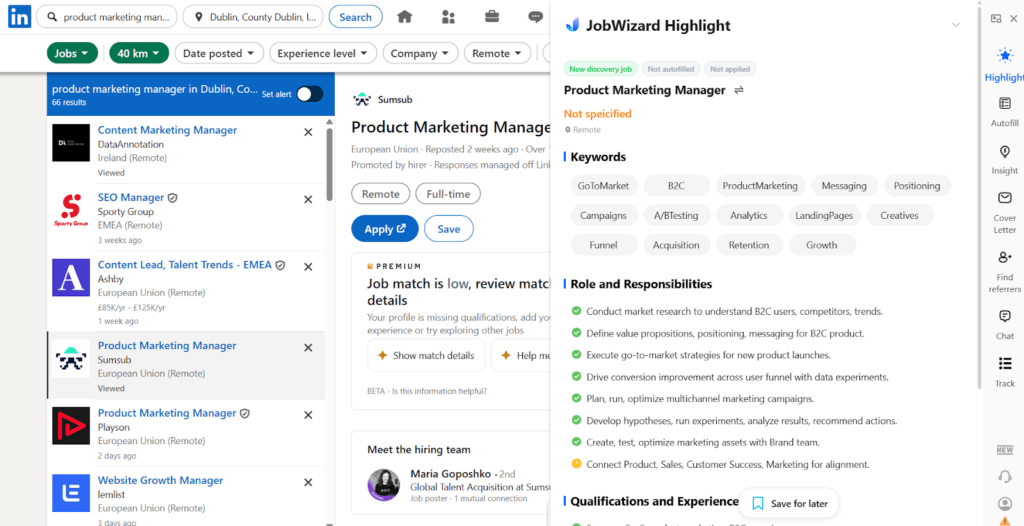
When I open a job listing (like on LinkedIn), JobWizard pops open a side panel with a quick breakdown of the role. It extracts keywords, responsibilities, and match signals from my saved profile.
What stood out to me here is the keyword view. I haven’t really seen other apply tools surface role keywords this clearly during browsing.
Step 10: Autofill the Application Fields
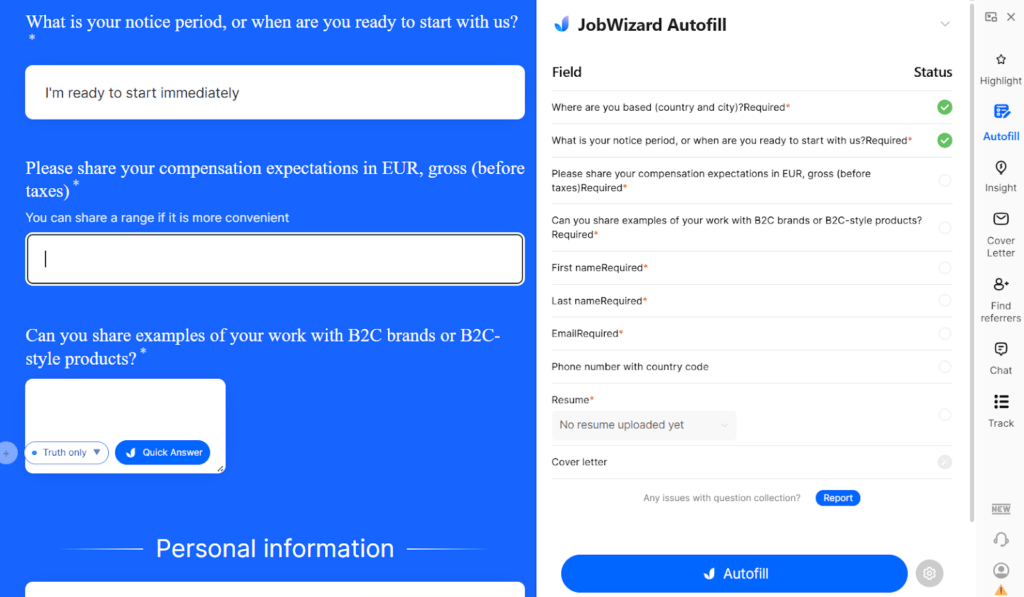
Once I open the actual application form, JobWizard switches to its Autofill panel. It detects the fields on the page and shows which ones it can complete from my saved profile.
With one click on Autofill, it fills the standard sections automatically. In my use, this is usually handled:
- Contact and location details
- Notice period
- Resume upload
- Basic screening questions
- Links (LinkedIn, portfolio, etc.)
I like that it also shows field status, so I can see what’s filled and what still needs input.
JobWizard AI Pricing
JobWizard is currently free to use. During testing, all core features, including autofill, profile setup, and job insights, were available without any subscription or usage limits.
That said, this is unlikely to remain free long-term. The product already follows a typical SaaS structure (accounts, profile storage, add-on features), which typically transitions to paid tiers as the user base grows. At the moment, there are no public details about pricing plans, limits, or feature tiers.
Based on how similar AI job tools are priced, it’s reasonable to expect:
- A free basic tier with limited autofills or features
- A paid plan for higher usage or advanced tools
- Possible recruiter or referral features behind a paywall
What Are Customers Saying About JobWizard AI?
JobWizard currently holds a 4.5 rating on the Chrome Web Store from early users. That’s a strong signal for a relatively new extension, especially in the job tools space, where ratings tend to drop quickly if autofill accuracy or reliability is poor.
It’s also worth noting that the tool is free right now, which naturally tends to produce a higher positive review ratio.
JobWizard AI Pros: Where It Stands Out
Built-in job application tracker
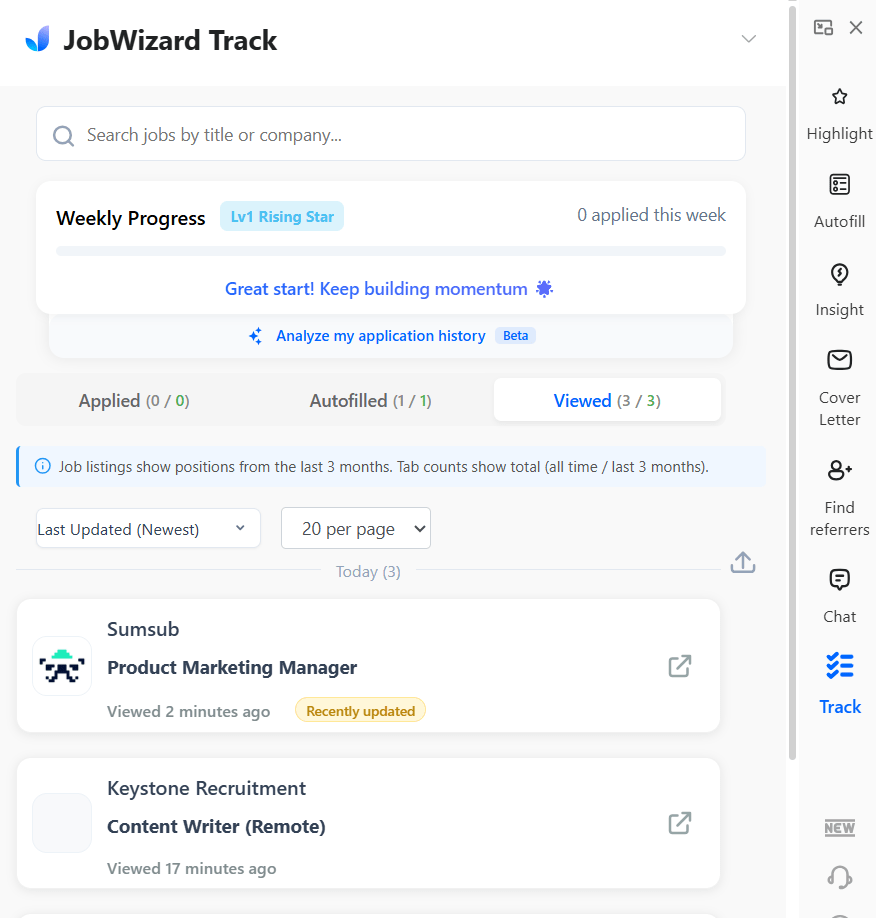
JobWizard also keeps a running log of the jobs I’ve viewed, autofilled, and applied to. I didn’t expect this in an autofill tool, but it’s genuinely useful during active searching.
From the tracker panel, I can:
- See which roles I already opened
- Check what I’ve autofilled vs actually applied
- Jump back to listings quickly
- Get a simple weekly activity view
Quick, intuitive setup and onboarding
One consistent theme in early feedback is how easy JobWizard feels to start using. My experience matched that. The setup flow is short, the profile import is straightforward, and the extension UI stays simple once installed.

Responsive developer
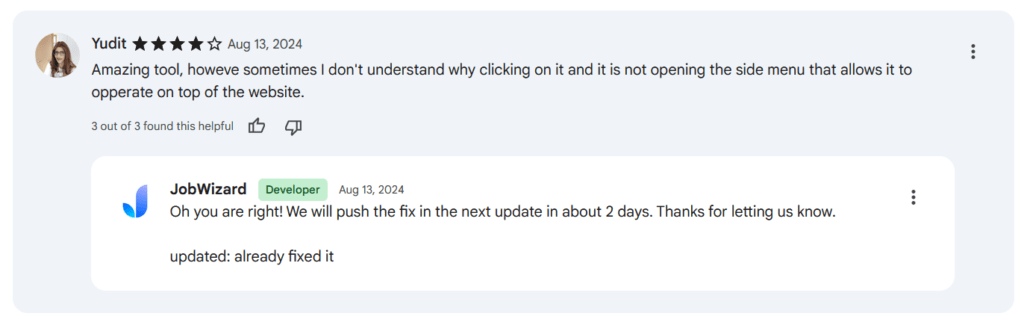
Another thing that shows up in early reviews is how involved the developer seems to be. Users mention that feedback is acknowledged and issues are actively addressed.

In one case, a user reported the extension panel not opening correctly, and the developer replied that a fix was coming within days, then followed up to confirm it was resolved.
JobWizard AI Cons: Where It Falls Short
Some features were removed or are still evolving
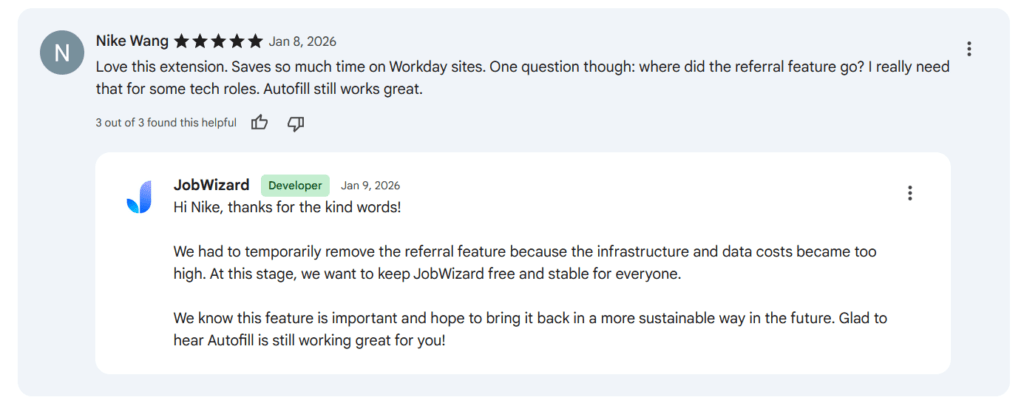
Because JobWizard is still early-stage, some features appear, change, or disappear as the product evolves. For example, users mentioned a referral feature that was later removed due to infrastructure costs, with the developer noting it may return later.
From a user standpoint, this means:
- Certain features may not be stable yet
- Roadmap is still being figured out
- Some expected tools may be missing
No built-in job search
JobWizard doesn’t actually find jobs for you. It only activates after you’re already on a job listing or application page. That means you still need to search for roles on LinkedIn, job boards, or company sites yourself.
In practice, this creates a gap compared to some other AI job tools:
- No centralized job discovery feed
- No AI role recommendations
- No aggregated listings across sites
- No search filters inside the tool
Pricing is unclear and likely to change
JobWizard is free right now, but there’s no public information about future plans or pricing tiers. Given the costs behind autofill infrastructure and profile storage, a paid model seems likely once the product matures.
So for now, it’s worth using while it’s fully open. Just keep in mind that the current free access may not last once pricing is introduced.
Doesn’t work on every job site or form
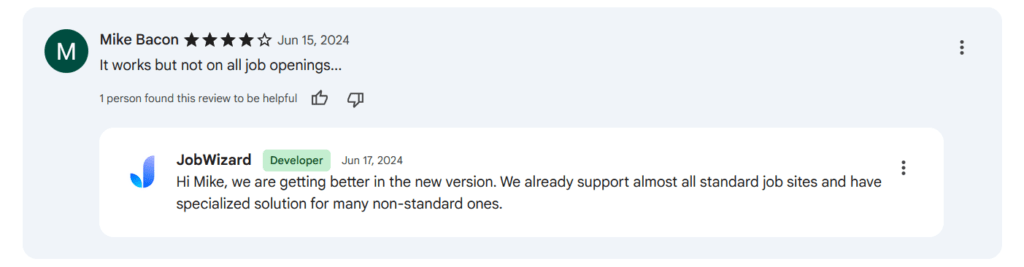
JobWizard works well on many common application systems, but not all job forms are supported yet. Some users mention cases where the extension doesn’t activate or can’t autofill certain postings.
When to Use JobWizard AI and When to Switch
JobWizard fits a specific part of the job search workflow. It’s strongest when you already have roles to apply to and want to remove repetition. But it’s not designed to replace the full job search process.
Use JobWizard AI when…
- You apply to many roles manually: If you’re filling similar forms across LinkedIn, Workday, or ATS sites, autofill removes most of the repetitive typing while keeping you in control.
- You want speed without auto-apply risk: You still review and submit each application yourself. That’s useful when accuracy and customization matter more than volume.
- You browse jobs on major platforms: The extension works best on common portals where field structures are predictable, and autofill mapping is reliable.
- You want lightweight tracking during search: The built-in tracker helps you remember what you viewed, autofilled, or applied to without maintaining a separate spreadsheet.
Consider switching or alternative approaches when…
- You want jobs surfaced for you: JobWizard doesn’t discover or recommend roles. If you want AI job matching or centralized listings, a search-focused tool is a better fit.
- You rely on niche or unsupported sites: Autofill doesn’t activate everywhere. If many target roles sit on custom career pages, manual workflows may still dominate.
- You need deep per-application tailoring: Highly targeted applications still need manual work.
- You prefer an all-in-one job platform: JobWizard is an application assistant, not a full job search system. Users wanting discovery, matching, outreach, and analytics in one place may outgrow it.
JobCopilot: The Best JobWizard AI Alternative for AI Job Hunting
JobWizard is mainly an autofill assistant. It helps once you’re already on an application page, but it doesn’t do the job search part for you, and it doesn’t help much after you hit “Submit.”
JobCopilot covers the full workflow while still letting you stay in control.
Here’s what that means in real terms for job seekers.
- JobWizard is best when you want: faster form-filling, manual review, and a lightweight tracker.
- JobCopilot is better when you want: help finding hidden jobs, applying efficiently, and improving follow-up odds.
Where JobCopilot goes beyond JobWizard
It can automate job search, not just autofill
With JobCopilot, you define what you want (titles, location/remote, seniority, keywords, match strictness), and it keeps scanning for new roles every few hours. JobWizard speeds up applying, but JobCopilot also reduces the time spent searching.
Verified jobs from official company career pages
JobCopilot focuses on listings pulled from company career pages and ATS listings instead of relying only on job boards.
Autofill + personalized application answers
JobWizard fills standard fields. JobCopilot can also reuse screening question answers you’ve already provided and keep them consistent across applications. Over time, it can adapt to how you write, so answers don’t feel like generic template text.
You can choose your automation level
If you don’t want hands-off applying, JobCopilot can run in a review-first mode where jobs get saved, and you approve before submitting. If you do want more automation later, you can switch modes. Either way, it’s not “fire and forget unless you want it to be.”
Follow-up help: contact hiring managers
JobCopilot includes a feature to find hiring manager contacts (email + LinkedIn) for roles you applied to, so you can follow up instead of waiting in silence. JobWizard doesn’t have this feature yet.
More “career tools” around the application process
If you want extras like resume building, cover letters, mock interviews, and negotiation support, JobCopilot bundles those into the same ecosystem. JobWizard stays focused on autofill + browsing insights.
If you like JobWizard’s autofill idea but want a tool that also helps you find roles, apply smarter, and follow up with the right people, JobCopilot is the better upgrade.
Try JobCopilot here and see how much time it saves once your job search gets busy.
Automate Your Job Applications with AI 🚀
Try the leading AI Copilot for job seekers – autonomous, safe, fully personalized, and trusted by 100,000+ users to land interviews faster.
Check Out JobCopilot →