
I tested Final Round AI because it’s one of the very few tools trying to cover the entire job-hunting funnel in one place.
Interview prep, resume building, LinkedIn optimization, and AI job hunting…
Instead of stitching together three or four tools, Final Round AI positions itself as a single system that handles both getting interviews and showing up well in them.
This review is the result of my experiment: what felt useful, what felt risky, and where Final Round AI genuinely surprised me (both good and bad).
TL;DR
Final Round AI is strongest as an interview copilot, not as a full AI job-hunting solution. It helps you think clearly, stay structured, and perform better during interviews.
But its auto-apply and job-matching features still need work, especially for freelance or non-traditional roles.
Who it’s best for:
- Job seekers with important interviews coming up
- People who struggle with nerves, rambling, or structuring answers
- Candidates applying for traditional, well-defined roles
- Anyone willing to use it tactically for a short time, not year-round
Key features at a glance:
| Feature | What it does |
| Interview Copilot | Gives a real-time answer structure during live interviews |
| Mock Interviews | Practice with AI before real interviews |
| Resume Builder | ATS-friendly resume suggestions |
| AI Job Hunter | Auto-applies to jobs |
| Analytics Dashboard | Tracks applications & interviews |
| Stealth Mode | Discreet UI during interviews |
Automate Your Job Applications with AI 🚀
Try the leading AI Copilot for job seekers – autonomous, safe, fully personalized, and trusted by 100,000+ users to land interviews faster.
Check Out JobCopilot →Pros
- Excellent real-time interview assistance
- Discreet and usable during live calls
- Helps reduce pauses, rambling, and blank moments
- Works across different interview formats (behavioral, technical, one-way)
Cons
- AI Job Hunter isn’t reliable for finding relevant jobs
- Role matching breaks down for freelance or hybrid roles
- Needs a solid laptop, browser, and internet connection
- AI suggestions can sometimes feel generic
- Paid plans add up if used long-term
Why You Can Trust This Review
I’ve lived through the daily grind of searching, applying, waiting, and hearing nothing. And I know the desperation that can come with a tough job hunt.
I also have experience testing a wide range of AI tools for career development. In fact, I’ve tested and reviewed dozens of AI tools across different categories.
- Hands-On Testing: I didn’t just rely on marketing copy. I personally signed up for Final Round AI, created a resume, ran multiple mock interviews, and even simulated a live interview scenario to see how the AI copilot performs.
- User Feedback Analysis: To ensure this review isn’t just my isolated view, I researched real user experiences. I combed through Trustpilot reviews (Final Round AI has over 250 reviews there) and noted the patterns.
- Transparency: Where I cite facts, stats, or quotes, I provide sources in the text (you’ll see citations and can click those for the original source).
Hopefully, the depth and balanced perspective here earn your trust.
How Does Final Round AI’s Job Hunting Works
Here’s a breakdown of how it works, from setup to live interview:
Step 1: Create an account
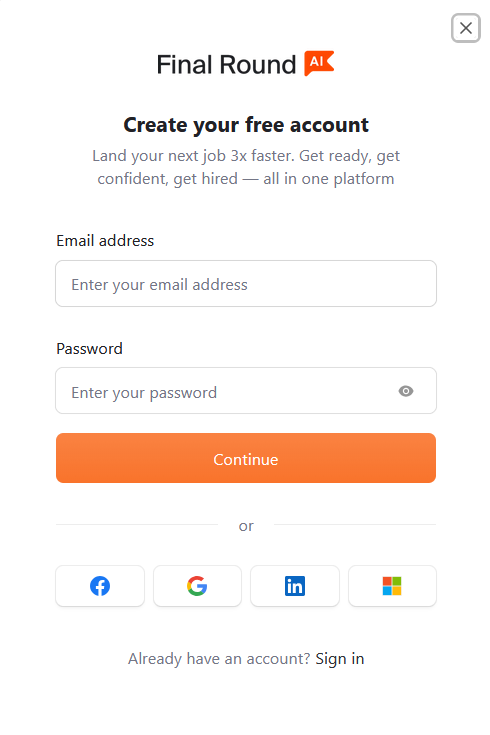
You can create an account using your email or a social login, then upload your resume (or connect to LinkedIn).
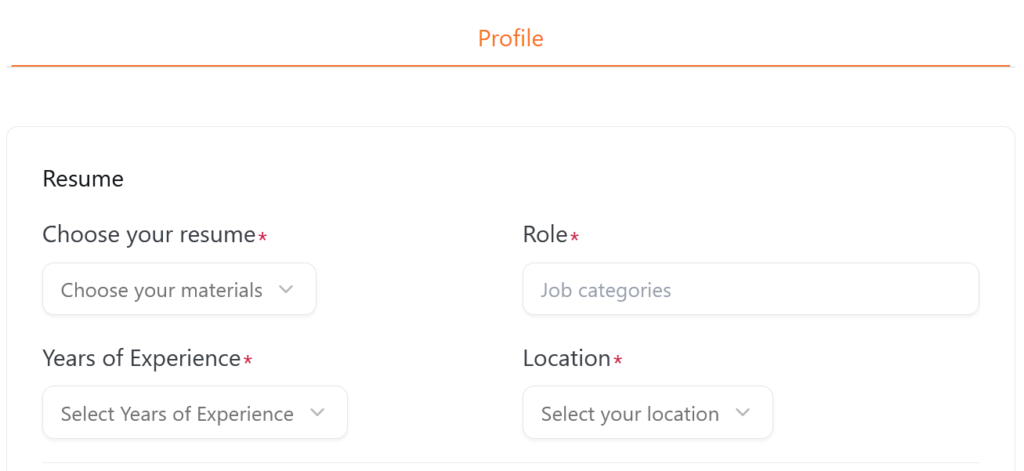
Step 2: Set your role, experience level, and location
Final Round AI asks you to be very explicit about what you’re actually looking for. This is where you define your role, years of experience, and preferred location.
This is where I hit my first bit of friction.
Only U.S. locations were available to select, and even then, not all states showed up. If you’re outside the U.S. or targeting multiple regions, this immediately feels restrictive.
Even after uploading my resume, none of these fields were auto-filled. Most AI tools today at least attempt to infer role, seniority, or location from your resume or LinkedIn.
There were also no predefined roles to choose from, so I had to enter them manually.
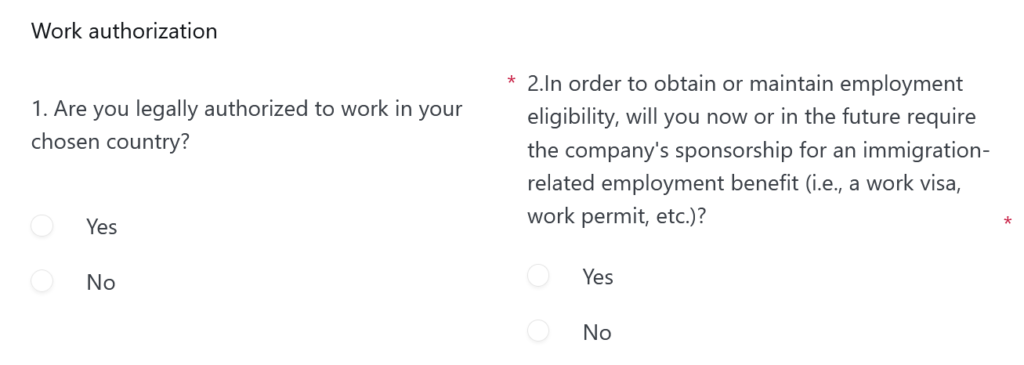
Step 3: Work authorization
Next, Final Round AI asks about work authorization, whether you’re legally allowed to work in the selected country, and whether you’ll need employer sponsorship now or in the future.
Step 4: Self-identification
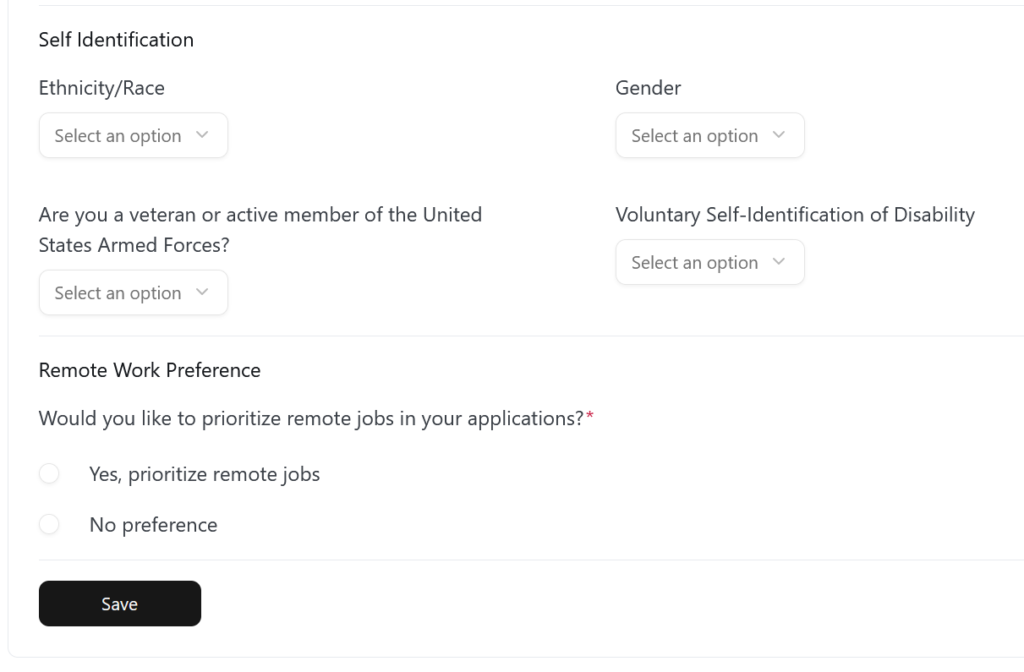
Final Round AI asks for self-identification details you usually see at the very end of a job application: ethnicity, gender, veteran status, disability disclosure, plus whether you want to prioritize remote roles.
Step 5: Job matching results
This is the point where I expected things to click, and honestly, where I was most disappointed.
After setting my role as Freelance Writer / SEO Strategist, Final Round AI surfaced a list of “high-match” roles that had very little to do with what I selected. I was seeing titles like Fraud Strategist, Risk Strategist, AI Strategist, and Strategic Finance Manager.
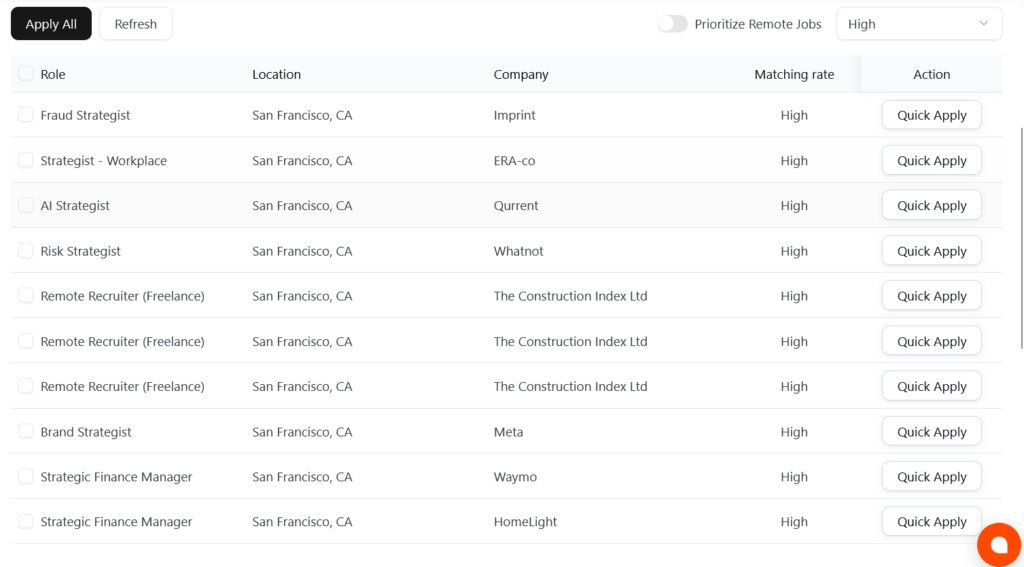
If I have to manually filter out roles that clearly don’t fit my background or intent, the promise of hands-off automation starts to weaken.
To be fair, I can see what the system might be doing, over-weighting generic keywords like “strategy” while under-weighting context like freelance, SEO, or content-led work. But as a job hunter, intent matters more than clever keyword overlap.
Final Round AI Pricing
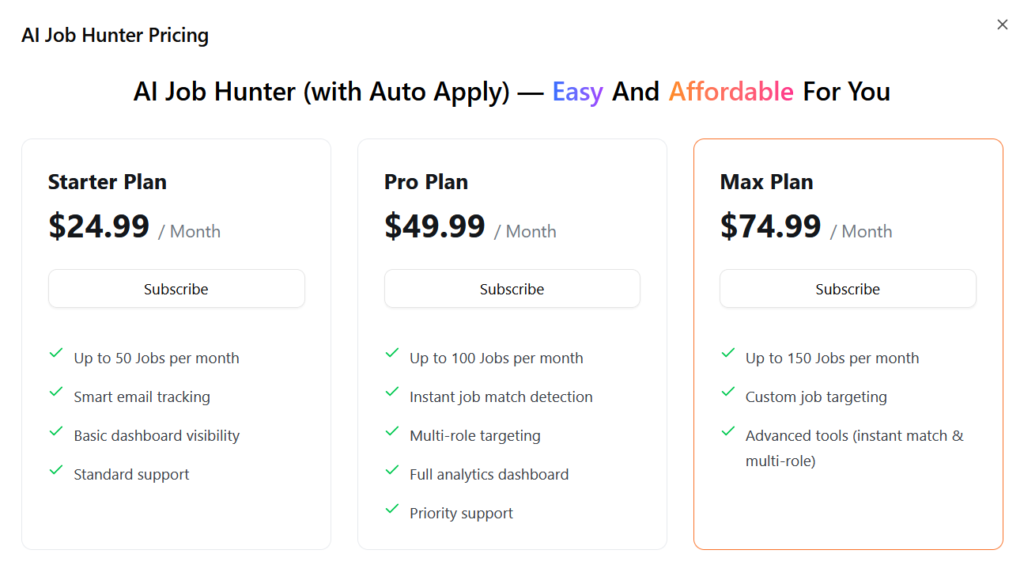
Here’s the breakdown of current pricing (USD):
- Starter ($24.99/month): This caps you at 50 jobs per month and gives you basic visibility into what’s happening. It’s fine if you want to test the idea of auto-apply without fully committing, but it’s not aggressive enough if you’re actively job hunting.
- Pro ($49.99/month): This is the most realistic option for serious job seekers. You get up to 100 applications per month, instant job match detection, multi-role targeting, and a full analytics dashboard. If the matching logic works well for your role, this plan actually makes sense.
- Max ($74.99/month): This pushes volume up to 150 jobs per month and adds custom targeting plus advanced matching tools. On paper, it’s designed for people who want scale. In practice, it only makes sense if the AI is consistently finding relevant roles — otherwise, you’re paying to apply faster to the wrong jobs.
There’s no free trial available for Final Round AI’s job hunting.
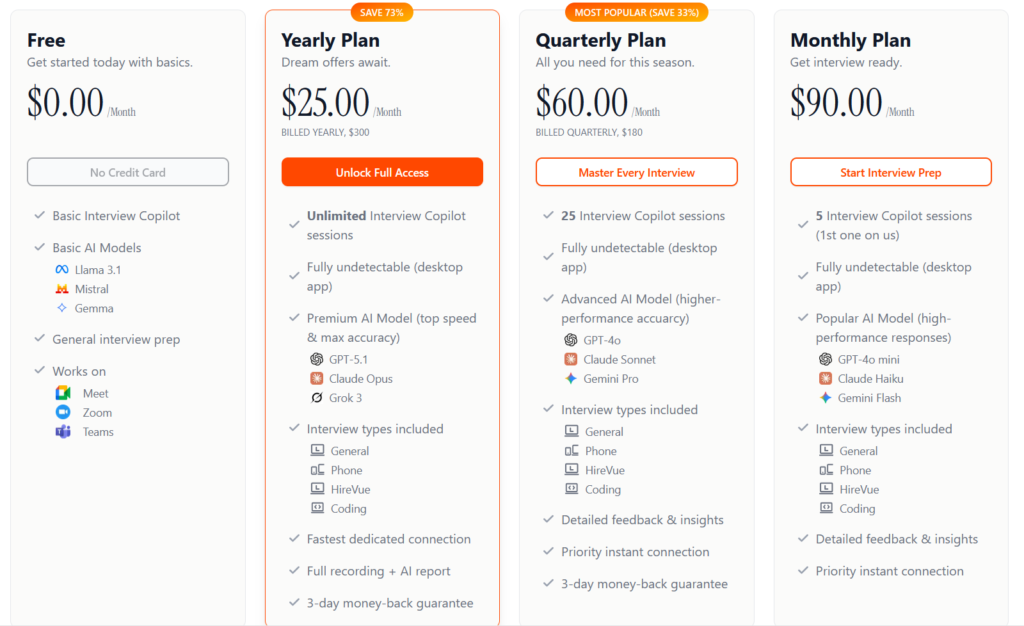
Outside the AI Job Hunter, Final Round AI prices its Interview Copilot very differently:
Key takeaways for your budget
This tool only really makes sense if the stakes of your job search are high for you. If you’re chasing competitive roles, better pay, or roles where a single interview can change your income trajectory, then spending $50–$75 for a month doesn’t feel outrageous.
But if you’re applying to roles with flat pay ranges or you’re early-career, where interviews are fewer and slower, the math feels much tighter.
I wouldn’t treat this as a “keep it running forever” subscription. It works best when used tactically. Turn it on when you’re actively applying or interviewing, then turn it off. A focused month where the AI is applying, tracking, and helping you prep can be worth far more than leaving it idle for three months.
Also, volume doesn’t equal value here. Higher plans mainly buy you more applications, not better judgment. If the matches are off for your role (like they were for me as a freelance writer/SEO strategist), upgrading isn’t a good decision. The Pro plan is the ceiling I’d personally justify unless the matching improves for your specific job category.
What Are Customers Saying About Final Round AI?
Most of the reviews you’ll see for Final Round AI are actually focused on its Interview Copilot, not the AI Job Hunter. The copilot has been around longer and is clearly the product’s strongest offering.
Final Round AI Pros: What It Does Well
Final Round AI brings a lot to the table. Here are the standout strengths of the platform, with some details and examples:
Real-Time Interview Assistance
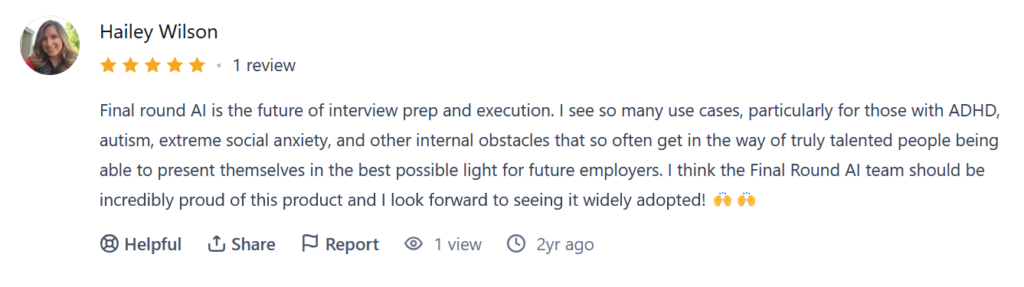
This is the defining feature, and it’s executed impressively. Final Round AI’s ability to listen to a live question and almost instantly provide a structured answer outline is like having a coach whisper in your ear, without the delay.
When an interviewer asks a multi-part question, the Copilot displays bullet points addressing each part – something like “Point A: address first part…, Point B: address second part… (include example from [Your Project X])”.
The speed will depend on your connection and PC, but Final Round seems optimized for quick AI responses. This instantaneous guidance is miles ahead of trying to mentally recall practiced answers when you’re under pressure. It’s especially helpful for curveball questions. Instead of an awkward pause, you get something on-screen to prompt you forward.
Stealth and Usability During Interviews
The designers clearly thought about real-world use in an interview. The Stealth Mode and the UI design ensure the AI’s help is discreet. The on-screen suggestions are easy to read at a glance, and you can adjust the font size and window placement.
In a video call, you can place the Copilot window just below your webcam. This way, reading it is almost like you are still looking towards the camera (a pro tip I’d share: position it near where you’d naturally look). No interviewer would suspect you were referencing notes because you weren’t awkwardly clicking around or taking long pauses.
Users also note that suggestions were succinct. They weren’t giving a whole paragraph to read (which would be impossible in real-time); they gave bullet points or short phrases.
One Reddit user noted: I used Final Round AI’s paid version when I had interviews lined up and honestly it was worth it, the mock interviews and real time copilot during actual interviews helped me land offers. You can always cancel after if money’s tight.
Adaptability Across Different Interview Types
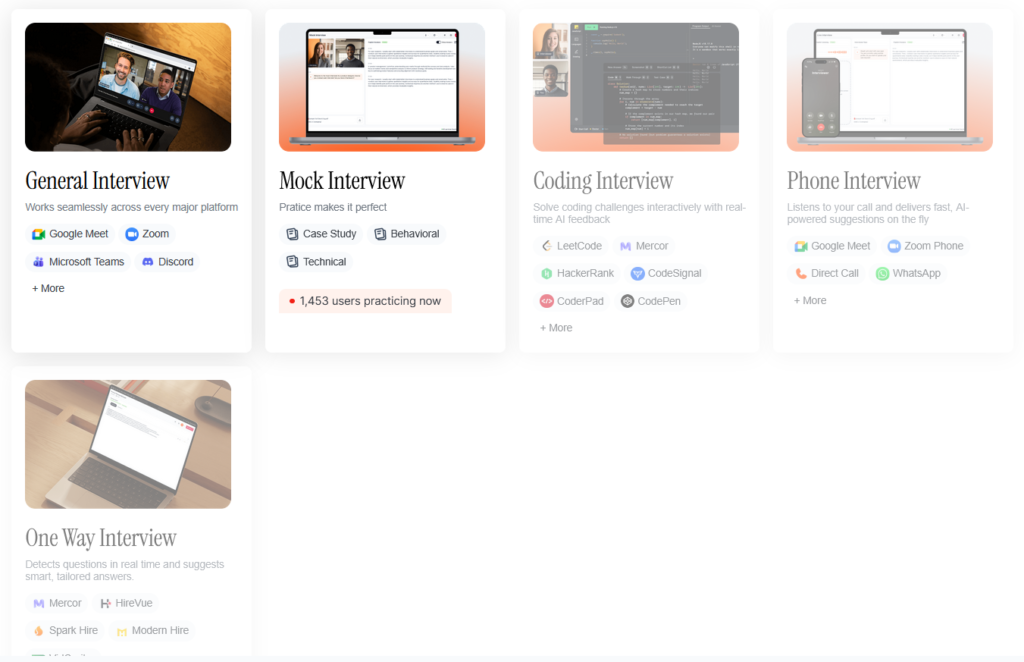
Final Round AI isn’t limited to just one kind of interview. If you do a one-way video (common in first-round screenings), Final Round can listen to the prompt in the video and help you frame your recorded response.
Final Round covers multiple scenarios (behavioral, technical, case study, etc.). So if you’re, for example, interviewing for a software engineering role, it can help with both system design questions and “Tell me about a time…” questions on the same platform.
Final Round AI Cons: Where It Falls Short
Occasional AI Misfires or Generic Outputs
While I praised the AI’s tailored answers, it’s not 100% perfect. There were times it gave me advice that felt a bit off or too surface-level. Some users experienced similar issues where the AI’s feedback felt repetitive or not insightful.
Here’s what one of the Trustpilot reviews suggested:
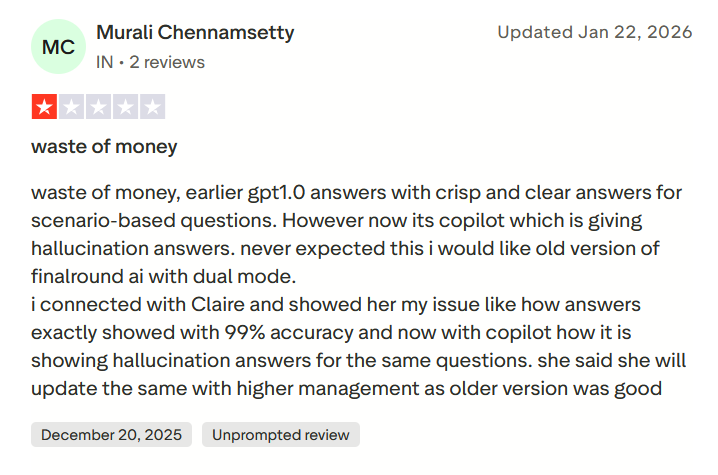
This suggests that, depending on the question or maybe the model being used, you might get mediocre guidance at times.
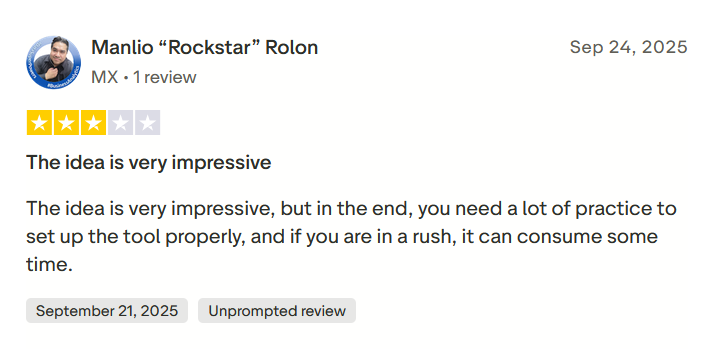
Also, if your resume isn’t detailed enough, the AI has less to work with, which could make its suggestions generic. The risk is that if you over-rely on those suggestions without critical thinking, you could end up giving a bland answer. So, don’t treat the AI as infallible.
Reliance on Good Tech Setup
This tool demands a solid tech setup from the user side:
- a fast, modern browser (Chrome recommended)
- a decent processor
- stable internet.
If you’re using an old laptop that lags with Zoom alone, adding an AI process could strain it. Some users noted that it works best on Chrome and had issues on other browsers.
If an AI suggestion came like 7-8 seconds late, which in an interview feels like eternity. In a live interview, you might not have the luxury to troubleshoot. If the Final Round starts lagging due to your system, it can trip you up (like one Redditor who had it freeze mid-question, causing them to lose focus):
“I tried using Final Round AI in a live interview last week and honestly it was a disaster. The app is supposed to listen to the questions and feed you real-time suggestions while you talk. It sounded genius at first, but it froze right in the middle of a technical question and I ended up staring at a blank screen waiting for it to load.”
Requires Judgment and Practice
Another limitation is that Final Round AI won’t automatically make you a superstar interviewer if you don’t put in some work, too.
If someone treats it as a crutch to bypass preparation entirely, they might be disappointed. For instance, if you go into an interview without even reading up on the company because you think the AI will handle everything, you’ll likely stumble on parts the AI can’t help with.
Not Well-Suited for AI Job Hunting
While the Interview Copilot is clearly the product’s strong suit, the AI Job Hunter feels undercooked in comparison. In my experience, the role-matching logic leaned heavily on surface-level keywords instead of real job intent.
That’s a problem because auto-apply only works if relevance is high. Otherwise, you’re just paying to apply faster to the wrong jobs.
For freelancers, consultants, and hybrid roles, this becomes even more obvious. Job titles in these fields aren’t standardized, and Final Round AI doesn’t yet handle that nuance well. Instead of understanding what kind of work you actually want, it appears to optimize for broad keyword overlap.
When to Use Final Round AI and When to Switch
Final Round AI can be incredibly useful, but it’s not a fit for every situation. Let’s break down when you should consider using Final Round AI versus when you might want to use something else (or no tool at all) in your job hunt.
Use Final Round AI when…
- You have critical interviews coming up: If you’ve lined up interviews for roles you really care about, that’s prime time to deploy Final Round AI. The tool is best leveraged when the stakes are high, and you want every possible advantage to perform well.
- You struggle with interview nerves or structure: If you’re someone who often leaves an interview thinking “I should have said X” or “I rambled too much,” Final Round AI might help.
- You have the time to prep with it: Use Final Round AI when you can actually practice beforehand. The people who get the most out of it do a few mock interviews and refine their settings before the real deal.
Consider switching or alternative approaches when…
- You’re in the very early job search stage: If you haven’t generated any interviews yet and your main challenge is getting responses to your applications, Final Round AI might not be the first tool to turn to.
- Your interview style is already strong: Not everyone needs an interview copilot. If you’re a confident communicator and have consistently done well in interviews (your issue might be more about finding the right openings or negotiating offers), then Final Round AI could be overkill.
- Budget is a major constraint: If you are currently unemployed and finances are really tight, Final Round’s paid plans might be out of reach. In that case, I’d say make use of all the free resources first.
- You need an AI job search to find relevant jobs: Final Round AI doesn’t replace a proper job-finding workflow yet. It doesn’t solve the hardest early-stage problem, i.e., finding the right jobs consistently.
JobCopilot: The Best Final Round AI Alternative for Job Hunting
Final Round AI shines once you’re already in interviews. But if you’re still stuck at the “why am I not getting replies?” stage, that’s where it starts to feel like the wrong tool for the job.
That’s where JobCopilot makes more sense.
JobCopilot is built for the front half of job hunting, i.e., finding relevant roles and getting applications out at scale, without turning the process into blind spam.
Instead of assuming interviews are already flowing, it focuses on fixing the discovery and application bottleneck first.
Here’s why JobCopilot works better than Final Round AI for job hunting specifically:
- More relevant applications, at higher volume: JobCopilot lets you apply to far more roles per week (up to ~350) while still staying within filters you explicitly define.
- Better job discovery: It uncovers roles beyond the usual LinkedIn and Indeed listings. Testers often report surfacing jobs from niche boards or company career pages that don’t show up on big aggregators.
- Review mode = real control: JobCopilot gives you a chance to review and edit AI-generated answers before anything gets submitted. That alone makes it safer to use hands-off, especially if you care about accuracy and tone.
- Built for early-stage job seekers: JobCopilot also includes tools like mock interviews, salary negotiation help, and career guidance, so you’re not missing out on anything.
Struggling to get interviews in the first place? Sign up today and let JobCopilot find and apply to the right jobs for you.
Automate Your Job Applications with AI 🚀
Try the leading AI Copilot for job seekers – autonomous, safe, fully personalized, and trusted by 100,000+ users to land interviews faster.
Check Out JobCopilot →FAQs
Do I still need to prepare for interviews if I use it?
Yes. Final Round AI enhances your prep but doesn’t replace it. Research the company and practice using the tool beforehand for best results.
Does it solve coding problems for me in technical interviews?
Final Round AI provides structure, hints, and talking points, but you must solve and explain coding questions on your own.
Does it matter which AI model I choose in the settings?
Different models may vary in tone or response quality. Most users do fine with the default, but switching can help if you prefer more detailed or faster replies.
—