
TL;DR
Wobo AI is a helpful job-application automation tool, especially for job seekers who struggle with consistency or motivation. Its free resume builder is genuinely useful, but the platform can feel passive if you want tight control over applications.
Application volume is limited on lower tiers, and some users report slower-than-advertised application speeds.
If you’re mainly looking for the best alternative, jump to our comparison with JobCopilot to see why it’s currently the stronger option for hands-free job applications.
Who it’s best for:
- Job seekers who want a free, unlimited resume builder to improve their chances before applying
- People who feel burned out or discouraged by the job search process
- Busy professionals who don’t have the time or energy to apply manually every day
- Early-stage or generalist job seekers applying to common roles rather than niche positions
Key features at a glance:
| Feature | Wobo AI |
|---|---|
| Resume builder | Free, unlimited resume builder with ATS checks |
| Job matching | AI-based job discovery based on your profile and preferences |
| Auto-apply | Available on paid plans; applies on employer sites automatically |
| Application volume | 20–40 applications per week, depending on the plan |
| Cover letters | AI-generated; job-specific tailoring only on Premium |
| User control | Limited visibility into individual applications before submission |
| Dashboard & tracking | Basic dashboard with application status and email notifications |
| Support | Standard support on lower tiers, priority support on Pro+ |
| Data privacy | Claims not to sell or share user data |
Automate Your Job Applications with AI 🚀
Try the leading AI Copilot for job seekers – autonomous, safe, fully personalized, and trusted by 100,000+ users to land interviews faster.
Check Out JobCopilot →Pros
- Free resume builder without paywalls or forced upgrades
- Reduces the mental burden of job searching by keeping applications moving
- Simple onboarding and minimal setup required
- Helpful for maintaining momentum during long or demotivating job hunts
Cons
- Application speed is often slower than advertised, based on user reviews
- Limited control over where and how applications are sent
- Matching accuracy can be inconsistent, especially for specialized roles
- Premium plan is expensive, given that it doesn’t increase application volume
- Limited usefulness outside North America and Europe
Why You Can Trust This Review
This review is written by a job seeker (yes, me). I’ve lived through the daily grind of searching, applying, waiting, and hearing nothing back. That context matters, because this isn’t a tool review from the sidelines.
To keep it fair and useful, here’s what went into it:
- Fact-checked against live documentation: Pricing, usage limits, and feature claims were verified directly from Wobo’s public product pages and official resources.
- Reviewed real user experiences: Recent feedback from Trustpilot, public forums, and help-center discussions was analyzed. Patterns that showed up repeatedly were treated as signals.
- Evaluated through a job seeker’s lens: Each feature was judged on what actually matters during an active job hunt: time saved, clarity, control, and whether it reduces stress instead of adding to it.
Wobo AI Pricing
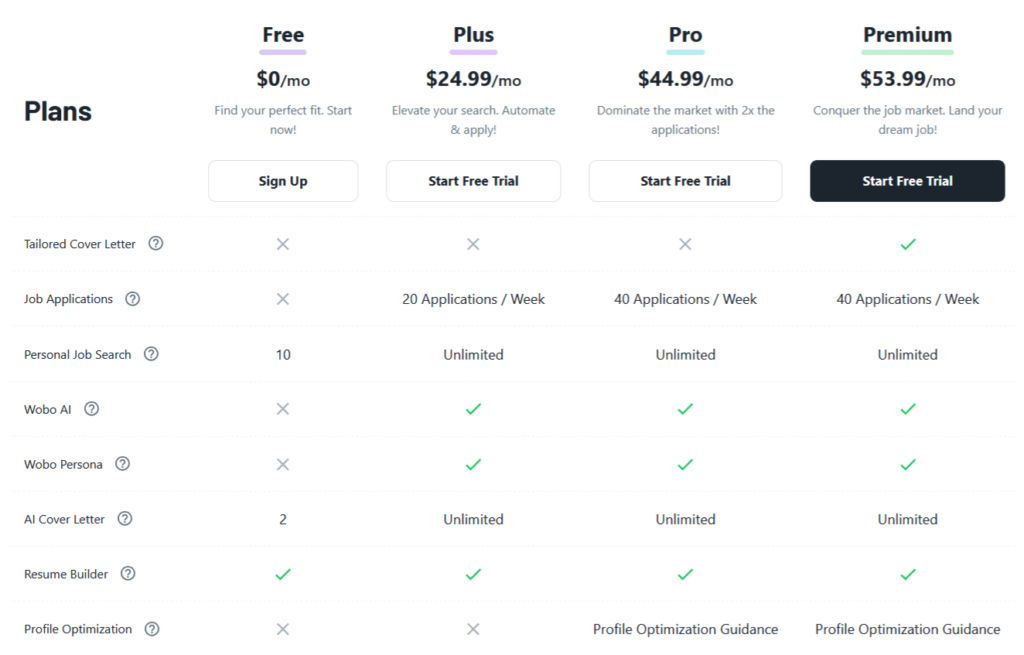
Wobo AI offers a range of plans, including a free tier and several paid subscriptions (with an option to save ~10% by paying quarterly). A five-day free trial for premium plans is also available.
Here’s the breakdown of Wobo’s pricing plans for individuals:
| Plan | Price (Monthly) | Job Applications | Job Searches | Cover Letters | Other Features |
|---|---|---|---|---|---|
| Free | $0 | Not included | Up to 10 matches | 2 AI cover letters | AI resume builder |
| Plus | $24.99 | 20 per week (≈80/month) | Unlimited | Unlimited | AI resume builder, Auto-apply engine, Basic support |
| Pro | $24.99 | 40 per week (≈160/month) | Unlimited | Unlimited | AI Resume Builder, Auto-apply engine, Profile optimization guidance, priority support |
| Premium | $53.99 | 40 per week (≈160/month) | Unlimited | Job-specific tailored cover letters | Everything in Pro |
Key takeaways for your budget
Many users have applauded Wobo for making the resume builder free and not a paid-only feature. However, if you’re actively job hunting, though, you’ll likely need Plus or Pro to really benefit – otherwise Wobo won’t actually apply to many jobs for you on free.
Plus might suffice if, say, you only want ~20 targeted applications weekly (which is still far less than what a manual searcher can do with full personalization).
Pro is for when you want to blanket a wider range of opportunities (or you’re applying in multiple fields/locations and thus need more credits). The jump from $25 to $45 doubles the applications, which is fair scaling.
Premium plan, to be honest, seems a bit on the higher side–since it doesn’t increase application count, it’s only worth it if you need that added guidance in your cover letter.
How Does Wobo AI Work?
Wobo AI works by reading your resume and the information you provide, then using AI to understand your background, skills, and job preferences. It uses this information to write application answers and apply to jobs on your behalf, similar to how a human would fill out forms.
According to Wobo, they do not sell or share your data.
Here’s a rundown of the typical workflow when using Wobo:
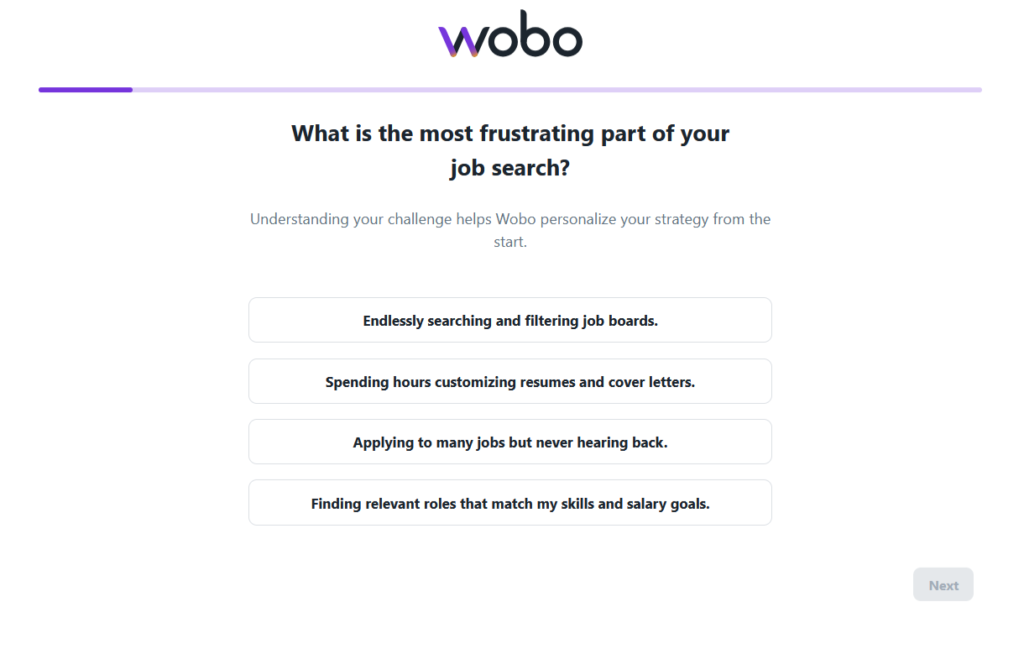
Onboarding
After signing up, the first thing Wobo does is learn about you. It will ask you questions like:
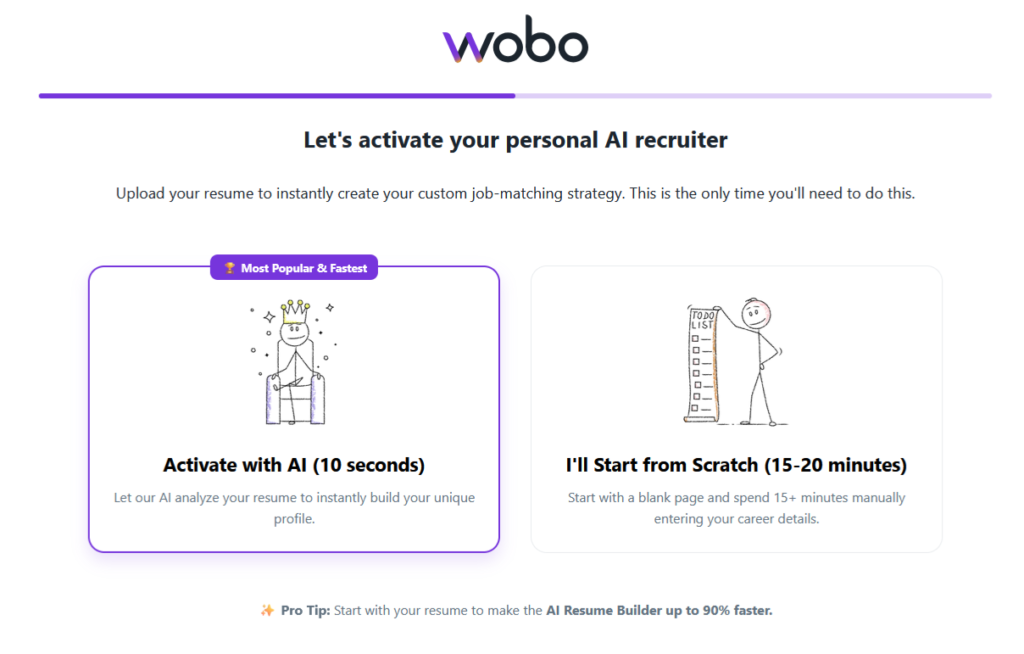
Resume Analysis
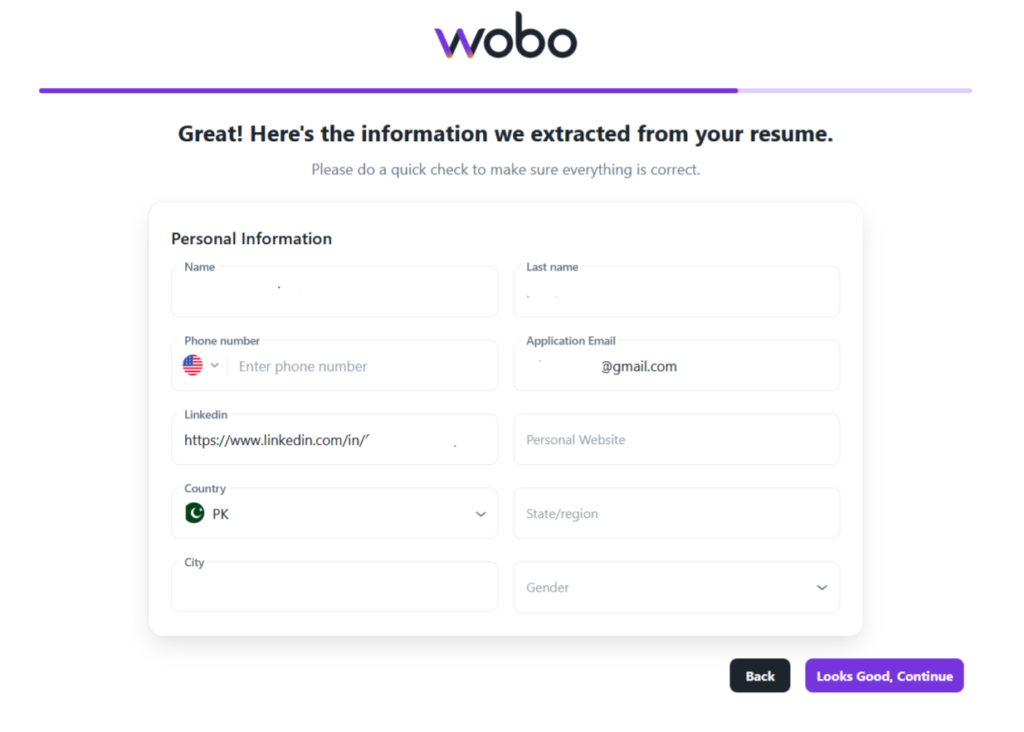
As part of onboarding or soon after, you’ll use Wobo’s AI Resume Builder. If you uploaded a resume, Wobo parses it and fetches all the details.
Job Preferences Setup
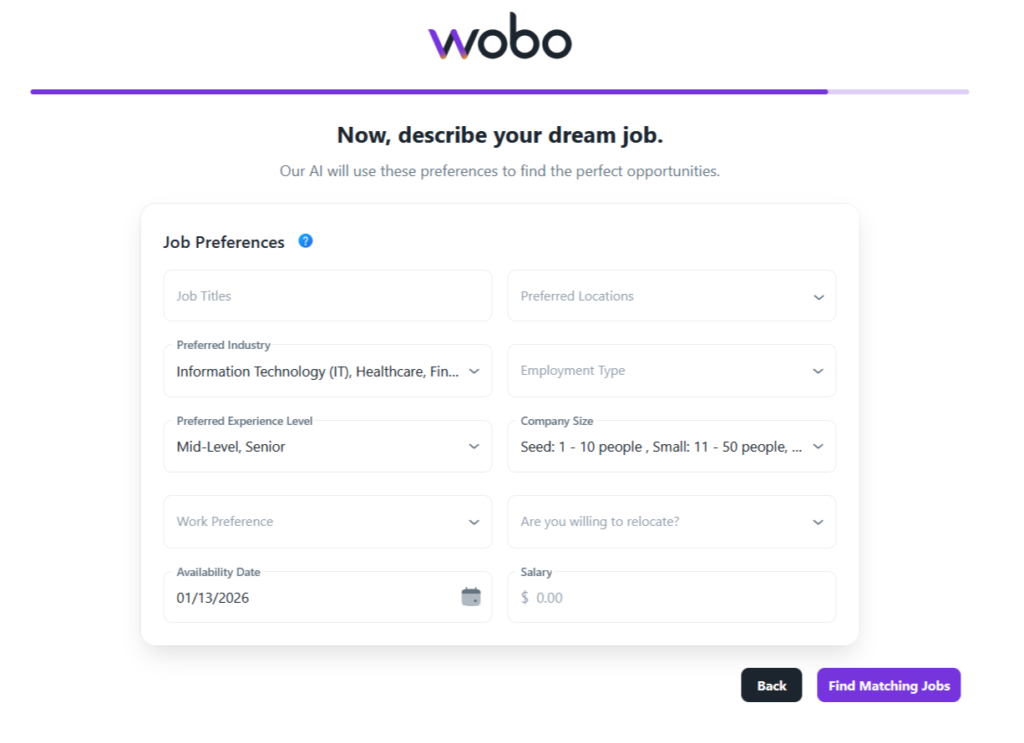
You’ll specify what kind of jobs to look for. This usually means job titles or fields of interest, locations (e.g. open to remote, or specific cities/regions), experience level, and other filters like company size or industry if applicable. Wobo might also let you set preferences like full-time vs contract, etc.
AI Job Search & Matching
Once your profile and preferences are set, Wobo’s algorithms go to work scanning for job listings. It monitors various job boards, company career pages, and aggregators for new postings that fit your criteria.
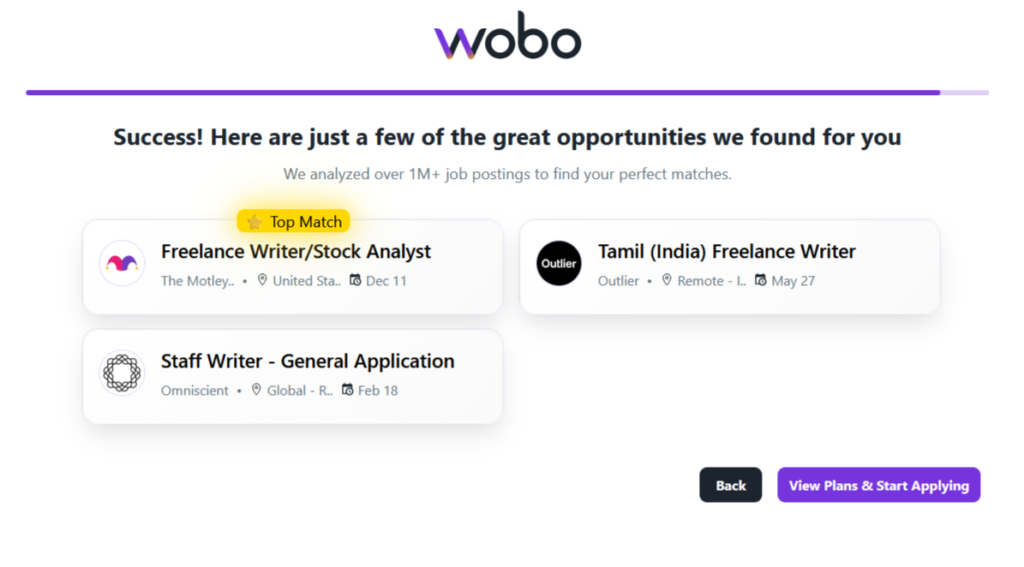
After that you will be prompted to buy a premium plan to continue or get 10 AI credits (one-time) for free.
Automated Application Filing
In premium plans, Wobo AI will go through the application process on the employer’s site just like a human would, but using its stored knowledge of you to fill in answers. It uses your Wobo Persona to answer common application questions.
Notification & Monitoring
Users have described getting daily emails about which applications were filed. One person said, “getting emails that applications were sent on my behalf makes me feel supported and motivated” during the job search.
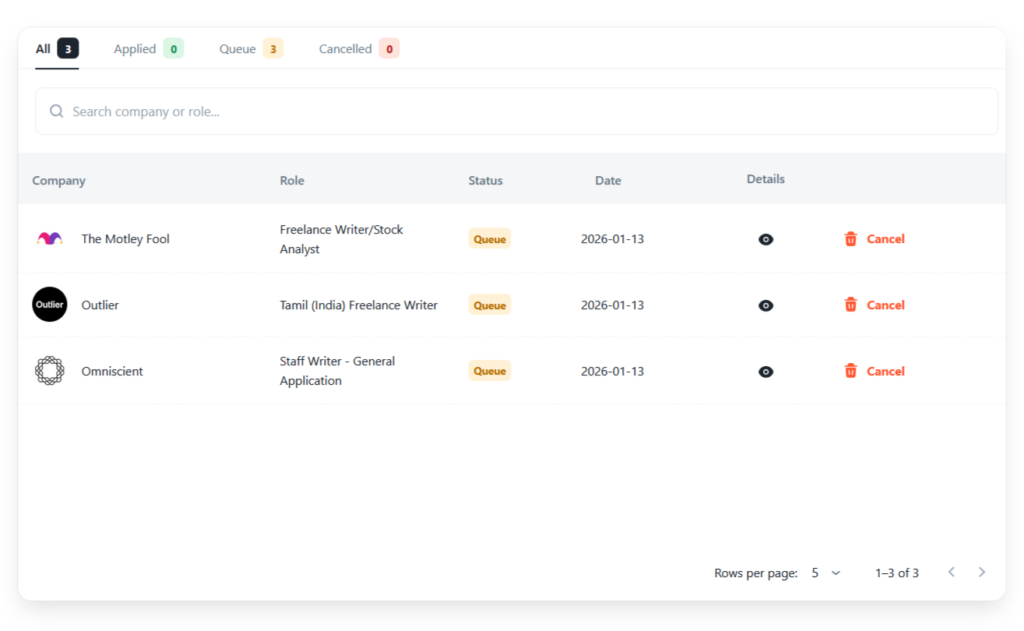
You can log in to the dashboard to see details. The dashboard shows each job applied, often with status indicators. If a company responds (say, an email to schedule an interview or an automated rejection), that goes to your email directly.
You’ll then handle interviews or further correspondence yourself.
What are Customers Saying About Wobo AI?
Let’s delve deeper into the major benefits of Wobo AI, backed by what real users and experts have said:
Wobo AI Pros: What Customers Like About Wobo AI?
Saves You Time and Effort
The most obvious pro is the sheer time saved by automating applications. Job hunting can feel like a part-time job itself.
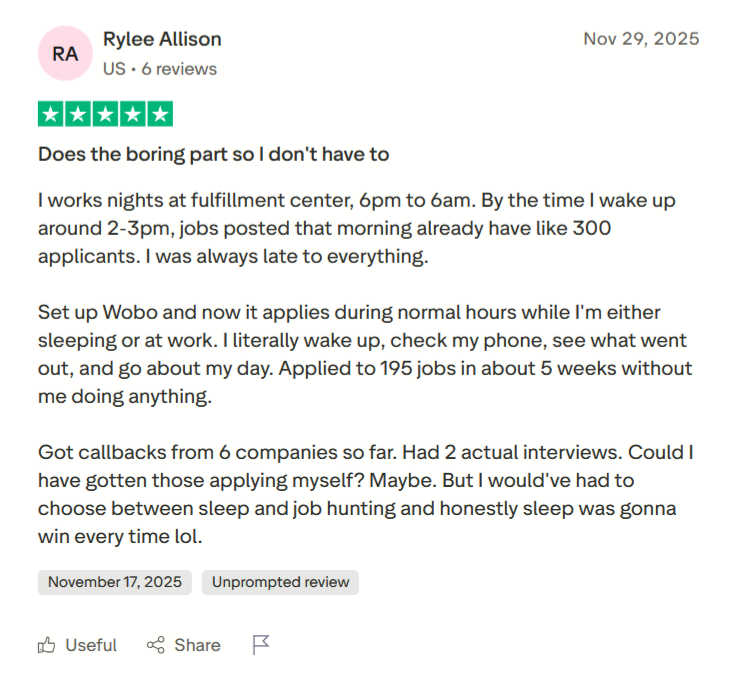
A review by a user (who worked night shifts) highlighted that by the time she woke up, jobs posted in the morning already had hundreds of applicants – she was always late to the party.
After setting up Wobo, it applied to 195 jobs in 5 weeks without her doing anything, often during normal business hours while she slept.
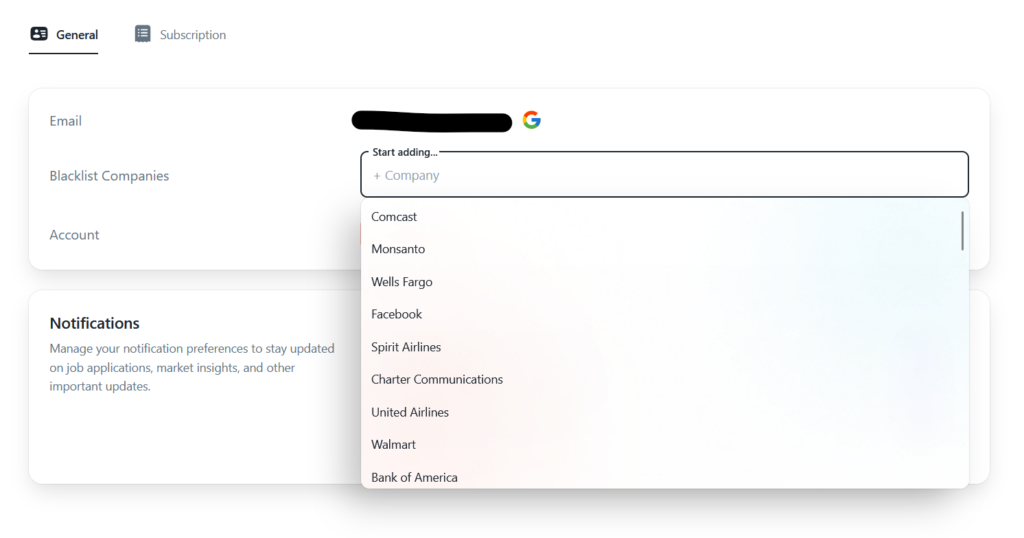
You can also blacklist certain companies that you don’t want to work with:
Free, Unlimited Resume Building
Many online resume builders charge a fee to download or use beyond a trial. Wobo provides its resume builder for free, even if you’re not on a paid plan.
However, the fetching can be a lot better. When I tried to upload my resume, it fetched a couple of details but failed to fetch a few, like my personal website, region, and phone number (all of which were clearly mentioned in the resume).
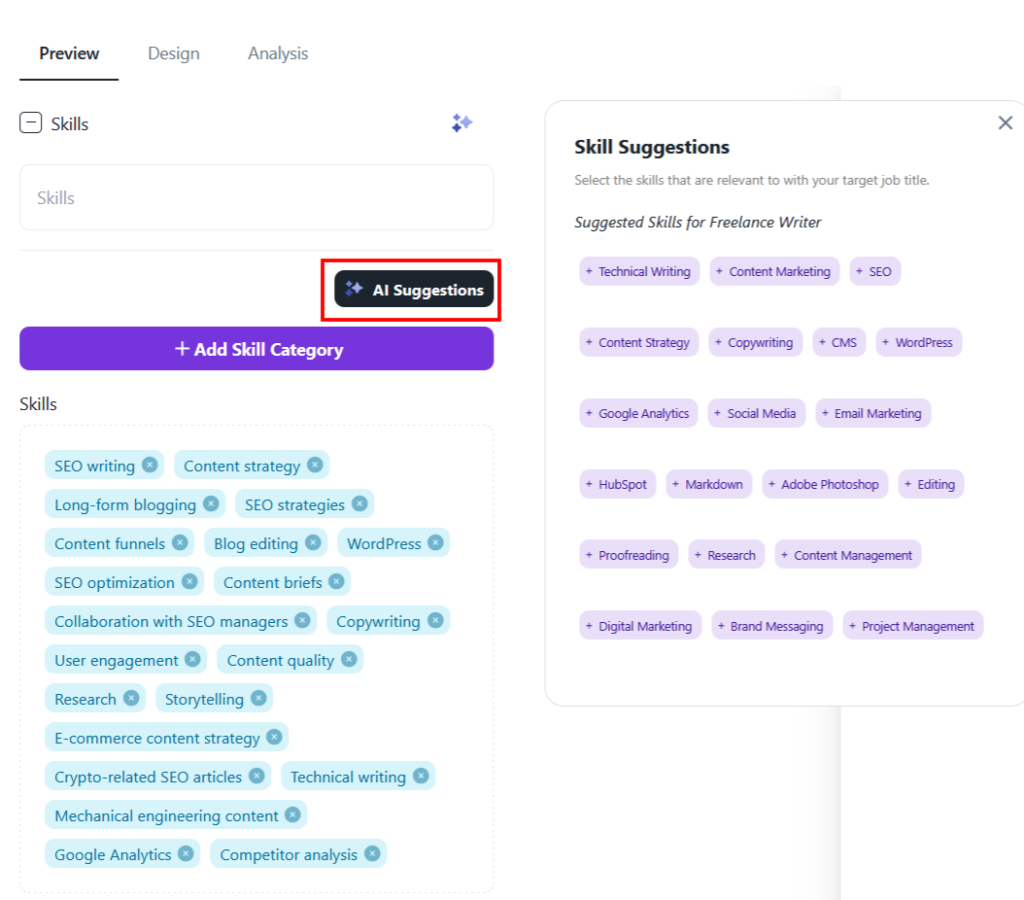
During resume building, their AI suggestions feature will also tell you what skills to add in your resume:
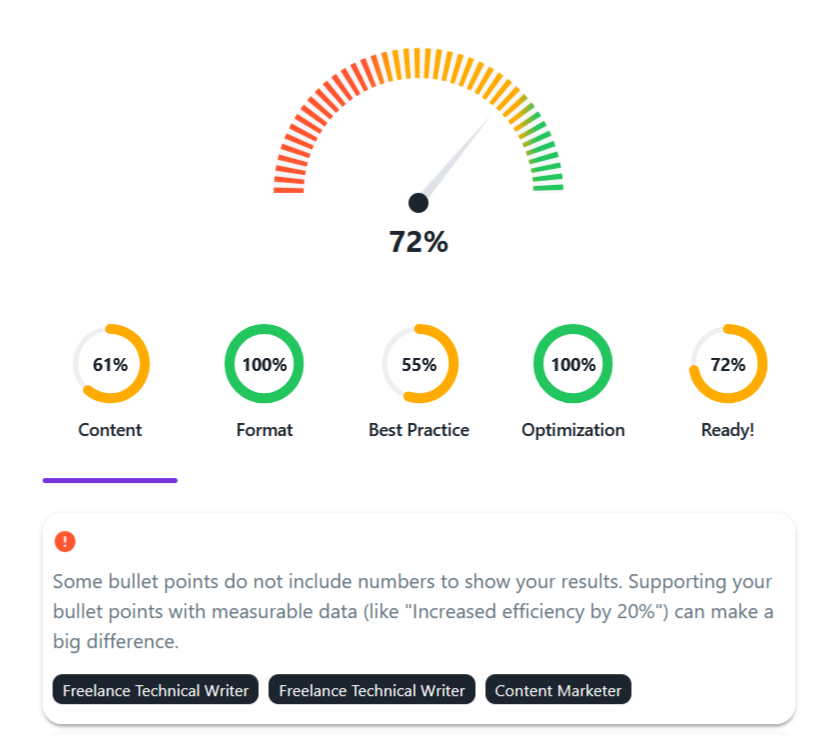
Wobo AI gives your resume an overall score and breaks it down by content, format, and optimization. It also highlights specific improvements, like adding measurable results, so you know exactly what to fix.
Responsive Customer Support
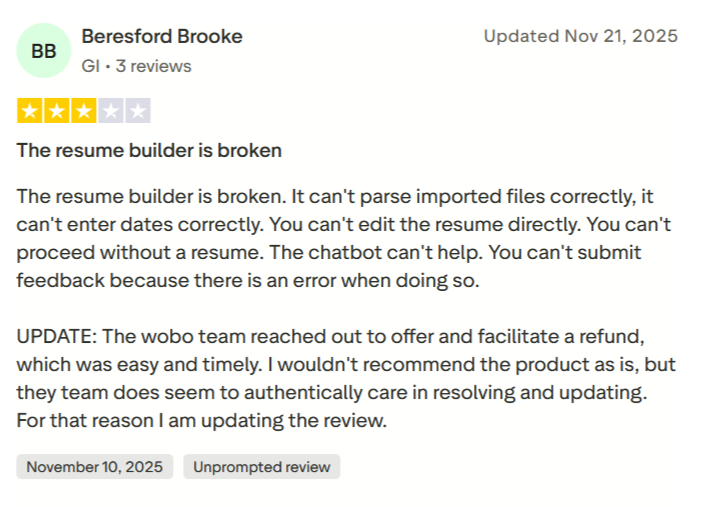
Many users who ran into issues report that Wobo’s team responded and tried to resolve things. For instance, when the user Beresford complained of the broken resume builder, Wobo’s team reached out and facilitated a refund.
Wobo AI Cons: What Customers Are Frustrated About?
Slow Application Speed
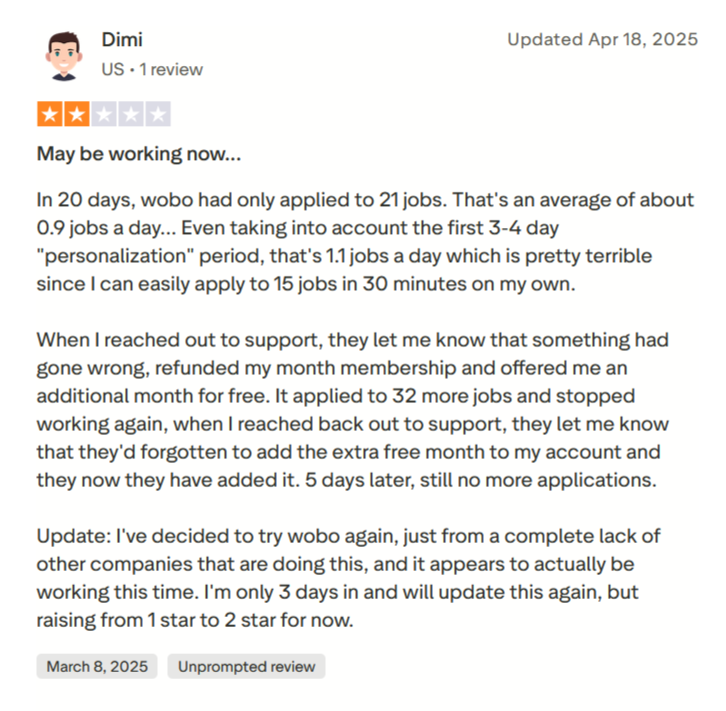
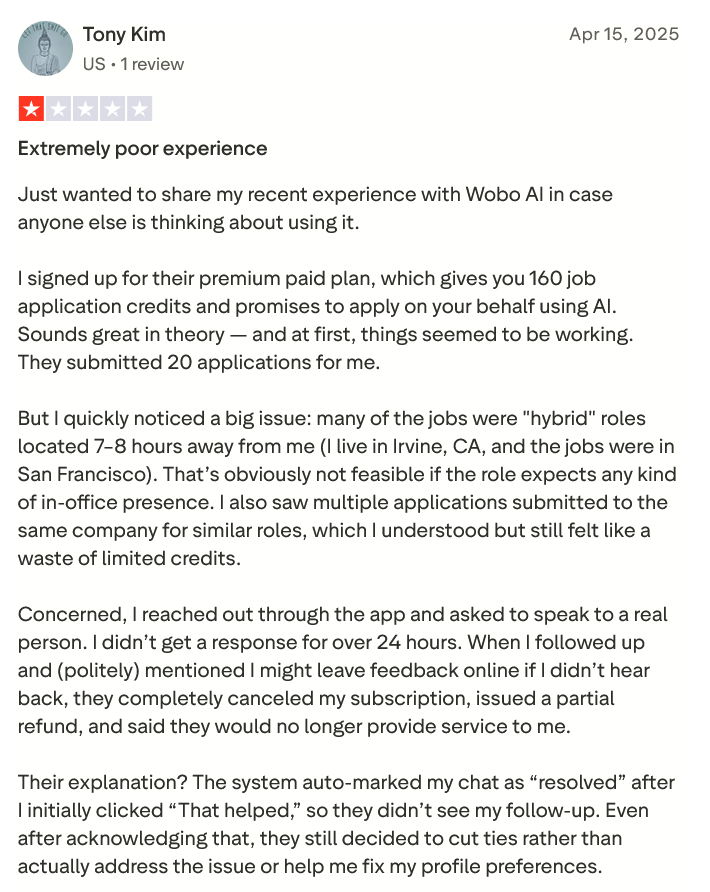
One of the most frequent complaints is that Wobo sometimes applies to jobs at a slower rate than advertised. This can be frustrating if you bought a plan expecting X applications per week and see far fewer.
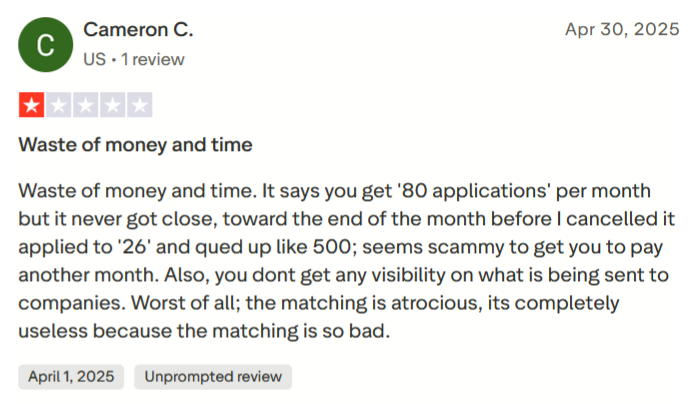
Wobo’s Premium plan promises up to 160 applications per month (40/week). However, multiple users reported not reaching those numbers. For instance, one user on Trustpilot said he paid for 80 applications/month, but “it never got close, toward the end of the month it applied to 26 and queued up like 500.”
Here’s another one:
The root causes of slow application speed could be:
- Wobo intentionally paces applications to avoid spamming or triggering anti-bot measures on employer sites.
- A technical limit on how many it can do concurrently.
- A large queue if your preferences are broad, which it can’t clear fast enough within the period.
- Or bugs until support fixes it.
Matching and Relevance Issues
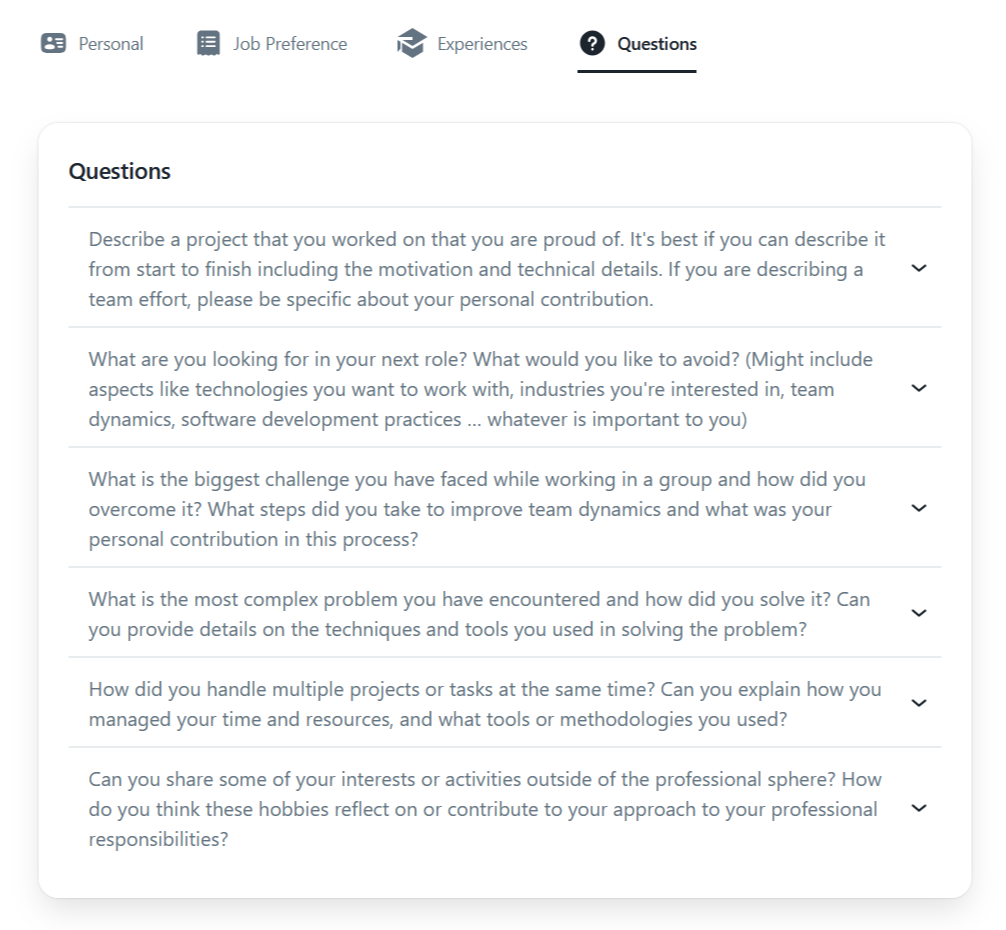
Wobo AI lets you answer common job application questions once, such as project experience, role expectations, and teamwork challenges. These saved responses are then reused and adapted automatically whenever an application asks similar questions, reducing repetition and keeping answers consistent.
While Wobo tries to be smart in matching, it doesn’t always get it right. Some users found the jobs they applied for were not suitable or not what they expected.
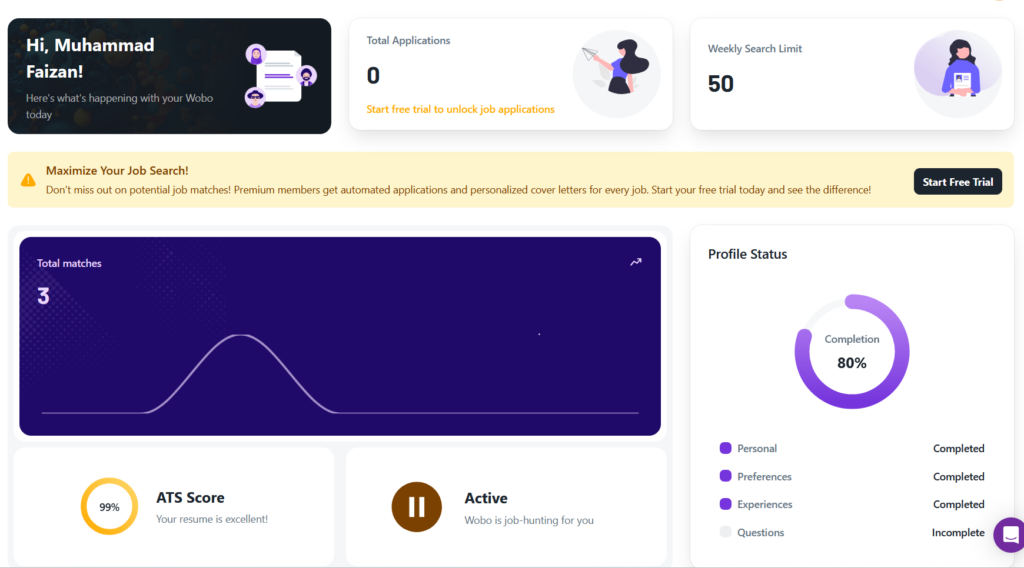
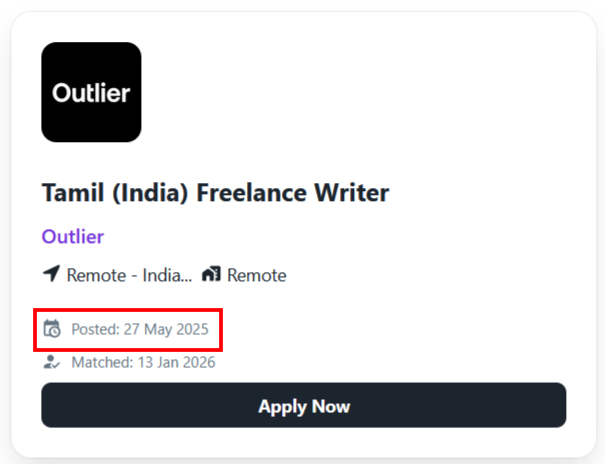
When I tried to use it for myself, it matched my profile with only three job posts. Surprisingly, all of them were from last year and expired. So technically, it matched me with no one.
Wobo itself admits it’s not as effective for highly specialized roles or ones requiring unorthodox applications (like some creative roles needing portfolios, or jobs where networking is key). If you’re in a niche industry, Wobo might struggle to find relevant openings or might misclassify what a “good” match is.
Geographical Limitations
If you’re looking for jobs in regions outside North America or Europe, Wobo’s coverage is limited for now. Also, it focuses on English (and possibly some local European markets) – it’s not multilingual in its job search scope from what we’ve seen.
High Cost for Early-Career Folks
While Wobo’s cost is moderate for what it does, not everyone can shell out $25-$50 a month, especially the unemployed or students.
If you’re buying their Plus plan, the cost per job applied would be ≈ $0.31. And it can seriously jump higher if the jobs are simply not being applied for enough, as discussed previously.
When to Use Wobo AI and When to Switch
Choose Wobo AI if:
- You’re looking for a free, unlimited resume builder: If you suspect your resume isn’t as effective as it could be (maybe you’re not getting callbacks at all), Wobo’s built-in resume builder and ATS checker will be beneficial even before the auto-applying starts.
- You have a tendency to get discouraged by the job search: Wobo can act like a safety net that keeps you moving. Many users noted a psychological boost: they felt supported and less stressed because something was happening in their job search even on days they felt demotivated.
- You’re struggling to find the time or motivation to apply manually: If you find yourself procrastinating on applications or simply too busy with a current job or other responsibilities, Wobo can work.
But what if Wobo still feels a bit too passive for where you’re at right now?
What if you don’t just want help staying motivated, but want tighter control over where you apply, how you apply, and why each application is sent?
JobCopilot: The Best Wobo AI Alternative
If you’re actively job hunting, aiming for specific roles, or trying to be more intentional rather than “spray and pray,” Wobo can start to feel limiting.
That’s where an end-to-end job application system like JobCopilot makes more sense.
- Apply to More Relevant Jobs, Faster: JobCopilot allows job seekers to apply to more roles in a shorter time compared to tools with strict weekly caps. Applications are still limited to roles the user has explicitly defined, which helps candidates stay active in competitive markets without mass-applying to irrelevant jobs (maximum 350 applications per week, much higher throughput than Wobo’s typical 20-40/week range).
- “Hidden” Job Discovery: JobCopilot has a reputation for finding niche or less-publicized job listings. In a review, testers found it “surfaced roles from niche sites… vacancies that larger aggregators missed.” This is a big plus because it means you might tap into opportunities with less competition.
- Review Mode & User Control: One of JobCopilot’s standout features is a “Review Mode” that allows you to see and edit AI-generated answers before applications go out.
- AI Career Support Suite Beyond Applications: JobCopilot also bundles several AI tools that support your entire career journey. These include an AI mock interviewer, a salary negotiation coach, a student career advisor, a career change advisor, and even a career personality test. It’s like having a full career coaching toolkit baked into one platform.
Considering all this, JobCopilot can be the best Wobo alternative if you:
- Want more relevant opportunities each day (especially in remote or tech fields).
- Appreciate the ability to review/edit each application (more control).
- Are looking for roles that might be posted off the beaten path (niche job boards, etc.).
- Don’t mind spending time upfront configuring filters and occasionally checking the AI’s work (so it doesn’t go off course).
Automate Your Job Applications with AI 🚀
Try the leading AI Copilot for job seekers – autonomous, safe, fully personalized, and trusted by 100,000+ users to land interviews faster.
Check Out JobCopilot →—