JobHire.AI promises to automate your entire job search – from finding roles to submitting applications while you focus on interviews. It’s an appealing pitch, especially if you’re burned out from filling out endless forms.
But does it actually deliver? And more importantly, is it the best tool for the job?
This review breaks down how JobHire.AI works, what it costs, and what real users are experiencing. We’ll cover the core features, the pricing structure, and where the platform may fall short.
If you’re already weighing your options and want to see how it stacks up against a more transparent alternative, you might want to jump to our comparison with JobCopilot to understand why verified job sources and adaptive AI make a meaningful difference in automated job searching.
Table of Contents
What is JobHire.AI?
JobHire.AI is an AI-powered job application platform that automates the job search process. You upload your resume, set your preferences, and the platform applies to jobs on your behalf while you focus on interviews.
The service claims it can save you up to 40 hours weekly by handling the repetitive parts of job hunting. It’s built around automation and AI-driven resume matching.
Automate Your Job Applications with AI 🚀
Try the leading AI Agent for job seekers – autonomous, safe, fully personalized, and trusted by 100,000+ users to land interviews faster.
JobHire Core Features
1. Auto Apply to Jobs
This is JobHire’s main feature. The AI searches through job boards and automatically submits applications to roles that match your criteria.
You set parameters like job titles, locations, and salary expectations. Then the system runs in the background, applying to hundreds of positions without manual input from you.
2. Smart Resume Optimization
JobHire analyzes your resume against specific job descriptions to improve your ATS (Applicant Tracking System) compatibility. The platform identifies missing keywords and reformats sections to help you pass automated screening filters.
It’s designed to make your resume more machine-readable. That matters because about 75% of resumes get rejected by ATS before reaching human recruiters.
3. AI Cover Letter Generator
The platform creates customized cover letters for each application in under 60 seconds. You don’t write anything from scratch.
It pulls information from your resume and the job description, then generates a tailored letter. You can edit it before submission or let the auto-apply feature use it as-is.
4. AI Resume Tailor
This feature automatically adjusts your resume for each specific job posting. It adds relevant keywords and reorganizes your experience to match what each employer is looking for.
The goal is making every application feel personalized rather than generic. JobHire does this at scale across multiple applications.
5. Resume Score Threshold
You can set a matching percentage from 10% to 90% to control how closely jobs should align with your profile. Lower thresholds cast a wider net, while higher ones focus on precise matches.
This gives you some control over the auto-apply process. It’s meant to balance quantity with relevance.
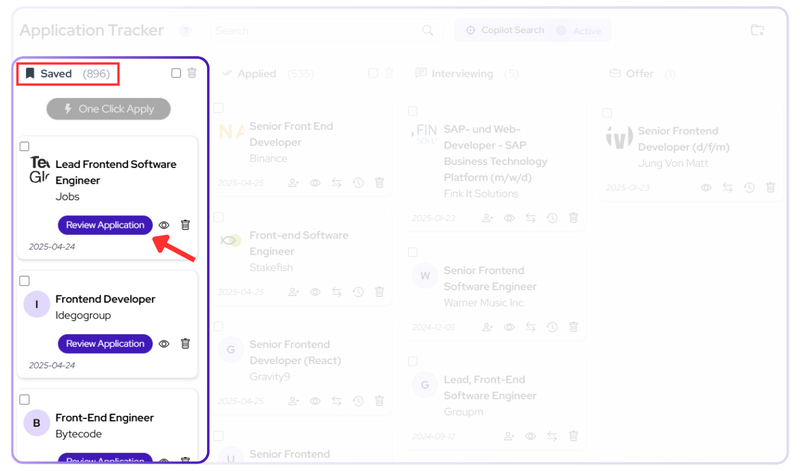
6. Application Tracking Dashboard
JobHire provides a dashboard where you can monitor all your submissions and their status. You see where you’ve applied, which applications are pending, and any responses you’ve received.
It centralizes your job search activity in one place. No more spreadsheets or trying to remember which companies you’ve contacted.
JobHire Pricing

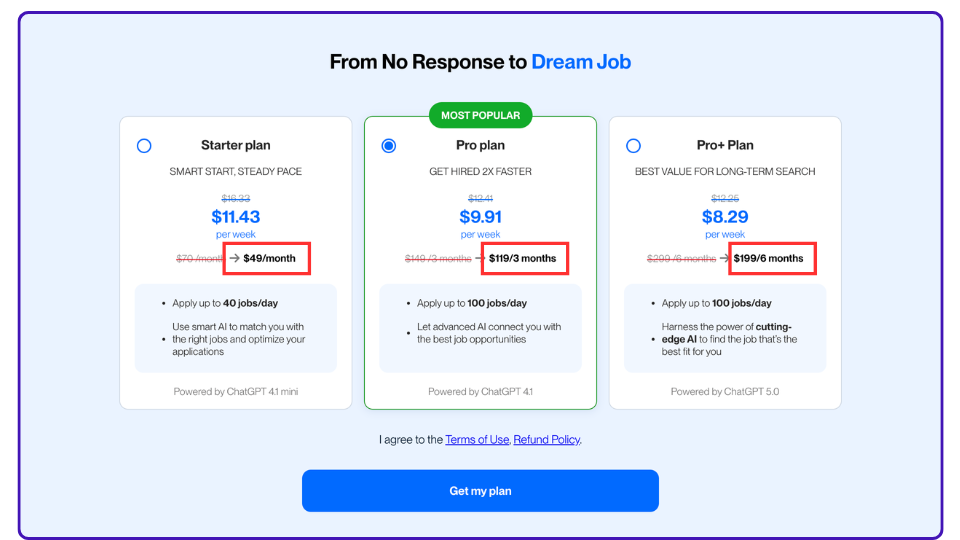
JobHire.AI offers three subscription tiers with no weekly payment option, despite displaying weekly pricing. You’re locked into minimum commitments of one month, three months, or six months.
- Starter Plan: $49/month ($11.43/week equivalent). You can apply to up to 40 jobs per day with basic AI matching powered by ChatGPT 4.1 mini.
- Pro Plan: $119 for 3 months ($9.91/week equivalent). This bumps you up to 100 applications per day with more advanced AI using ChatGPT 4.1. It’s marked as their most popular option.
- Pro+ Plan: $199 for 6 months ($8.29/week equivalent). Same 100 jobs/day limit as Pro, but uses ChatGPT 5.0 for supposedly better matching.
The pricing structure is a bit steep for job seekers who typically want flexibility. You can’t test the service for a week or two before committing to a full month or quarter.
All plans auto-renew. The longer you commit upfront, the lower your weekly cost becomes. But that also means more money at risk if the service doesn’t work for you.
How Does JobHire Work?
JobHire.AI automates job applications through a multi-step process. Here’s what happens from signup to seeing results.
Step 1: Sign Up and Choose Your Plan
You create an account and select one of the three paid plans. There’s no free trial, so you’re paying upfront before seeing how the platform performs for your specific situation.
The signup process is straightforward. You’ll need an email address and payment method to get started.
Step 2: Answer Onboarding Questions
JobHire asks you about a dozen questions to understand what you’re looking for. You’ll specify your desired position, industry, experience level, work location preferences, and salary expectations.
This questionnaire builds your job search profile. The AI uses these answers to filter which positions it should target on your behalf.
Step 3: Upload Your Resume
You upload your current resume to the platform. JobHire’s AI analyzes it to understand your skills, experience, and qualifications.
This becomes the foundation for all future applications. The system will reference this document when matching you to jobs and tailoring applications.
Step 4: Configure Application Settings
You’ll set your match threshold (how closely jobs need to align with your profile). The range is 10% to 90%, with 55% being a common “good fit” baseline.
You also choose your application approval mode. Instant means JobHire applies immediately without your review. Manual approval lets you screen jobs before applications go out.
Cover letter and resume generation are locked behind paid features. You need to enable these if you want customized documents for each application.
Step 5: AI Searches and Matches Jobs
Once setup is complete, JobHire’s AI starts scanning job boards (primarily Indeed) for positions matching your criteria. It compares your resume against job descriptions and assigns a percentage match to each opportunity.
Within hours, you’ll start seeing results. The AI typically finds dozens of potential matches quickly and begins the application process right away. How many applications go out depends on your threshold settings and how active the job market is in your field.
Step 6: Applications Get Queued and Submitted
Jobs that meet your threshold move into an application queue. If you’re on instant mode, JobHire applies automatically. If you’ve enabled approval mode, you’ll review them first in a “Preview Applications” tab.
The platform fills out application forms and submits your materials. You’re not doing any of the actual applying yourself.
Step 7: Track Your Applications
Your dashboard shows total applications submitted and how many went out each day. You can view completed applications along with their match percentages and job details.
There’s limited filtering here. You can’t easily sort by date, location, or match percentage, which makes reviewing applications somewhat tedious.
Step 8: Monitor Communications in Your Inbox
JobHire provides an inbox where you’ll see application confirmations, rejection notices, and interview requests. You can filter by category: acknowledgements, rejections, additional info requested, or system notifications.
JobHire Reviews
What Does Trustpilot Say About JobHire?
Let’s have a look at JobHire’s Trustpilot page. JobHire.AI currently holds a 4.0-star rating on Trustpilot, based on 300+ reviews.
We’ll start with the positive reviews.
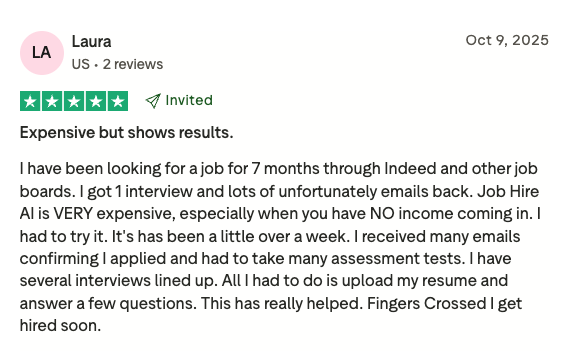
Laura acknowledges the platform is expensive, especially when you’re unemployed with no income. But after 7 months of manual searching that yielded just one interview, JobHire got her several interviews lined up in just over a week. The quick turnaround made the cost feel worth it.
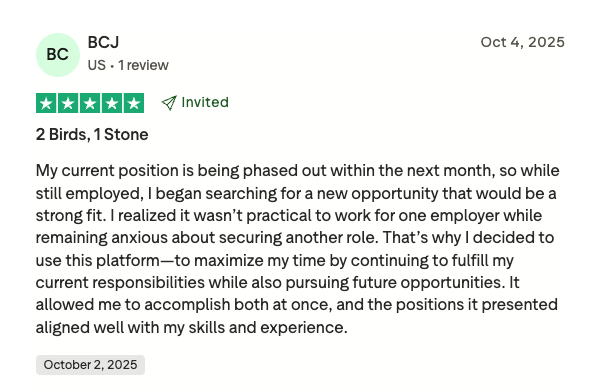
BCJ’s position was being phased out, so they needed to job search while still working full-time. JobHire let them handle both simultaneously – fulfilling current responsibilities while pursuing new opportunities without the time drain of manual applications. The positions matched their skills well.
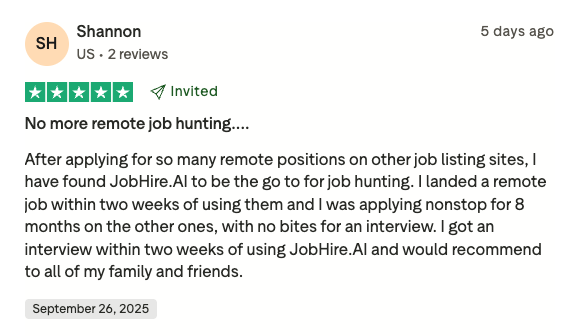
Shannon spent 8 months applying to remote positions manually with zero interview invitations. After switching to JobHire, they landed a remote job within two weeks. The automation delivered results where months of manual effort hadn’t.
Now, let’s have a look at the not-so-good reviews.
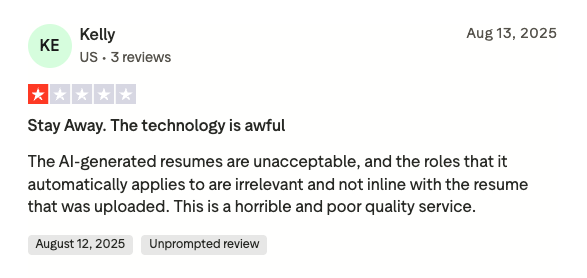
Kelly found the AI-generated resumes unacceptable and says the platform applied to irrelevant roles that didn’t match their uploaded resume. The disconnect between what they submitted and what JobHire actually sent out made the service feel low-quality.
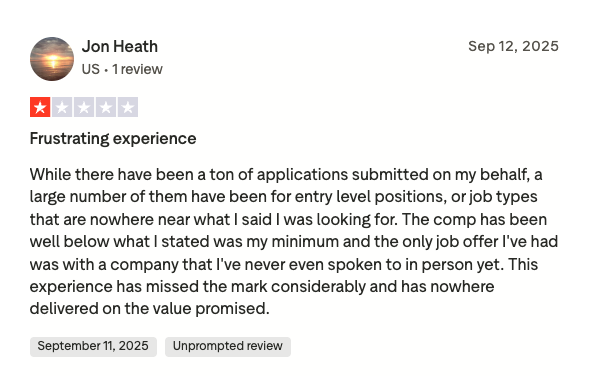
Jon’s experience shows poor job matching. Despite many applications being submitted, most were for entry-level positions or roles completely misaligned with what he specified. The compensation offers came in below his stated minimum, and the platform didn’t deliver on its targeting promises.
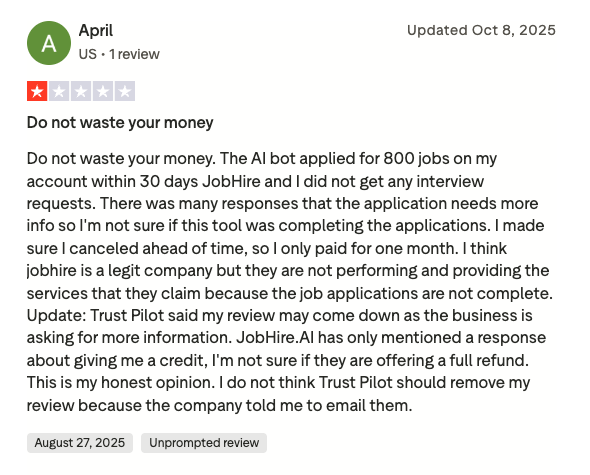
April’s bot applied to 800 jobs in 30 days with zero interview requests. Many employers responded saying applications needed more information, suggesting JobHire wasn’t completing forms properly. After one month and no results, they canceled and question whether the platform actually delivers on its claims.
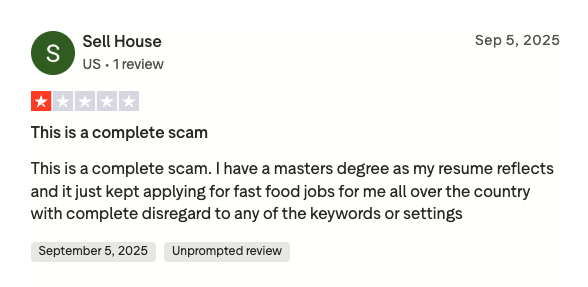
Sell House has a master’s degree but JobHire applied to fast food jobs nationwide, completely ignoring their qualifications, keywords, and location settings. The platform disregarded their profile entirely, leading them to call it a scam.
What Does Reddit Say About JobHire.AI?
Let’s check Reddit for unfiltered feedback from job seekers who’ve tried the platform.
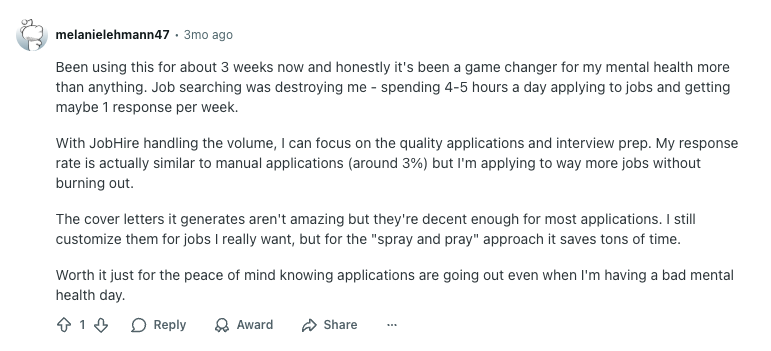
This user spent 4-5 hours daily on manual applications and was burning out. After 3 weeks with JobHire, they highlight the mental health benefit – knowing applications keep going out even on bad days. Their response rate on manual applications actually improved to 3% because they’re not exhausted and can focus on quality for roles they really want.
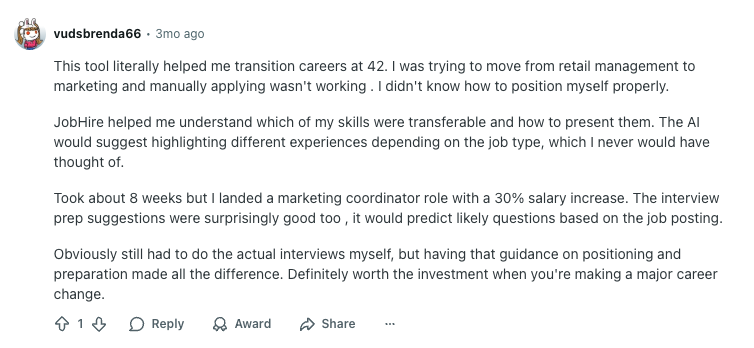
At 42, this user struggled with career transition positioning. JobHire’s AI helped identify transferable skills and suggest how to present them differently per role. Landed a marketing coordinator job with 30% salary increase after 8 weeks.
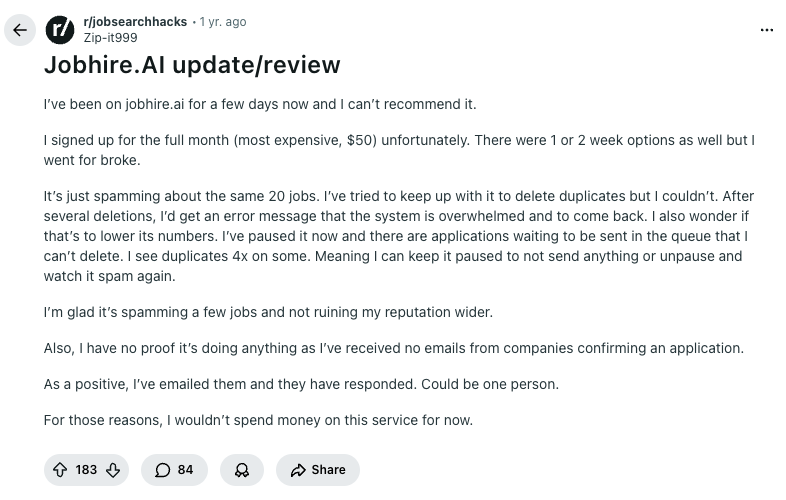
This review kicks off a Reddit thread where multiple users share similar concerns. The main issue: JobHire kept applying to the same 20 jobs repeatedly, creating duplicates the user couldn’t delete. System errors made it impossible to pause. They received no application confirmation emails and wouldn’t recommend the service.
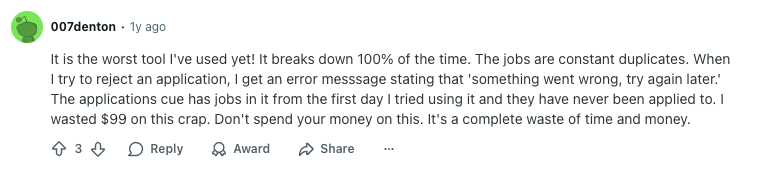
Another user in the thread reports the platform breaking down constantly with duplicate jobs and error messages when trying to reject applications. Jobs sat in the queue from day one without being applied to. Called it a complete waste of $99.
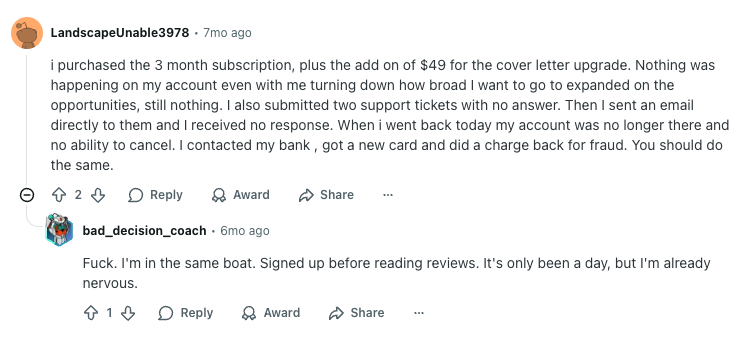
This user bought the 3-month plan plus a $49 cover letter upgrade. Nothing happened despite adjusting settings and support tickets went unanswered. Their account disappeared with no way to cancel, forcing them to do a bank chargeback for fraud. Another user replies they’re in the same boat after one day.

Greenespace notes the service used to be legitimate but has declined. Support became sketchy and job assistance minimal. They used it when it had more pros than cons, but say something changed and it’s now sad given the platform’s real potential.
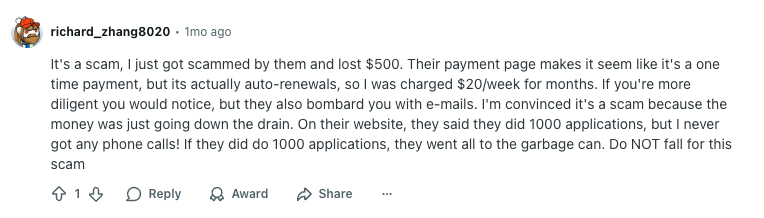
Richard lost $500 to what appeared to be a one-time payment but was actually auto-renewals at $20/week. The site claimed 1000 applications were submitted, but he never received a single phone call. Calls it a scam with bombarding emails.
JobHire Pros & Cons
We’ve summarized the strengths and limitations to help you decide if it’s the right fit.
✅ Pros of JobHire.AI
- Saves time – Automates repetitive job applications so you can focus on interview prep.
- Custom resumes and cover letters – Generated for each role to match job descriptions and pass ATS filters.
- Built-in inbox and tracker – Manage all applications in one place with status updates and communications.
- Multiple pricing tiers – Choose based on your application volume needs and budget.
❌ Cons of JobHire.AI
- Geared mostly toward U.S. jobs – Limits global reach for international job seekers.
- Expensive monthly plan – No weekly payment option despite showing weekly pricing; starts at $49/month minimum.
- No free trial or platform preview – Must pay upfront after the questionnaire; can’t explore features before committing.
- Heavily focused on traditional job boards – Relies on Indeed and Glassdoor rather than direct company applications.
- Job matching can be inconsistent – Sometimes applies to irrelevant or roles outside user preferences.
- Reports of duplicate applications – User reviews mention system errors and repeatedly applying to the same jobs.
JobCopilot: The Best JobHire Alternative 🎯

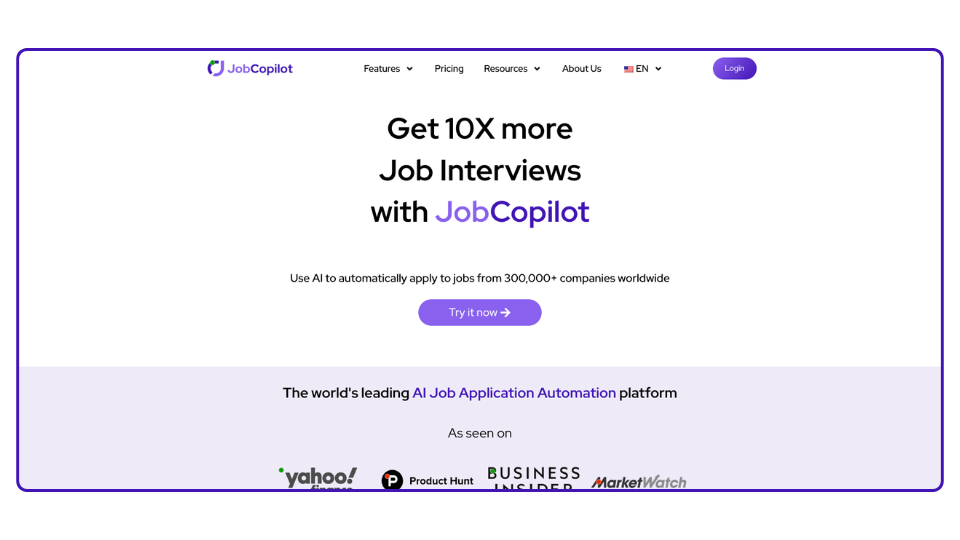
If you’re looking for a verified-source, adaptive approach to job search automation, JobCopilot takes a different path. It’s built around direct company connections, continuous learning, and hands-off operation. Here’s what sets it apart.
✅ It Finds Real, Verified Jobs

JobCopilot connects directly to 500,000+ verified company career pages, scanning them every two hours for new openings. You’re applying to legitimate roles straight from the source – no job board middlemen, no duplicate listings.
JobHire pulls from job boards like Indeed and other aggregators. Both approaches work, but JobCopilot’s direct-to-company method means you’re always applying through official channels.
✍️ It Actually Gets Smarter Over Time
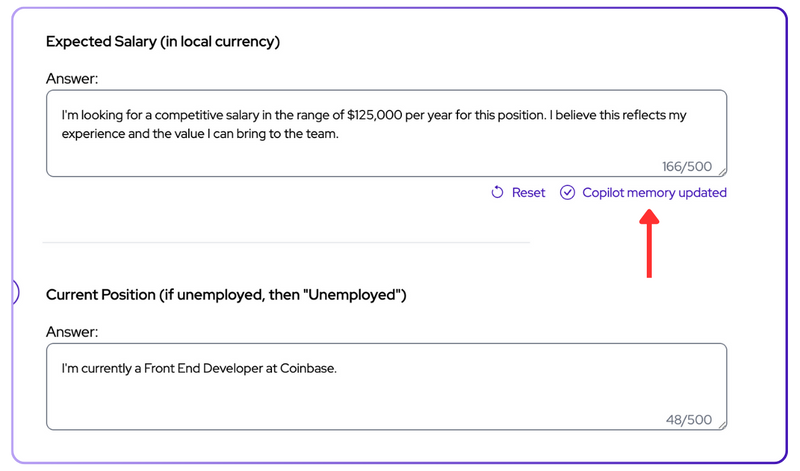
JobCopilot learns from the changes you make to your applications – whether you’re tweaking experiences, updating personal details, or refining how you present information. It also uses machine learning to track which jobs you keep and which you discard, getting better at identifying opportunities you’ll actually want over time.
JobHire generates tailored cover letters and resumes for each application using AI. The system doesn’t seem to adapt based on your preferences or learn from your behavior to improve future matches.
🔄 One Setup. Continuous Autopilot.
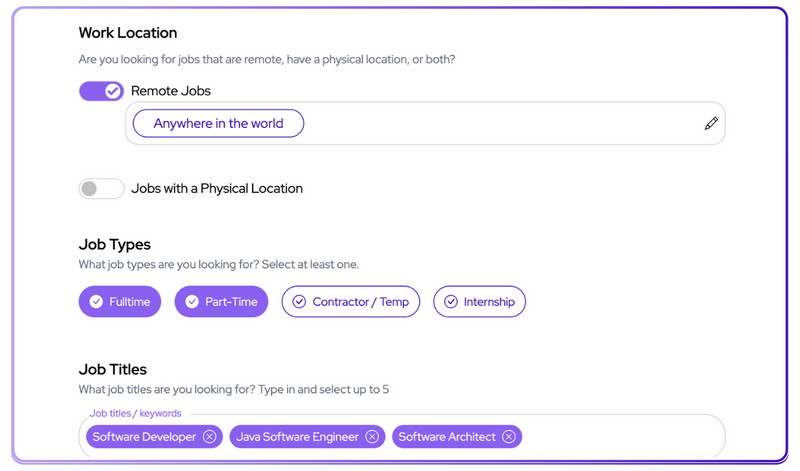
With JobCopilot, you complete one thorough setup: upload your resume, define your preferences, answer screening questions once. After that, the system runs autonomously and applies continuously without needing adjustments.
JobHire lets you configure match thresholds and approval settings to control your application flow. JobCopilot is designed to keep running in the background once you’ve set your initial preferences.
🕒 Works in the Background, 24/7
![]()
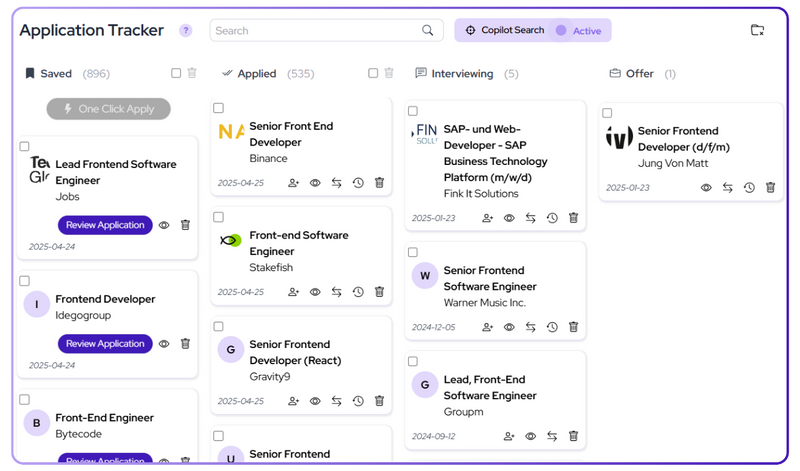
JobCopilot checks for new roles every two hours, applies automatically, and updates you as it progresses. It’s built to operate continuously without interruption. True set-it-and-forget-it automation.
JobHire provides automation once you’ve configured your settings and chosen which jobs to target. JobCopilot runs on a continuous 2-hour refresh cycle, meaning fresh opportunities get caught and applied to quickly without you needing to log in or manage anything.
🔐 No Gimmicks. Just Verified Applications.
Every application JobCopilot sends goes to an official company career page. You’re always applying directly to the employer, which matters for credibility and gives you confidence in every submission.
JobHire works with established job boards and platforms. JobCopilot’s direct-to-company approach eliminates the middleman entirely, giving you transparency about exactly where your application is going.
Automate Your Job Applications with AI 🚀
Try the leading AI Agent for job seekers – autonomous, safe, fully personalized, and trusted by 100,000+ users to land interviews faster.
Frequently Asked Questions about JobHire
Is JobHire.AI legit?
Yes, JobHire.AI is a legitimate platform that automates job applications using AI. The service connects to job boards like Indeed and Glassdoor to submit applications on your behalf.
How much does JobHire.AI cost?
JobHire.AI offers three plans: Starter at $49/month, Pro at $119/3 months, and Pro+ at $199/6 months. All plans require upfront commitment with no weekly payment option.
Does JobHire.AI have promo codes?
We haven’t found publicly available promo codes. They may occasionally share discounts through their mailing list or social media, so it’s worth keeping an eye out if you’re interested.
How to cancel a JobHire subscription?
You can cancel from your account dashboard under subscription settings. If you encounter issues or can’t find the option, contact their support team directly to process the cancellation.
What's the best alternative to JobHire.AI?
If you want an AI agent that actually learns and adapts, JobCopilot is worth exploring. It applies directly to 500,000+ verified company career pages, uses machine learning to understand your preferences over time, and offers powerful filtering to control exactly which opportunities you pursue.Retry