

You’ve spent 40 minutes on your resume. The bullet points finally sound right. The template looks sharp. You hit “Download,” and that’s when Resume Genius asks for your card.
The free plan only gives you a plain text file. No PDF, no Word doc, nothing you’d actually send to a recruiter. To get the real version, you pay $2.95 for a 14-day trial.
That doesn’t mean Resume Genius is a bad tool. Plenty of people love its guided builder, and its examples library is one of the best-known.
So in this review, I’ll break down what Resume Genius actually gives you, what it really costs, and whether it moves your job search forward or just gives you a nicer-looking document.
TL;DR
Resume Genius is one of the easiest resume builders to use, especially if you’re writing your first resume or haven’t updated yours in years. The guided builder, pre-written bullet points, and skill suggestions take a lot of the guesswork out of the process.
The catch is the pricing. You can build for free, but the only free download is a plain TXT file. To get a PDF or Word resume, you need a $2.95 trial that renews at $23.95 every four weeks, or a $95.40 annual plan.
And once your resume is done, Resume Genius’s job is done too. It won’t find jobs, tailor your resume to each listing, or apply for you.
Who it’s best for:
- First-time resume writers who want to be walked through every section
- Job seekers returning to work after a long gap who feel overwhelmed by starting from scratch
- People who struggle to describe their own work and want pre-written examples to build from
- Anyone who needs one polished resume, one time, and is comfortable canceling a trial before it renews
Key features at a glance:
| Feature | Resume Genius |
| Resume builder | Step-by-step guided builder with resume upload and import |
| Templates | 32 templates in the builder, filterable by columns, graphics, and color |
| AI writing help | AI summary generator, skill suggestions, and pre-written bullet points by job title |
| Resume checker | Included on the free plan |
| Cover letter builder | Paid plans only |
| Downloads | TXT only on free; PDF, Word, and TXT on paid plans |
| Pricing | Free; $2.95 14-day trial then $23.95 every 4 weeks; $95.40 per year |
| Job search | US-only job board on paid plans; no auto-apply |
| Resume tailoring | Manual edits only; no automatic tailoring to job descriptions |
| Payment methods | Credit cards only |
| Refunds | 14-day money-back guarantee |
Pros
- Guided builder makes resume writing feel simple
- Pre-written bullet points and skill suggestions
- Customer support gets consistent praise
- 14-day money-back guarantee
Cons
- Free plan only downloads a plain TXT file
- Only accepts credit cards, with no debit, PayPal, or Venmo options
- AI-generated summaries sound generic and need heavy rewriting
- Job board is US-only, and it doesn’t apply to jobs or tailor your resume for you
- Several users report difficulty canceling
Why You Can Trust This Review
Most reviews tell you a tool is “easy to use” and move on. I wanted to show my work instead, including the parts I couldn’t confirm.
Here’s exactly what went into this review.
- I built a real resume, start to finish: I uploaded an existing software engineer resume and went through every step of the builder, from the dashboard to the download screen. The screenshots in this review come from that test.
- I know this space from the inside: I work in the job search tools industry and spend a lot of time looking at how these products are built and sold. That helps me spot the difference between a feature that helps job seekers and one that just looks good on a pricing page.
- I read the one-star and five-star reviews: I focused on recent Trustpilot reviews from August and September 2026, so you’re seeing how the tool works now, not how it worked three years ago.
Resume Genius Pricing
Resume Genius has three options on its pricing page. A free plan, a 14-day trial, and an annual plan. Here’s what each one gives you.
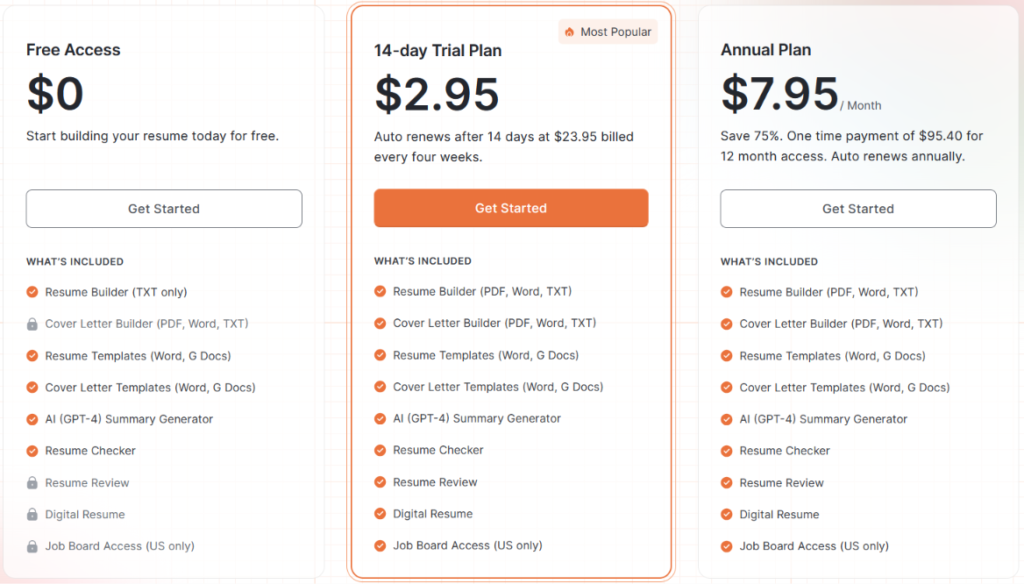
| Plan | Price | Resume Download | Cover Letter Builder | Resume Review | Job Board (US only) |
| Free Access | $0 | TXT only | Locked | Locked | Locked |
| 14-day Trial | $2.95, then $23.95 every 4 weeks | PDF, Word, TXT | Included | Included | Included |
| Annual | $95.40/year ($7.95/month) | PDF, Word, TXT | Included | Included | Included |
The trial and annual plans include the exact same features. The only difference is how you pay.
The annual plan says you “save 75%.” I ran the numbers, and I couldn’t get there. Thirteen payments of $23.95 (payment every 28 days) come to $311.35 a year. The annual plan is $95.40. That’s a saving of about 69%, not 75%. Still a big discount, but not the number on the page.
Automate Your Job Applications with AI 🚀
Try the leading AI Copilot for job seekers – autonomous, safe, fully personalized, and trusted by 100,000+ users to land interviews faster.
Check Out JobCopilot →Key takeaways for your budget:
The free plan is more generous than it looks at first. You can use the builder, download resume and cover letter templates in Word or Google Docs, run the AI summary generator, and check your resume.
But there’s one big catch. You can only download your finished resume as a plain TXT file.
Resume Genius only accepts credit cards. Its FAQ says it can’t process PayPal, Venmo, prepaid cards, or debit cards.
For job seekers, this is a real barrier. A lot of people in between jobs rely on debit cards, and some don’t have a credit card at all.
Here’s how Resume Genius stacks up against other popular resume builders.
| Tool | Free Download | Shortest Paid Option | Billing Model | Annual Price |
| Resume Genius | TXT only | $2.95 for 14 days | Auto-renews at $23.95 every 4 weeks | $95.40 |
| Zety | TXT only | $1.95 for 14 days | Auto-renews at $25.95 every 4 weeks | $71.40 |
| Kickresume | Yes (basic templates) | $24 per month | Monthly, quarterly, or yearly | $96 |
| Novoresume | Limited free plan | $21.99 per month | One-time payment, no auto-renew | $139.99 (list price) |
How Does Resume Genius Work?
Resume Genius walks you through your resume one section at a time. I tested it by uploading an existing software engineer resume and following the builder through to the download step. Here’s what that looks like.
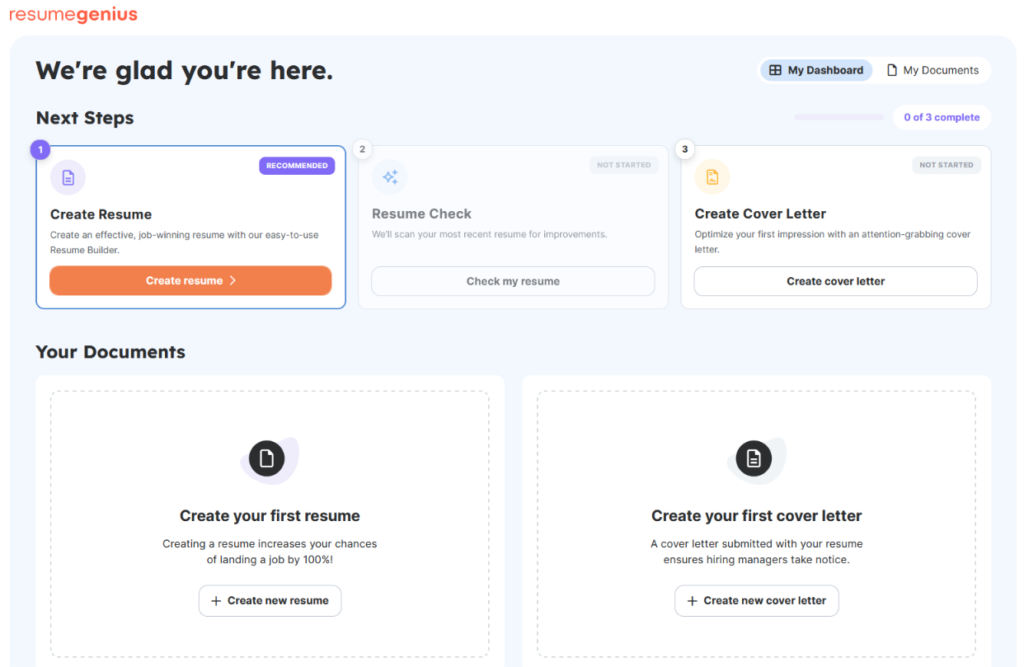
Step 1: Start From the Dashboard
After you sign up, you land on a simple dashboard with three next steps. Create a resume, run a resume check, and create a cover letter.
Step 2: Upload a Resume or Build From Scratch
Next, you pick how to start. You can upload your current resume and let Resume Genius move everything into a new template, or build a new one with guided prompts.
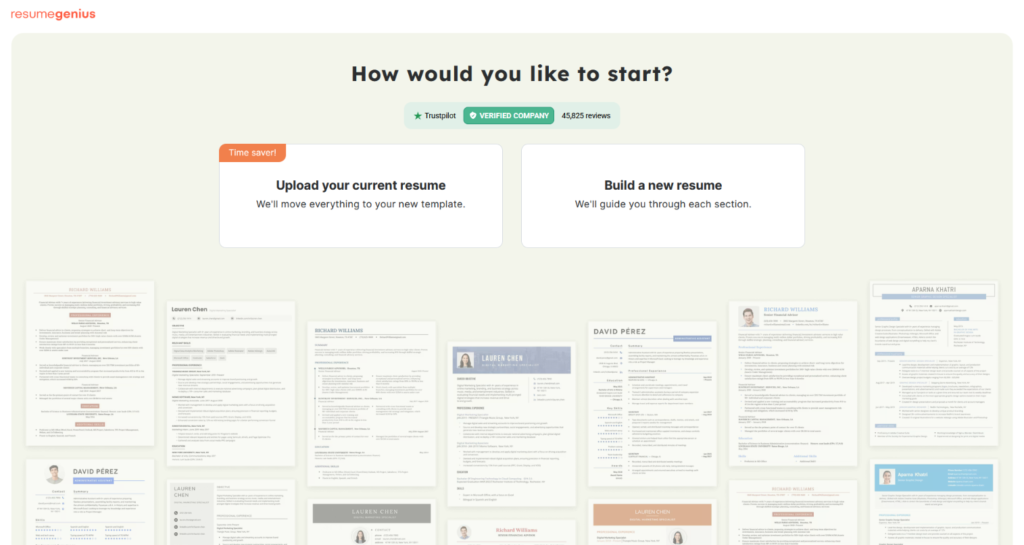
I went with the upload option, since that’s what most job seekers with an existing resume would do.
Step 3: Pick a Template
You then choose from 32 templates. You can filter by columns, graphics, and color. If you can’t decide, a short quiz asks two or three questions and suggests a template based on your experience level.
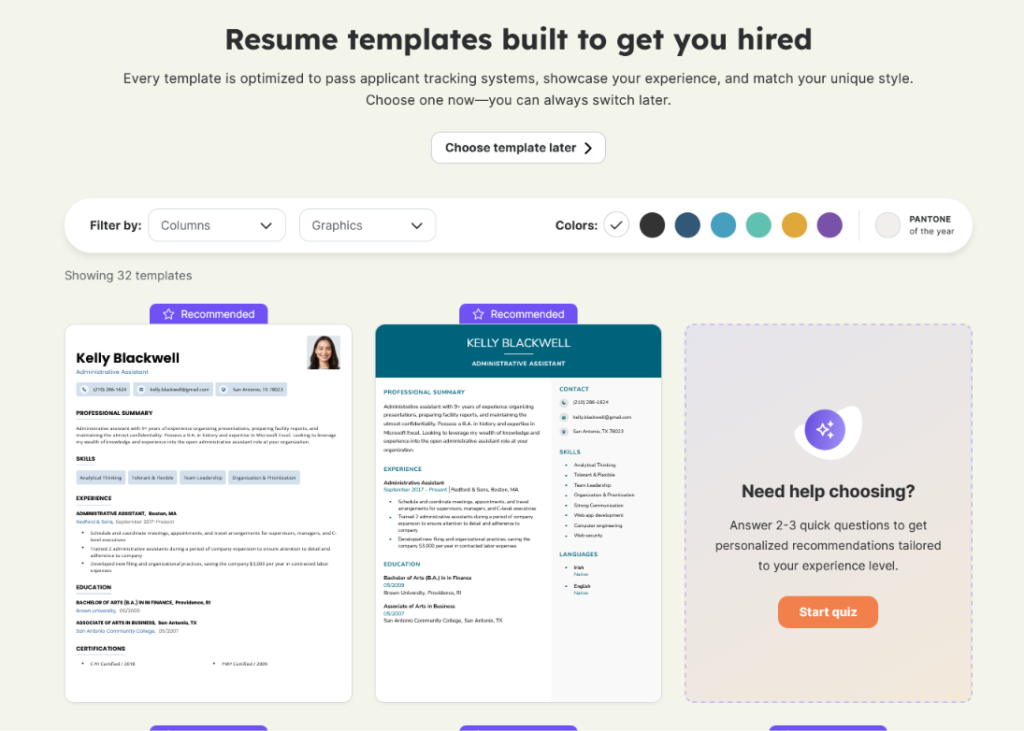
You can also skip this step and pick a template later.
Step 4: Check Your Contact Details
The first section is contact info. After the upload, Resume Genius showed a “Successfully imported” message and filled in fields like my desired job title, phone number, and country. Fields it pulled from the resume get a small green checkmark.
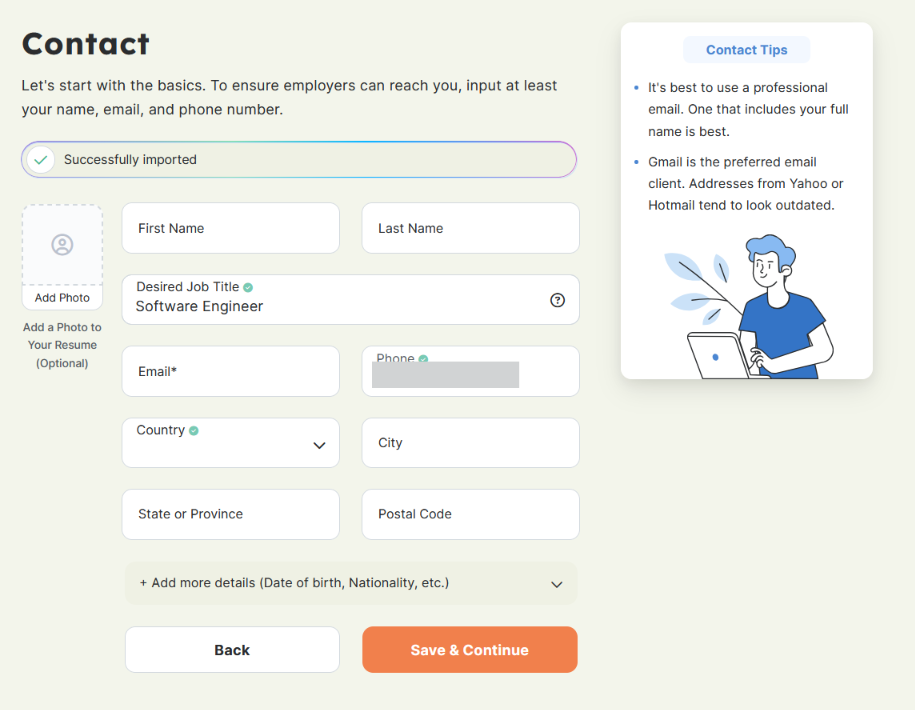
You can also add a photo and extra details like date of birth or nationality. That’s useful for some countries, but US job seekers usually leave these off.
Step 5. Review Your Work Experience
This is where the parser showed its weak spot.
Resume Genius pulled in all three of my past roles with titles, locations, and dates. You can edit each one, reorder them, or delete them. So far, so good.
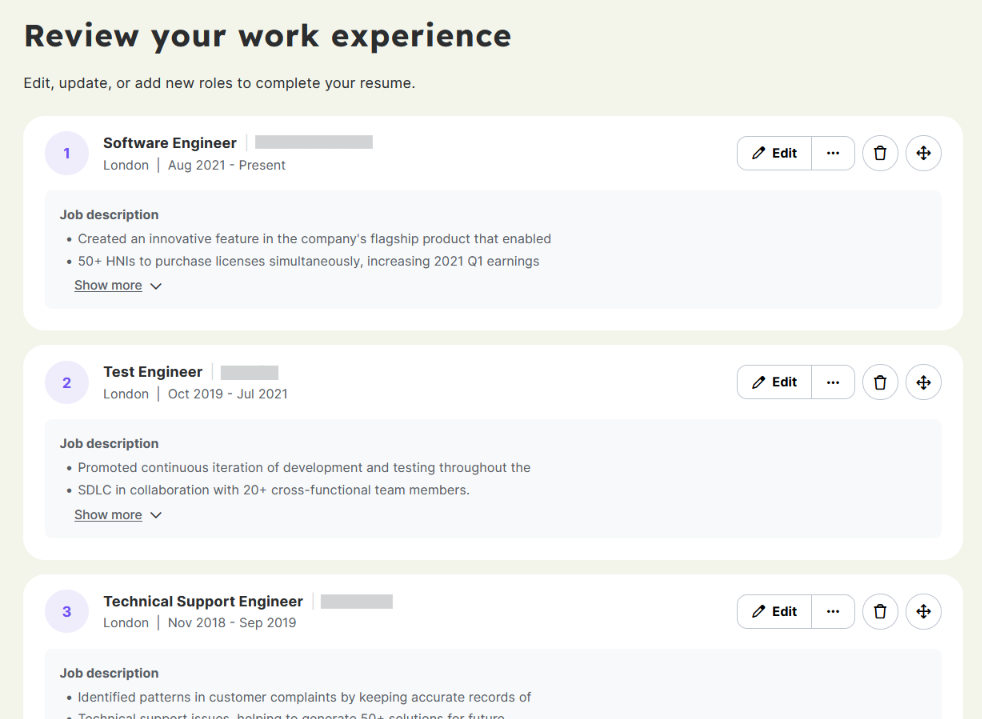
But look closely at the bullet points. One sentence from my resume got split into two separate bullets. “Created an innovative feature in the company’s flagship product that enabled” became one bullet, and “50+ HNIs to purchase licenses simultaneously” became the next. The same thing happened under my Test Engineer role.
It’s an easy fix, but only if you notice it. If you rush through this step, you could download a resume with broken bullet points and never know.
Step 6: Review Your Education
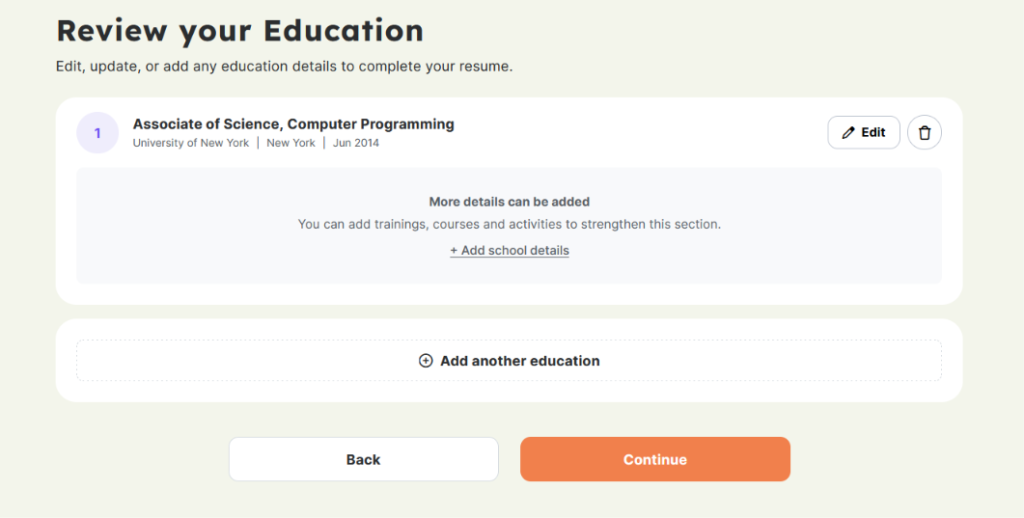
Education imported cleanly. Resume Genius also nudges you to add courses, training, or activities to strengthen this section, which helps if you’re early in your career.
Step 7: Add Certifications and Licenses
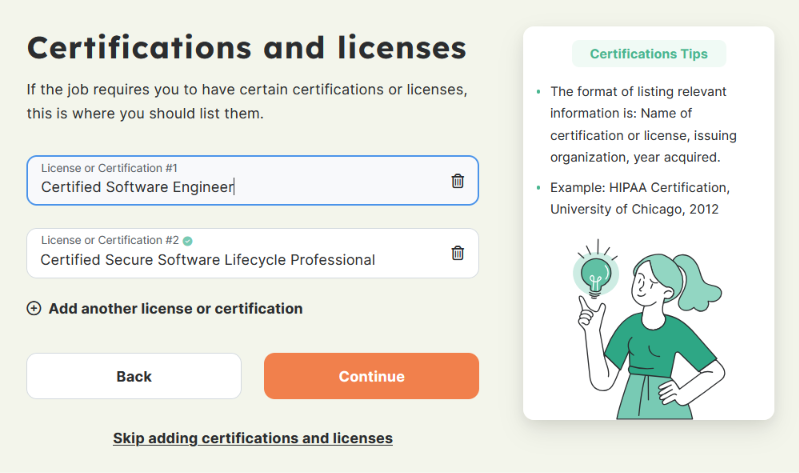
Here you list any certifications the job requires. A small tips box on the side shows the right format, which is name, issuing organization, and year. Skip this step if it doesn’t apply.
Step 8. Add Your Skills
The skills section is one of the builder’s most useful parts. You search by job title, and Resume Genius shows pre-written skill suggestions. Some are marked “Sage recommended,” which seems to be its AI assistant.
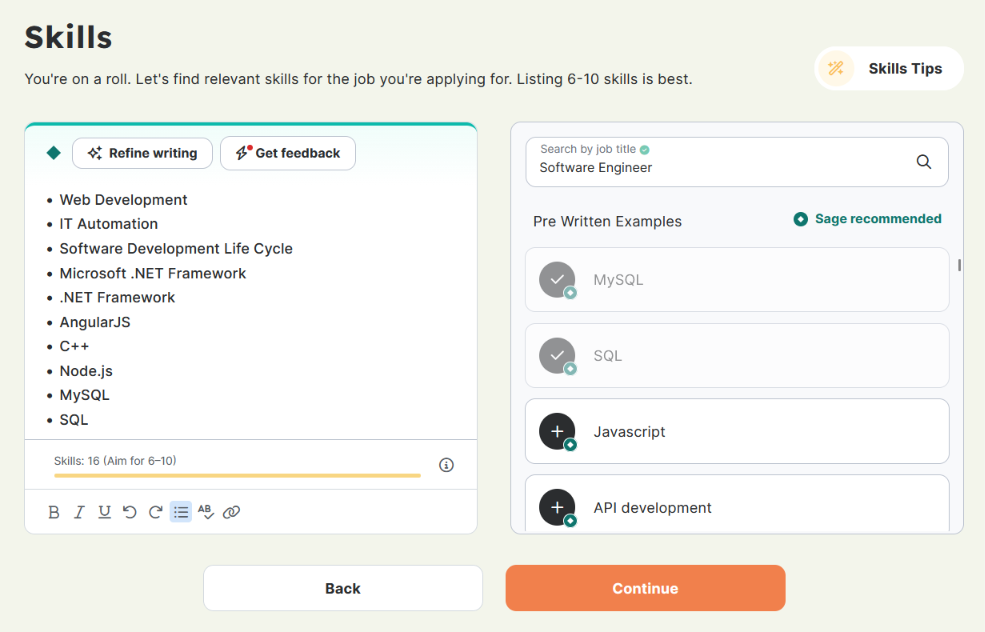
You can also use the “Refine writing” and “Get feedback” buttons if you want help tightening the section.
Step 9: Write Your Professional Summary
Resume Genius generated a summary for me using AI. You can regenerate it, ask for feedback, or pick from pre-written examples. For “Software Engineer,” it showed 24 options.
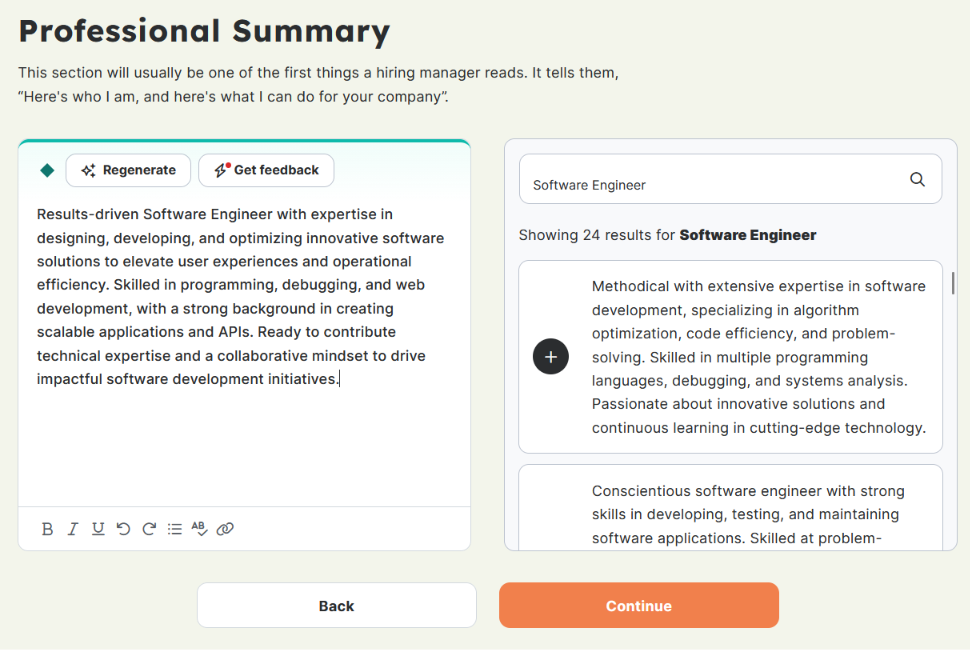
Honestly, the AI summary read like every other AI summary. “Results-driven.” “Innovative software solutions.” “Impactful software development initiatives.” It’s polished, but it doesn’t say anything specific about me. Recruiters see this kind of phrasing all day, so I’d rewrite it with real numbers and real projects before using it.
Step 10: Add Optional Sections
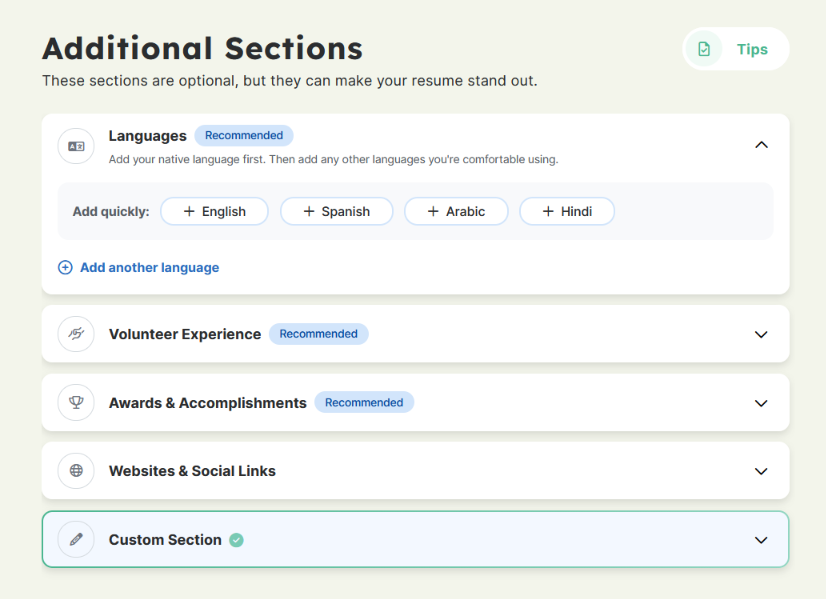
Finally, you can add extra sections. Languages, volunteer experience, awards, websites and social links, or a custom section of your own.
Step 11. Download Your Resume
This is where the free plan stops.
After all that work, the free plan only offers a plain TXT download. To get a PDF or Word file, you need the $2.95 trial or the annual plan.
What Are Customers Saying About Resume Genius?
Resume Genius has a strong reputation overall. It holds a 4.6 rating on Trustpilot with 46k+ reviews. But in recent reviews, the same two complaints kept coming up. Here are both sides.
What Users Like
It Makes Resume Writing Feel Easy
This is the most common praise, and it matches what I saw in testing. The builder breaks your resume into small steps, so you never stare at a blank page.
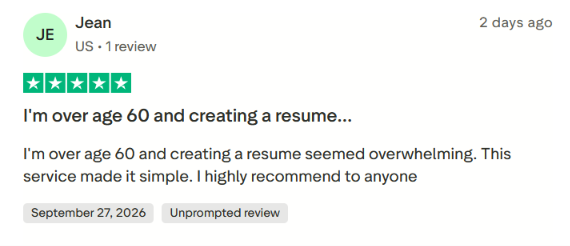
One reviewer over 60 said creating a resume felt overwhelming. Resume Genius made it simple for her.
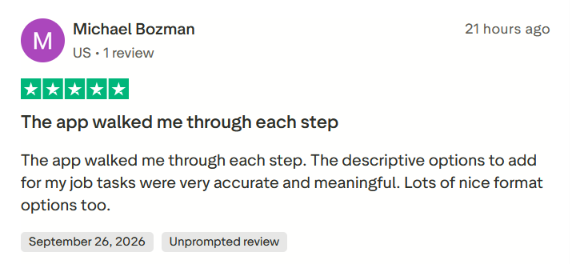
Another user liked that the app walked him through each step. He also said the pre-written options for his job tasks were accurate and meaningful, and he liked the format choices.
If you haven’t written a resume in years, or you’ve never written one at all, this hand-holding really helps.
Customer Service Gets Real Credit
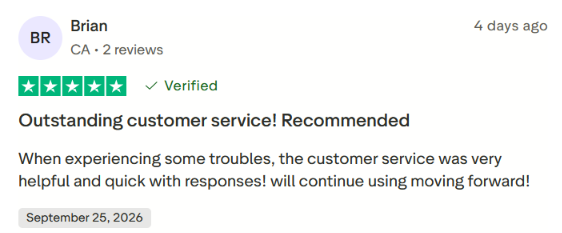
Even some unhappy users had good things to say about support. A reviewer said the team was helpful and quick when he ran into trouble.
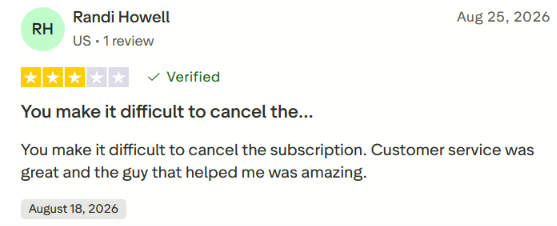
Another user gave a three-star review because canceling was hard. But she still said customer service was great and the person who helped her was amazing. That tells me support steps up once you reach them.
What Users Are Frustrated About
“Free” Doesn’t Mean What People Expect
This is the biggest complaint, and I get it. I ran into the same wall.
One user spent about an hour and a half on his resume because he thought it was free. When he went to use it, he had to pay.
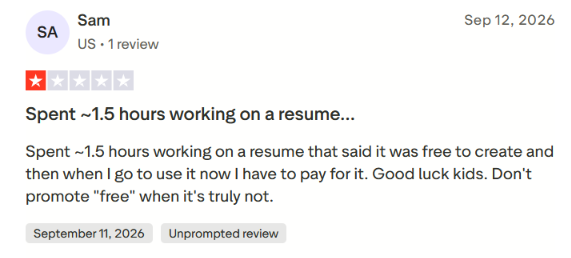
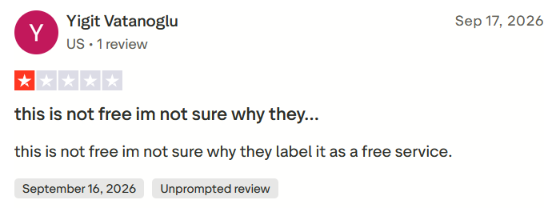
To be fair, you can build a resume for free. But the only free download is a plain TXT file. For most people, that’s not a usable resume. So the “free” label feels misleading once you hit the download button after investing real time.
Canceling Isn’t as Smooth as It Should Be
The second pattern is around billing and cancellation.
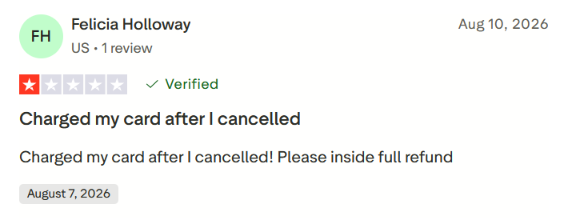
Several users said Resume Genius makes cancellation difficult. One user said her card was charged after she had already canceled, and she asked for a full refund.
When to Use Resume Genius and When to Switch
A great resume and a great job search aren’t the same thing. Resume Genius handles the first one well. Whether that’s enough depends on what’s actually holding you back right now.
Choose Resume Genius if:
- You’re writing your first resume, or your first in years: The step-by-step builder is where Resume Genius shines. It breaks everything into small pieces, so you never feel stuck.
- You need help with wording: The pre-written bullet points, skill suggestions, and summary examples give you a good starting point, especially if you struggle to describe your own work.
- You only need one resume, one time: If you download your PDF during the trial and cancel before day 14, you get a polished resume for $2.95.
- You’re comfortable managing a subscription: Set a reminder, keep your cancellation confirmation, and the billing model won’t catch you off guard.
A resume is just the starting line. Once you download it, Resume Genius has done its job. You still have to find the right openings, tailor your resume for each one, fill out the same application forms over and over, and do it fast enough to get noticed. That’s the part of the job search that actually wears people down.
And if you’re going to apply anyway, how you apply matters. Blasting the same generic resume to hundreds of listings rarely works. Hiring teams are already buried in applications, and a resume that doesn’t fit the role just adds to the pile.
So what if you already have a solid resume, and what you really need is help getting it in front of the right employers?
Automate Your Job Applications with AI 🚀
Try the leading AI Copilot for job seekers – autonomous, safe, fully personalized, and trusted by 100,000+ users to land interviews faster.
Check Out JobCopilot →FAQs
Does Resume Genius have a mobile app?
No, Resume Genius doesn’t have a dedicated app. Instead, the builder runs in your browser and works on your phone. That said, editing bullet points and checking formatting is still easier on a laptop, especially if your upload has parsing errors like the ones I ran into.
Can Resume Genius apply to jobs for me?
No. Resume Genius helps you build your resume and cover letter, but it doesn’t send applications. Paid plans include access to a job board, but it’s US-only, and you still apply to each job yourself.
Does Resume Genius make CVs too?
Yes. Along with the resume builder, Resume Genius has a separate CV maker for detailed academic or professional CVs. This is useful if you’re applying for research roles, teaching positions, or jobs outside the US where a CV is the norm.
Is Resume Genius good for job seekers outside the US?
It works, but it’s clearly built for US job seekers. The job board only covers US listings, and payment is limited to credit cards.