
Niche job search platforms are hard to come by, whether you’re in software engineering or any other specialized field. Most tools out there cast a wide net rather than catering to your specific corner of the job market.
So when I came across ApplyPass positioning itself as a smarter option for software engineers, I was curious enough to try it.
ApplyPass claims a 40% higher recruiter response rate compared to manual applications, along with access to hundreds of new software engineering jobs every week. I decided to put them to the test myself, using their AI-powered job search and auto-apply features, so you don’t have to burn your own free trial finding out if It’s the right platform for you—to get a job.
TL;DR
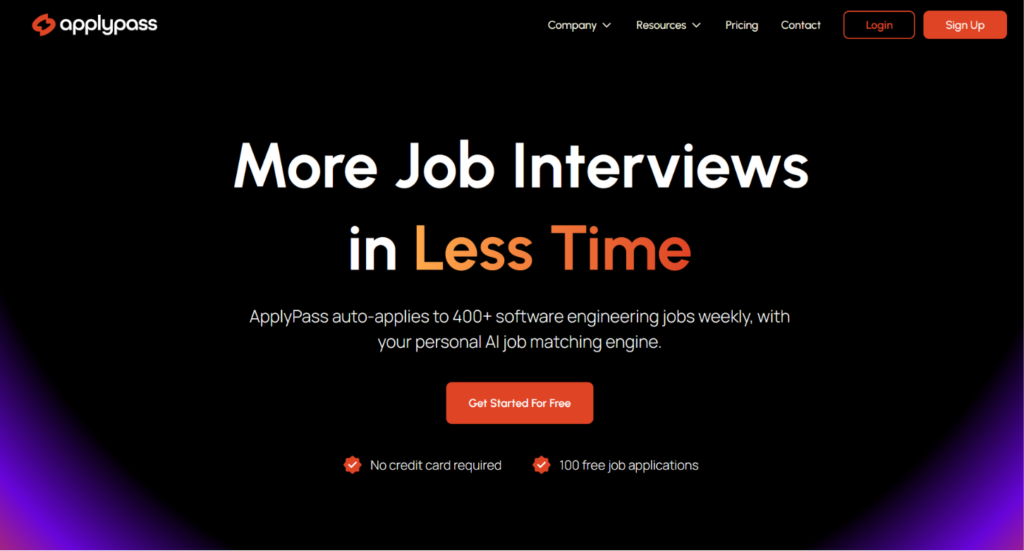
ApplyPass markets itself as a smarter, AI-powered way to land software engineering interviews. It pulls listings from platforms like Greenhouse and Workday, matches you based on your tech stack and seniority, and can auto-apply for you once your profile is set up.
The onboarding is detailed, covering everything from specific tools you’re confident in to your visa status.
I tested the free trial myself, which includes 100 applications and a resume score, no card required. There’s no application preview or tracker built in, so once auto-apply is on, you’re mostly trusting the process.
It’s also currently only available to job seekers in the US or Canada, with other regions waitlisted for now.
Who it’s best for:
- Software engineers based in the US or Canada (ApplyPass currently waitlists anyone applying from outside those regions).
- Job seekers who want a resume score and outside guidance.
- People who don’t mind a hands-off tool and won’t lose sleep over not seeing exactly what gets submitted.
- Anyone earlier in their search who just wants their resume out there in volume, without needing to track every single application.
Key features at a glance:
| Feature | ApplyPass |
| Resume builder | Resume score with improvement tips, no full builder |
| Job matching | AI matching based on role, tech stack, seniority, and location |
| Auto-apply | Available on free trial and paid plans, up to 400/week on Premium |
| Application volume | 7 to 400 per week depending on plan |
| Cover letters | Custom cover letter per job (in Momentum plan and up) |
| Application preview | Not available on any plan |
| Application tracking | Not available on any plan |
| Job sourcing | Scraped hourly from Greenhouse, Glassdoor, AshbyHQ, Workable, and Workday |
| Regional availability | US and Canada only, other regions waitlisted |
| Data privacy | Claims not to sell resume or personal data |
Pros
- Job listings are pulled fresh, straight from the platforms companies actually use to post roles
- Onboarding asks for enough detail (tech stack, years in exact role) that matching feels intentional, not generic
- No card required to start the free trial
- Clean, simple interface with nothing extra to figure out
- Some users report real results, including job offers within a few months
Cons
- No application preview
- No application tracking once something goes out
- Doesn’t pull education or experience from your resume automatically, so you’re stuck entering it manually
- Not many AI features beyond matching and resume scoring
- Pricing gets steep fast, with Premium running close to $2,400 a year
- Currently limited to the US and Canada, with other regions waitlisted
Why You Can Trust This Review
Here’s what went into making this review fair and useful:
- Fact-checked against live documentation: Pricing, application limits, and feature claims were verified directly against ApplyPass’s official site and product pages.
- Reviewed real user experiences: Recent feedback from Trustpilot, forums, and public reviews was analyzed to spot patterns — not just cherry-picked praise or complaints.
- Tested through a software engineer’s lens: Every feature was judged on what actually matters for SWE job hunting — relevant matches, application quality, and whether it respects your time instead of wasting it.
- Evaluated claims critically: Bold marketing claims (like recruiter response rates or job volume) were checked for evidence rather than taken at face value.
ApplyPass Pricing
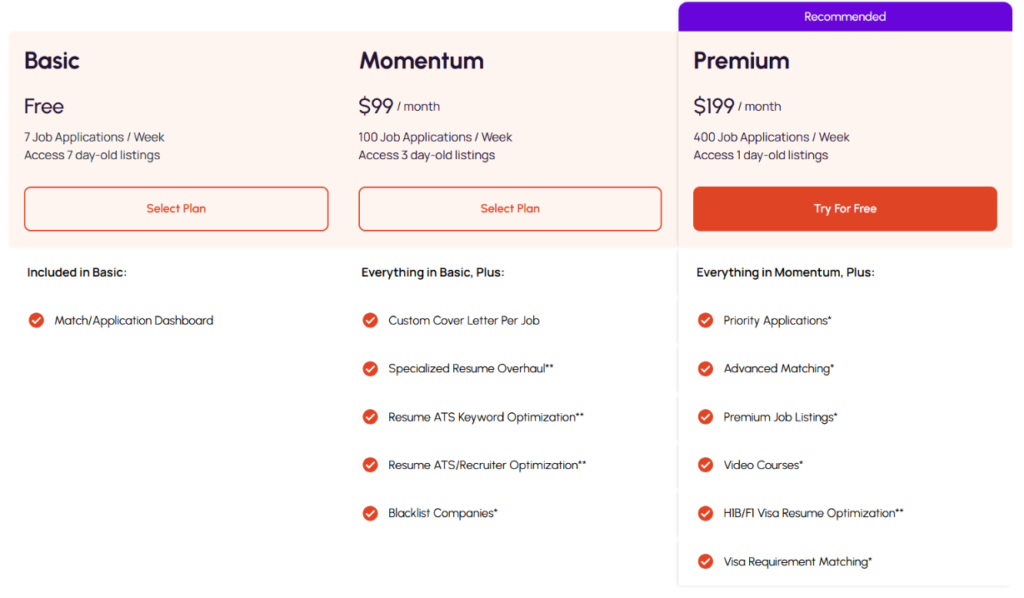
Let’s talk money, because this is where ApplyPass starts to sting a little.
| Plan | Price (Monthly) | Job Applications | Job Listings Access | Other Features |
| Basic | Free | 7 per week | 7-day-old listings | Match/Application Dashboard |
| Momentum | $99 | 100 per week | 3-day-old listings | Custom cover letter per job, resume overhaul & ATS optimization, blacklist companies |
| Premium | $199 | 400 per week | 1-day-old listings | Priority applications, advanced matching, premium job listings, video courses, visa resume optimization |
Key takeaways for your budget:
- The free Basic plan is honestly more of a taste-test than a real job search solution. 7 applications a week and only week-old listings won’t get you very far if you’re serious about landing a role.
- Momentum plan jumps straight to $99/month, which is a steep ask for a tool that’s still just helping you apply to jobs.
- Premium plan at $199/month is where it gets hard to justify. That’s nearly $2,400 a year for a job search tool, at a time when you’re likely trying to save money.
- The listings freshness (7-day vs 3-day vs 1-day-old) is a clever lever to push people toward higher tiers, but it also means the free plan is deliberately handicapped with stale listings.
ApplyPass Onboarding
Before I get into the nitty-gritty of my experience, here’s the rundown of how ApplyPass actually works.
I signed up for their free trial, which doesn’t ask for any card details upfront (always a relief). The trial includes 100 job applications, which ApplyPass says get sent out within about 24 hours, plus a resume score with tips on how to improve my matches going forward.
Here’s how the setup and application process actually went for me, step by step:
Step #01: Entering Roles and Tech Stack
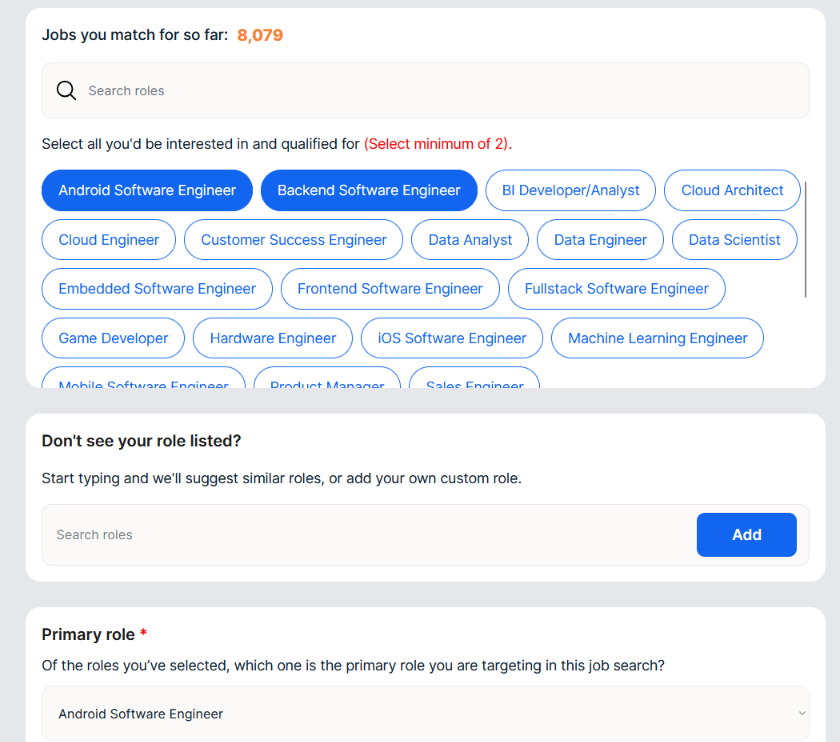
I picked my target roles first. I went with Android Software Engineer and Backend Software Engineer, then had to set one as primary. There was a counter showing how many jobs I matched so far.
Then it asked about programming languages. I put C++ as primary and C as my backup, with JavaScript and Python as other languages I know. It also asked which tools I’m confident in. More detail than any other job tool has asked me for.
Step #02: Entering Information About Seniority, Experience, and Location
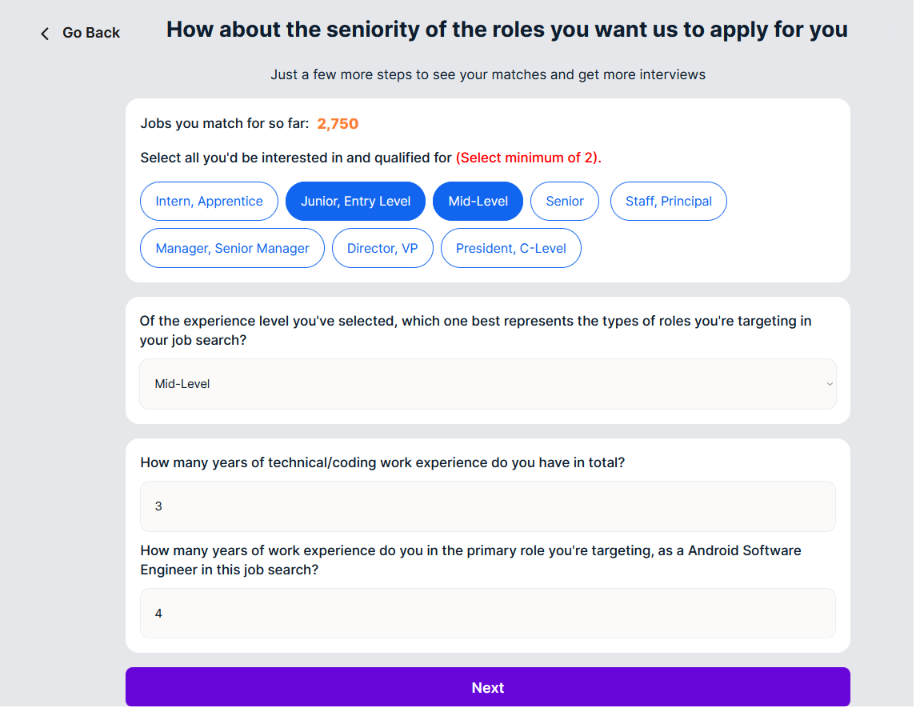
Next, it asks which seniority bands you’d take, from intern all the way up to president or C-level, and wants at least two selected. Then it asks you to narrow that down to the one level you’re actually targeting.
On top of that, it wants your total years of coding experience, and separately, how many years you have specifically in the role you’re targeting.
For location, it asks your preferred work arrangement, hybrid, remote, or onsite, then has you pick from a long list of states plus remote and international options. There’s also a checkbox if you’re open to relocating anywhere.
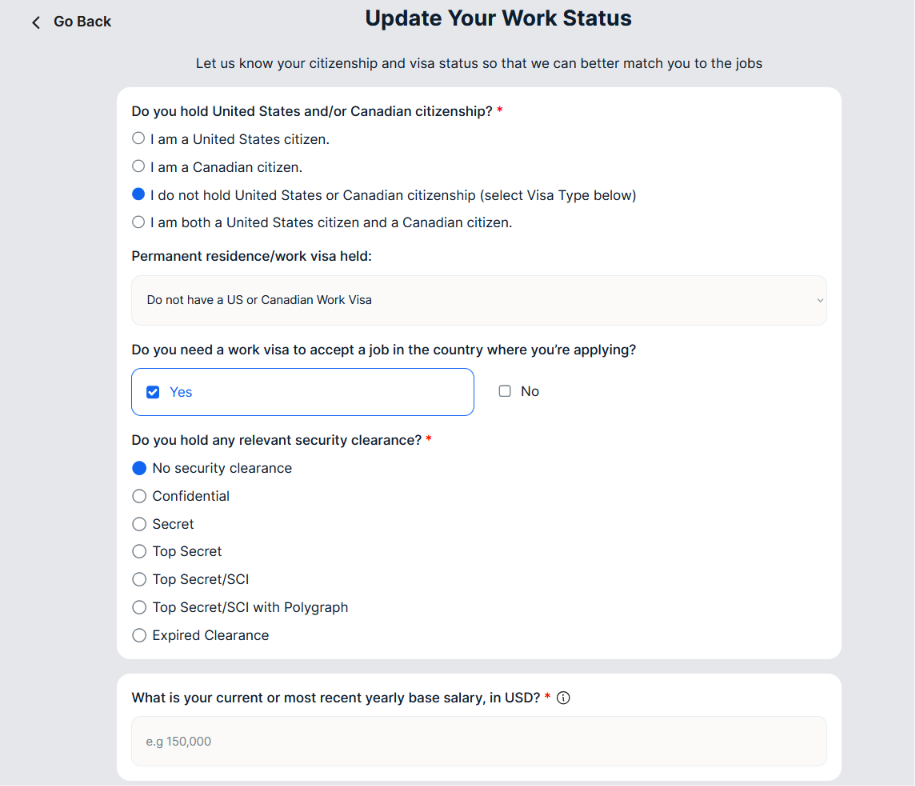
Step #03: Setting Up Work Status and Resume
It asks about your citizenship, visa status, security clearance, and current salary, all in the name of matching you to jobs you’re actually eligible for.
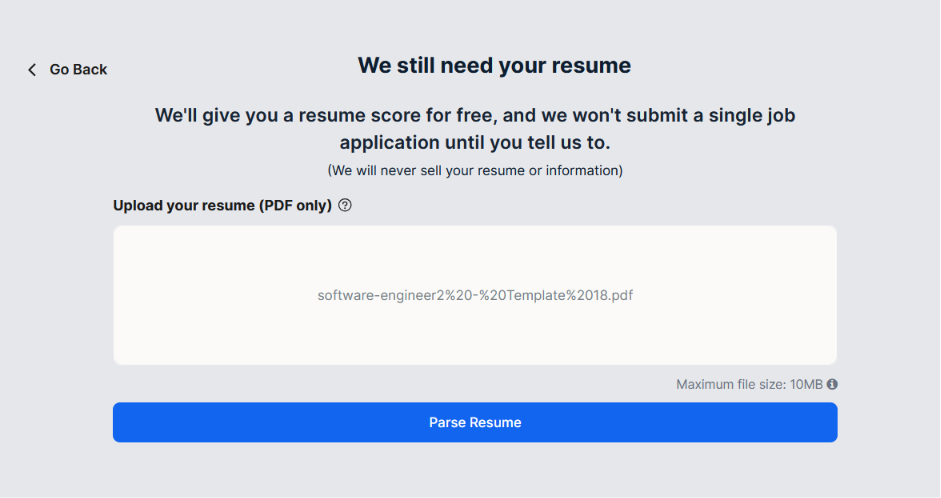
The last step is uploading your resume, PDF only, capped at 10MB. After that, it asks if there are any companies you want to exclude, like past employers or places you’d rather apply to on your own, before you hit finish onboarding.
The whole thing takes about 10 to 15 minutes. It’s more involved than a typical sign-up, but the level of detail it asks for suggests it’s actually trying to match you well.
Automate Your Job Applications with AI 🚀
Try the leading AI Copilot for job seekers – autonomous, safe, fully personalized, and trusted by 100,000+ users to land interviews faster.
Check Out JobCopilot →How Does ApplyPass Work?
I went into this expecting a quick sign-up, but ApplyPass takes its time getting to know you before it starts applying anywhere.
Training the Job Match Engine
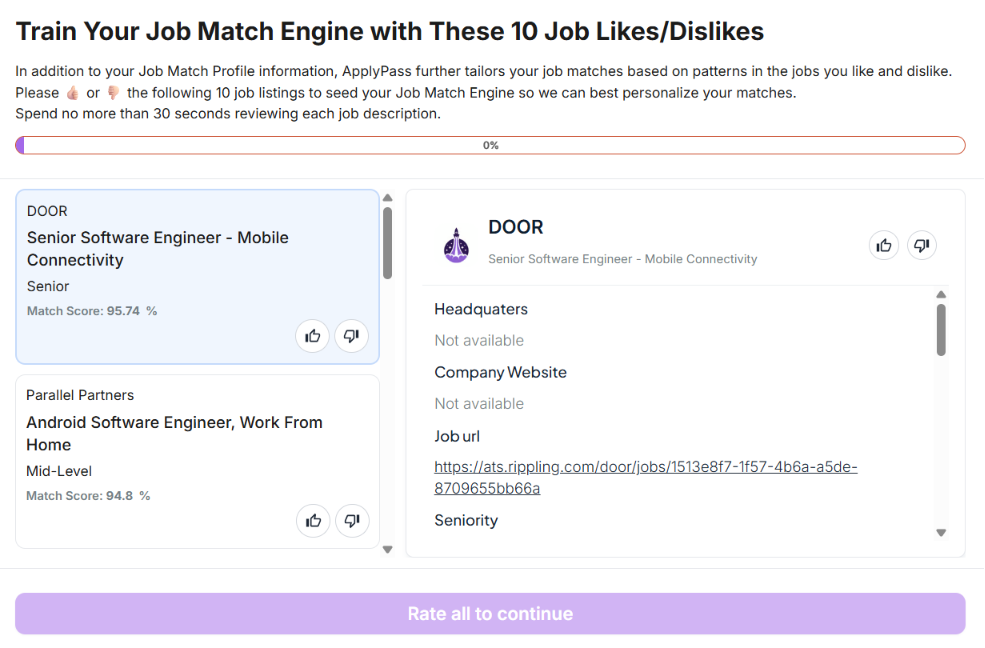
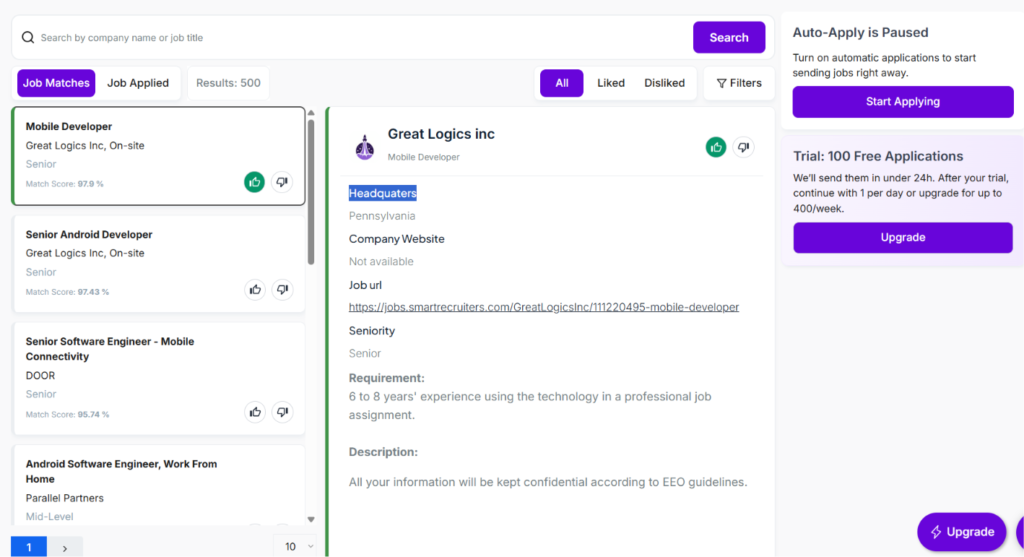
Before anything else, it shows you 10 job listings and asks you to thumbs up or thumbs down each one. Each card shows the company, job title, seniority level, and a match score, and you get a full job description on the side with the seniority, headquarters, company website, and job URL.
You’re told to spend no more than 30 seconds on each one, and there’s a progress bar at the top so you know how many you’ve got left. You have to rate all 10 before it lets you move on.
The Dashboard
After all that setup, I landed on the dashboard, and it already had 500 job matches waiting for me. Each one shows the company name, job title, work setup, seniority level, and a match score, so I could scan through and get a feel for what I was working with before doing anything else.
Auto-apply was paused by default, so nothing gets sent out until I hit start applying myself. I could still thumbs up or thumbs down individual jobs while it sat paused, so I got to keep shaping my matches before committing to anything.
Turning On Auto-Apply
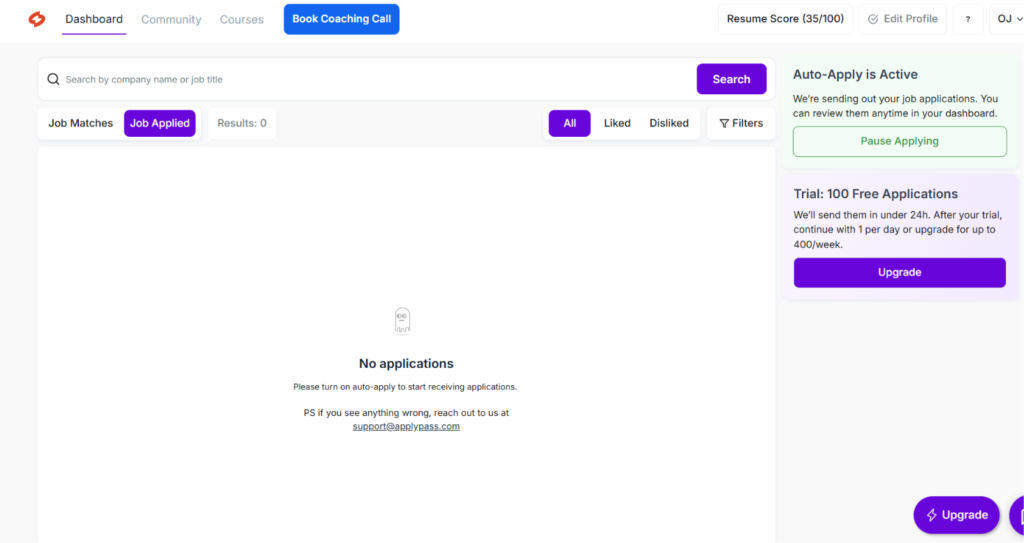
Checking the Job Applied tab right after, it showed 0 results, with a message saying to turn on auto-apply to start receiving applications. Since ApplyPass says the 100 trial applications go out within 24 hours, I figured this tab would fill in as that window played out.
What Are Customers Saying About ApplyPass?
Before trusting a tool with my job search, I like to see what other people who’ve actually used it have to say. So I went looking for reviews.
ApplyPass barely has a track record to go off of. Trustpilot shows just 5 reviews in the last 12 months, with a 4.5 average rating. That’s such a small sample size that it’s hard to say whether it genuinely reflects most users’ experience or just a handful of people who happened to leave feedback. Still, I dug through what’s there to see what themes came up.
Where it Stands Out
Pulls Fresh Listings Straight From the Source
ApplyPass scrapes listings hourly straight from Greenhouse, Glassdoor, AshbyHQ, Workable, and Workday. These come directly from the platforms companies actually use to manage hiring. It means less time wasted on stale or duplicate listings.
Real Users Are Landing Offers
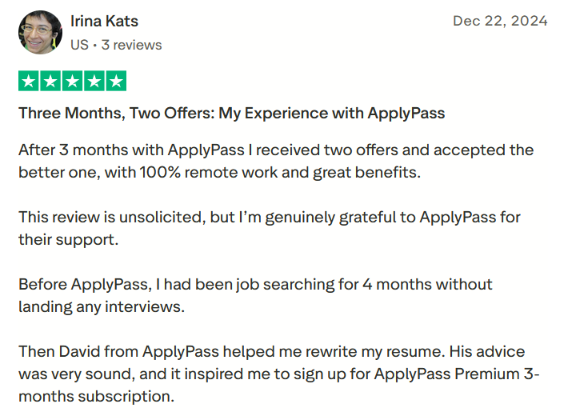
Irina left a five-star review after three months on ApplyPass. She landed two job offers and took the one with fully remote work and solid benefits. Before signing up, she’d been searching for four months without landing a single interview, so that turnaround is worth noting.
She also mentioned getting help from someone on ApplyPass’s team who rewrote her resume, and said the advice was solid enough that she upgraded to Premium afterward.
Simple UI
The interface is clean and easy to navigate. There’s no clutter, no confusing menus, nothing to figure out. But honestly, that’s partly because there just isn’t that much going on. Compare it to tools with dashboards packed with filters, tracking views, and settings, and ApplyPass feels more like a stripped-down version.
Where It Falls Short
Resume Parsing Gaps
To my surprise, ApplyPass didn’t pull my education or experience from my resume at all. I had to add it manually under an “Add Education” section that showed up completely empty. This is pretty basic stuff that most AI job search tools handle automatically the moment you upload a CV, so it caught me off guard that ApplyPass missed it.
Not Many AI Features
For a tool that markets itself as AI-powered, I expected more from the actual AI side of things. Outside of the matching engine and resume score, there isn’t much else going on. No AI cover letter generation, no smart follow-up suggestions, nothing that really leans into what “AI” is supposed to bring to a job search tool in 2026.
No Way to Preview What Gets Sent Out
This one bothered me the most. There’s no application preview anywhere, so you genuinely can’t see what gets submitted on your behalf. I couldn’t even confirm whether an application actually went out or not. When you’re letting a tool apply to jobs using your name and resume, not being able to verify that is a hard pass for me.
No Application Tracking
I also expected some kind of tracker, even a basic one showing status updates or where each application stands. ApplyPass doesn’t have this at all. Once an application goes out, you’re just left hoping it landed somewhere and trusting the process, with no way to actually follow up or monitor progress on your end.
When to Use ApplyPass and When to Switch
Choose ApplyPass if:
- You want a resume score and some outside guidance to sharpen your resume before diving into applications.
- You’re comfortable with a hands-off tool and don’t need to see or verify what’s actually being submitted on your behalf.
- You mainly care about volume and getting your resume out there, rather than tracking each application closely.
- You’re early in your search and just want a low-effort way to start getting your name in front of employers.
But if you’re the kind of job seeker who wants to know exactly what’s being sent out under your name, or you’d rather apply to fewer, more relevant roles instead of casting a wide net and hoping something sticks, ApplyPass starts to feel limiting pretty fast. No preview, no tracker, and barely any AI beyond matching means you’re mostly flying blind once auto-apply kicks in.
That’s usually the point where it’s worth looking at something built with more visibility and control in mind.
JobCopilot: The Best ApplyPass Alternative
If you want a job search copilot that actually shows its work, JobCopilot is worth a serious look.
- Full visibility into every application: JobCopilot’s Review Mode lets you see and edit AI-generated answers before anything goes out, so you’re never left guessing whether something was actually submitted.
- Built-in application tracker: Every application gets logged automatically, so you can monitor progress in one place instead of hoping for the best.
- Verified jobs only: JobCopilot pulls listings directly from official company career pages, not job boards, so you’re not wasting time on scams or duplicate postings.
- A copilot that actually learns: Every edit you make to an application answer helps train your AI going forward, and it also learns from the jobs you apply to or skip, refining your matches over time.
- More than just applications: JobCopilot bundles in a mock interviewer, salary negotiation coach, and other career tools, so you’re getting support beyond just the apply button.
Automate Your Job Applications with AI 🚀
Try the leading AI Copilot for job seekers – autonomous, safe, fully personalized, and trusted by 100,000+ users to land interviews faster.
Check Out JobCopilot →FAQs
Does ApplyPass work if I’m not based in the US?
During onboarding, it did ask about US and Canadian citizenship and visa status, which suggests the platform is mainly built around the North American job market. If you’re searching from outside the US or Canada, I’d go in expecting fewer relevant matches, since the visa and eligibility questions seemed geared toward that region specifically.
What happens after the free trial ends?
Based on what I saw on the dashboard, once your 100 free applications are used up, you drop down to just 1 application per day unless you upgrade to a paid plan.