
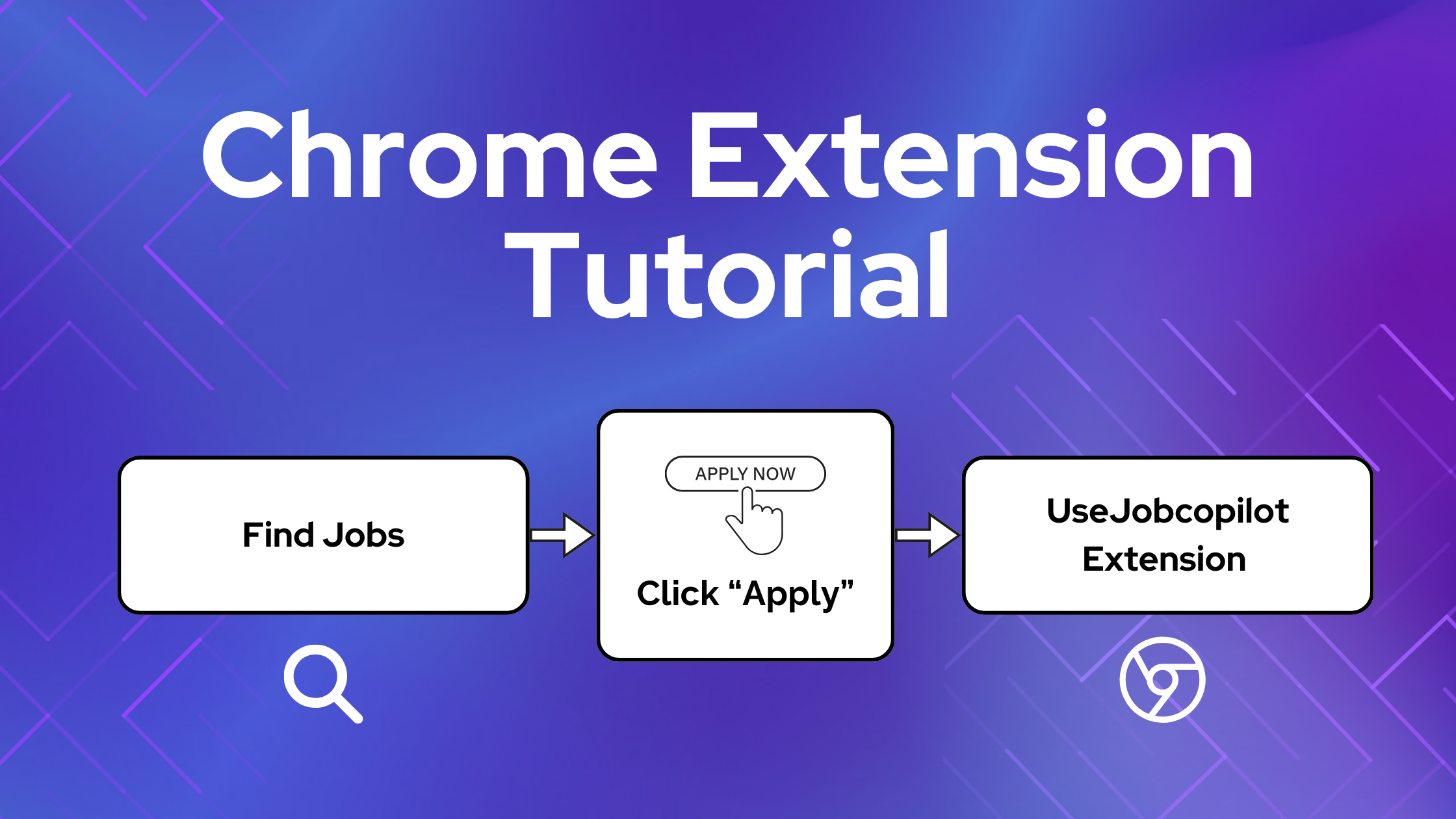
L'estensione Chrome JobCopilot ti aiuta a completare le candidature di lavoro più velocemente compilando automaticamente i tuoi dati sui siti di lavoro esterni.
Questa guida ti mostrerà esattamente come funziona, quando usarla e come evitare problemi comuni.
Indice dei contenuti
Cosa fa l'estensione JobCopilot per Chrome?
L'estensione Chrome JobCopilot compila automaticamente i moduli di candidatura su qualsiasi sito web utilizzando il tuo profilo JobCopilot, tra cui:
- Dettagli personali
- Esperienza lavorativa
- Curriculum caricato
- Risposte alle domande di screening
- Dati di addestramento che copilot ha appreso da te
⚙️ Siete pronti ad automatizzare la vostra ricerca di lavoro?
Unisciti a migliaia di professionisti che hanno 10 volte più colloqui di lavoro con JobCopilot. Provate oggi stesso!
- Fino a 50 posti di lavoro auto applicato al giorno
- Corrispondenza tra domanda e offerta di lavoro avanzata
- Tracciamento delle domande di lavoro
Quando usare l'estensione JobCopilot per Chrome?
Se trovi offerte di lavoro al di fuori di JobCopilot a cui il tuo copilot non ha ancora fatto domanda, puoi utilizzare l'estensione di Chrome per compilare automaticamente i moduli di candidatura e salvare tali offerte nel tuo JobCopilot Application Tracker.
Usalo sull'Applicazione, non sulla pagina del Lavoro
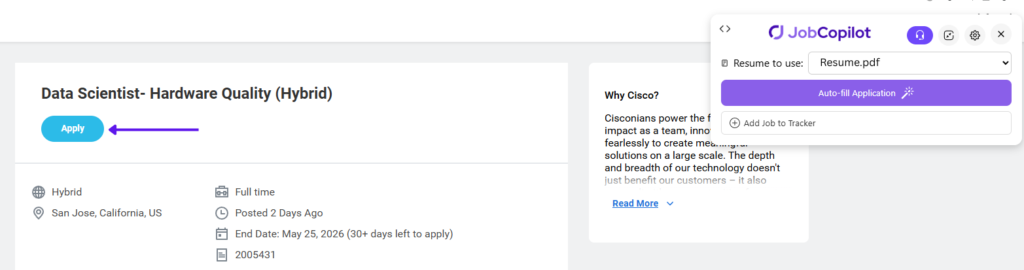
Una volta individuato un annuncio di lavoro a cui desideri candidarti, clicca prima sul pulsante "Candidati" prima di utilizzare l'estensione Jobcopilot per Chrome.
❌ Non utilizzare l'estensione nella pagina della descrizione del lavoro
✅ Fare clic su Applica per aprire prima il modulo di domanda
⚠️ IMPORTANTE: L'estensione funziona solo sul modulo di domanda.
Come utilizzare l'estensione JobCopilot per Chrome per il compilazione automatica
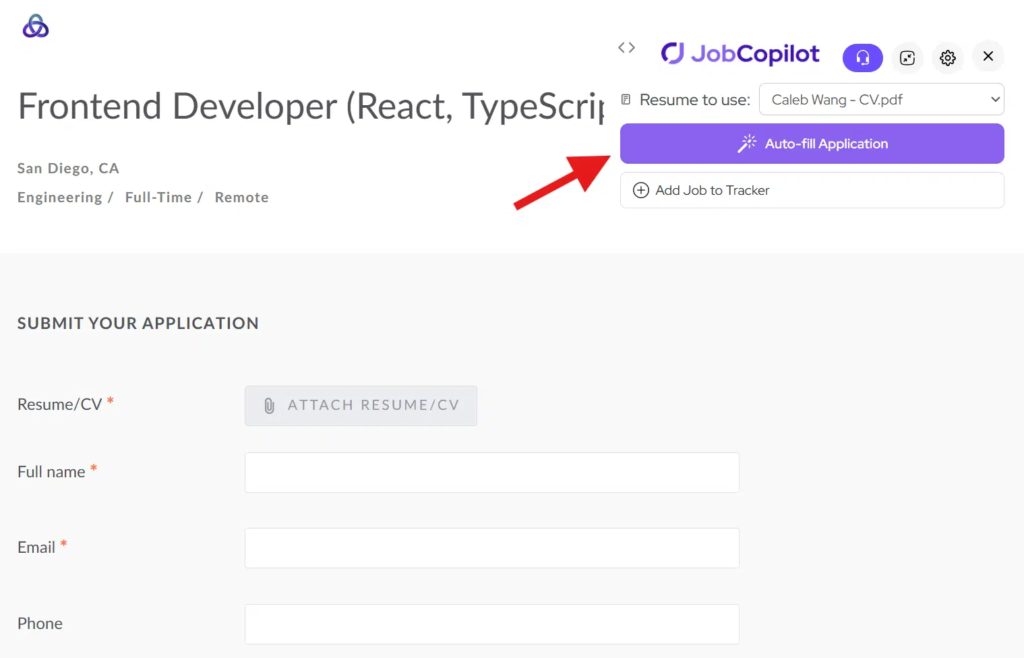
Passaggio 1: Apri il modulo di domanda e fai clic su Compila automaticamente
Fare clic sul Applicare pulsante per aprire il modulo di candidatura sul sito web del datore di lavoro.
Quindi fare clic sul “Riempimento automatico” pulsante dall'estensione di Chrome.
L'estensione leggerà le domande nella pagina e genererà delle risposte.
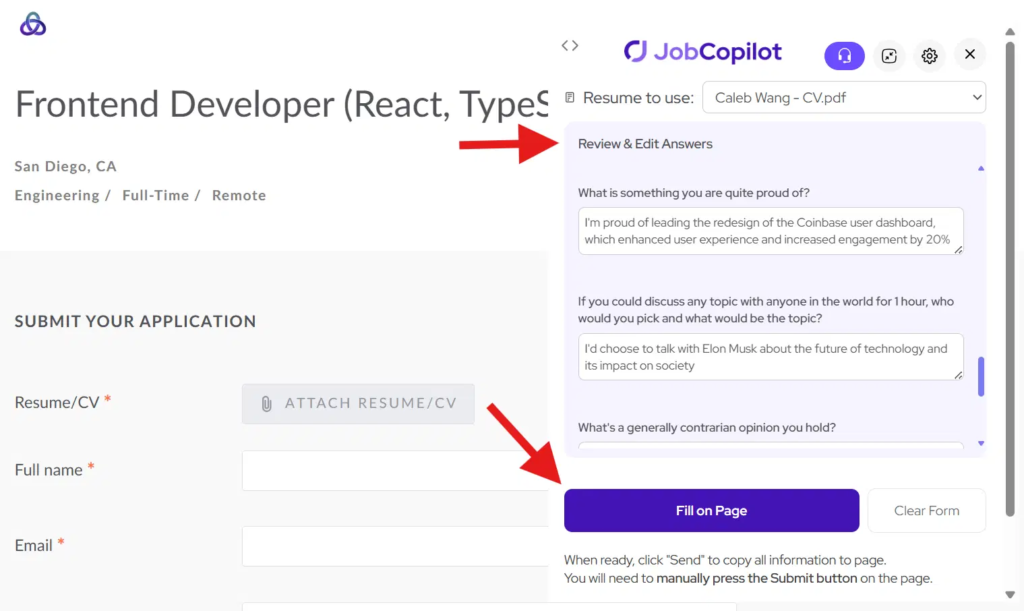
Passaggio 2: Revisiona e Compila il Modulo
Rivedi e modifica tutte le risposte generate, se necessario.
Allora clicca “Riempimento pagina” copiare tutte le risposte nel modulo di candidatura.
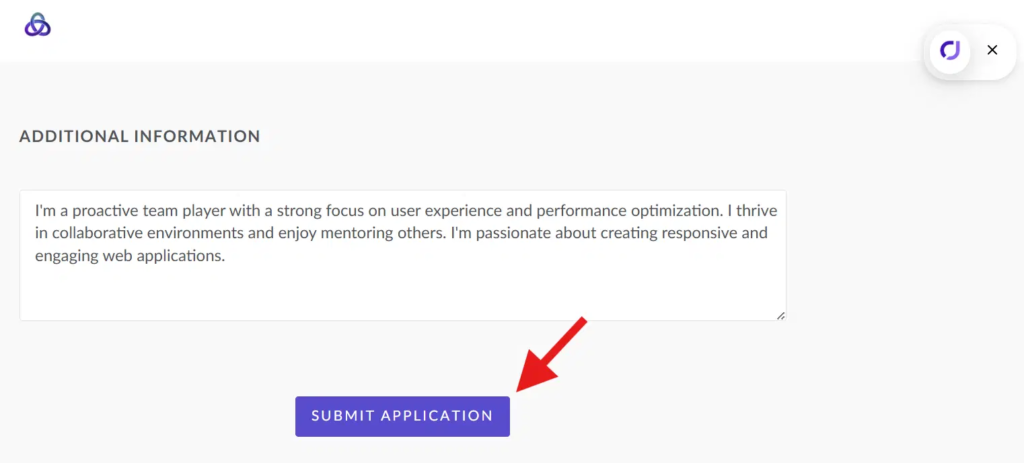
Passaggio 3: Invia la tua domanda
Una volta che tutto sembra a posto, fai clic sul Invia pulsante sulla pagina dell'applicazione.
Note importanti
- L'estensione funziona solo su Modulo di domanda, non la pagina della descrizione del lavoro
- Assicurati di essere acceduto al sito web del datore di lavoro
- Alcuni sistemi (ad esempio, Workday) potrebbero richiedere un'ulteriore immissione manuale
Suggerimenti per i migliori risultati
- Clicca sempre Applicare prima di usare l'estensione
- Esaminare le risposte prima di inviarle
- Tieni aggiornato il tuo profilo JobCopilot