
L'extension Chrome JobCopilot vous aide à remplir plus rapidement les candidatures d'emploi en renseignant automatiquement vos informations sur les sites d'emploi externes.
Ce guide vous montrera exactement comment cela fonctionne, quand l'utiliser et comment éviter les problèmes courants.
Table des matières
À quoi sert l'extension Chrome JobCopilot ?
L'extension Chrome JobCopilot remplit automatiquement les formulaires de candidature sur n'importe quel site web à l'aide de votre profil JobCopilot, notamment :
- Détails personnels
- Expérience professionnelle
- CV téléchargé
- Réponses aux questions de dépistage
- Les données d'entraînement que copilot a apprises grâce à vous
⚙️ Prêt à automatiser votre recherche d'emploi ?
Rejoignez des milliers de professionnels qui ont décroché 10x plus d'entretiens d'embauche avec JobCopilot. Essayez-le dès aujourd'hui!
- Jusqu'à 50 emplois paruto-appliqué par jour
- Recherche avancée d'emploi
- Suivi des candidatures
Quand utiliser l'extension Chrome JobCopilot ?
Si vous trouvez des offres d'emploi en dehors de JobCopilot auxquelles votre compte copilot n'a pas encore postulé, vous pouvez utiliser l'extension Chrome pour remplir automatiquement ces candidatures et enregistrer ces offres dans votre outil de suivi des candidatures JobCopilot.
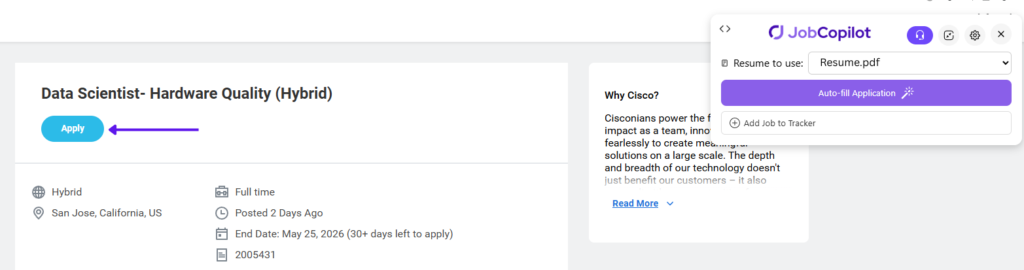
Utilisez-le sur l'Application, pas sur la page Emploi
Une fois que vous avez trouvé une offre d'emploi qui vous intéresse, cliquez d'abord sur le bouton “ Postuler ” avant d'utiliser l'extension Chrome Jobcopilot.
❌ N'utilisez pas l'extension sur la page de description de poste
✅ Cliquez sur Appliquer pour ouvrir d'abord le formulaire de candidature
⚠️ IMPORTANT : L'extension ne fonctionne que sur le formulaire de candidature.
Utilisation de l'extension Chrome JobCopilot pour le remplissage automatique
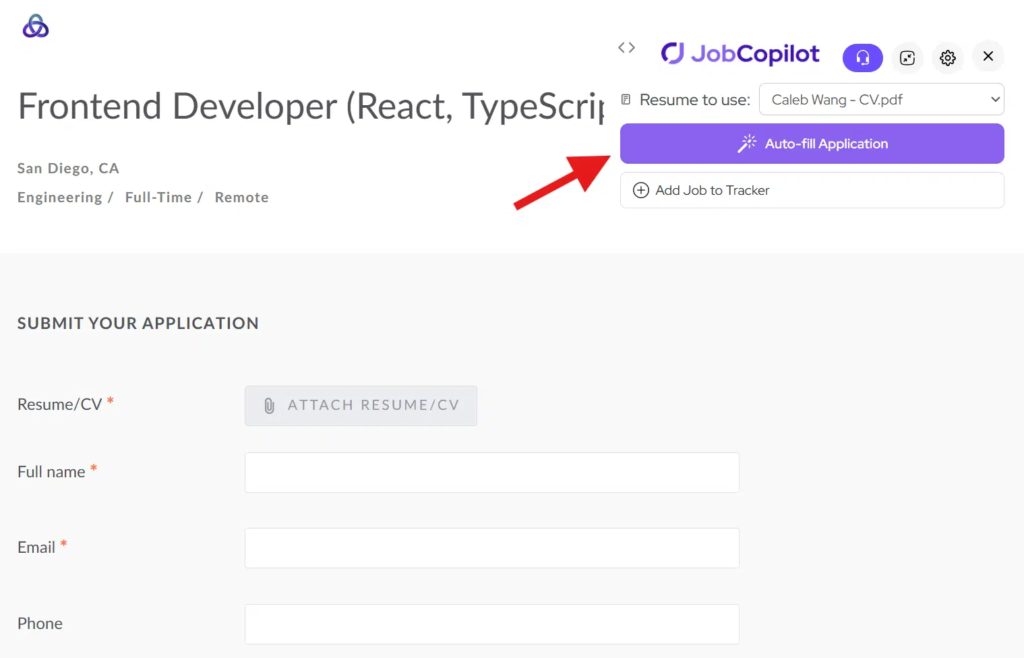
Étape 1 : Ouvrez le formulaire de candidature et cliquez sur Remplissage automatique
Cliquez sur Appliquer bouton pour ouvrir le formulaire de candidature sur le site web de l'employeur.
Puis cliquez sur “Remplissage automatique” bouton de l'extension Chrome.
L'extension lira les questions sur la page et générera des réponses.
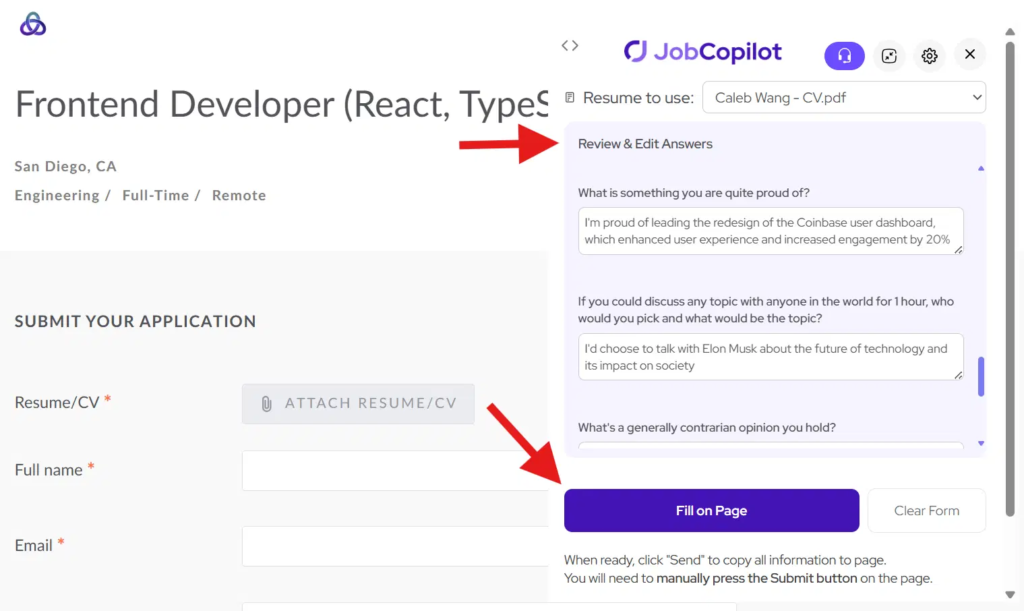
Étape 2 : Examiner et remplir le formulaire
Examiner et modifier les réponses générées si nécessaire.
Puis cliquez “Remplir sur la page” pour copier toutes les réponses dans le formulaire de candidature.
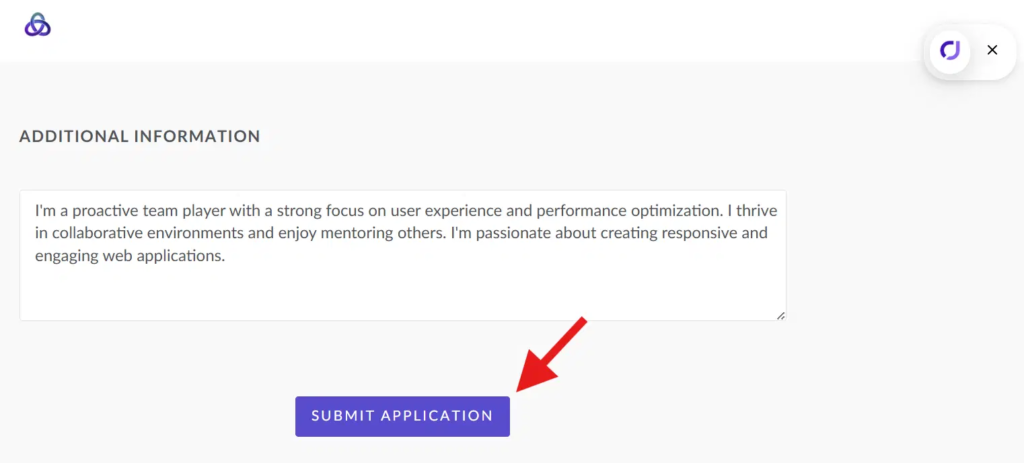
Étape 3 : Soumettez votre candidature
Une fois que tout semble bon, cliquez sur le Soumettre bouton sur la page de l'application.
Notes importantes
- Le module complémentaire ne fonctionne que sur le formulaire de candidature, pas la page de description du poste
- Assurez-vous d'être connecté au site web de l'employeur
- Certains systèmes (par exemple, Workday) peuvent nécessiter une saisie manuelle supplémentaire
Conseils pour de meilleurs résultats
- Toujours cliquer Appliquer avant d'utiliser l'extension
- Revue des réponses avant de soumettre
- Gardez votre profil JobCopilot à jour