
A Extensão Chrome JobCopilot ajuda-o a preencher candidaturas de emprego mais rapidamente, preenchendo automaticamente os seus dados em sites de emprego externos.
Este guia irá mostrar-lhe exatamente como funciona, quando o deve usar e como evitar problemas comuns.
Índice
O que faz a extensão JobCopilot para o Chrome?
A extensão JobCopilot para o Chrome preenche automaticamente formulários de candidatura a empregos em qualquer site utilizando o seu perfil JobCopilot, incluindo:
- Dados pessoais
- Experiência profissional
- Currículo enviado
- Respostas às perguntas de triagem
- Dados de treino que o copilot aprendeu consigo
⚙️ Pronto para automatizar a sua procura de emprego?
Junte-se a milhares de profissionais que conseguiram 10 vezes mais entrevistas de emprego com JobCopilot. Experimente hoje!
- Até 50 postos de trabalho poruto-aplicado por dia
- Correspondência avançada de empregos
- Rastreador de candidaturas a emprego
Quando utilizar a extensão JobCopilot para o Chrome?
Se encontrar ofertas de emprego fora do JobCopilot para as quais o seu copilot ainda não se candidatou, pode utilizar a extensão do Chrome para preencher automaticamente essas candidaturas, bem como guardar essas ofertas no seu Gestor de Candidaturas do JobCopilot.
Use na Aplicação, não na página do Emprego
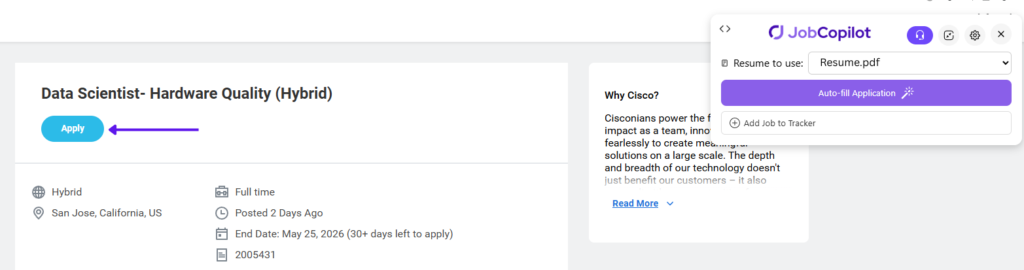
Depois de identificar uma vaga na qual esteja interessado em candidatar-se, clique primeiro no botão “Candidatar-se” antes de utilizar a extensão Jobcopilot para o Chrome.
❌ Não utilize a extensão na página de descrição da função
✅ Clique em Aplicar para abrir primeiro o formulário de candidatura
⚠️ IMPORTANTE: A extensão só funciona no formulário de candidatura.
Utilizar a extensão JobCopilot do Chrome para preenchimento automático
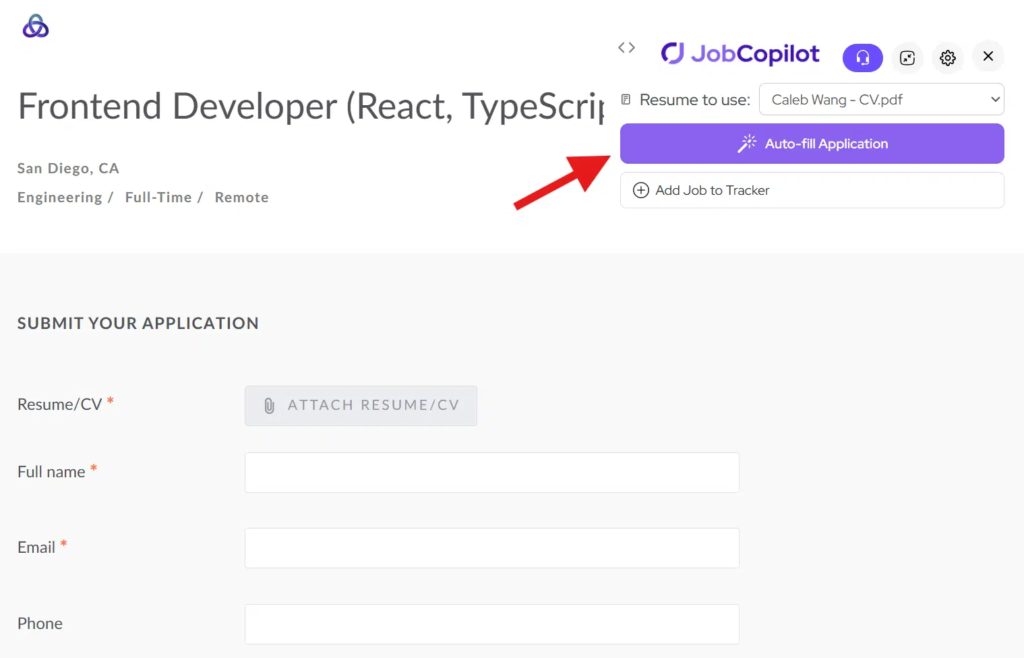
Passo 1: Abra o Formulário de Candidatura e clique em Preencher Automaticamente
Clique no Aplicar botão para abrir o formulário de candidatura no site do empregador.
Depois clique no “Preenchimento automático” botão da Extensão do Chrome.
A extensão irá ler as perguntas na página e gerar respostas.
Passo 2: Rever e Preencher o Formulário
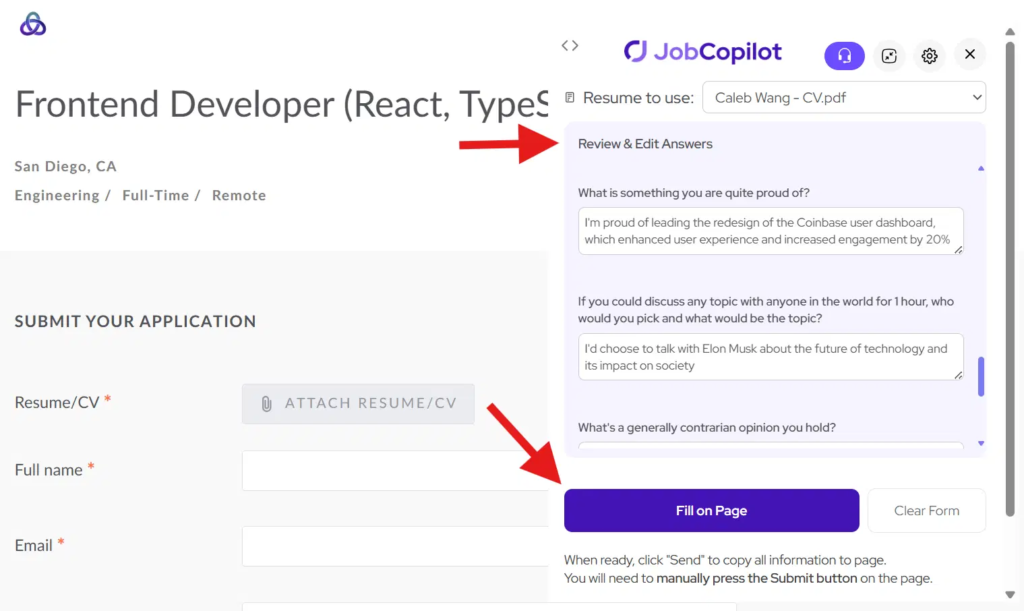
Reveja e edite quaisquer das respostas geradas, se necessário.
Depois, clique em “Preencher na Página” copiar todas as respostas para o formulário de candidatura.
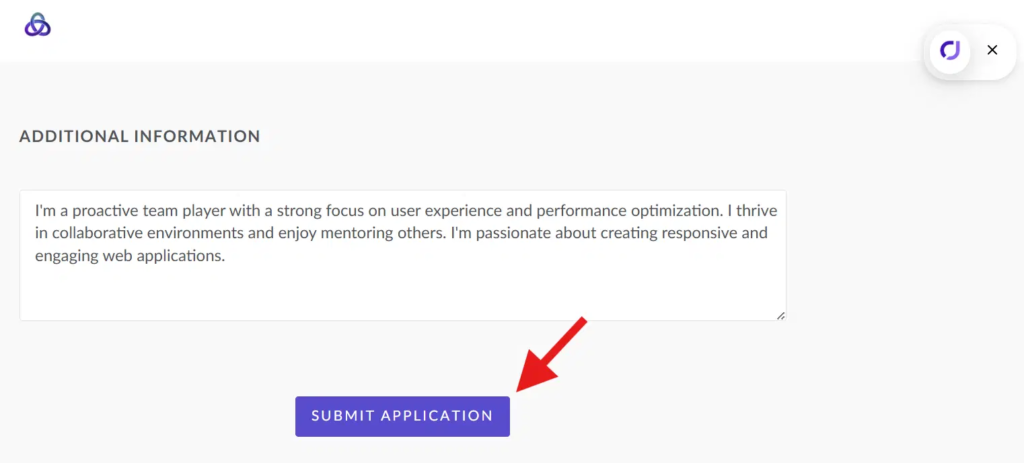
Passo 3: Submeta a sua candidatura
Assim que tudo parecer bem, clique em Submeter botão na página da aplicação.
Notas Importantes
- A extensão só funciona em formulário de candidatura, não a página da descrição da vaga
- Certifique-se de que está entrou no site do empregador
- Alguns sistemas (por exemplo, Workday) podem requerer introdução manual adicional
Dicas para Melhores Resultados
- Sempre clicar Aplicar antes de usar a extensão
- Rever as respostas antes de submeter
- Mantenha o seu perfil JobCopilot atualizado