
Kickresume has been around for over a decade and was built by a small team in Bratislava, Slovakia. It started as a template-based resume maker and grew into an AI suite covering resumes, cover letters, ATS checks, and interview prep. Forbes named it the number one resume builder, and over 8 million people have used it.
But does the hype hold up? In this review, we break down what Kickresume actually costs, how the AI tools perform in real use, what users praise and complain about, and where the tool falls short for a serious job search.
TL;DR
Kickresume is one of the better resume builders out there. It is fast, the templates are clean and ATS-friendly, and it is genuinely useful that you can build and download a resume for free, which several competitors do not allow.
The AI Writer, ATS checker, LinkedIn import, and extras like Career Map and a mock interview tool round it out into a decent all-in-one resume toolkit.
If you mainly need a strong resume, it delivers. If the actual grind of applying is what is wearing you down, you will want a tool that handles that part.
Para quem é recomendado:
- Job seekers who need a polished, ATS-friendly resume quickly
- People who want a free resume builder they can actually download from
- Anyone with a strong LinkedIn who wants their history imported in seconds
- Early-career folks and students who can get up to 6 months of Premium free
- Job seekers whose resume is the weak link, not the volume of applying
Principais caraterísticas num relance:
Principais caraterísticas num relance:
| Caraterística | Kickresume |
| Criador de currículos | Clean, modern templates with ATS-friendly options; LinkedIn and PDF import |
| Free download | Yes, unlimited, on the 4 free templates |
| AI Writer | Drafts resumes and cover letters (Premium) |
| ATS Resume Checker | Scores and optimizes your resume (Premium) |
| Cartas de apresentação | Matching designs pulled from your resume |
| Career Map | Suggests career paths from your background (mostly Premium) |
| Entrevistas de emprego | Generates practice Q&A to read; not a live mock interview |
| Job board | Browse and search openings; no auto-apply |
| Gestor de empregos | Only logs jobs applied through Kickresume; no outside jobs |
| Aplicação automática | Não disponível |
| Preços | Free plan, or Premium from about $8/mo standard (sale prices lower) |
Prós
- Free plan lets you build and download a real resume without a paywall
- Clean, modern, ATS-friendly templates that look polished
- Solid all-in-one toolkit with cover letters, ATS checks, and career extras
- Responsive developer replies to complaints
- 6 months free for students and teachers
Contras
- Free plan is tight, blocking extra education and work entries plus most sections
- Does not apply to jobs for you; the applying is still all manual
- Job tracker only logs Kickresume applications
- Mobile and web Premium are billed separately
- Analysis is English-only, a real limit for non-English job seekers
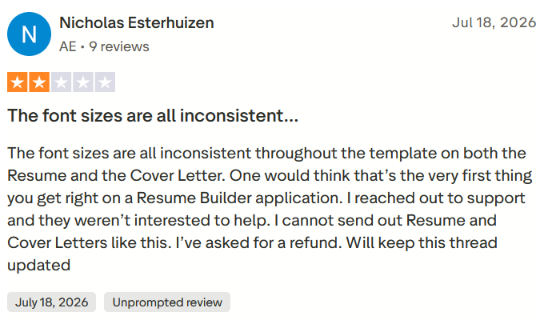
- Some reviewers report inconsistent formatting and usage caps on AI tailoring
Porque é que pode confiar nesta análise
I did not review this from the sidelines. I created an account and used Kickresume’s web version myself, building a resume, testing the LinkedIn import, running the Career Map, generating interview questions, and poking at the job board and tracker to see where the free plan stops and Premium begins.
To keep it fair and accurate, here is what went into it:
- Hands-on testing: I tried every feature described here, including the walls I hit on the free plan.
- Verified pricing and claims: I checked pricing against Kickresume’s live pages, flagged frequent sales, and corrected competitor numbers.
- Real user reviews: I read recent feedback on Trustpilot and the App Store, noted both the praise and the repeated complaints.
Kickresume Pricing
Kickresume runs on a freemium model. You can build and download resumes for free, but the templates, AI writing, and ATS tools that make the platform worth using are locked behind Premium. There is no separate tier for individual features, so the choice is simple. Free, or full Premium billed monthly, quarterly, or yearly.
Here is the current pricing for individuals.
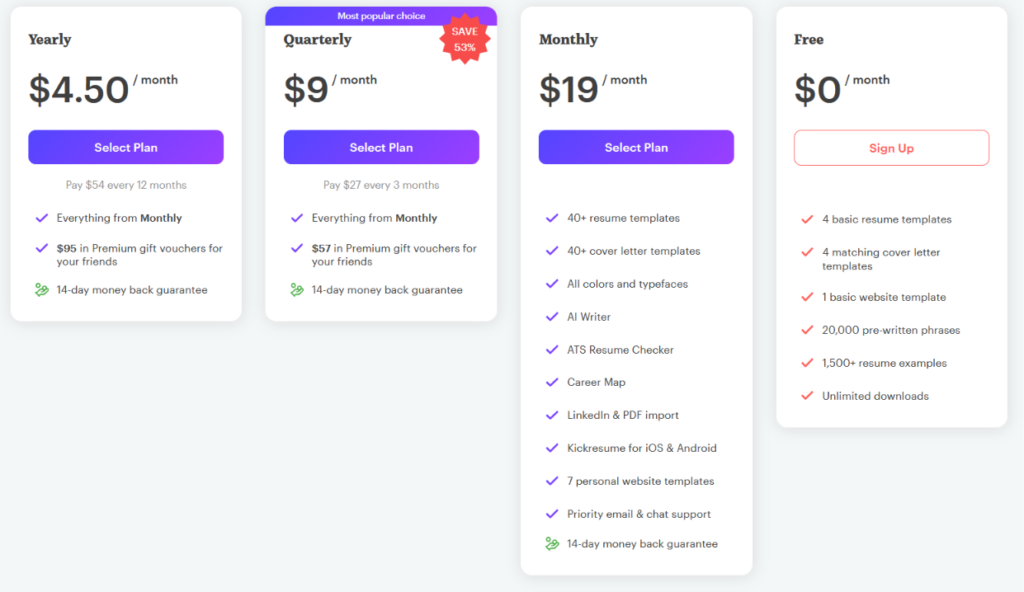
| Plano | Price (per month) | Faturação | What you get |
| Grátis | $0 | Free forever | 4 resume templates, 4 cover letter templates, 1 website template, 20,000 pre-written phrases, 1,500+ examples, unlimited downloads |
| Mensal | $19 | $19 each month | 40+ resume and cover letter templates, AI Writer, ATS Resume Checker, Career Map, LinkedIn and PDF import, mobile apps, 7 website templates, priority support |
| Trimestral | $9 | $27 every 3 months | Everything in Monthly, plus $57 in Premium gift vouchers |
| Anual | $4.50 | $54 every 12 months | Everything in Monthly, plus $95 in Premium gift vouchers |
Kickresume’s pricing shifts often depending on the promotion running and your region, so the numbers you see may differ from the table above. During my check, the yearly plan was marked as 53 percent off, and other review sites have logged the entry price anywhere from $3 to $10 a month.
How Kickresume compares to other resume builders
Price only means something next to what everyone else charges, so here is how Kickresume stacks up against the usual names people compare it to.
| Tool | Cheapest paid plan | Monthly plan | Free download? |
| Kickresume | ~$8/mo (yearly)* | $24/mo* | Yes, unlimited |
| Zety | ~$5.95/mo (yearly) | ~$24 to $26 / 4 weeks | No, pay to download |
| Melhorar | ~$13.32/mo (6-month) | $24.99/mo | Trial only, watermarked |
| Currículo.io | ~$6.25/mo (yearly) | ~$25/mo | TXT only |
| Novoresume | ~$9/mo | ~$21.99/mo | Limited, free tier available |
Automatize as suas candidaturas a emprego com IA 🚀
Experimente o Copiloto de IA líder para quem procura emprego - autónomo, seguro, totalmente personalizado, e com a confiança de mais de 100.000 utilizadores para conseguir entrevistas mais rapidamente.
Verificar o JobCopilot →Principais conclusões para o seu orçamento
You can build a clean resume and download it without paying, as long as you stick to the 4 basic templates. For a quick one-off resume, that alone beats tools like Zety and Enhancv that trap your work behind a paywall.
The AI Writer, ATS Resume Checker, 40+ templates, and LinkedIn import all require a paid plan, so if you are actively applying and want the tailoring and ATS scoring, the free tier will feel thin fast.
The yearly plan is only worth it if your search runs long. At $4.50 a month it looks cheap, but you are paying $54 upfront and locking in 12 months. Most job searches wrap up in 3 to 6 months, so the quarterly plan at $27 is the more honest fit for how long people actually job hunt.
Kickresume Features
I tried Kickresume’s web version. There was no onboarding tutorial or setup wizard walking me through anything. It just dropped me straight onto the dashboard and left me to poke around. Here are the features that stood out:
Criador de currículos
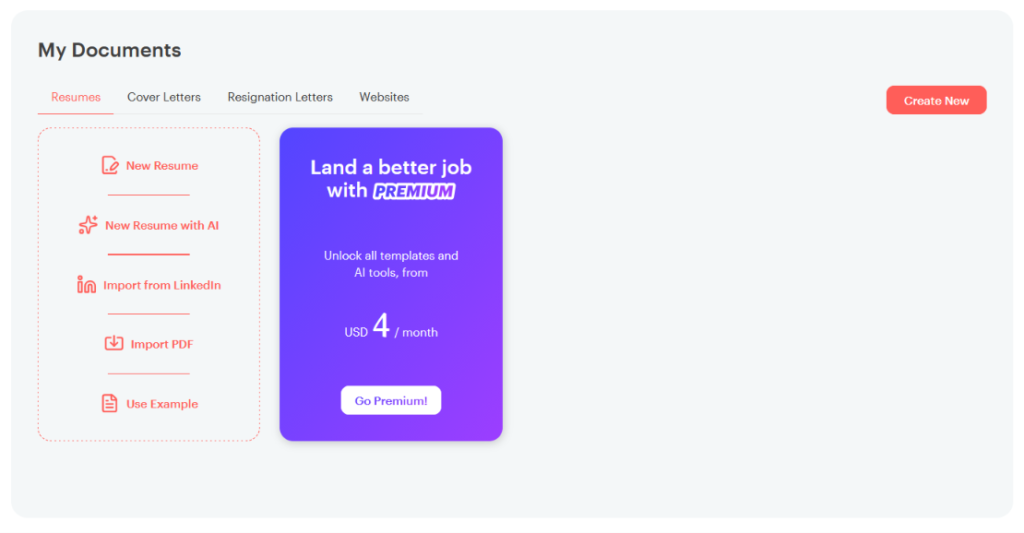
The resume builder is the core of Kickresume, and it is genuinely easy to get going. From the My Documents screen, you get a few ways to start:
- Blank resume for building from scratch
- New Resume with AI to let the AI draft one for you
- Import PDF if you already have a resume file
- Import from LinkedIn, the fastest option of the lot
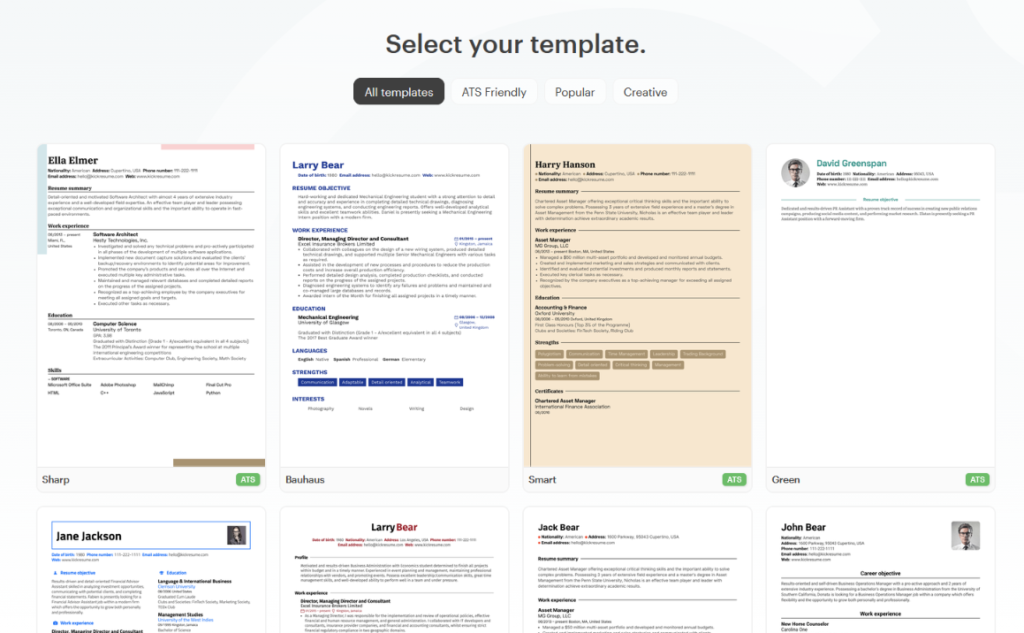
Once you are in, you pick from the template gallery, sorted into All Templates, ATS Friendly, Popular, and Creative. The ATS-friendly ones are clearly tagged, which is a nice touch if you care about passing resume scanners. The designs look clean and modern, and this is honestly where Kickresume feels the most polished.
The free plan gets frustrating fast, though. A few walls I hit right away:
- No second Education entry: The free plan blocked me from adding one.
- No third Work Experience entry: Same wall, one entry short of a real career history.
- Many useful sections are Premium only: Achievements, Awards, Certificates, Projects, and Graphs are all locked.
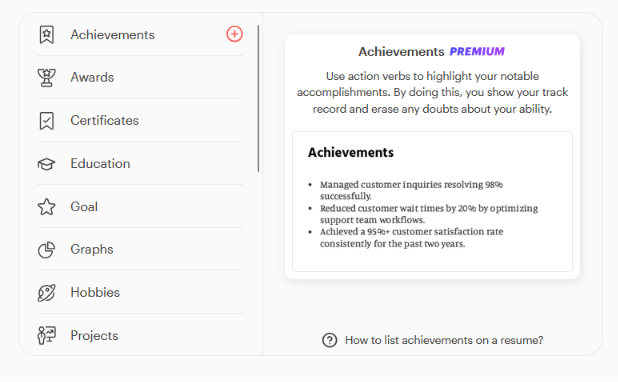
So the free builder is fine for a short, simple resume, but the moment you have a real career history to show, you hit the paywall.
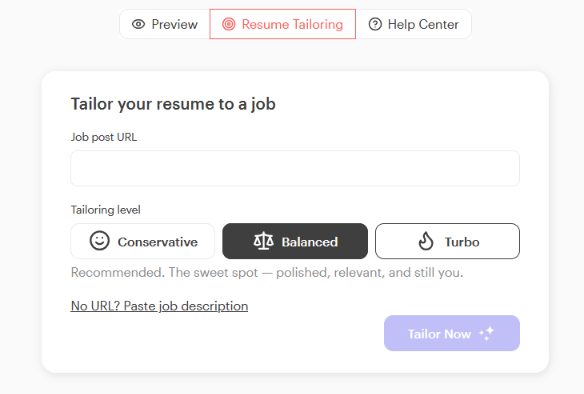
There is also a Resume Tailoring feature that lets you paste a job post URL or description and rework your resume to match it. You pick a tailoring level from Conservative, Balanced, or Turbo depending on how aggressive you want the rewrite to be. It is a smart idea, and Balanced is the recommended sweet spot, but like most of the good stuff here, it sits behind Premium.
Beyond resumes, Kickresume builds a few other document types too:
- Cartas de apresentação, the strongest of the extras since they match your resume design and pull from the same info
- Resignation letters, a nice touch but nothing you could not write yourself in five minutes
- Personal websites, the weakest piece, with basic templates that are not very attractive and not much you can actually do with them
I wouldn’t pick Kickresume for the website builder alone, but for resumes and matching cover letters, it holds up well.
Career Map
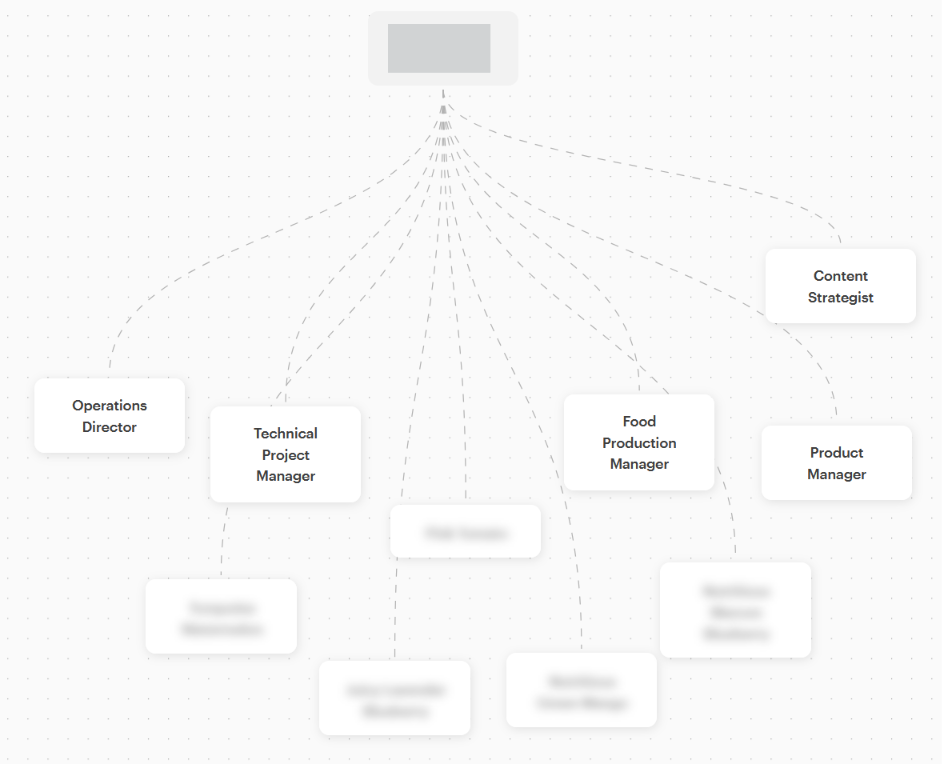
Career Map is one of Kickresume’s more interesting extras. It looks at your background and suggests career paths you could move into next. It is aimed at people who are not sure what role to target or who are thinking about a switch.
Before it shows you anything, it walks you through a short setup where you share your background and answer a few preference questions:
- Expectations for what you want out of work
- Lifestyle and how the job should fit your life
- Career goals and where you want to end up
- Income and what you need to earn
- Recognition and how much visibility matters to you
- Industries you actually want to work in
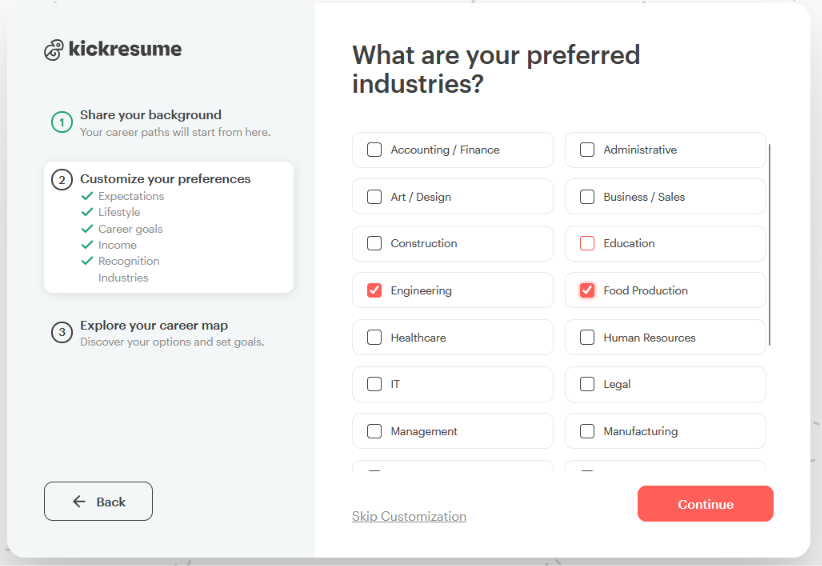
Once you finish, it builds a visual map with your current role at the top and possible career moves branching out below.
It is a nice idea, and the visual layout makes it easy to scan. The catch is the same as everywhere else on Kickresume. Most of the branches were blurred out and locked behind Premium, so on the free plan you only get a teaser of a few roles and have to pay to see the full map.
Job Interview Questions
Kickresume also has a Job Interviews tool that generates practice questions for a role, along with sample answers. There are two modes:
- Básico generates a set of questions from just the job title and seniority level (Junior, Mid, or Senior)
- Personalized digs deeper and builds questions off your actual resume, though this one is Premium and you only get to try it once for free
When I ran it for a content writer role, it produced a solid list of relevant questions, each with a written model answer and a short note explaining why that answer works. You can also flip to a Follow Up tab for the kind of second questions an interviewer might ask. As a study sheet, it is genuinely useful for getting your talking points straight before the real thing.
What Kickresume gives you is a list of questions and answers to read, not a mock interview. You can’t practice answering out loud; there are no follow-up questions based on what you said, and no feedback on how you responded.
This is where a tool like JobCopilot pulls ahead. Its Entrevistador simulado de IA runs an actual role-play instead of handing you a static list. You enter the target job title and description, then have a back-and-forth with an AI chatbot that asks tailored questions for your industry and role.
You can type your answers or record them by voice, and after each response you get instant feedback on content, relevance, and structure, with suggestions for improvement. You can run it for as many different jobs as you want, so it doubles as prep for every application rather than a one-off exercise.
Procura de emprego
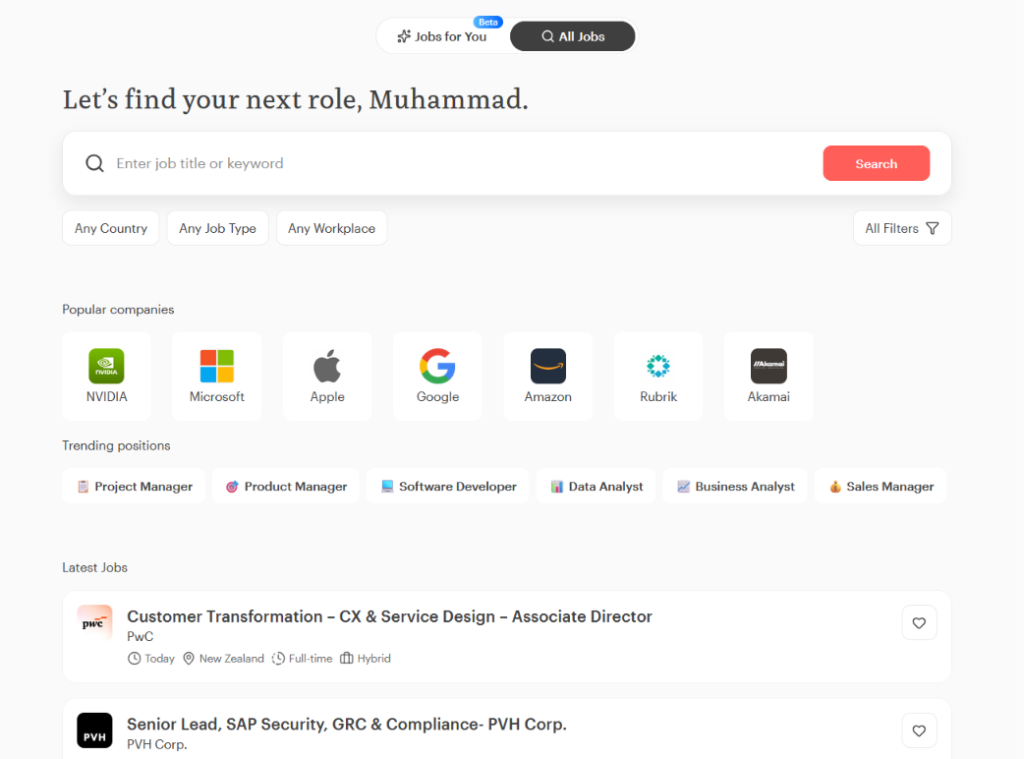
Kickresume has also added a job search feature. It has two tabs:
- Jobs for You (still in Beta) asks you to pick or upload a resume, then matches openings to your skills and experience automatically
- All Jobs is a standard search where you type a title or keyword and browse listings
The search side includes a solid set of filters. You can narrow by country, date posted, job type, seniority level, minimum yearly salary, and workplace setup like on-site, hybrid, or remote. The listings themselves are clean, with popular companies and trending positions surfaced right on the main screen, so it works fine as a place to look around.
But it is worth being clear about what this actually is. Kickresume’s job board is a place to find and browse jobs. You still click through to each posting and fill out every application yourself. It helps you spot roles, not apply to them.
Rastreador de empregos
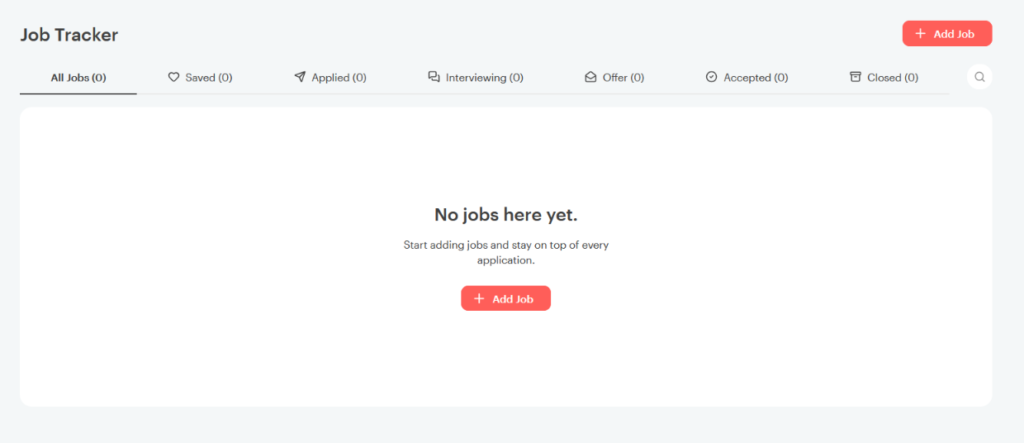
Kickresume includes a Job Tracker to help you keep tabs on where each application stands. It is laid out as a simple pipeline with columns for Saved, Applied, Interviewing, Offer, Accepted, and Closed, so in theory you can watch a job move from one stage to the next in one place.
You cannot actually add outside jobs to the tracker yourself. It only logs the roles you applied to through Kickresume, so anything you found and applied to elsewhere, which for most people is the bulk of their search, simply never shows up here.
What Are Customers Saying About Kickresume?
To keep this fair, I went past my own testing and dug through recent reviews on Trustpilot and the App Store. The scores are strong overall, but the written reviews tell a more mixed story once you get into the details.
| Plataforma | Classificação |
| Trustpilot | 4.6 / 5 (3,600+ reviews) |
| iOS App Store | 4.7 / 5 |
O que os utilizadores apreciam
You can download a finished resume for free
This is the one that comes up most, and it is a real edge over competitors. Zety, for example, makes you build the whole resume before revealing that you have to pay just to download it. Kickresume lets you preview and save your resume as a PDF without paying, as long as you stick to the free options.
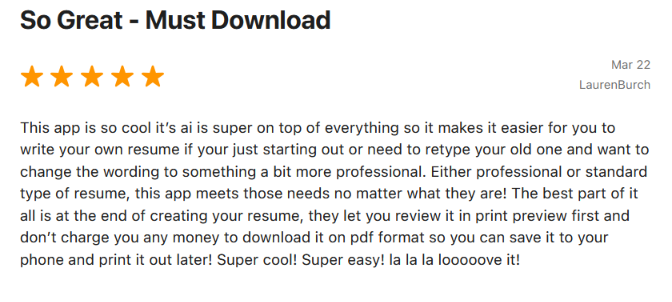
Clean, fast, and ATS-friendly templates
The template quality gets consistent praise, especially from tech and design folks who care about how the resume looks and whether it passes scanners.
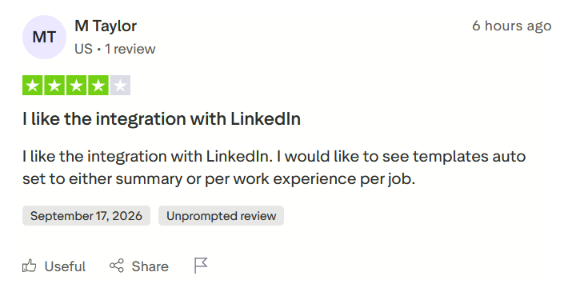
The LinkedIn integration
The LinkedIn import that saved me time shows up in reviews too, with users pointing to it as a standout convenience.
Do que os utilizadores estão frustrados
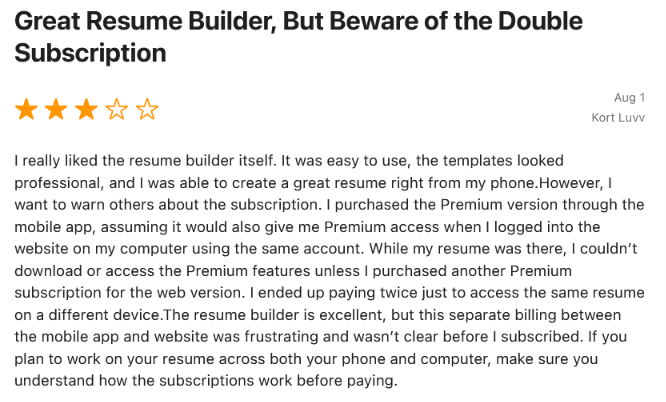
Getting billed twice for mobile and web
One of the sharper complaints is that a Premium subscription bought on the mobile app does not carry over to the web version, so some users paid twice to use the same account across devices.
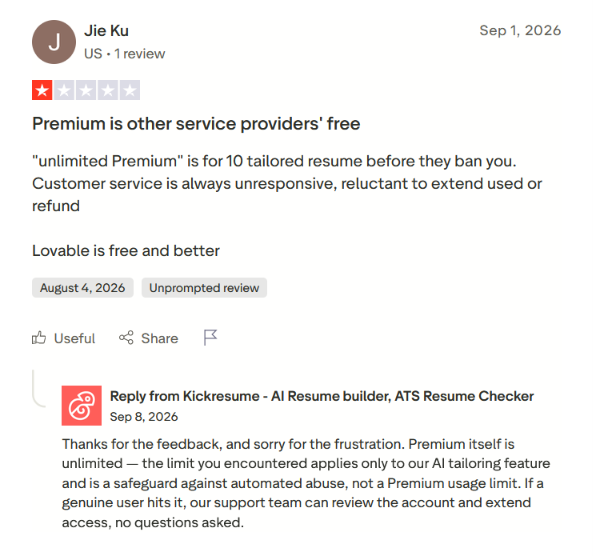
A cap on AI tailoring that surprised some users
Premium itself is unlimited, but the AI tailoring feature has a usage cap that a few reviewers hit unexpectedly. Kickresume says this is an anti-abuse safeguard rather than a Premium limit, and their support team can extend it on request. Worth knowing about, but not the paywall it first looks like.
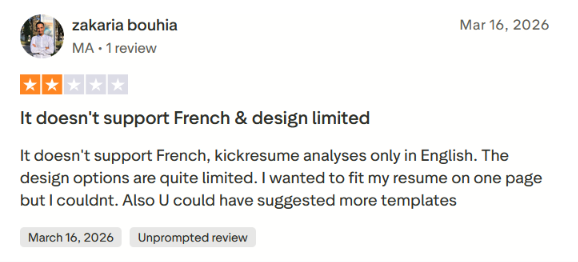
Weak language support and limited design control
Non-English users get the short end here, since the analysis only works in English, and some found the design options too rigid to fit everything on one page.
Inconsistent formatting in templates
A basic-but-real gripe is inconsistent font sizes across the resume and cover letter templates, which is exactly the kind of thing a resume tool should get right.
When to Use Kickresume and When to Switch
Kickresume does what it sets out to do well. The problem is that it covers a smaller slice of the job search than most people need. Here is how to tell which side of the line you fall on.
Choose Kickresume if:
- You need a polished resume, fast: If your resume is the weak link and you just want a clean, ATS-friendly document, Kickresume’s builder and templates are among the nicest out there.
- You want a free resume you can actually download: The free plan lets you build and save a resume without paying, which beats competitors that trap your work behind a paywall.
- You already have a strong LinkedIn: The LinkedIn import fills in your history in seconds, so you spend your time editing instead of typing.
- You are early in your search or between roles: If you are refreshing your resume before you start applying, Kickresume is a solid first stop.
Kickresume builds the document and points you toward jobs, then hands the hard part back to you. You still have to find each role, fill out each form, and send each application by hand. For many people, that repetitive form-filling is the most draining part of the search, and a better-looking resume doesn’t make it any faster.
So what if you don’t just want a resume, but want the right applications handled for you too?
Automatize as suas candidaturas a emprego com IA 🚀
Experimente o Copiloto de IA líder para quem procura emprego - autónomo, seguro, totalmente personalizado, e com a confiança de mais de 100.000 utilizadores para conseguir entrevistas mais rapidamente.
Verificar o JobCopilot →Perguntas mais frequentes
Is Kickresume legit and safe to use?
Yes. Kickresume is an established resume builder that has been around for over a decade, based in Bratislava, Slovakia, and used by more than 8 million people. It is hosted in the EU under GDPR and says it does not share your data with third parties unless you ask it to.
Does Kickresume apply to jobs for me?
No. Kickresume builds resumes and cover letters and has a job board where you can browse and search openings, but you still apply to each one yourself. If you want applications sent automatically, you would need a tool like JobCopilot instead.
Does Kickresume work on mobile?
Yes, there are iOS and Android apps, but mobile Premium is billed separately from the web version. If you plan to work across your phone and computer, check which plan covers both before you pay, since some users have been billed twice by mistake.
Are Kickresume templates ATS-friendly?
Some are. Kickresume tags certain templates as ATS-friendly in the gallery, and Premium includes an ATS Resume Checker. If passing resume scanners matters to you, stick to the tagged templates rather than the more design-heavy ones.