
If you’ve used Zety, LiveCareer, or MyPerfectResume, here’s something most people don’t know. They’re all owned by the same company. Bold, the parent behind all three, also owns Monster and CareerBuilder.
That’s why so many resume builders feel familiar when you switch between them. The onboarding is similar, the templates look alike, and the pricing follows the same pattern of a cheap trial that rolls into a recurring plan.
You can scroll down MyPerfectResume’s homepage to its expert reviews, and one of the quotes comes from Zety. That’s a sister brand reviewing a sister brand.
None of this makes MyPerfectResume a bad tool. It just means you should judge it on what it actually does, not on how many “different” options you think you’ve ruled out. So that’s what this review does.
TL;DR
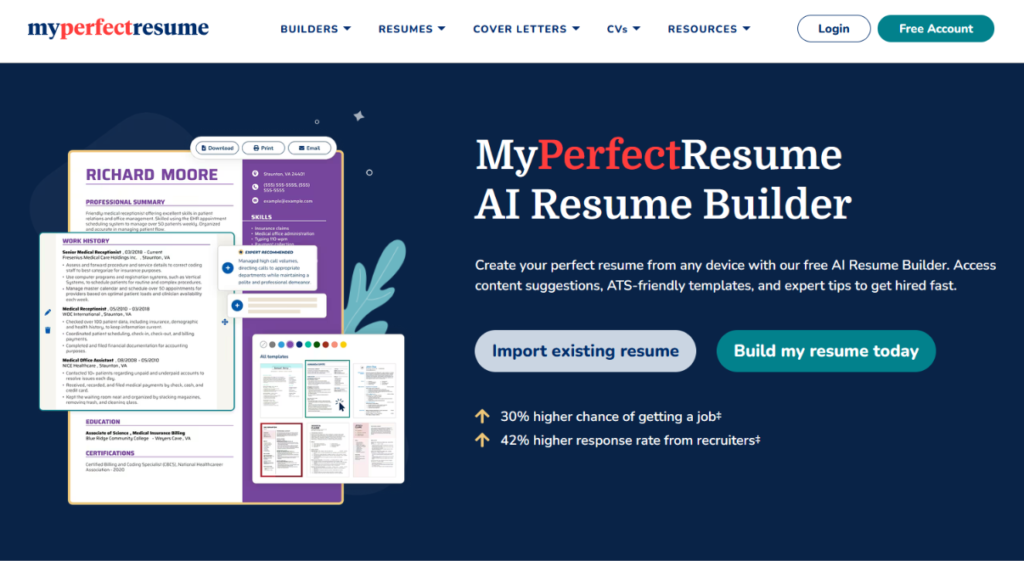
MyPerfectResume is an easy, guided resume builder that works well if you haven’t written a resume in a while or you’re just starting out. The templates adjust to your experience level, and you can build your whole resume for free.
But free downloads are TXT only, and the $2.95 trial renews at $23.95 every four weeks. Its job search tool is a nice bonus, but it returns many loosely matched and some inactive listings.
If you’ve already tried Zety (sister company of MyPerfectResume) and didn’t like it, MyPerfectResume probably won’t change your mind. If you liked Zety, it may be a cheaper way to get the same experience.
À qui il est destiné :
- People returning to work or updating a resume after several years
- Students and first-time job seekers who need help getting started
- Job seekers who only need one polished resume and will cancel the trial in time
- People who like a step-by-step flow they can pause and come back to
Les principales caractéristiques en un coup d'œil :
| Fonctionnalité | MyPerfectResume |
| Créateur de curriculum vitae | Guided, step-by-step builder with prewritten content suggestions |
| Templates | 40+ designed templates, recommended by experience level (locked on free plan) |
| Resume import | Upload an existing resume or start from scratch |
| Content suggestions | Tips & Fixes panel for each section, though fairly generic |
| Lettres de motivation | Builder included; job-specific letters only for jobs in its own job search |
| ATS check | ResumeCheck scans for 30+ issues (premium only) |
| Job search | Built-in search with filters and AI match insights, one role at a time |
| Downloads | TXT only on free plan; PDF and Word on paid plans |
| Tarification | $2.95 for 14 days, then $23.95 every 4 weeks, or $95.40 per year |
| Refunds | Garantie de remboursement de 14 jours |
| Mobile | iOS and Android apps, though editing can be clunky |
Pour
- Templates and questions adjust to your experience level
- Easy, guided workflow that you can pause and return to anytime
- You can compare template colors right away and switch templates later
- Build your full resume for free before deciding to pay
- Includes cover letters and a job search tool
Cons
- Free downloads are plain TXT files only
- Expensive. Trial auto-renews at $23.95 every four weeks, about $311 a year
- Many users report trouble canceling and surprise charges
- Content suggestions are generic and mostly reword your existing bullets
- Job search returns too many loose matches and some inactive listings
- Can’t search multiple job roles at once
- Editing on mobile can be clunky
Pourquoi vous pouvez faire confiance à cet avis
I’ve spent a lot of time on the job seeker side of the screen. I know what it’s like to rewrite the same resume five times and still hear nothing back. So I looked at MyPerfectResume the way I’d look at any tool before paying for it.
Here’s what went into this review:
- Tested hands-on: I built a resume from scratch, imported an existing one, and went through the full flow from template choice to download.
- Compared against its sister brands: Bold owns MyPerfectResume, the same company behind Zety and LiveCareer. I compared its templates, features, and pricing with those sister sites to see what’s actually unique to MyPerfectResume.
- Checked against live pricing and docs: I verified prices, trial terms, and renewal rates directly on MyPerfectResume’s website.
Remarque : This review is published on JobCopilot’s blog, but every finding comes from my own testing.
MyPerfectResume Pricing
MyPerfectResume has three options. There’s a free plan, a 14-day trial, and an annual plan.
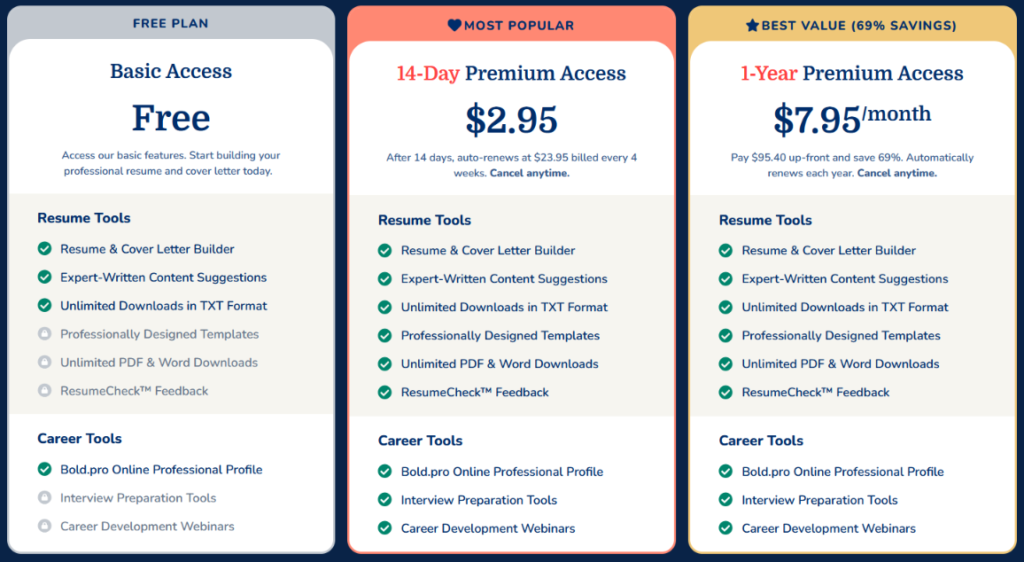
Prices checked October 2026.
- Basic Access (Free): You can build your resume, but downloads are TXT only, and the designed templates, ResumeCheck, interview prep, and webinars are all locked.
- 14-Day Premium ($2.95, then $23.95 every 4 weeks): You get PDF, Word, and TXT downloads, all designed templates, ResumeCheck, interview prep, and webinars.
- 1-Year Premium ($95.40 per year, or $7.95/month): You get the same features as the 14-day plan, billed annually instead of every four weeks.
Every four weeks is not the same as every month. A year has 13 of those cycles, so you’d pay about $311 a year if you never cancel. That’s around $26 a month.
There’s a 14-day money-back guarantee if you request a refund within 14 days of subscribing. That’s a fair safety net. Just set a reminder the day you sign up.
Here’s how MyPerfectResume pricing compares to other tools:
| Outil | Free Download | Shortest Paid Option | Billing Model | Annual Price |
| MyPerfectResume | Chose unique de TXT | $2.95 for 14 days | Auto-renews at $23.95 every 4 weeks | $95.40 |
| Resume Genius | Chose unique de TXT | $2.95 for 14 days | Auto-renews at $23.95 every 4 weeks | $95.40 |
| Zety | Chose unique de TXT | $1.95 for 14 days | Auto-renews at $25.95 every 4 weeks | $71.40 |
| Kickresume | Yes (basic templates) | $24 per month | Monthly, quarterly, or yearly | $96 |
| Novoresume | Limited free plan | $21.99 per month | One-time payment, no auto-renew | $139.99 (list price) |
Points clés pour votre budget :
The free plan lets you use the builder, add the expert-written content suggestions, and download as many resumes and cover letters as you want. The catch is that those downloads are plain TXT files only. They’re fine for pasting into online application forms, but not for sending to a recruiter, since all your formatting is gone.
The homepage promises “hundreds of ATS-friendly templates.” The pricing page says 40+ customizable templates. Those are pretty different numbers. I guess the homepage includes the 800+ resume examples, but the site doesn’t say so.
Automatisez vos demandes d'emploi grâce à l'IA 🚀
Essayez le Copilote IA leader pour les demandeurs d'emploi - autonome, sûr, entièrement personnalisé, et qui a bénéficié de la confiance de plus de 100 000 utilisateurs pour décrocher des entretiens plus rapidement.
Check Out JobCopilot →How Does MyPerfectResume Work?
MyPerfectResume walks you through a guided setup. You answer a few questions, pick a template, upload or write your resume, and then fill in each section one at a time.
Here’s how each step went for me.
Step 1: Tell It Your Experience Level
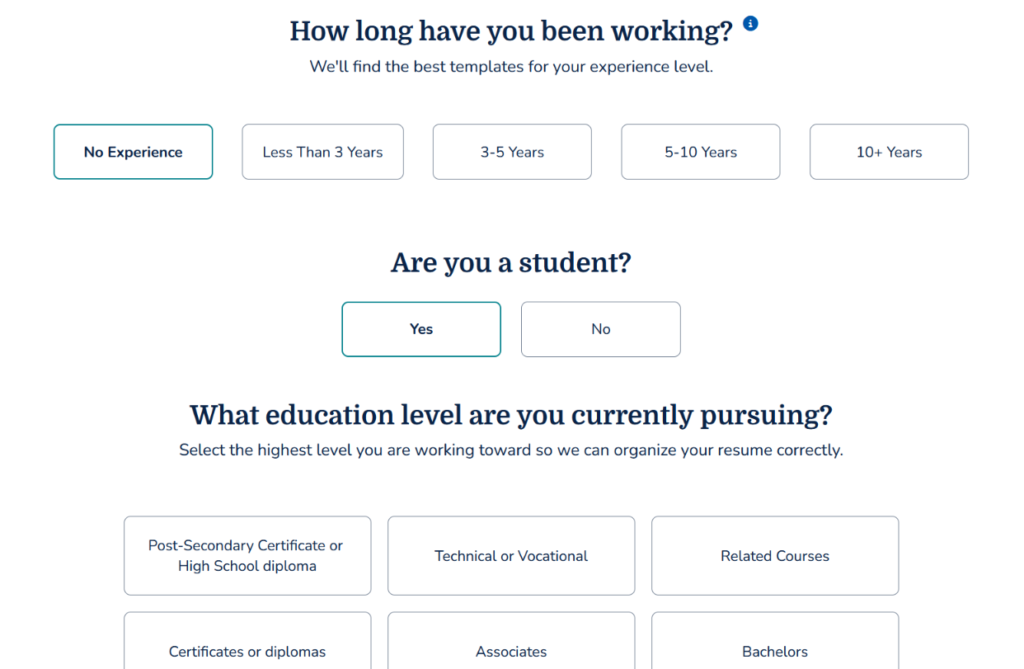
The first question asks how long you’ve been working. You can choose anything from “No Experience” to “10+ Years.”
What I liked is that your answer shapes which templates you see next. If you pick less experience, it asks a few extra questions, like whether you’re a student and what education level you’re working toward. That way, the templates match where you actually are in your career.
Step 2: Pick a Template
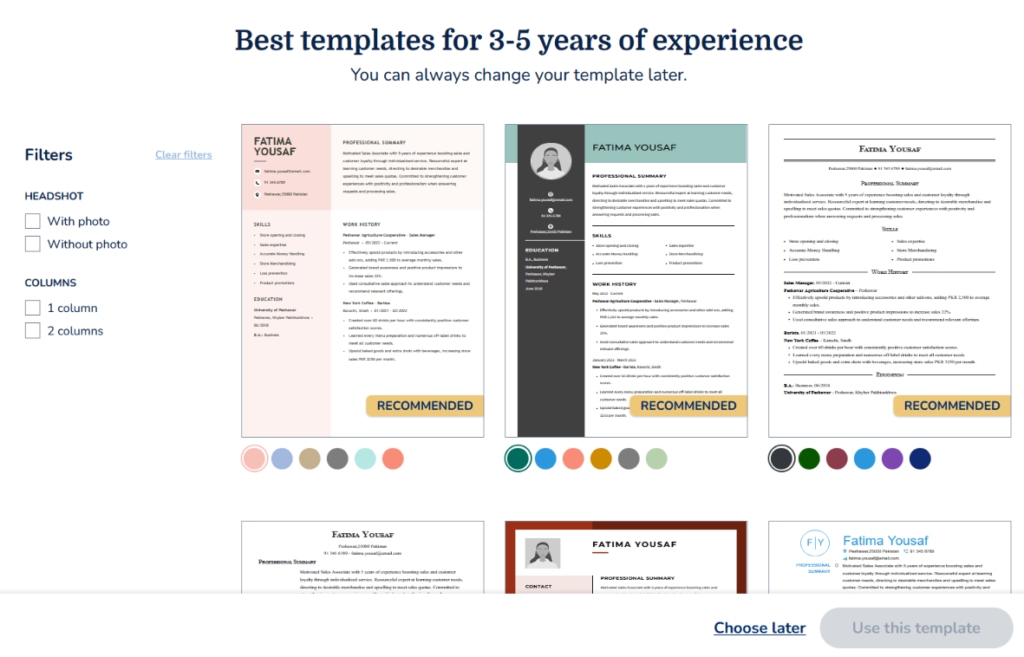
Next, you see templates recommended for your experience level. You can filter them by photo or no photo and by one or two columns.
You can also switch colors right on the template cards. That makes it easy to compare a few looks side by side before you pick one.
Step 3: Upload Your Resume or Start From Scratch
You can upload an existing resume or build one from scratch. I uploaded mine, and it pulled in my details.
Step 4: Review the Suggestions
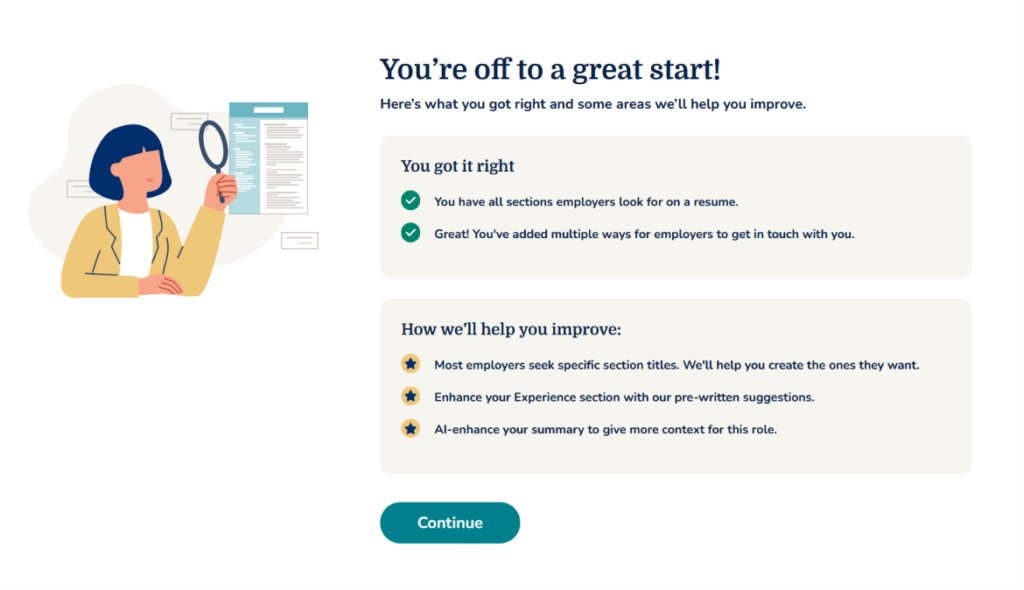
After the upload, MyPerfectResume shows what you did right and what it can help you improve. I found these bullets pretty generic, tbh.
Step 5: Confirm Each Section
Next, you go through your resume one section at a time. The sections are Heading, Work History, Education, Skills, Summary, and Finalize. Review and edit each one before moving on.
Step 6: Change Your Template Later
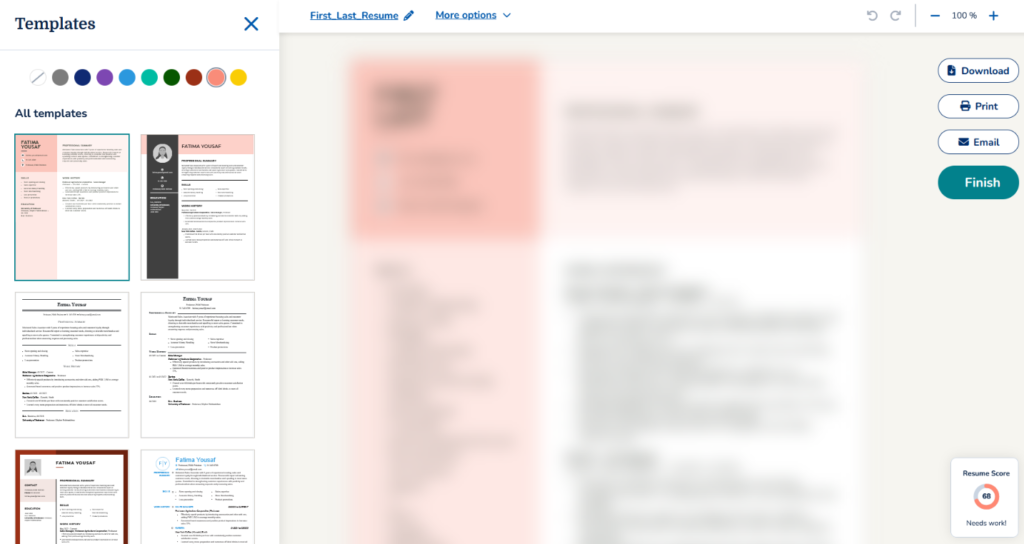
If you change your mind about the design, you can switch templates at the end. Your content stays in place.
Step 7: Download Your Resume
On the free plan, you can only download your resume as a TXT file. Here’s what you can still do with it:
- Paste it into application forms: Many job portals ask you to paste your resume into a text box, and plain text works best there.
- Reformat it yourself: Paste it into Google Docs or Word and apply your own layout.
- Use an AI tool to format it: Paste the text into a tool like Claude or ChatGPT and ask it to turn it into a clean, formatted resume.
- Keep it as a backup: A plain-text copy is useful for quick edits or for sending in the body of an email.
If you want the designed PDF or Word version you built, you’ll need a paid plan.
What Are Customers Saying About MyPerfectResume?
| Plate-forme | Évaluation |
| Trustpilot | 4.5/5 ⭐️ |
| Google Play Store | 4.0/5 ⭐️ |
| App Store d'Apple | 3.3/5 ⭐️ |
The ratings drop as you move from the website to the mobile apps. Most of the bad reviews come down to two things. Billing is one, and the app experience is the other.
Ce que les utilisateurs aiment
Easy, Guided Workflow
Most happy users say the builder is simple to use. Even unhappy reviewers often admit it.
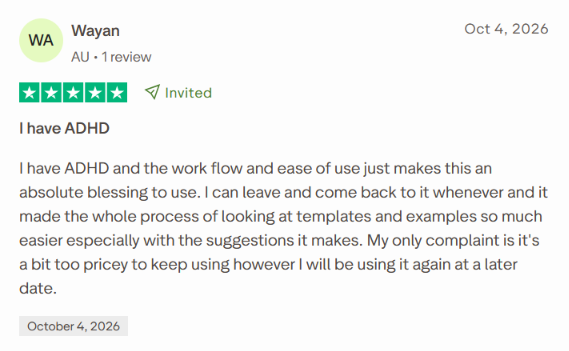
One Trustpilot user with ADHD said the step-by-step flow made the whole process much easier. They liked being able to leave and come back anytime, and found the templates, examples, and suggestions helpful.
Built-In Job Search
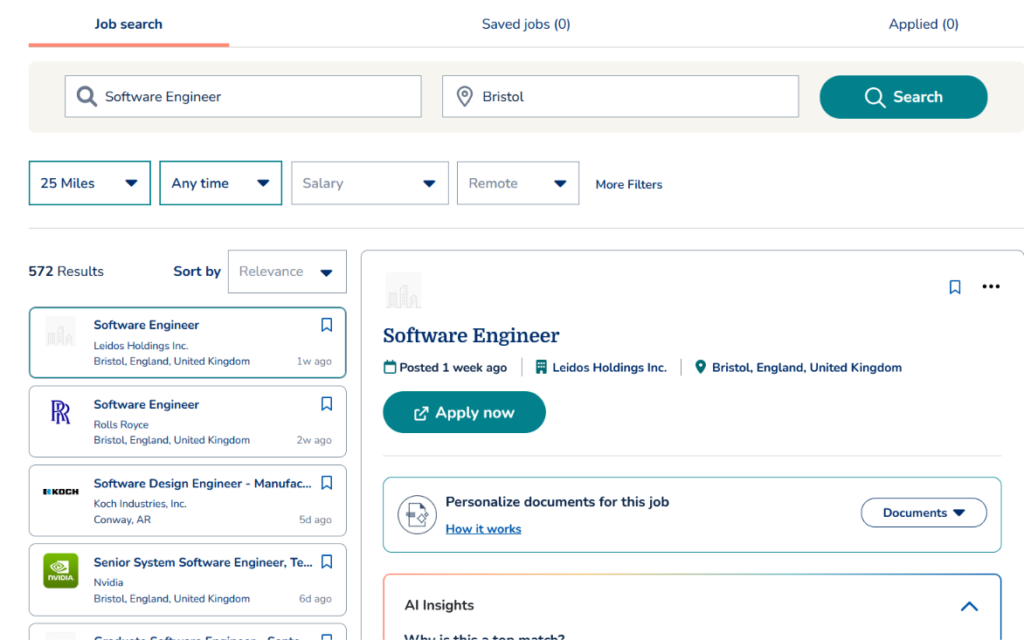
MyPerfectResume also has a job search tool. You can search by role and location, filter by distance, date, salary, and remote work, and save jobs to apply later.
Each listing has an “AI Insights” panel that explains why the job is a match. There’s also an option to personalize your resume and cover letter for that specific job.
Ce que les utilisateurs trouvent frustrant
Trouble Canceling and Surprise Charges
This is the most common complaint by far.
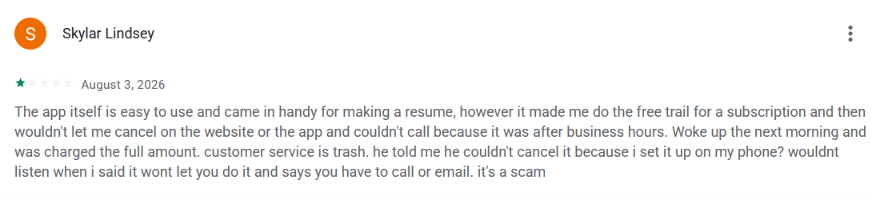
One user signed up for the trial on her phone and couldn’t cancel on the website or in the app. Support was closed for the night, and she woke up to a full charge. She was then told she couldn’t cancel because she’d set it up on her phone.
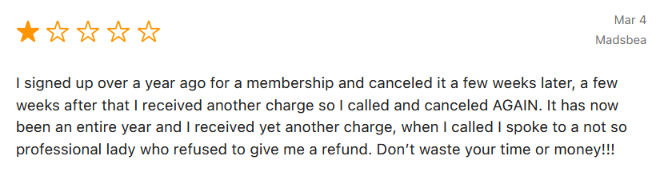
Another user said she canceled her membership, got charged again a few weeks later, and canceled a second time. A year later, she was charged again and was refused a refund.
If you sign up, cancel through your account, and confirm it by email. Then check your bank statement after the trial ends.
Too Pricey to Keep Using
When you’re job hunting, every subscription counts. And $23.95 every four weeks is a lot for a tool that mainly builds a resume. Most people only need to update their resume a few times during a search. Paying for it month after month, while you’re waiting to hear back from employers, starts to feel hard to justify.
Clunky Mobile Editing
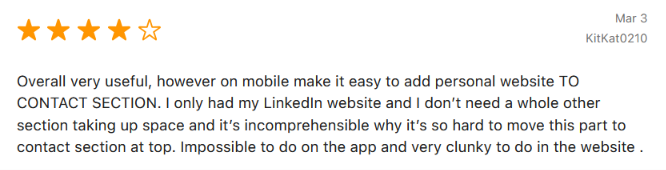
Some users find small edits frustrating on mobile. One App Store reviewer only wanted to add their LinkedIn link to the contact section. They said it was impossible in the app and clunky on the website.
Job Search Needs Work
I tested the job search myself, and it has a few problems.
- Too many results: A search for “Software Engineer” in Bristol returned 572 jobs. That’s a lot to sort through, and some weren’t even close. One result was in Conway, Arkansas, even with a 25-mile radius set.
- Inactive listings: A few jobs I clicked on had already been removed or were no longer active.
- One role at a time: You can’t search multiple job titles at once. If you’re open to a few related roles, you’ll have to run a separate search for each.
So the job search is a nice bonus, but I wouldn’t rely on it as my main way to find jobs.
When to Use MyPerfectResume and When to Switch
Choose MyPerfectResume if:
- You haven’t written a resume in years: The guided flow and prewritten content help you get past the blank page fast. It works well if you’re coming back to work or switching careers.
- You’re new to the job market: The experience-based questions and recommended templates make it easy for students and first-time job seekers to get started.
- You only need one polished resume: Use the 14-day trial, download your PDF, and cancel before it renews.
- You like going at your own pace: You can leave and come back anytime without losing your progress.
But what if you need more than a resume?
A polished resume is only the first step. You still have to find the right jobs, fill out the same application forms again and again, and prepare for interviews. With MyPerfectResume, you still have to do most of that.
What if you could get a resume builder bundled with everything else your job search needs, from finding jobs and applying to prepping for the interview?
C'est là que JobCopilot prend tout son sens.
Automatisez vos demandes d'emploi grâce à l'IA 🚀
Essayez le Copilote IA leader pour les demandeurs d'emploi - autonome, sûr, entièrement personnalisé, et qui a bénéficié de la confiance de plus de 100 000 utilisateurs pour décrocher des entretiens plus rapidement.
Check Out JobCopilot →FAQ
Is MyPerfectResume free?
Partly. You can build your resume and use the content suggestions for free. But free downloads are TXT files only. To download a PDF or Word file, you’ll need the $2.95 14-day trial or the $95.40 annual plan.
Are MyPerfectResume templates ATS-friendly?
MyPerfectResume says its templates are built to pass ATS scans. Simpler, one-column templates are usually the safest choice if you’re applying through job portals.
Can I use MyPerfectResume on my phone?
Yes. There are apps for iPhone and Android. But some users find small edits clunky on mobile, so you may want to finish your resume on a computer.
Does MyPerfectResume have a cover letter builder?
Yes. You can build a cover letter from scratch or generate one that matches your resume, and it’s pretty quick. But I couldn’t find a way to generate a cover letter for a specific job unless it was listed in MyPerfectResume’s job search.