
Why would you pay for a resume builder when Claude or ChatGPT can write your resume for free?
It’s a fair question, and one I asked myself too. AI chatbots can now write your bullet points and even hand you a formatted Word doc or PDF. But the moment you want to change something small, like moving a section, cutting a line to fit one page, or trying a different design, you’re back to prompting and hoping the next version doesn’t break something else.
That’s the gap Novoresume says it fills. It gives you ready-made templates, an editor where you make changes directly on the page, and matching cover letters, so your documents look consistent without the back-and-forth.
I dug into Novoresume’s pricing, features, and real user reviews to find out. Read on to see where it shines, where it falls short, and what to use if you need more than a good-looking resume.
TL;DR
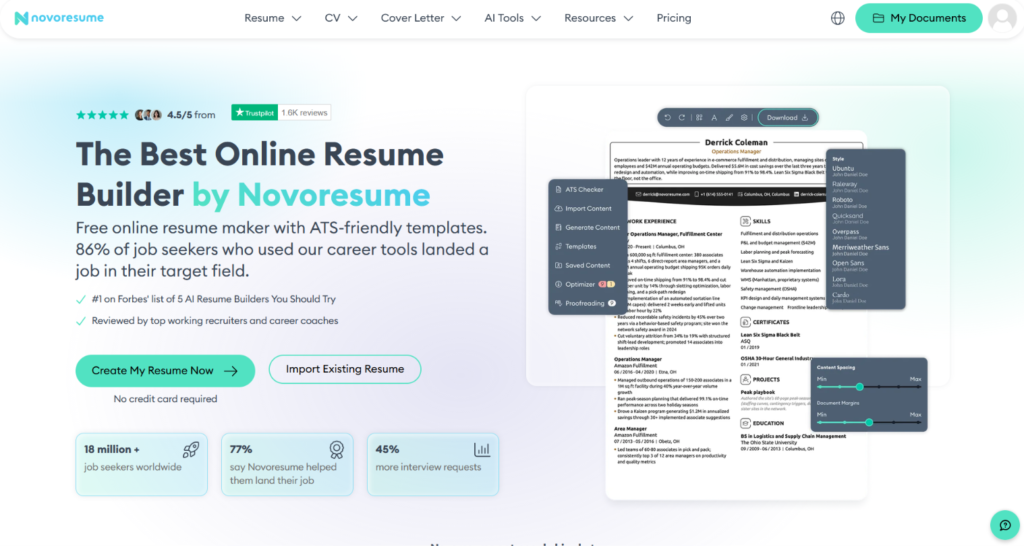
Novoresume is a resume builder with clean, professional templates and an editor that lets you make changes right on the page.
In the free plan, you get one resume at a time, capped at one page, with no cover letters, only 2 AI credits, and a “Created with Novoresume” line in the footer. However, free templates can include Premium sections that block your download, which is the most common complaint in user reviews.
If you just need a polished resume, Novoresume is worth a look, especially on the quarterly plan.
Für wen es am besten ist:
- Job seekers who need a professional-looking resume quickly
- People who want to avoid surprise subscription renewals
- Students and early-career job seekers who only need a one-page resume
- Anyone whose resume design or structure is holding them back from interviews
Die wichtigsten Merkmale auf einen Blick:
| Funktion | Novoresume |
| Lebenslauf-Ersteller | On-page editor with templates recommended by experience level |
| Templates | Eight free templates in my test, the rest require Premium |
| Resume import | AI rebuilds your existing resume in a new template (1 AI credit) |
| AI writing | “Write it for me” drafts every section for you to edit (1 AI credit) |
| AI credits | 2 on the free plan (resets after a few hours) |
| ATS Checker | Built into the editor |
| Free plan | One resume at a time, one page, no cover letter, branded footer |
| Preisgestaltung | $21.99/month, $39.99/quarter, or $149.99/year |
| Abrechnung | One-time payment, no automatic renewal |
| Automatisch anwenden | Nicht verfügbar |
| Trustpilot-Bewertung | 4.3/5 from over 1,600 reviews |
Profis
- Clean, professional templates that are easy to customize
- On-page editing makes small changes quick
- Monthly and quarterly plans are cheaper than many competitors
- Responsive, hands-on support, based on user reviews
- Premium features are clearly marked, and your data is saved if you skip them
Nachteile
- Free plan allows only one resume at a time, capped at one page
- No cover letters on the free plan
- Free templates can include Premium sections that block your download
- Free downloads carry a “Created with Novoresume” footer
- PDF/TXT downloads only, with no .docx option
- Yearly plan costs more than most competitors
- Doesn’t find jobs or apply for you
Warum Sie dieser Bewertung vertrauen können
I signed up for Novoresume, went through onboarding, imported an existing resume, and worked in the editor to see exactly where the free plan ends and Premium begins.
Here’s what went into it.
- Hands-on testing. I tested the three ways to start a resume, the template picker, the import process, and the editor. I also noted every paywall I hit, from Premium sections to the branded footer on free downloads.
- Compared with other resume builders: I compared Novoresume’s plans with Kickresume, Zety, Enhancv, and Resume.io, so you can see if the price is actually fair.
- Reviewed real user feedback. I reviewed recent Trustpilot reviews and checked Novoresume’s Reddit community for complaints and praise that came up more than once.
- Judged from a job seeker’s point of view: I weighed every feature by what matters during a job search, like how much time it saves, how clear the costs are, and whether it actually helps you get interviews.
Novoresume Pricing
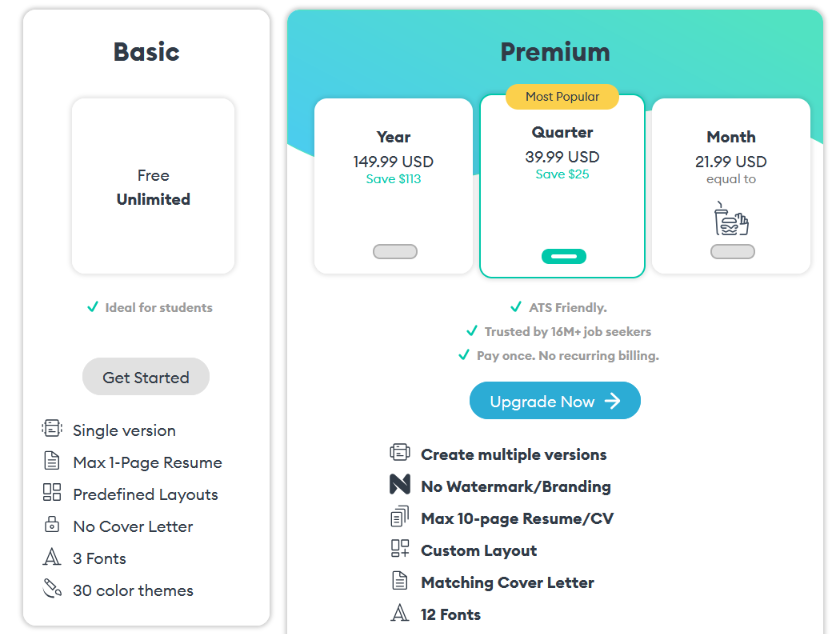
Novoresume keeps its pricing simple. It offers a free Basic plan and a paid Premium plan, which you can pay for monthly, quarterly, or yearly. The longer you commit, the less you pay per month.
Most resume builders, including Kickresume, Zety, and Enhancv, renew automatically until you cancel. Novoresume says Premium is a one-time payment. Its FAQ says you won’t be charged again without your consent.
Hier ist die Aufschlüsselung:
| Plan | Preis | Cost per Month | Was Sie bekommen |
| Grundlegend | Kostenlos | $0 | 1-page resume, single version, predefined layouts, 3 fonts, 30 color themes, no cover letter |
| Premium (Monthly) | $21.99 | $21.99 | Multiple versions, up to 10 pages, custom layouts, matching cover letter, 12 fonts, 74 color themes, and more |
| Premium (Quarterly) | $39.99 | ≈ $13.33 | Same as Premium Monthly |
| Premium (Yearly) | $149.99 | ≈ $12.50 | Same as Premium Monthly |
Prices were taken from Novoresume’s pricing page at the time of writing. The page notes that VAT or tax may vary by location, and the final total is confirmed at checkout.
Basic plan is free with no time limit. You get one resume, capped at one page, with predefined layouts, 3 fonts, and 30 color themes. It doesn’t include cover letters.
Compared with other builders, that’s middle of the road. Zety makes you pay before you can download anything, and Resume.io’s free plan only gives you a plain TXT file. So Novoresume is more generous than both. But Kickresume lets you download unlimited resumes and build cover letters for free, which makes Novoresume’s free plan look thin.
There’s also a catch worth knowing about. You can try most Premium features inside the free account, but you can’t download a document that uses them. So make sure you don’t hit the paywall after spending an hour on a design.
Automatisieren Sie Ihre Bewerbungen mit KI 🚀
Testen Sie den führenden KI-Copiloten für Arbeitssuchende - autonom, sicher, vollständig personalisiert, und das Vertrauen von mehr als 100.000 Nutzern, um schneller zu Vorstellungsgesprächen zu kommen.
JobCopilot → AuscheckenKey Takeaways for Your Budget
The free plan works if you only need a simple one-page resume. Once you need a cover letter or a second version, you’ll have to pay.
The quarterly plan is the best fit for most job seekers. Three months lines up with how long a typical active job search lasts, and at $39.99 it undercuts most competitors for the same period.
The monthly plan only makes sense if you’re sure you’ll be done in a few weeks. At $21.99, it costs more than half of a full quarter.
Skip the yearly plan unless you update your resume often. It’s the cheapest per month, but $149.99 upfront is a lot to spend on a tool you might only use for one job search, and competitors charge far less for a full year.
Just keep in mind what that money buys. Every plan above gets you a better-looking resume and cover letter. None of them finds jobs or sends applications for you, so the most time-consuming part of the job search is still on you.
How Does Novoresume Work?
Novoresume gets you building fast. There’s no long setup or personality quiz. After signing up, I answered three quick questions and was inside the resume builder in about a minute.
Here’s how the process went for me:
Step 1: Answer Three Quick Questions
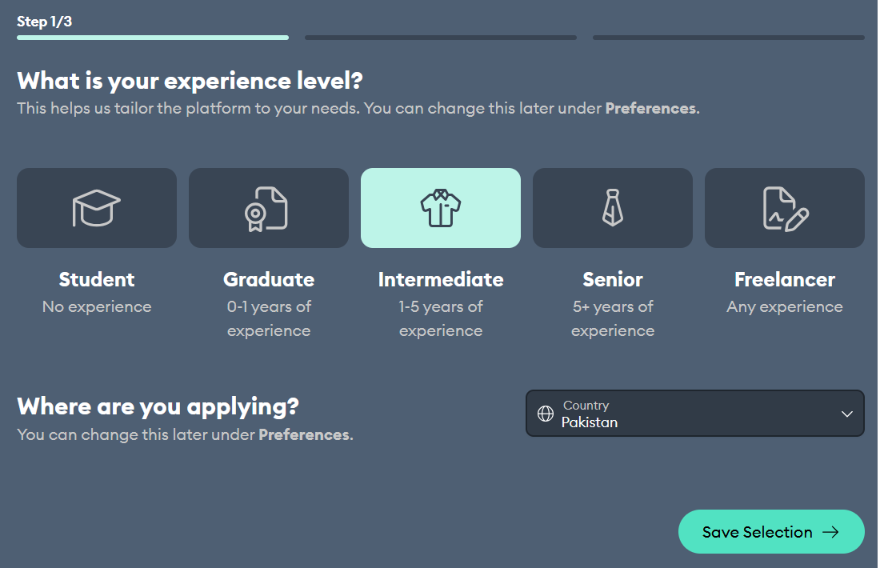
First, Novoresume asks about your experience level. You can pick Student, Graduate (0 to 1 years), Intermediate (1 to 5 years), Senior (5+ years), or Freelancer. It also asks which country you’re applying in. You can change both later under Preferences.
Next, it asks about your most pressing issues, like getting more interviews, changing careers, or negotiating salary.
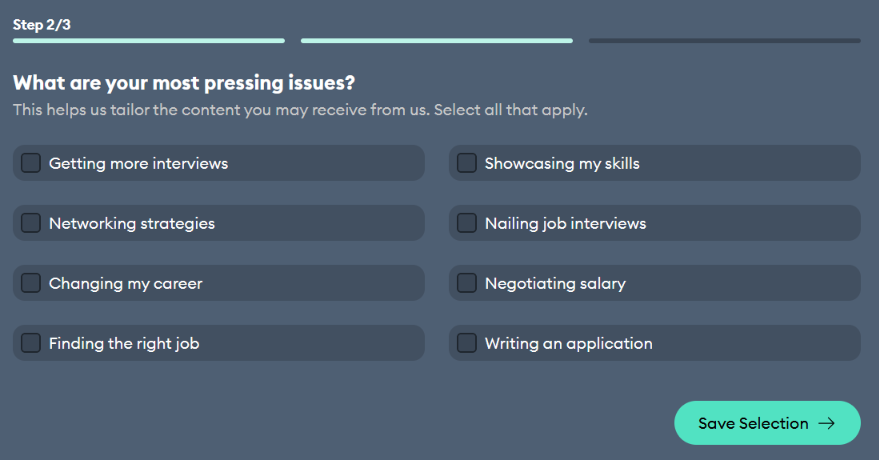
The last step asks if you want resume tips and product emails. There’s a clear “No Thanks” button, so you can skip it without hunting for an unsubscribe link later.
Step 2: Choose How to Start
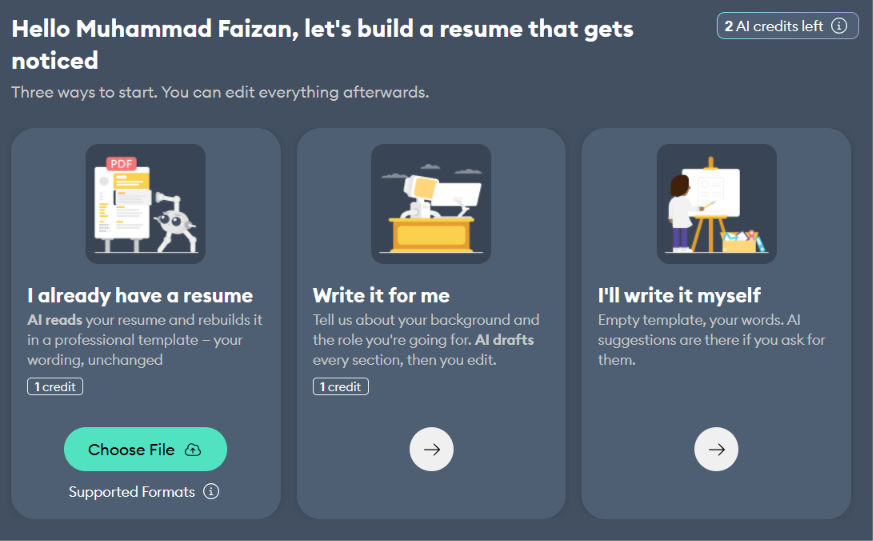
Now you pick how to build your resume. There are three options.
- I already have a resume: Upload your current file, and the AI rebuilds it in a Novoresume template. Novoresume says it keeps your wording unchanged. This costs 1 AI credit.
- Write it for me: Tell it about your background and target role, and the AI drafts every section for you to edit. This also costs 1 AI credit.
- I’ll write it myself: You get an empty template and can ask for AI suggestions as you go.
This is where I noticed the credit counter. My free account started with just 2 AI credits (resets after a few hours). When I hovered over it, Novoresume explained that every analysis costs money to run and heavier tools cost more, so it caps usage with credits.
Step 3: Pick a Template
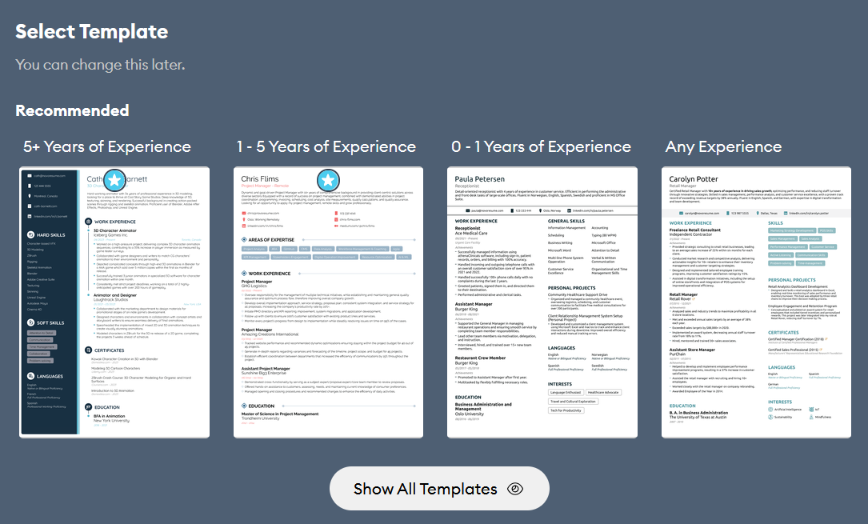
Next, Novoresume recommends templates based on experience level, with options for 5+ years, 1 to 5 years, 0 to 1 years, and any experience. You can click “Show All Templates” to see the full library, and you can switch templates later.
Step 4: Upload and Import Your Resume
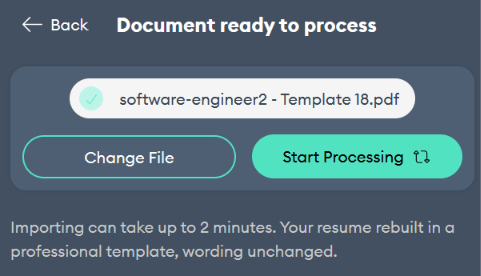
I went with the upload option. After I chose the file, Novoresume showed a “Start Processing” button and warned that importing can take up to 2 minutes. Mine finished well within that.
Here’s where I hit the first paywall. Novoresume told me some of my imported content needed a Premium section, in my case, Technical Skills. I had two choices.
- Add Premium Sections. The section is included, but downloading the resume requires an upgrade.
- Continue with Basic. The Premium section is left out, but your data is saved so you can add it later.
I like that Novoresume is upfront about this and saves your data either way. But it’s a good example of how easy it is to end up with a resume you can’t download on the free plan.
Step 5: Edit in the Resume Builder
Once the import finishes, you land in the editor. The top bar lets you change the layout, fonts, and themes, adjust preferences, and download. The left panel has an ATS Checker, content import, templates, saved content, and an Optimizer.
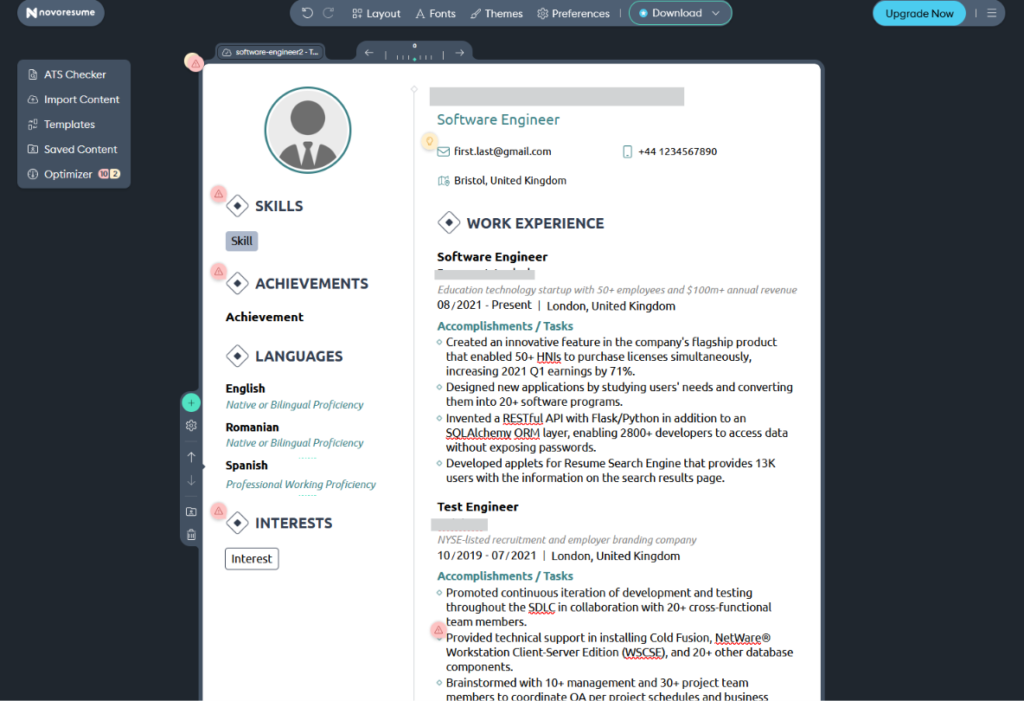
You edit directly on the page, which is the main advantage over asking a chatbot for a new version every time. Small red warning icons also appear next to sections that need attention.
My work experience and languages came through cleanly with the bullet points intact. But the Skills, Achievements, and Interests sections showed only placeholder text, each with a warning icon. So expect to fill in some sections by hand after importing, even if they were in your original resume.
When you’re happy with it, hit Download. Just remember: the free plan lets you download only a one-page resume, without Premium features.
What Are Customers Saying About Novoresume?
Novoresume holds a 4.3 out of 5 rating on Trustpilot from over 1,600 reviews. That’s a solid score for a resume builder, and most of the recent feedback is positive.
Here’s what stood out when I went through the reviews.
Novoresume Pros: Where It Stands Out
Clean, Professional Templates That Are Easy to Edit
Templates are the main reason people like Novoresume. One reviewer called them beautifully designed and easy to customize. Another said they needed to organize their CV and cover letter in a professional, modern way, and found the templates functional and elegant.
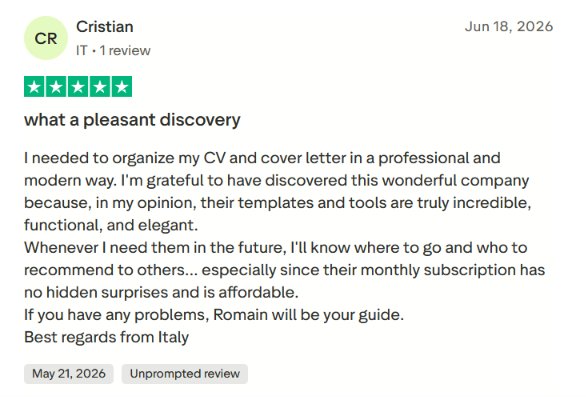
That matches what I saw while testing. The templates look polished without being over the top, and editing directly on the page makes small tweaks quick.
Helpful, Hands-On Support
Several reviewers mention getting personal help from Novoresume’s support team, not just canned replies. One user who had lost their original CV said a team member guided them through the whole process of building a new one. After that, they planned to try the cover letter template too.
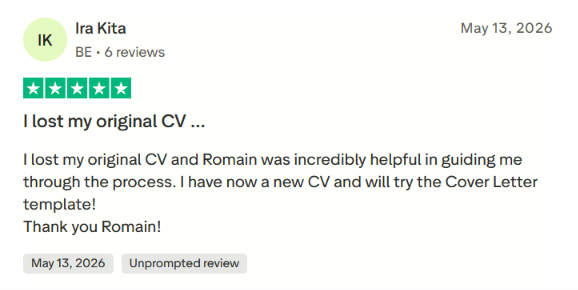
A few reviews even name the same support rep, which suggests real people are handling these conversations.
Free Resume Feedback Through Its Reddit Community
Novoresume also runs a Reddit community where users can ask for resume feedback. One reviewer said the team gave them free, detailed feedback on their resume there and even upgraded their account to Premium at no cost.
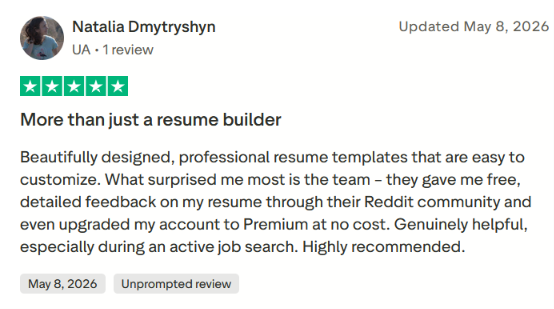
It’s a nice extra, but don’t count on it. When I checked, the community wasn’t very active, and a free Premium upgrade is one person’s experience, not a standard offer.
No Surprise Charges
Billing is a sore spot for many resume builders, so this one matters. One reviewer said they’d recommend Novoresume to others because there were no hidden surprises in what they paid, and they found it affordable.
That lines up with Novoresume’s pricing page, which says Premium is a one-time payment with no automatic renewal. This contrasts with other tools, where forgetting to cancel is a common complaint.
Novoresume Cons: Where It Falls Short
“Free Unlimited” Is More Limited Than It Sounds
Novoresume labels its Basic plan as “Free Unlimited,” but that doesn’t mean unlimited resumes. In my testing, you can only create and save one resume at a time. If you want a different version for another role, you have to overwrite the one you have.
Add the one-page cap and the lack of cover letters, and “unlimited” really just means there’s no time limit on the free plan.
Even Free Templates Push You Toward Premium
Only eight templates were free to use when I tested it, which is about half the library. And even those aren’t fully free. Some include Premium sections like Technical Skills, which you can’t use on the free plan.
So you can pick a free template, fill it in, and still end up with a resume that needs an upgrade to download. That gets confusing fast.
You Might Build a Resume You Can’t Download
This is the most common complaint I’ve seen, and it ties to the point above. Many users build a full resume, only to find out at the download step that they need to pay.
One reviewer said they made a good resume but couldn’t download it without a subscription, and asked what the benefit was. They added that Novoresume should at least let people have one full experience for free.
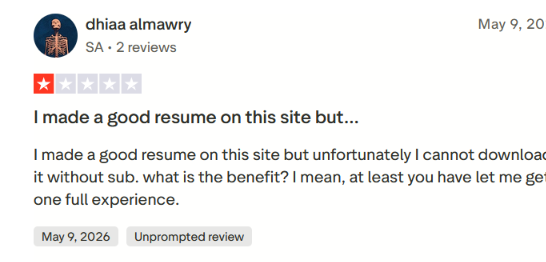
To be fair, Novoresume does mark Premium features with a star and shows a pop-up when your content needs a Premium section. But it’s easy to miss those signs until you’ve already put in the work.
PDF or TXTs Downloads Only
Novoresume saves all documents as PDFs or TXTs. That’s fine for most applications, but some job portals and recruiters ask for a Word file. If you need a .docx, you’ll have to recreate your resume somewhere else.
Free Downloads Come With Novoresume Branding
Even when you do download a resume on the free plan, it isn’t completely clean. Novoresume adds a “Created with Novoresume” line to the footer of every Basic download.
A recruiter who spots it knows you used a free resume builder, which can make an otherwise polished resume look less professional. To remove it, you’ll need to upgrade to Premium.
When to Use Novoresume and When to Switch
Novoresume helps you turn your experience into a clean, professional resume without fighting a Word doc or re-prompting a chatbot. But whether it’s the right tool depends on where you are in your job search.
Choose Novoresume if:
- You need a polished resume fast: The templates look professional, and editing directly on the page beats re-prompting a chatbot for every small change.
- You hate surprise renewals: Novoresume says Premium is a one-time payment, so you won’t get charged again after you land a job.
- You’re a student or early in your career: A single one-page resume is often all you need, and the free plan covers that, as long as you’re okay with the “Created with Novoresume” footer.
- Your resume is the weak link: If you’re applying but hearing nothing back, and you suspect it’s your resume’s design or structure, Novoresume can help fix that.
But a great-looking resume only solves one part of the job search.
You still have to find the right openings, tweak your resume for each one, fill out every application form, and keep track of it all. That’s the part that eats up your week. And sending the same PDF to every job, no matter how nice it looks, rarely works in a crowded market where recruiters are already buried in applications.
So what if you want help with the whole process, not just the document?
Automatisieren Sie Ihre Bewerbungen mit KI 🚀
Testen Sie den führenden KI-Copiloten für Arbeitssuchende - autonom, sicher, vollständig personalisiert, und das Vertrauen von mehr als 100.000 Nutzern, um schneller zu Vorstellungsgesprächen zu kommen.
JobCopilot → AuscheckenFAQs
Is Novoresume legit and safe to use?
Yes. Novoresume has a 4.3 rating on Trustpilot from over 1,600 reviews. Its FAQ says you can pay through Stripe, a widely used payment processor. Most complaints focus on the free plan’s limits, not scams or security.
What happens to my resume after Premium expires?
According to Novoresume, all your information stays saved in your account after Premium ends. You’ll just lose access to Premium features, so you may not be able to download resumes that use them without upgrading again.
Is Novoresume ATS-friendly?
Novoresume advertises its Premium plan as ATS-friendly and includes an ATS Checker in the editor. I didn’t independently test how its resumes parse in different applicant tracking systems. As a rule, simpler templates are safer than ones with heavy graphics, photos, or multiple columns.
Does Novoresume apply to jobs for me?
No. Novoresume only helps you create resumes and cover letters. Finding jobs, filling out forms, and sending applications is still up to you. If you want help with that part, look at a tool like JobCopilot.