
Cuando empecé a buscar reseñas honestas de RoboApply, me topé con un muro bastante rápido. Eso es lo que me impulsó a escribir esto.
Así que pasé por el proceso de incorporación yo mismo, exploré cada descripción de función, cotejé su página de precios y preguntas frecuentes, y rastreé lo que los usuarios reales decían en foros, la Chrome Web Store y sitios de comparación de terceros.
RoboApply es una herramienta genuinamente interesante, pero también tiene limitaciones reales y una estructura de precios que merece un escrutinio honesto antes de que se comprometa.
Aquí está todo lo que encontré.
TL;DR
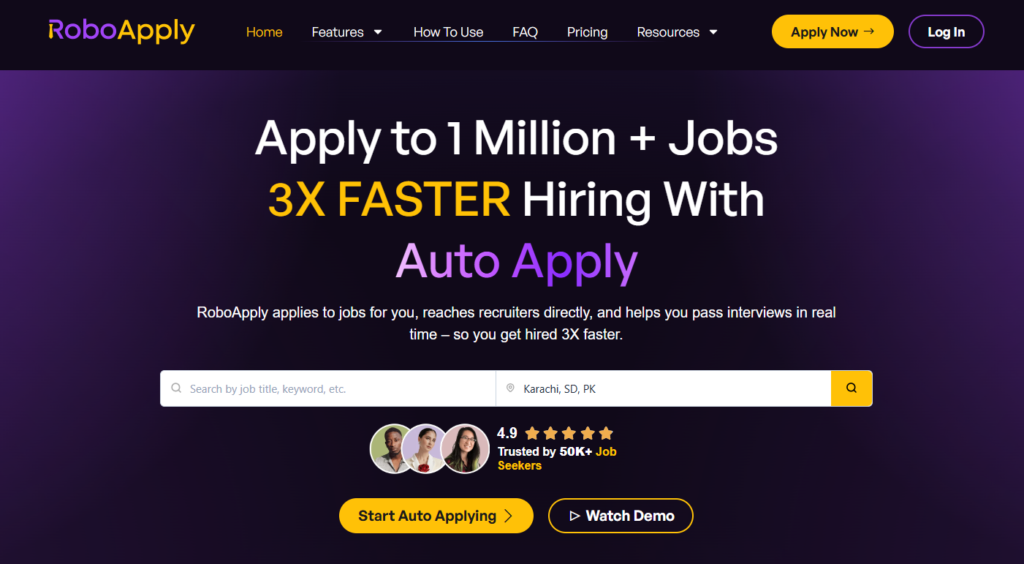
RoboApply es una herramienta de solicitud de empleo con IA de alto volumen que ofrece diferentes herramientas de búsqueda de empleo como solicitudes de empleo con IA, cartas de presentación, puntuaciones de currículum, etc.
La garantía de entrevistas de 90 días elimina parte del riesgo económico. Sin embargo, el precio es elevado, sobre todo cuando te das cuenta de que el plan gratuito no existe realmente (se trata de una prueba de $9). Y si necesitas un volumen considerable, tendrás que pagar $129 al mes o más.
Para quién es mejor:
- Buscadores de empleo que desean adaptar su currículum por solicitud sin hacerlo manualmente.
- Candidatos que aplican simultáneamente a través de LinkedIn, Indeed, ZipRecruiter, Monster, Dice y Simply Hired.
- Personas que quieren entrenamiento en vivo y en tiempo real durante las entrevistas.
- Solicitantes de alto volumen que se sientan cómodos con un enfoque más automatizado y menos práctico
Las principales características de un vistazo:
| Función | RoboAplicar |
| Aplicación automática | Sí, en LinkedIn, Indeed, ZipRecruiter, Monster, Dice, Simply Hired |
| Adaptación del currículum | Reescritura de IA por aplicación, adaptada a cada descripción de puesto |
| Creador de currículos | Incluido en todos los planes; 8+ plantillas |
| Carta de presentación | IA generada, personalizada por trabajo |
| Volumen de aplicación | 20/día (Básico), 100/día (Estándar), 500/día (Premium) |
| Entrevista Copiloto | Coaching en tiempo real durante videollamadas (Estándar y Premium) |
| Bandeja de entrada Aplicar | Contactar directamente por correo electrónico a gerentes de contratación verificados |
| historial de solicitudes | Panel de análisis incorporado |
| Plan gratuito | N.º $9: solo versión de prueba de tres días |
| Garantía de reembolso | Garantía de entrevista de 90 días en todos los planes mensuales de pago |
Automatiza tus solicitudes de empleo con IA 🚀.
Pruebe el Copiloto de IA líder para solicitantes de empleo: autónomo, seguro, totalmente personalizado, y en el que confían más de 100.000 usuarios para conseguir entrevistas más rápido.
Echa un vistazo a JobCopilot →Pros
- La reescritura de currículums por aplicación es una característica útil
- Amplia cobertura de ofertas de empleo en seis plataformas principales simultáneamente
- Entrevista en vivo Copilot es excepcional
- Inbox Apply te permite contactar directamente a los gerentes de contratación
- Garantía de devolución de dinero de 90 días
Contras
- No hay plan gratuito real
- Los precios suben considerablemente: $47 → $129 → $389 al mes
- Extensión de Chrome requerida para Auto Apply en escritorio; la computadora debe permanecer encendida durante las sesiones
- La plataforma aún es relativamente joven, con una base de reseñas independientes pequeña pero en crecimiento
- Un gran volumen diario de aplicaciones suena muy bien en teoría, pero depende en gran medida de cuán amplias sean tus preferencias.
Por qué puede confiar en esta reseña
Escribo esto como alguien que ha pasado por la rutina de la búsqueda de empleo, presentando solicitudes manualmente, copiando y pegando las mismas respuestas en docenas de formularios, actualizando mi bandeja de entrada esperando llamadas que a menudo nunca llegaron.
Para mantener las cosas en perspectiva, esto es lo que hice:
- Precios y características verificados directamente de la sección de preguntas frecuentes y la página de precios de RoboApply, no de resúmenes de terceros que puedan estar desactualizados.
- Pasé por la incorporación yo mismo (capturas de pantalla compartidas anteriormente) para comprender la experiencia real de un nuevo usuario.
- Comentarios de usuarios disponibles públicamente revisados de los artículos de comparación de terceros y las discusiones de la comunidad.
- Evaluó cada función a través de los ojos de un buscador de empleo real. ¿Esto ahorra tiempo, reduce el estrés y realmente mejora mis posibilidades?
Precios de RoboApply
RoboApply no ofrece un plan gratuito. Lo que ofrece en su lugar es un Versión de prueba de tres días de $9 que te da acceso a la mayoría de las funciones, incluidas 20 solicitudes diarias y 2060 créditos únicos, lo que en realidad es una forma razonable de probar antes de comprometerse.
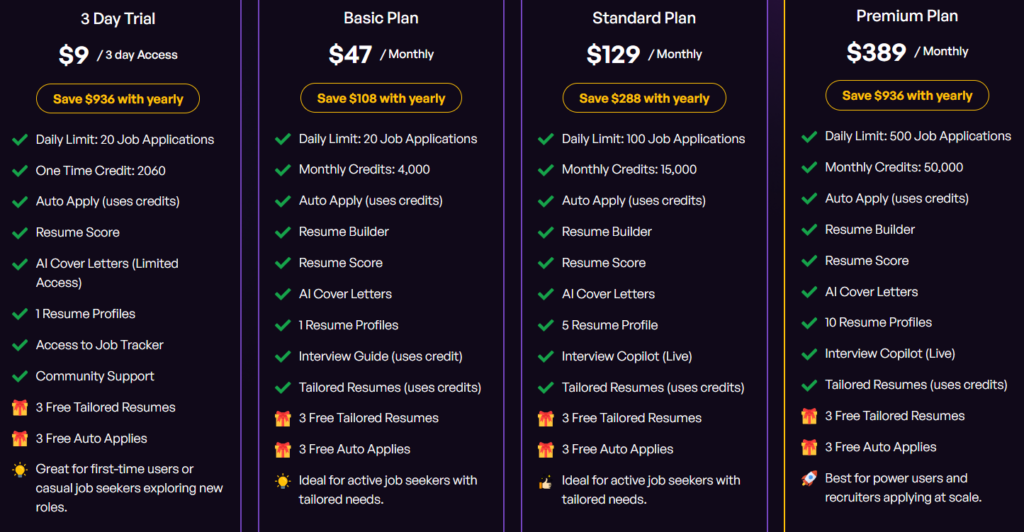
Aquí está el desglose completo de precios:
| Plan | Precio (mensual) | Aplicaciones Diarias | Créditos mensuales | Características principales |
| Prueba de 3 días | $9 (una sola vez) | 20 por día | 2060 (único pago) | Aplicación automática, Reanudar puntuación, Cartas de presentación de IA, Creador de currículums, Tablero de empleo |
| Básico | 1 TP 7 T 47 al mes | 20 por día | 4,000 | Constructor de Currículums, Puntuación de Currículums, Cartas de Presentación con IA, Guía de Entrevistas, Currículums Personalizados, 1 Perfil de Currículum |
| Estándar | 1 TP 7 T 129 al mes | 100 por día | 15,000 | Todas las funciones básicas + 5 perfiles de currículum + copiloto de entrevistas en vivo |
| Premium | 1 TP 7 T 389 al mes | 500/día | 50,000 | Todas las funciones estándar + 10 perfiles de currículum, creados para solicitudes de alto volumen |
| Pago por uso | 1 TP por crédito | Depende de los créditos | Sin fecha de caducidad | Flexible, funciona en todas las características. |
Se ofrece la opción de facturación anual. El plan Básico supone un ahorro de $108 al año, el Estándar, de $288 al año, y el Premium, de $936 al año.
RoboApply también tiene un plan Enterprise diseñado para reclutadores, agencias de contratación y equipos de contratación que necesitan ejecutar campañas de búsqueda de empleo a gran escala.
La Oferta de Por Vida
RoboApply también ofrece una oferta de por vida si te encuentras en una búsqueda de empleo prolongada o esperas volver a buscar empleo en algún momento del futuro.
- Basic Lifetime – $69 (pago único): 20 auto-solicitudes por día, 20 currículums personalizados por mes, 2 sesiones de Interview Copilot por mes y acceso ilimitado al creador de currículums, generador de cartas de presentación, puntuación de currículums y guía de entrevistas. Reembolsable en 24 horas, con garantía de devolución de dinero de 60 días.
- Licencia profesional de por vida – $129 (pago único): Hasta 50 autocandidaturas por día, 50 currículums personalizados por mes y 5 sesiones de Interview Copilot por mes. Todo lo demás de Básico está incluido.
Para la mayoría de quienes buscan empleo y no tienen un volumen de trabajo excesivo, la oferta de por vida del plan Basic $69 es una opción obvia en comparación con pagar $47 al mes de forma indefinida. Incluso dos meses del plan mensual Basic saldrían más caros.
El truco está en que Inbox Apply se basa en créditos incluso en los planes vitalicios, por lo que la contratación directa a través de gerentes de contratación no es ilimitada. RoboApply también señala que esta oferta no estará disponible para siempre. La página de la oferta vitalicia la marca explícitamente como una promoción por tiempo limitado.
Consulta + Acelerador de empleo
Por $499 (oferta de lanzamiento; precio habitual: $999), no se trata tanto de un plan de software como de un servicio integral. El equipo de RoboApply se encarga de redactar currículos personalizados, enviar solicitudes directamente, optimizar tu perfil de LinkedIn y prepararte para las entrevistas.
Claves para su presupuesto
El ensayo $9 es el punto de partida ideal. Pero ten en cuenta que te ofrece 2.060 créditos de uso único que se agotan rápidamente. Cada solicitud, cada currículum personalizado, cada carta de presentación y cada puntuación de currículum consumen créditos. Si pruebas la plataforma como es debido, esos créditos se agotarán en cuestión de días.
El plan Básico, a $47 al mes, parece razonable hasta que haces cuentas con los créditos. Recibes 4.000 al mes, y una sola solicitud personalizada (redacción del currículum, carta de presentación, revisión del ATS) puede consumir fácilmente varios créditos por acción. Si envías 20 solicitudes al día y utilizas realmente las funciones de personalización en cada una de ellas, es posible que alcances tu límite de créditos mucho antes de que termine el mes.
En ese momento, o bien está comprando créditos de pago por uso además de su suscripción, o bien está reduciendo las funciones que hacen que RoboApply valga la pena pagar en primer lugar.
En la oferta de por vida, los pagos únicos parecen una ganga sobre el papel, y las matemáticas te favorecen si tu búsqueda de empleo se extiende más allá de dos o tres meses. Pero las ofertas de por vida en SaaS rara vez son sostenibles a largo plazo, y este espacio en particular ha visto herramientas desaparecer silenciosamente o restringir funciones después de vender acceso de por vida.
RoboApply es todavía una plataforma joven. Ten expectativas realistas en lugar de asumir que “de por vida” significa para siempre.
Proceso de incorporación de RoboApply
Aquí está el flujo paso a paso que seguí durante la incorporación:
Paso 1: Configuración del perfil básico
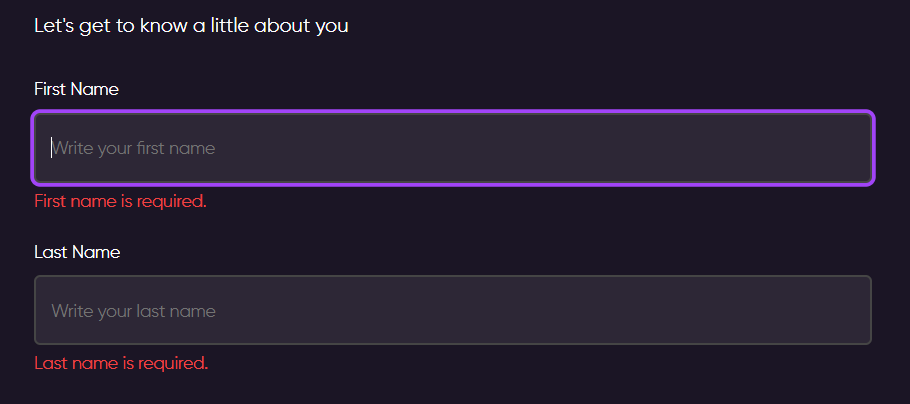
La primera pantalla (mostrada en mis capturas de pantalla) me pedía mi nombre y apellido. Luego pasé a un proceso de incorporación basado en una barra de progreso dividido en dos secciones: “Un poco sobre ti” y “Cómo podemos ayudarte”.”
Paso 2: Estado de la búsqueda de empleo
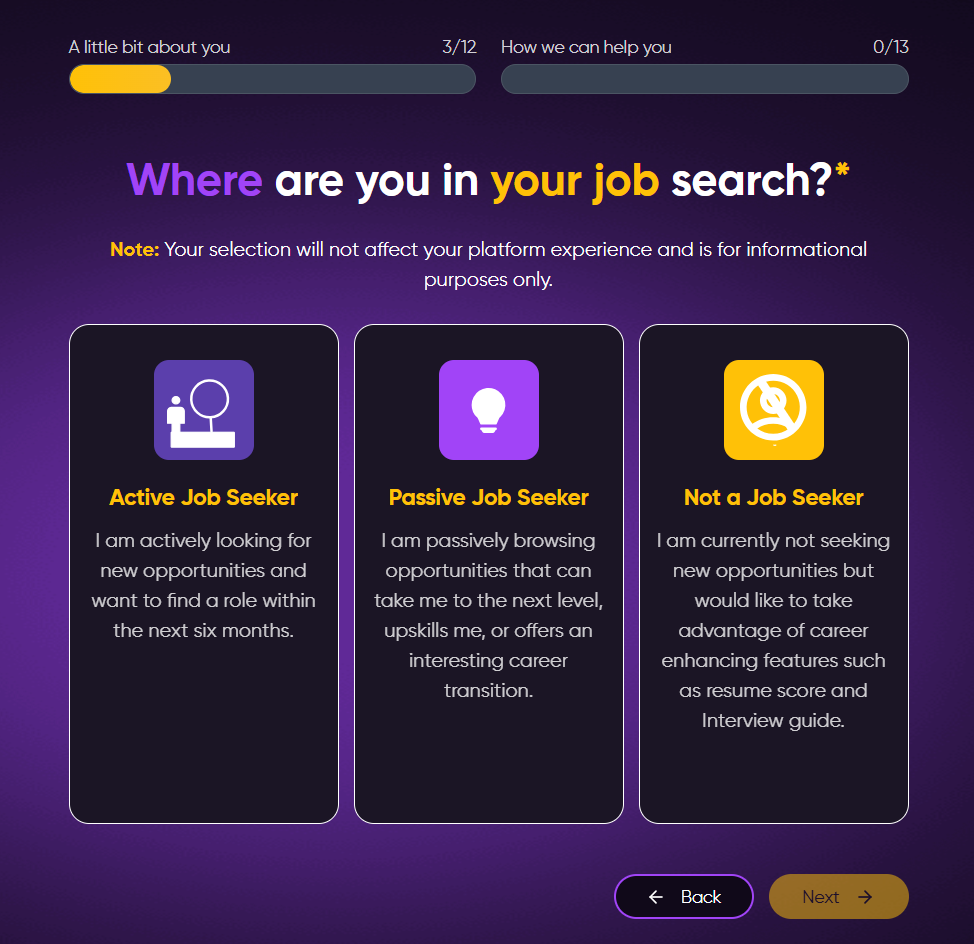
RoboApply pregunta dónde te encuentras en tu búsqueda de empleo: Buscador de empleo activo, Buscador de empleo pasivo o No buscador de empleo.
Paso 3: Puesto de trabajo deseado
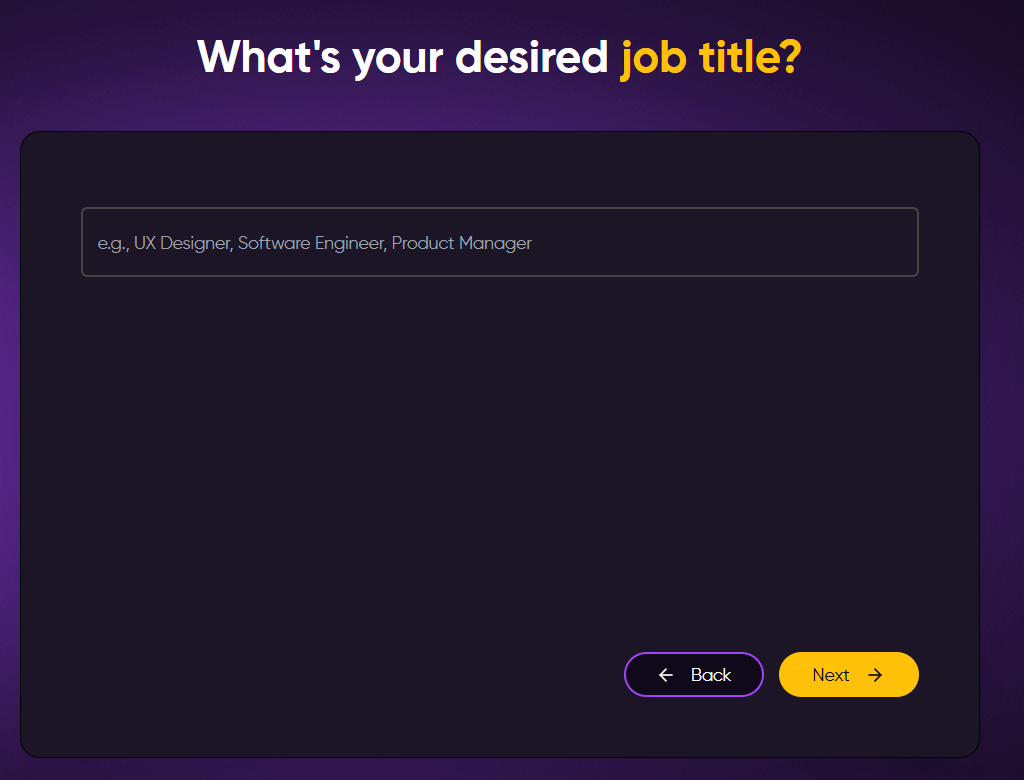
Un campo de texto que solicita tu puesto de trabajo — se muestran ejemplos como Diseñador UX, Ingeniero de Software, Gerente de Producto como marcadores de posición. Claro y abierto.
Paso 4: Salario, Ubicación y Educación
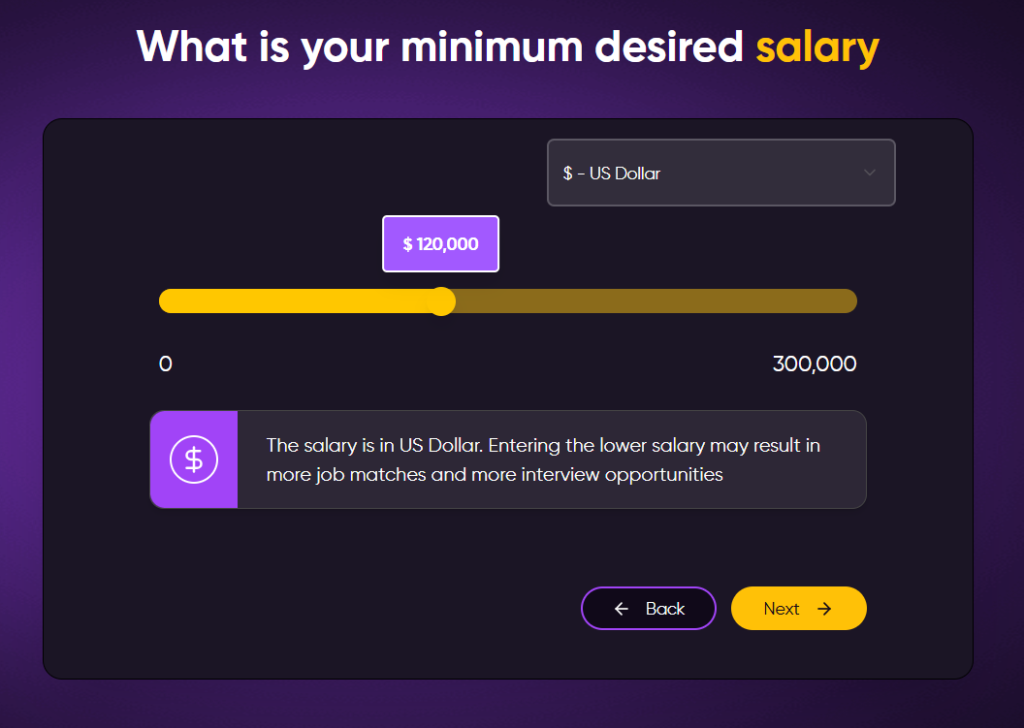
En las siguientes pantallas se solicitaba el salario mínimo deseado (con un control deslizante que iba hasta 1 730 000 TP, con un valor predeterminado de 1 712 000 TP), la ubicación y el número de teléfono, el nivel de estudios más alto alcanzado y los años de experiencia en el puesto deseado.
Paso 5: Meta y Ritmo de Búsqueda de Empleo
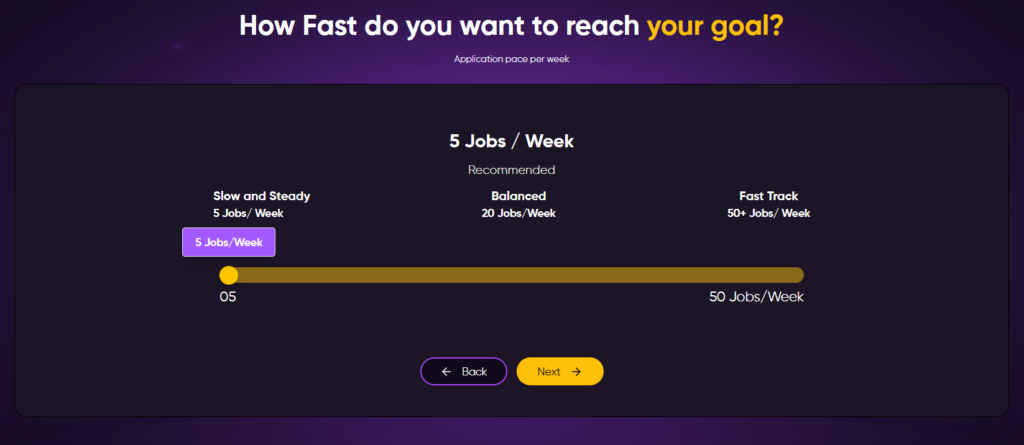
RoboApply pregunta cuál es tu objetivo (conseguir un trabajo rápido, explorar nuevos roles o mejorar tu carrera) y luego cuántas solicitudes deseas por semana, en un control deslizante de 5 a 50 trabajos/semana. La recomendación “Lento y constante” es de 5 trabajos/semana, “Equilibrado” es de 20 y “Vía rápida” es de 50+.
Paso 6: Código de referencia y solicitud de calificación
Aquí es donde alcé una ceja. Antes de usar nada, RoboApply me mostró un “Danos una calificación” pantalla (precargada con una calificación de 5.0 estrellas) y luego se le pidió un código de referencia.
Pedir una calificación y una recomendación al final del proceso de incorporación, antes de que el usuario haya visto los resultados, se sintió más como un truco de crecimiento que como una solicitud genuina. Un problema menor, pero digno de mención.
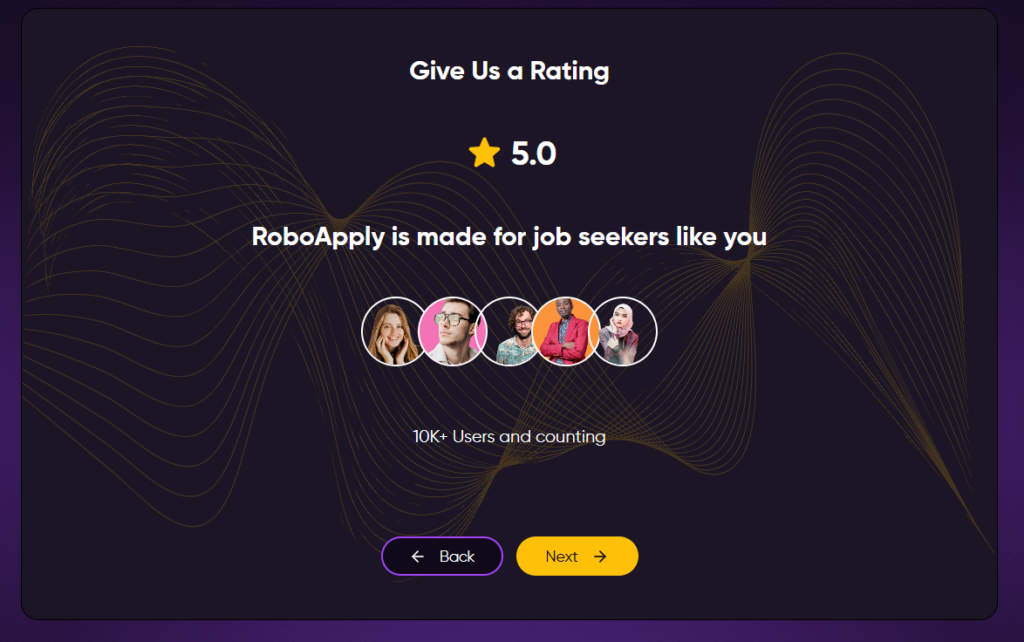
[Capturas de pantalla: pantalla de calificación y pantalla de código de referencia]
¿Qué dicen los clientes sobre RoboApply?
RoboApply es todavía una plataforma relativamente joven (lanzada a mediados de 2025), por lo que el grupo de reseñas independientes es menor que el de competidores más establecidos. Tampoco hay un perfil de Trustpilot.
RoboApply Pros: Dónde destaca
Copiloto de entrevista en vivo
En los planes Estándar y Premium, el Copiloto de Entrevistas de RoboApply proporciona sugerencias de IA en tiempo real durante las entrevistas en video reales, visibles solo en tu pantalla. Está diseñado para ayudar con los nervios, mejorar la expresión y mantenerte encaminado durante la conversación real.
Bandeja de entrada Aplicar
RoboApply encuentra el contacto, escribe un mensaje de contacto personalizado, lo envía y realiza un seguimiento del momento del seguimiento. Para puestos competitivos donde la cola del tablero de empleo es enorme, esto es una maniobra inteligente.
Garantía de entrevista de 90 días
Si estás en cualquier plan mensual de pago y no consigues una entrevista en 90 días, te devolvemos tu dinero. Es un compromiso significativo para una herramienta en este rango de precios, y elimina muchas de las dudas sobre pagar por adelantado.
RoboApply Contras: Dónde falla
El Precio Máximo es Real
El plan Básico, por $47 al mes, te ofrece 20 solicitudes al día, pero no incluye el Live Interview Copilot y estás limitado a un solo perfil de currículum. Para acceder a lo que hace que RoboApply sea realmente potente (mayor volumen, múltiples perfiles de currículum, asesoramiento en directo), el precio es de $129 al mes. Se trata de un gasto mensual considerable, sobre todo si actualmente estás en paro.
Tu computadora tiene que permanecer encendida
Para que Auto Apply de escritorio funcione, tu computadora debe permanecer activa. La extensión de Chrome opera en segundo plano, pero no es un proceso basado en la nube que continúa funcionando mientras tu portátil está apagado.
Esta es una limitación conocida y, aunque RoboApply dice que los usuarios móviles eventualmente tendrán una función de aplicación en segundo plano, aún no está completamente implementada. Si trabajas en el turno de noche o eres alguien que quiere despertarse con las solicitudes ya hechas, esto puede ser un punto de fricción.
Aún construyendo su reputación
RoboApply sigue siendo una plataforma relativamente nueva con una base de reseñas independientes escasa. La mayor parte de lo que encontrarás en línea proviene de su propio sitio web o de los primeros usuarios.
Eso no es un impedimento importante, pero significa que hay menos datos de terceros para validar las afirmaciones sobre la calidad de la aplicación o las tasas de entrevistas reales. La garantía de 90 días ayuda a compensar este riesgo, pero vale la pena ser consciente de ello.
No hay nivel gratuito real
Todos los demás actores importantes del sector ofrecen al menos algo gratis: un creador de currículums, un número limitado de solicitudes o funciones básicas de búsqueda de empleo. El punto de partida de RoboApply es $9, una cantidad baja, pero sigue siendo un muro de pago. Si quieres echar un vistazo antes de comprometerte, no puedes.
Cuándo usar RoboApply y cuándo cambiar
Elija RoboApply si:
- Quieres que la adaptación del currículum se incorpore automáticamente en cada solicitud.
- Estás postulando a través de múltiples portales de empleo importantes y no quieres gestionarlos por separado.
- Quieres asesoramiento para entrevistas en tiempo real.
- Quieres una red de seguridad de 90 días en caso de que los resultados no lleguen.
¿Pero qué pasa si quieres más control sobre dónde aplicas?
RoboApply está diseñado para el volumen y la personalización. Para lo que está menos diseñado es para permitirle evaluar cada oportunidad antes de que se envíe la solicitud, o para encontrar puestos que no están en LinkedIn o en las principales bolsas de trabajo, como puestos publicados directamente en las páginas de carreras de las empresas.
JobCopilot: la mejor alternativa a RoboApply
Si el enfoque de RoboApply centrado en el volumen te parece que podría llevarte a lugares no deseados, JobCopilot adopta la filosofía opuesta, y es la mejor herramienta para una búsqueda de empleo intencional y dirigida.
- Solo Trabajos Verificados, Sin Ruido de Bolsas de Trabajo: JobCopilot se aplica exclusivamente a las ofertas de empleo publicadas en las páginas oficiales de empleo de las empresas y en los sistemas de seguimiento de candidatos (ATS), no en las plataformas de empleo. Esto significa que no hay anuncios fraudulentos, ni duplicados, ni publicaciones caducadas recicladas por agregadores. Cada solicitud se dirige directamente a un puesto real y verificado en la propia fuente.
- Modo de Revisión Antes de que Salga Algo: JobCopilot te permite ver y editar las respuestas generadas por IA antes de enviarlas.
- Aprendizaje automático que se adapta a ti: Cada vez que editas una respuesta en JobCopilot, el sistema aprende de ello. Cada vez que solicitas o descartas una oferta de trabajo, copilot adapta sus recomendaciones posteriores.
- Un juego completo de herramientas para la carrera profesional junto con aplicaciones: JobCopilot incluye un simulador de entrevistas con IA, un asesor para la negociación salarial, un orientador para el cambio de carrera, un test de personalidad profesional y mucho más.
- Cobertura de Empresas a Nivel Mundial: JobCopilot busca en más de 500 000 páginas de empleo de empresas de cualquier país. RoboApply destaca en las bolsas de trabajo, pero está menos preparado para la búsqueda directa en páginas de empleo a esa escala.
Teniendo todo esto en cuenta, JobCopilot tiene más sentido si:
- Preocúpate por aplicar solo a ofertas de empleo verificadas y reales en lugar de a todo lo que aparece en las bolsas de trabajo.
- Quiero revisar y personalizar cada respuesta de la solicitud antes de que salga.
- Buscas puestos que no se anuncian ampliamente, como posiciones de nicho, empresas más pequeñas, puestos publicados discretamente en páginas de carreras con poca competencia.
- Buscas una IA que aprenda genuinamente tu voz y tus preferencias en lugar de empezar desde cero cada vez.
Automatiza tus solicitudes de empleo con IA 🚀.
Pruebe el Copiloto de IA líder para solicitantes de empleo: autónomo, seguro, totalmente personalizado, y en el que confían más de 100.000 usuarios para conseguir entrevistas más rápido.
Echa un vistazo a JobCopilot →Preguntas frecuentes
¿Puedo usar RoboApply en mi teléfono?
La plataforma principal se basa en navegador y es accesible desde dispositivos móviles. Sin embargo, la extensión de Chrome, que impulsa la función de Aplicación Automática, actualmente solo está disponible para escritorio. Para una experiencia completa, necesitarás un ordenador de escritorio o portátil con Chrome. Los usuarios de móviles pueden acceder al panel de control, las herramientas de currículum y el rastreador, pero aún no pueden ejecutar la Aplicación Automática desde su teléfono.
¿Cómo funciona realmente la garantía de devolución de dinero de 90 días?
Si no consigues una sola entrevista en 90 días con cualquier plan mensual de pago, tienes derecho a un reembolso completo. RoboApply no detalla públicamente el proceso de reclamación más allá de eso, por lo que vale la pena ponerse en contacto con su soporte antes de suscribirse si la garantía es un factor decisivo para ti.
¿Qué pasa si me quedo sin créditos a mitad de mes?
La automatización se detendrá hasta que recargues con créditos de prepago a $0,01 por crédito, o hasta que se actualice tu asignación mensual. No hay ningún mecanismo de seguridad automático. Por lo tanto, si tienes un plan de nivel inferior y utilizas mucho las funciones de personalización, conviene que vigiles tu saldo de créditos en lugar de dar por sentado que la cuota mensual te durará todo el mes.