Il existe deux façons d'utiliser JobCopilot pour adapter votre CV à chaque offre d'emploi :
- Fonctionnalité de personnalisation automatique – disponible pour les utilisateurs du plan Elite
- Fonctionnalité de Création de CV – disponible pour les utilisateurs de tous les plans
1. Couture automatisée
Sur votre suivi des candidatures, pour chaque candidature dans la phase “Sauvegardé”, cliquez simplement sur le bouton "Adapter le CV".
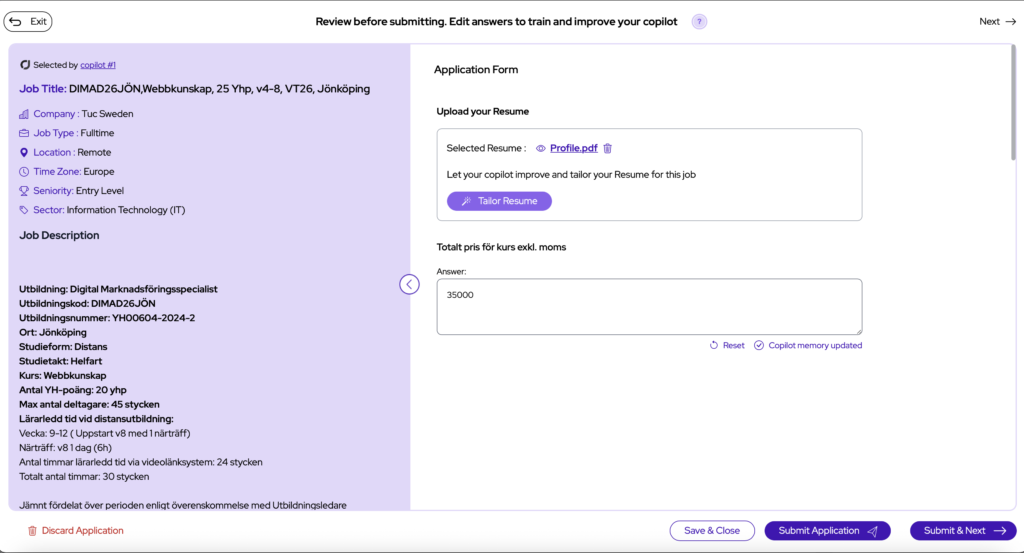
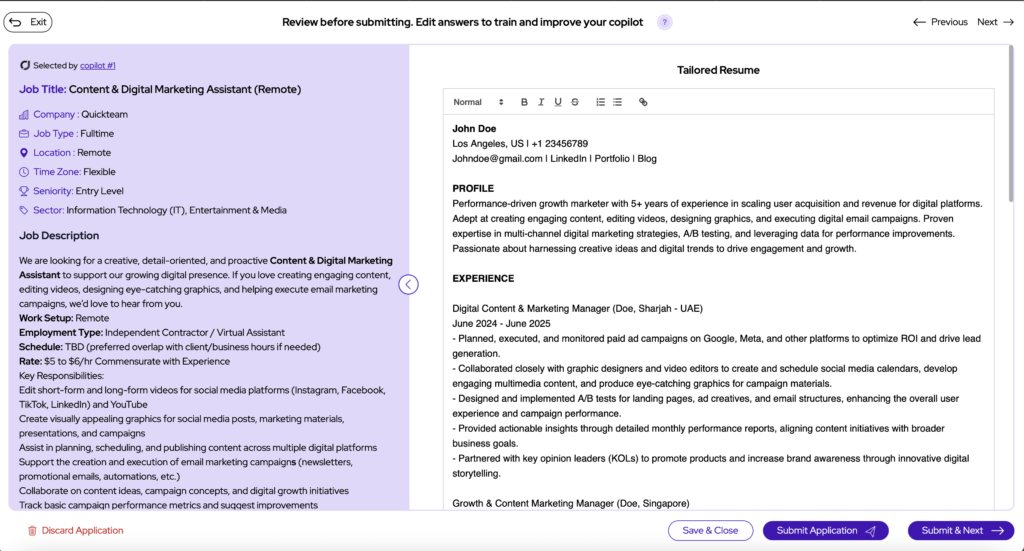
Il adaptera automatiquement votre CV à la description du poste et à ses exigences.
Vous pourrez ensuite examiner les modifications et y apporter les corrections nécessaires avant de soumettre la demande.
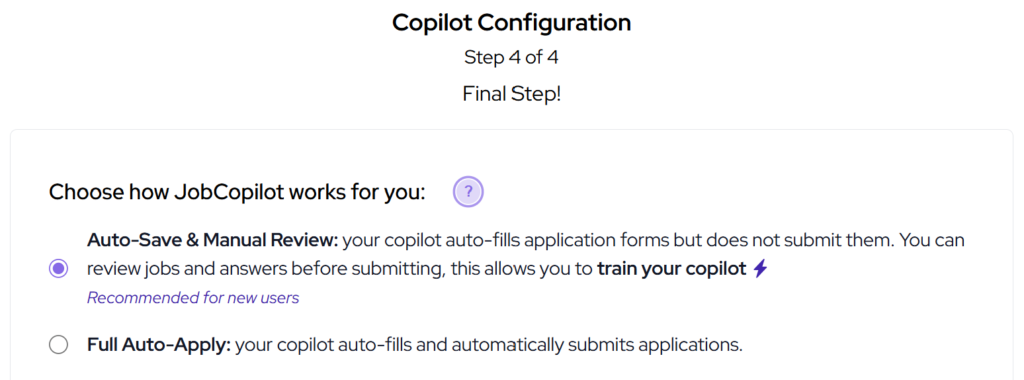
Remarque : votre Copilot doit être configuré sur Mode de sauvegarde automatique pour utiliser cette fonctionnalité.
2. Créateur de CV (Tous les plans)
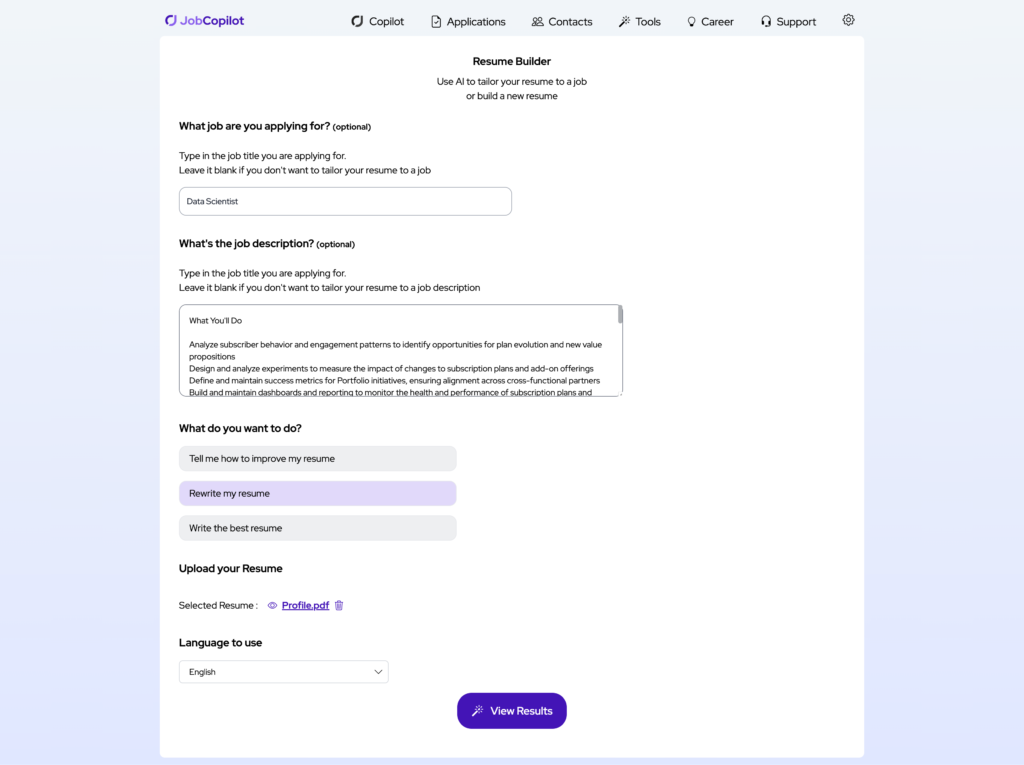
Vous pouvez utiliser la Créateur de CV pour adapter votre CV aux offres d'emploi. Cette fonctionnalité est incluse dans tous les plans et accessible sous Outils IA.
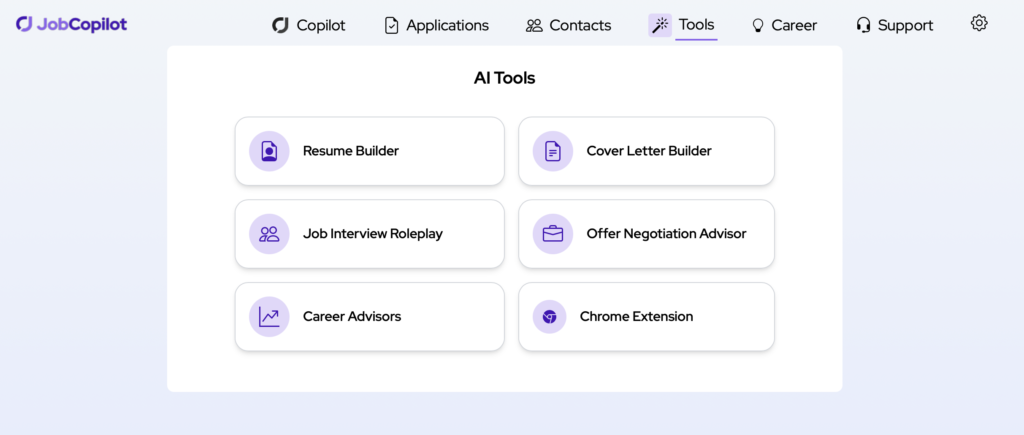
Comment ça marche :
- Collez le titre du poste et la description du poste pour lesquels vous postulez
- Télécharger votre CV
- Sélectionnez “Réécrire mon CV” et la langue
JobCopilot générera ensuite un CV sur mesure en fonction des informations que vous aurez fournies concernant le poste.
Vous pourrez ensuite copier/coller le résultat ou l'enregistrer au format PDF de curriculum vitae, puis le télécharger pour postuler à une offre d'emploi.